

Looking for the best RTX 3050 gaming laptop on Amazon India? For most first-time PC gamers and students, the Lenovo LOQ with the Core i5-12450HX and a 95W RTX 3050 6GB is the safest all-round pick, because Lenovo publishes its graphics power and pairs it with a 144Hz, 100% sRGB screen and plenty of upgrade room. If you can stretch to the next tier, the Lenovo LOQ with the Ryzen 7 7435HS and a 105W RTX 4050 is the clear step up for gaming.
The RTX 3050 is not one fixed level of performance. It comes with 4GB or 6GB of video memory, and laptop makers set its power limit (TGP) anywhere from 35W to 80W or higher on some models, with cooling that varies from chassis to chassis. Two laptops with the same “RTX 3050” sticker can therefore perform quite differently, and several of the reviews below could not confirm the TGP from an official source.
A note on method: these picks are based on official specifications and published reviews summarised in our individual reviews, not hands-on testing by Gadget Soch. Availability, variants and prices on Amazon.in change often, so check the listing before you buy.
Gaming Laptops: quick picks by use case
- Best all-rounder for first-time gamers: Lenovo LOQ (Core i5-12450HX, RTX 3050 6GB)
- Best for coding, editing and CPU-heavy work: Lenovo LOQ (Core i7-13650HX, RTX 3050 6GB)
- Best for gaming plus heavy multitasking: HP Victus 15 (Core i5-14450HX, RTX 3050 6GB, 24GB)
- Best lighter 6GB RTX 3050 option: Acer ALG (Core i5-13420H, RTX 3050 6GB)
- Most portable budget option: MSI Thin 15 (RTX 3050 4GB)
- Best AMD 8-core budget option: ASUS TUF Gaming A15 (Ryzen 7 7435HS, RTX 3050 4GB)
- Best step-up for gaming: Lenovo LOQ (Ryzen 7 7435HS, RTX 4050 6GB)
RTX 3050 and RTX 4050 laptops compared
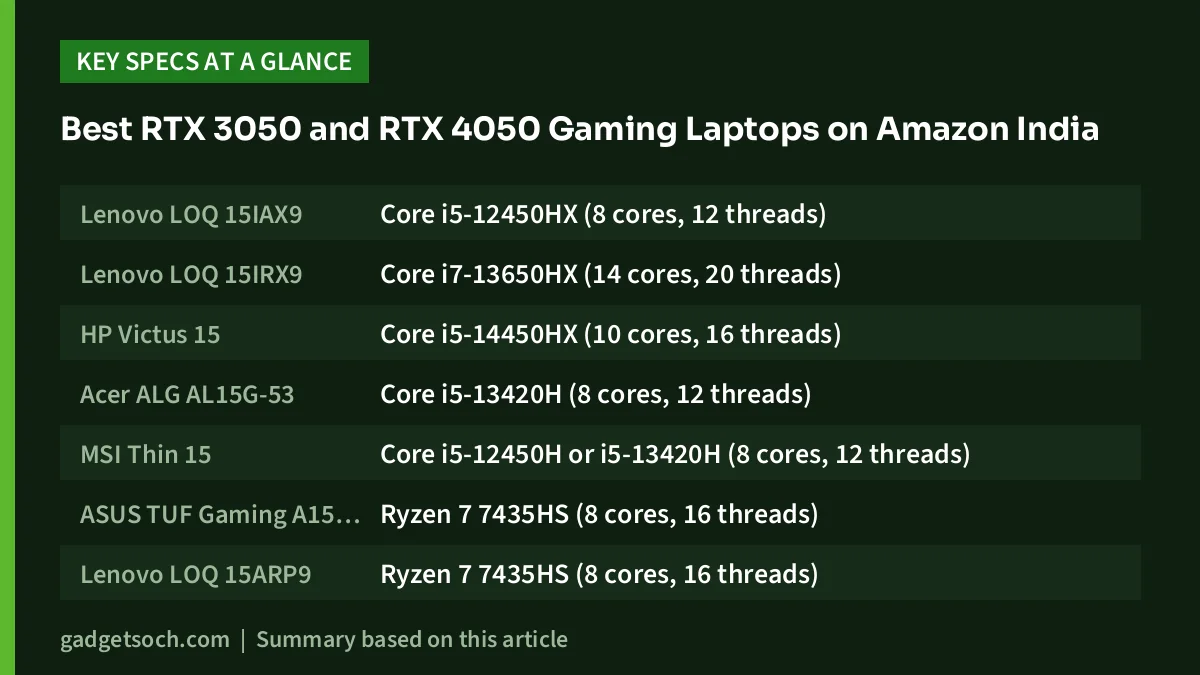
| Laptop | Processor | GPU and video memory | GPU power (TGP) | RAM | Display | Battery | Weight |
|---|---|---|---|---|---|---|---|
| Lenovo LOQ 15IAX9 | Core i5-12450HX (8 cores, 12 threads) | RTX 3050 6GB | 95W | 16GB DDR5-4800 | 15.6-inch FHD 144Hz, 300 nits, 100% sRGB | 60Wh | From 2.38kg |
| Lenovo LOQ 15IRX9 | Core i7-13650HX (14 cores, 20 threads) | RTX 3050 6GB | 95W | 16GB DDR5 | 15.6-inch FHD 144Hz, 300 nits, 100% sRGB | 60Wh | From 2.38kg |
| HP Victus 15 | Core i5-14450HX (10 cores, 16 threads) | RTX 3050 6GB | Not confirmed | 24GB DDR5 (per listing) | 15.6-inch FHD 144Hz, 300 nits | 70Wh (related HP model) | 2.29kg (related HP model) |
| Acer ALG AL15G-53 | Core i5-13420H (8 cores, 12 threads) | RTX 3050 6GB | Not confirmed | 16GB DDR4 | 15.6-inch FHD 144Hz, 45% NTSC | 54Wh | 1.99kg |
| MSI Thin 15 | Core i5-12450H or i5-13420H (8 cores, 12 threads) | RTX 3050 4GB | 45W (with Dynamic Boost) | 16GB DDR4-3200 (2 x 8GB) | 15.6-inch FHD 144Hz, 45% NTSC (per 91mobiles) | 52.4Wh | 1.86kg |
| ASUS TUF Gaming A15 FA506NCR | Ryzen 7 7435HS (8 cores, 16 threads) | RTX 3050 4GB | 60W (75W with Dynamic Boost) | 16GB DDR5 | 15.6-inch FHD 144Hz, 62.5% sRGB | 48WHr | 2.30kg |
| Lenovo LOQ 15ARP9 | Ryzen 7 7435HS (8 cores, 16 threads) | RTX 4050 6GB | 105W | 24GB DDR5-4800 (dual-channel) | 15.6-inch FHD 144Hz, 300 nits, 100% sRGB | 60Wh | From 2.38kg |
“Not confirmed” means neither the maker’s official page nor our review sources stated the figure. HP Victus figures marked “related HP model” come from HP’s page for the closely related Victus 15-fa2688TX, not this exact configuration.
How we picked
This list only includes laptops that Gadget Soch has reviewed in detail and that were listed in stock on Amazon.in when we checked on 17 October 2026. Each review draws on official specification sheets (such as Lenovo PSREF, ASUS, MSI, Acer and HP India pages) and named independent publications.
We looked at the GPU’s video memory and published power limit, the processor’s core count, RAM type and upgrade room, screen refresh rate and colour coverage, battery size, weight and ports such as Ethernet and HDMI 2.1. We have not ranked the laptops with scores. Instead, each one is matched to the kind of buyer it suits best.
The laptops in detail
Lenovo LOQ (Core i5-12450HX, RTX 3050 6GB)
This LOQ 15IAX9 suits first-time PC gamers and students who mainly play esports and popular games at 1080p. Lenovo’s PSREF lists its RTX 3050 6GB at 95W, which is high for this GPU, and the 15.6-inch 144Hz panel covers 100% sRGB with G-SYNC. 91mobiles, which reviewed this pairing, reported that Valorant ran smoothly at high settings and that Cyberpunk 2077 and Warzone gave smooth frame rates at medium settings. Two DDR5 slots and two M.2 PCIe 4.0 slots leave room to upgrade, and Gigabit Ethernet and HDMI 2.1 are included.
The main limitations are an older 8-core processor, 300-nit brightness that can feel dim near windows, a 2.38kg starting weight and short battery life when gaming. As an RTX 30-series GPU, it also lacks DLSS Frame Generation.
Read our Lenovo LOQ i5-12450HX RTX 3050 review. Check the current price on Amazon.in
Lenovo LOQ (Core i7-13650HX, RTX 3050 6GB)
This is the processor-first LOQ. The Core i7-13650HX has 14 cores and 20 threads, against 8 cores and 12 threads on the i5 model above, while PSREF lists the same 95W RTX 3050 6GB, 144Hz 100% sRGB screen and 60Wh battery. That makes it a better fit for engineering and computer-science students, developers and video editors who compile code, export video or run virtual machines, and who also play esports or lighter games at 1080p.
In games the RTX 3050 usually runs out of headroom before the i7 does, so the extra cores pay off mainly in work apps. Lenovo’s own battery estimate is also lower than the i5 model’s. The listing does not show a part number, and the series comes with different webcams and keyboard lighting, so confirm the configuration.
Read our Lenovo LOQ i7-13650HX RTX 3050 review. Check the current price on Amazon.in
HP Victus 15 (Core i5-14450HX, RTX 3050 6GB, 24GB)
The HP Victus 15 suits gamers who also stream, code or keep many apps open. Its Core i5-14450HX is an HX-series chip with 10 cores and 16 threads, and the listing promises 24GB of DDR5. HP’s page for the closely related Victus 15-fa2688TX lists a 70Wh battery, USB-C Power Delivery, HDMI 2.1, Gigabit Ethernet and two M.2 slots, which are likely shared but not confirmed for this exact unit.
The caution here is information. HP’s India store did not list this exact configuration when we checked, HP does not state the RTX 3050’s TGP, and the 24GB memory layout could not be verified. The related model’s screen covers 62.5% sRGB, so it is not for colour-critical work. Check the model number on the listing before you buy.
Read our HP Victus 15 i5-14450HX RTX 3050 review. Check the current price on Amazon.in
Acer ALG (Core i5-13420H, RTX 3050 6GB)
The Acer ALG AL15G-53 pairs the 6GB version of the RTX 3050 with an 8-core Core i5-13420H in a 1.99kg body, lighter than the LOQ and TUF models here. According to Notebookcheck, the 6GB RTX 3050 has 2,560 CUDA cores against 2,048 on the 4GB model, and the extra video memory helps in newer games at 1080p. Acer lists two M.2 slots and RAM support up to 64GB.
The trade-offs are DDR4 memory rather than DDR5, a 45% NTSC screen that is unsuited to colour work, a 54Wh battery and one slow USB 2.0 port. Most importantly, Acer does not publish the GPU’s TGP, so its gaming performance relative to the 95W LOQ models could not be confirmed. Acer’s store page also does not list an Ethernet port.
Read our Acer ALG i5-13420H RTX 3050 review. Check the current price on Amazon.in
MSI Thin 15 (RTX 3050 4GB)
The MSI Thin 15 is the lightest laptop here at 1.86kg and 21.7mm, and it is sold on Amazon.in with either a Core i5-12450H or a Core i5-13420H. Both ship with 16GB of DDR4 in dual-channel, a 512GB Gen4 SSD plus a spare 2.5-inch SATA bay, Wi-Fi 6E and Gigabit Ethernet. It suits esports players and students who need an NVIDIA GPU and a 144Hz screen on a tight budget.
The limit is graphics power. MSI caps the RTX 3050 4GB at 45W including Dynamic Boost, which Notebookcheck places at the low end of this GPU’s range. Expect to lower settings in demanding games. 91mobiles lists the panel at 45% NTSC, and HDMI is limited to 4K at 30Hz. The link below opens the Core i5-12450H configuration; our review compares both.
Read our MSI Thin 15 RTX 3050 review. Check the current price on Amazon.in
ASUS TUF Gaming A15 (Ryzen 7 7435HS, RTX 3050 4GB)
This TUF A15 (FA506NCR) suits students who want an 8-core, 16-thread AMD processor for coding and light editing along with a 144Hz screen for 1080p gaming. ASUS runs the RTX 3050 4GB at up to 60W, rising to 75W with Dynamic Boost, and lists two DDR5 slots, two M.2 PCIe 4.0 slots, HDMI 2.1, Ethernet and a MIL-STD-810H durability claim.
The 4GB of video memory will force lower textures in many new games, and the screen covers only 62.5% sRGB. The Ryzen 7 7435HS has no integrated graphics, so the RTX GPU drives the screen all the time, and the battery is a small 48WHr. We could not find an independent lab review of this exact configuration.
Read our ASUS TUF A15 Ryzen 7 RTX 3050 review. Check the current price on Amazon.in
The step-up: Lenovo LOQ (Ryzen 7 7435HS, RTX 4050 6GB)
If your budget can stretch, this LOQ 15ARP9 is the most capable gaming option in this guide. Lenovo’s PSREF lists the RTX 4050 6GB at 105W TGP with a 2,370MHz boost, the top of NVIDIA’s range for this GPU. As an RTX 40-series GPU it supports DLSS 3, including Frame Generation, which none of the RTX 3050 laptops here can use. It also ships with 24GB of DDR5 in dual-channel, a spare M.2 slot and the same 144Hz 100% sRGB panel as the other LOQs.
The limitations are similar to its siblings: a 300-nit screen, a 60Wh battery that Lenovo rates at 3.8 hours in MobileMark 25, a 2.38kg starting weight, 6GB of video memory and an older Zen 3+ processor without integrated graphics or an NPU.
Read our Lenovo LOQ Ryzen 7 RTX 4050 review. Check the current price on Amazon.in
Buying advice: what to check before you order
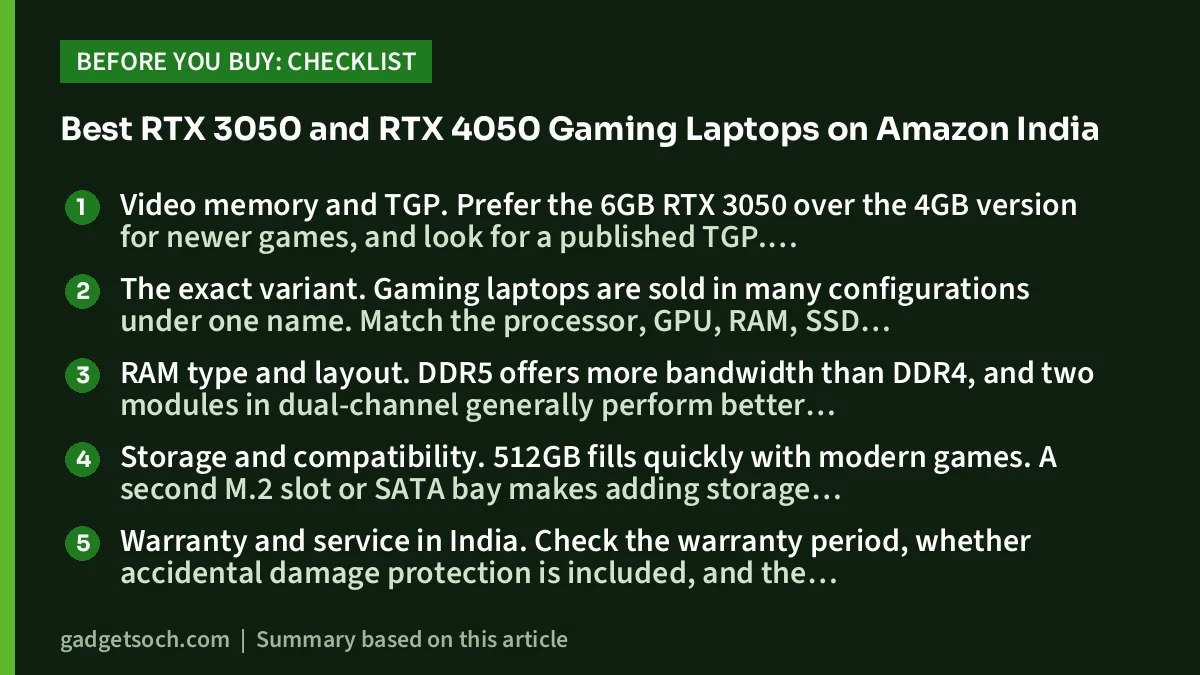
Video memory and TGP. Prefer the 6GB RTX 3050 over the 4GB version for newer games, and look for a published TGP. Lenovo lists 95W for its RTX 3050 LOQs, while MSI caps its Thin 15 at 45W. Where a maker does not publish the figure, treat performance claims cautiously. Cooling design also affects how long a laptop can hold its power limit.
The exact variant. Gaming laptops are sold in many configurations under one name. Match the processor, GPU, RAM, SSD and, where shown, the part number on the Amazon.in listing with the model you have researched.
RAM type and layout. DDR5 offers more bandwidth than DDR4, and two modules in dual-channel generally perform better than one. Check whether both slots are already filled before planning an upgrade.
Storage and compatibility. 512GB fills quickly with modern games. A second M.2 slot or SATA bay makes adding storage easy, but some LOQ models use a shorter 2242-size slot, so confirm the drive length before you buy an SSD.
Warranty and service in India. Check the warranty period, whether accidental damage protection is included, and the brand’s service-centre network near you. Read the warranty terms on user upgrades before opening the laptop.
Frequently asked questions
Is an RTX 3050 laptop still good for gaming?
Yes, for 1080p gaming with sensible settings. Our sources describe it as suited to esports titles and many popular games at Full HD, with lower settings needed in demanding new releases. It is not strong enough for ray tracing in most games.
Is the 6GB RTX 3050 better than the 4GB version?
Generally yes. The 6GB model has more CUDA cores (2,560 against 2,048, according to Notebookcheck) and more memory for textures, though on a narrower 96-bit bus. TGP still matters, so a well-powered 4GB model can be closer than the name suggests.
What is TGP and why does it matter?
TGP, or total graphics power, is the power limit a laptop maker sets for the GPU. Higher limits, backed by good cooling, usually mean more performance. The RTX 3050 can be configured anywhere from 35W to 80W, and lower-power versions are noticeably slower.
Should I buy an RTX 3050 or step up to an RTX 4050?
If you mostly play esports titles, an RTX 3050 is enough. If you want higher settings in new games or DLSS Frame Generation, the RTX 4050 is the meaningful step up. The Lenovo LOQ RTX 4050 in this guide runs it at 105W.
Can I game on battery with these laptops?
Only briefly. Gaming laptops limit GPU power on battery, and batteries here range from 48Wh to 70Wh. 91mobiles reported about 1.5 hours of intense gaming on the LOQ i5 model, so keep the charger connected for gaming.
Our full reviews
- Lenovo LOQ i5-12450HX RTX 3050 review
- Lenovo LOQ i7-13650HX RTX 3050 review
- HP Victus 15 i5-14450HX RTX 3050 review
- Acer ALG i5-13420H RTX 3050 review
- MSI Thin 15 RTX 3050 review
- ASUS TUF A15 Ryzen 7 RTX 3050 review
- Lenovo LOQ Ryzen 7 RTX 4050 review
Related reading on GadgetSoch: Best Budget Laptops in India for Students and Office Work and Lenovo LOQ i5-12450HX vs HP Victus i5-14450HX vs Acer ALG i5-13420H: Which RTX 3050 Gaming Laptop Should You Buy?.




