If you want the most complete package for 1080p gaming and college work, the Lenovo LOQ i5-12450HX is the safest pick of these three: it is the only one whose maker publishes a 95W power limit for its RTX 3050 6GB, and it pairs that with a 100% sRGB 144Hz screen, DDR5 memory and Gigabit Ethernet. The HP Victus i5-14450HX is the one to buy if processor power matters most, thanks to its 10-core, 16-thread chip, 24GB of DDR5 (as listed) and a 70Wh battery. The Acer ALG i5-13420H makes sense if weight is your priority, at 1.99kg, and you can live with DDR4 memory and a narrow-colour screen.
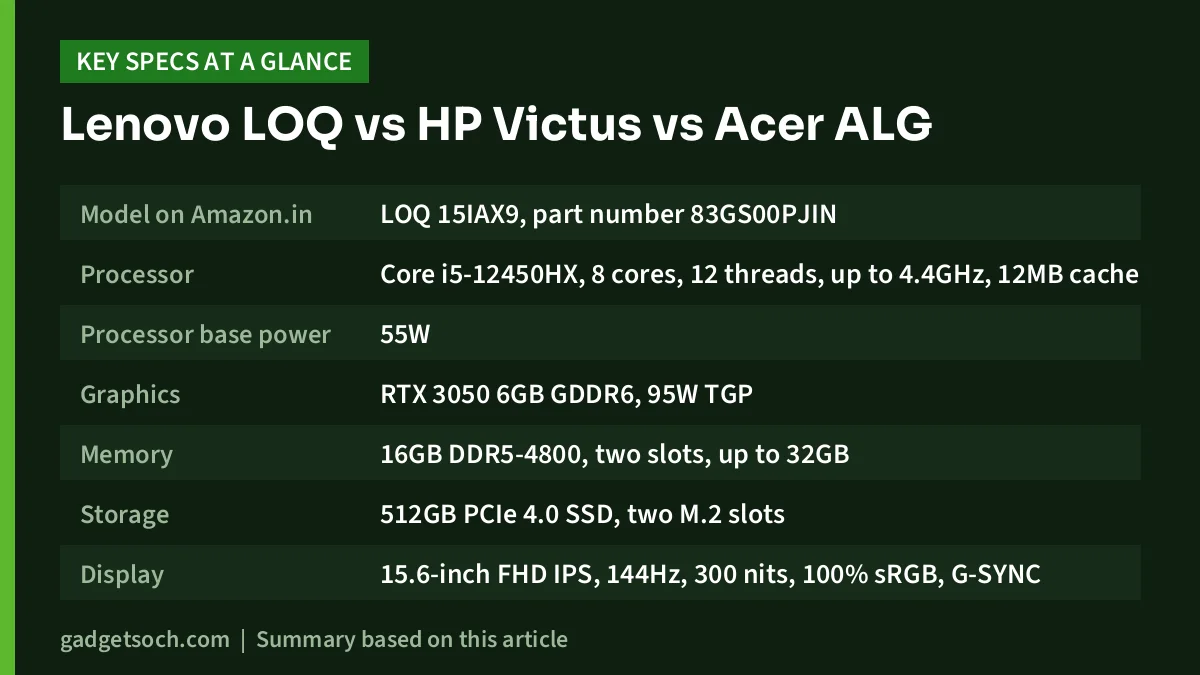
All three share the same graphics chip, the 6GB version of NVIDIA’s GeForce RTX 3050 Laptop GPU, a 15.6-inch Full HD 144Hz display and a 512GB SSD. The differences are in the processor, memory type, screen quality, ports, battery and weight, and in how much each manufacturer has actually confirmed about the exact variant sold on Amazon.in.
A note on method: these picks are based on official specifications and published reviews summarised in our individual reviews, not hands-on testing. Gadget Soch has not used these laptops. Availability and prices on Amazon.in change often, so check the listing and the model number before you buy.
Quick verdict: which one fits you
- Choose the Lenovo LOQ i5-12450HX if you want a published 95W RTX 3050, the most colour-accurate screen here (100% sRGB), Gigabit Ethernet and clearly documented upgrade slots
- Choose the HP Victus i5-14450HX if you code, stream or export video alongside gaming and want the strongest processor, the most RAM as listed and the biggest battery
- Choose the Acer ALG i5-13420H if you carry your laptop every day and want the lightest chassis, with room to grow RAM up to 64GB
- Skip all three if you want high settings with ray tracing in the newest AAA games, since the RTX 3050 is a Full HD, entry-level gaming chip
Lenovo LOQ vs HP Victus vs Acer ALG: specifications side by side
| Spec | Lenovo LOQ i5-12450HX | HP Victus i5-14450HX | Acer ALG i5-13420H |
|---|---|---|---|
| Model on Amazon.in | LOQ 15IAX9, part number 83GS00PJIN | Victus 15 (exact HP model number not confirmed) | AL15G-53 |
| Processor | Core i5-12450HX, 8 cores, 12 threads, up to 4.4GHz, 12MB cache | Core i5-14450HX, 10 cores, 16 threads, up to 4.8GHz, 20MB L3 cache | Core i5-13420H, 8 cores, 12 threads, up to 4.6GHz, 12MB L3 cache |
| Processor base power | 55W | 55W | 45W |
| Graphics | RTX 3050 6GB GDDR6, 95W TGP | RTX 3050 6GB GDDR6, TGP not confirmed | RTX 3050 6GB GDDR6, TGP not confirmed |
| Memory | 16GB DDR5-4800, two slots, up to 32GB | 24GB DDR5 (Amazon title only, layout not confirmed) | 16GB DDR4, two slots, up to 64GB |
| Storage | 512GB PCIe 4.0 SSD, two M.2 slots | 512GB SSD, two M.2 slots on related HP model | 512GB PCIe Gen 4 SSD, two M.2 slots |
| Display | 15.6-inch FHD IPS, 144Hz, 300 nits, 100% sRGB, G-SYNC | 15.6-inch FHD, 144Hz, 300 nits, 62.5% sRGB on related HP model | 15.6-inch FHD, 144Hz, 45% NTSC, brightness not confirmed |
| Ethernet | Gigabit Ethernet | RJ-45 Gigabit Ethernet on related HP model | Not confirmed (not listed by Acer) |
| USB-C | One, 10Gbps, DisplayPort 1.4, charging | One, 5Gbps, Power Delivery, DisplayPort 1.4a (related HP model) | Two USB 3.2 Type-C |
| Battery | 60Wh | 70Wh (related HP model) | 54Wh, up to 7 hours (Acer claim) |
| Charger | 135W or 170W depending on country | 200W (related HP model) | 150W |
| Keyboard backlight | White | 1-zone RGB (related HP model) | Multi-colour |
| Weight | From 2.38kg | 2.29kg (related HP model) | 1.99kg |
| Webcam | 720p with privacy shutter | 720p (related HP model) | 1MP HD |
| Office (per listing) | Office 2024 | MS Office 2024 | Not confirmed |
| Warranty | Not confirmed | Not confirmed | 1 year (Acer India store) |
The HP Victus figures marked “related HP model” come from HP India’s page for the Victus 15-fa2688TX, a close sibling that uses a different processor. HP did not list the exact i5-14450HX configuration on its store when we researched it, so treat those details as likely rather than confirmed.
Processor: the Victus pulls ahead
The HP Victus has the strongest chip on paper. According to Notebookcheck’s processor list, as summarised in our Victus review, the Core i5-14450HX has 10 cores (six performance and four efficiency) and 16 threads, boosting to 4.8GHz with 20MB of L3 cache. The Lenovo’s Core i5-12450HX is an older 12th-gen HX part with 8 cores and 12 threads up to 4.4GHz, and Intel lists no NPU on it. The Acer’s Core i5-13420H is a 45W H-series chip, also 8 cores and 12 threads, reaching 4.6GHz.
In games at 1080p, the RTX 3050 is usually the limit before the processor is, so the Victus’s extra cores will not lift frame rates dramatically. The gap shows in coding, video exports, virtual machines and streaming while playing, where more threads finish work faster. HX chips also draw more power under load, which puts more demand on cooling and the battery.
Better for whom: the HP Victus suits gamers who also do heavy multi-threaded work. For mostly gaming plus coursework, the Lenovo and Acer processors are a sensible match for the RTX 3050.
Graphics: same chip, different certainty
All three use the 6GB RTX 3050, which has 2,560 CUDA cores on a 96-bit bus according to Notebookcheck’s database. The extra video memory over the older 4GB model gives more room for medium-to-high textures in recent games. Notebookcheck describes the RTX 3050 family as a Full HD gaming chip that is not strong enough for ray tracing in most games, with DLSS helping in supported titles. NVIDIA’s DLSS page shows RTX 30-series cards support DLSS Super Resolution but not Frame Generation.
The real difference is power. Laptop makers can run the RTX 3050 anywhere from 35W to 80W in Notebookcheck’s listing, and lower-power versions perform noticeably worse. Lenovo’s PSREF lists a 95W TGP for the LOQ 15IAX9’s RTX 3050 6GB, with Dynamic Boost 2.0 and Advanced Optimus. Neither HP nor Acer states the TGP for its version, so we cannot say how close they run to the Lenovo.
91mobiles reviewed the Lenovo with this exact pairing and reported that Valorant ran smoothly at high settings, while Cyberpunk 2077 and Call of Duty: Warzone delivered smooth frame rates at medium settings. No comparable published results are summarised in our reviews for the HP or Acer variants.
Better for whom: the Lenovo LOQ is the safer gaming buy because its GPU power is documented. The HP and Acer may perform similarly, but that is not confirmed.
Display: the Lenovo’s 100% sRGB panel stands out
All three screens are 15.6-inch Full HD at 144Hz, which makes fast games and scrolling look smoother than a 60Hz panel. Colour range separates them. Lenovo lists 100% sRGB, 1000:1 contrast, an anti-glare finish and G-SYNC, and 91mobiles measured about 295 nits against the rated 300. HP’s related model lists an IPS anti-glare panel at 300 nits with 62.5% sRGB, which will look more muted. Acer lists 45% NTSC and does not state the panel type or brightness.
None of these is bright, so all three are better suited to indoor use. 91mobiles noted the Lenovo can feel dim outdoors.
Better for whom: students doing design, photo or video coursework should pick the Lenovo. For gaming and streaming alone, the HP and Acer screens are adequate.
Memory, storage and upgrades
The Lenovo and HP use DDR5, while the Acer uses DDR4, which has less bandwidth and can matter in some CPU-heavy games and multitasking. The HP’s 24GB is the most RAM here, but that figure comes from the Amazon title only, and we could not confirm whether it is one module or two, which affects dual-channel operation and upgrades. The Lenovo has two DDR5-4800 slots up to 32GB. The Acer has two SO-DIMM slots up to 64GB, and 91mobiles lists its 16GB as a single module, so adding a matching stick would enable dual-channel memory.
Each ships with a 512GB SSD and has a second M.2 slot (on the HP, per the related model), so adding a drive for games is straightforward. Lenovo’s PSREF mentions both 2280 and 2242 drive sizes, so check which length fits before you order.
Better for whom: the HP gives the most memory out of the box, the Acer the highest ceiling, and the Lenovo the most clearly documented upgrade path.
Ports, keyboard and everyday extras
The Lenovo has three USB-A ports at 5Gbps, a 10Gbps USB-C port with DisplayPort 1.4 and charging, HDMI 2.1 and Gigabit Ethernet, but no SD card reader. HP’s related model lists two USB-A 5Gbps ports, a 5Gbps USB-C with Power Delivery and DisplayPort 1.4a, HDMI 2.1 and RJ-45 Ethernet. Acer lists one USB 2.0 Type-A, one USB 3.2 Gen 1 Type-A, two USB 3.2 Type-C ports and HDMI, but its store page does not list Ethernet, so confirm that on the listing if you use wired internet in a hostel.
All three have full-size keyboards with a number pad. Backlighting is white on the Lenovo, single-zone RGB on the HP’s related model and multi-colour on the Acer. Webcams are basic everywhere: 720p on the Lenovo (with a physical privacy shutter) and HP, 1MP on the Acer. 91mobiles found the Lenovo’s 2W speakers short on bass, while HP’s related model uses DTS:X Ultra tuning.
Better for whom: the Lenovo has the most complete port set for a desk setup. The Acer is the one to double-check if you need Ethernet.
Battery, charging and weight
The HP leads on paper with a 70Wh battery (related model), a claimed 50% in about 30 minutes with the laptop off and a 200W adapter. HP also notes a 100W USB-C adapter or power bank can run it for light tasks. The Lenovo has 60Wh, and 91mobiles reported roughly 4 to 5 hours of moderate use and about 1.5 hours of intense gaming. Lenovo says Rapid Charge Pro reaches 50% in 30 minutes. The Acer has the smallest battery at 54Wh, with a claimed best case of up to 7 hours that will drop sharply while gaming.
Weight flips the order. The Acer is the lightest at 1.99kg and 22.7mm thick. The HP’s related model weighs 2.29kg, and the Lenovo starts at 2.38kg, plus a separate charger in each case.
Better for whom: the Acer for daily carrying, the HP for the most time away from a socket, and the Lenovo for buyers who mostly game at a desk.
Who should buy which
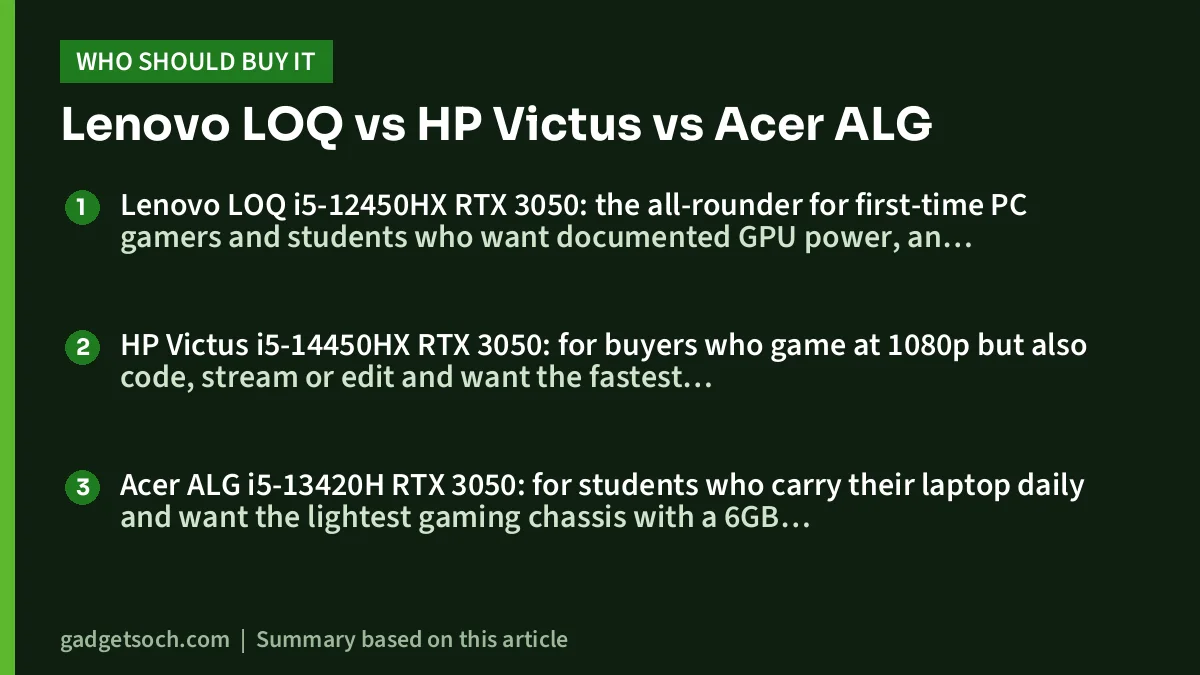
Lenovo LOQ i5-12450HX RTX 3050: the all-rounder for first-time PC gamers and students who want documented GPU power, an accurate screen and Ethernet, and do not mind the weight. Read our Lenovo LOQ i5-12450HX RTX 3050 review or check the current price on Amazon.in.
HP Victus i5-14450HX RTX 3050: for buyers who game at 1080p but also code, stream or edit and want the fastest processor and most RAM here, accepting that HP has not published the exact configuration. Read our HP Victus 15 i5-14450HX review or check the current price on Amazon.in.
Acer ALG i5-13420H RTX 3050: for students who carry their laptop daily and want the lightest gaming chassis with a 6GB RTX 3050, and who do not need colour accuracy. Read our Acer ALG i5-13420H RTX 3050 review or check the current price on Amazon.in.
Frequently asked questions
Which is best for gaming: LOQ, Victus or Acer ALG?
All three use the 6GB RTX 3050, but only Lenovo publishes its power limit (95W), so the LOQ is the most predictable gaming choice. The HP and Acer TGPs are not confirmed, and lower-power RTX 3050 versions perform noticeably worse.
Does the faster Victus processor mean more frames per second?
Not much at 1080p, where the RTX 3050 usually limits performance first. The Core i5-14450HX helps more with coding, video exports and multitasking.
Which has the best screen?
The Lenovo LOQ, with 100% sRGB colour and G-SYNC. The HP’s related model lists 62.5% sRGB and the Acer lists 45% NTSC, so colours will look more muted on both.
Which is the lightest to carry to college?
The Acer ALG at 1.99kg. The HP’s related model is 2.29kg and the Lenovo starts at 2.38kg.
Can I upgrade the RAM and storage?
Yes on all three. Each has a second M.2 SSD slot (on the HP, per the related model). The Lenovo supports up to 32GB DDR5 and the Acer up to 64GB DDR4. The HP’s 24GB layout and maximum memory are not confirmed, so check with the seller first.
Our full reviews
- Lenovo LOQ i5-12450HX RTX 3050 review
- HP Victus 15 (i5-14450HX, RTX 3050 6GB, 24GB) review
- Acer ALG (i5-13420H, RTX 3050 6GB) review
Related reading on GadgetSoch: Lenovo IdeaPad Slim 3 vs IdeaPad Slim 5 (i5-12450H): Which One Should You Buy? and Best 16GB Laptops for Work and Study: Picks for Portability, Screen, Multitasking and Storage.