

If you are choosing between the Lenovo IdeaPad Slim 3 (83ER008DIN) and the Lenovo IdeaPad Slim 5 (83BF0043IN), both with the Intel Core i5-12450H, the short answer is this: buy the Slim 5 if you carry your laptop every day and want a sharper 16:10 screen, a bigger battery, 1TB of storage and USB-C charging. Buy the Slim 3 if you mostly work at a desk, want a larger 15.6-inch screen and a numeric keypad for spreadsheets or accounts, and are happy with 512GB of storage.
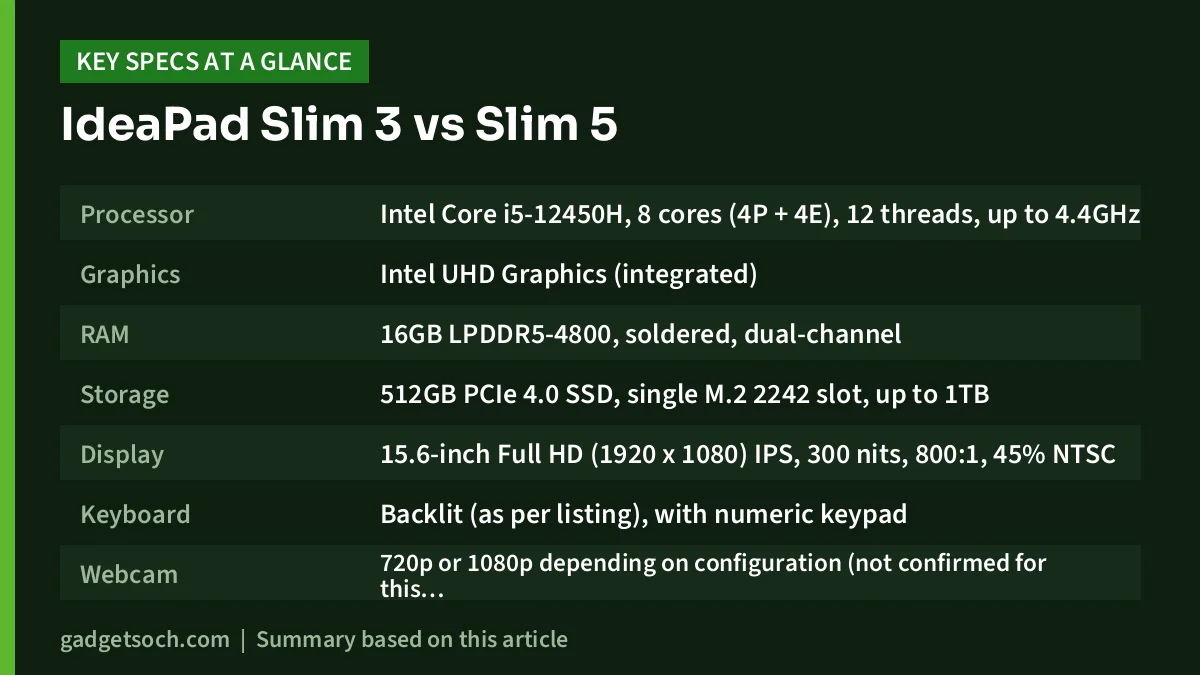
Performance is closely matched, because both use the same 8-core H-series processor, 16GB of dual-channel RAM and Intel UHD graphics. The real differences are size, screen, battery, build, ports and storage.
Please note: this comparison is based on Lenovo’s official specifications and the published reviews summarised in our individual reviews of each laptop, not on hands-on testing. Availability, offers and prices on Amazon.in change often, so check the listing before you buy.
Quick verdict: IdeaPad Slim 3 or Slim 5?
- Choose the IdeaPad Slim 3 if you want a 15.6-inch screen, a dedicated numeric keypad and an HDMI port that can output 4K at 30Hz, and you mainly use the laptop at a desk
- Choose the IdeaPad Slim 5 if you want a lighter 14-inch laptop with a taller 1920 x 1200 screen, a larger 56.6Wh battery, a 1TB SSD, two USB-C ports and USB-C charging
- Choose either one if you need a capable processor for Office, coding, browsing and video calls, but neither if you want to play recent games or edit colour-critical photos
IdeaPad Slim 3 vs Slim 5: specifications side by side
| Specification | Lenovo IdeaPad Slim 3 (83ER008DIN) | Lenovo IdeaPad Slim 5 (83BF0043IN) |
|---|---|---|
| Processor | Intel Core i5-12450H, 8 cores (4P + 4E), 12 threads, up to 4.4GHz | Intel Core i5-12450H, 8 cores (4P + 4E), 12 threads, up to 4.4GHz |
| Graphics | Intel UHD Graphics (integrated) | Intel UHD Graphics (integrated) |
| RAM | 16GB LPDDR5-4800, soldered, dual-channel | 16GB LPDDR5-4800, soldered, dual-channel |
| Storage | 512GB PCIe 4.0 SSD, single M.2 2242 slot, up to 1TB | 1TB PCIe 4.0 SSD, single M.2 slot (2242 or 2280), 1TB listed maximum |
| Display | 15.6-inch Full HD (1920 x 1080) IPS, 300 nits, 800:1, 45% NTSC | 14-inch WUXGA (1920 x 1200) IPS 16:10, 300 nits, 1000:1, 45% NTSC, 60Hz |
| Keyboard | Backlit (as per listing), with numeric keypad | Backlit (as per listing), no numeric keypad |
| Webcam | 720p or 1080p depending on configuration (not confirmed for this variant), privacy shutter | Full HD 1080p, privacy shutter |
| Speakers | 2 x 1.5W, Dolby Audio | 2 x 2W, Dolby Audio |
| Battery | 47Wh, Rapid Charge Boost | 56.6Wh, Rapid Charge Boost |
| Charger | 65W round-tip adapter | 65W USB-C adapter |
| USB ports | 2 x USB-A 5Gbps, 1 x USB-C 5Gbps (PD, DisplayPort 1.2) | 2 x USB-A 5Gbps (one always-on), 2 x USB-C 5Gbps (PD 3.0, DisplayPort 1.4) |
| HDMI | HDMI 1.4, up to 4K at 30Hz | HDMI 1.4b, up to 1080p at 60Hz |
| Card reader | Full-size SD | microSD |
| Wireless | Wi-Fi 5 or Wi-Fi 6 depending on configuration (not confirmed for this variant) | Wi-Fi 6 or Wi-Fi 6E depending on configuration (not confirmed for this variant) |
| Build | PC-ABS plastic top and bottom, MIL-STD-810H (21 items) | Aluminium top cover, MIL-STD-810H (20 items) |
| Dimensions | 359.3 x 235 x 17.9 mm | 312 x 221 x 16.9 to 17.9 mm |
| Weight | From 1.62kg | From 1.46kg |
| Software | Windows 11, Office 2021 (as per listing) | Windows 11, Office 2021 (as per listing) |
Design, build and portability
This is the first big difference. The IdeaPad Slim 3 15IAH8 uses a PC-ABS plastic shell for both the lid and the base. It measures 359.3 x 235 x 17.9 mm and starts at 1.62kg, which is reasonable for a 15.6-inch laptop but noticeably bigger in a backpack.
The IdeaPad Slim 5 14IAH8 sits higher in Lenovo’s range. Every configuration gets an anodised, sandblasted aluminium top cover, and the body measures 312 x 221 mm with thickness between 16.9 and 17.9 mm depending on the bottom material. It starts at 1.46kg. Both passed selected MIL-STD-810H test items per Lenovo, a manufacturer test rather than a drop-proof guarantee.
The Slim 5 also has a larger 75 x 120 mm touchpad. The Slim 3, in return, has a 6-row keyboard with a dedicated numeric keypad, which the 14-inch Slim 5 does not have. Both variants are listed with a backlit keyboard and a webcam privacy shutter.
Better for whom: the Slim 5 suits students and professionals who carry their laptop daily and like a more premium-feeling lid. The Slim 3 suits anyone who types a lot of numbers, such as accountants or office users working in Excel.
Display: bigger screen or smarter shape
Both laptops use 300-nit IPS panels with an anti-glare finish, 85-degree viewing angles and the same basic 45% NTSC colour coverage. That means neither is suitable for photo editing or design work, and colours look flatter than on 100% sRGB screens.
The Slim 3 has the bigger 15.6-inch Full HD (1920 x 1080) panel with 800:1 contrast. The Slim 5 has a smaller 14-inch screen, but its 16:10 WUXGA (1920 x 1200) resolution adds 120 rows of pixels, so you see more lines of a document, web page or spreadsheet without scrolling. Its panel is also rated at a higher 1000:1 contrast.
Lenovo sells the Slim 3 15IAH8 with TN or IPS panels. This variant uses IPS as per its Amazon title, so confirm IPS before ordering.
Better for whom: pick the Slim 3 if a physically larger screen matters most, for example for older users or long desk sessions. Pick the Slim 5 if you want more vertical workspace in a compact body.
Performance, memory and storage
Both laptops use the Intel Core i5-12450H, a 12th-generation H-series chip with 4 performance cores and 4 efficient cores, 12 threads, a 4.4GHz peak, 45W base power and 95W maximum turbo power, per Intel. That is more headroom than the 15W U-series chips in many thin laptops for jobs like compiling code or large spreadsheets.
How much of that headroom each laptop sustains depends on Lenovo’s cooling and power settings. Our reviews did not find independent lab tests of either exact model, so we are not quoting benchmarks or claiming one runs faster than the other.
Both use Intel UHD Graphics, not Iris Xe, so light and older games are realistic but recent AAA titles are not. The Slim 5’s three-month Game Pass offer mentioned in its listing is a bonus, not a reason to buy it for gaming.
Memory is identical: 16GB of LPDDR5-4800 running in dual-channel mode, soldered with no free slot, so neither can be upgraded later. Storage is where they differ. The Slim 3 ships with 512GB in a single M.2 2242 PCIe 4.0 slot that supports up to 1TB, so you would need a short 2242 drive to upgrade. The Slim 5 already ships with 1TB, which Lenovo lists as the maximum for its single slot.
Better for whom: performance is a tie. The Slim 5 is the better choice if you store large files, projects or media and do not want to upgrade or rely on an external drive.
Battery life and charging
The Slim 5 has the clear advantage here. It carries a 56.6Wh battery, and Lenovo rates the IPS version at up to 9.98 hours in MobileMark 2018 at 200 nits and up to 15.3 hours of local 1080p video playback at 150 nits.
The Slim 3 uses a smaller 47Wh battery, rated by Lenovo at up to 7.6 hours in MobileMark 2018 at 200 nits and up to 12 hours of local video playback at 150 nits. Real-world runtime on both will usually be shorter than these lab figures.
Both include a 65W charger and support Rapid Charge Boost, rated at about 2 hours of use from a 15-minute charge. The difference is the plug. The Slim 5 charges over USB-C, and both of its USB-C ports support Power Delivery 3.0, so one charger can also top up a phone or tablet. The Slim 3 ships with a round-tip adapter. Its USB-C port lists Power Delivery, but Lenovo does not state a USB-C charging wattage for this model, so treat the round-tip charger as its main power source.
Better for whom: the Slim 5 is better for anyone who works away from a socket, travels or wants to carry fewer chargers.
Ports, webcam and connectivity
The Slim 5 has two USB-C ports with DisplayPort 1.4 and Power Delivery, two USB-A ports (one always-on for charging a phone while the laptop is off), HDMI 1.4b, a microSD reader and a 3.5mm combo jack. The Slim 3 has one USB-C port with DisplayPort 1.2, two USB-A ports, HDMI 1.4, a full-size SD card reader and a 3.5mm combo jack. All USB ports on both run at 5Gbps, and neither has Ethernet.
For external monitors, there is a catch on each. The Slim 3’s HDMI 1.4 tops out at 4K at 30Hz, while its USB-C can drive 4K at 60Hz. The Slim 5’s HDMI 1.4b is rated at only 1920 x 1080 at 60Hz, while its USB-C can drive 3840 x 2160 at 60Hz. On either laptop, a USB-C cable is the better route to a 1440p or 4K monitor.
The Slim 5 has a confirmed Full HD 1080p webcam and slightly louder-rated 2 x 2W speakers. The Slim 3 15IAH8 comes with a 720p or 1080p webcam depending on configuration, and our review could not confirm which this variant uses, so we cannot call it a match. Wireless also depends on configuration: Wi-Fi 5 or Wi-Fi 6 on the Slim 3, and Wi-Fi 6 or 6E on the Slim 5. Neither listing title confirms the exact Wi-Fi standard, so check the listing if it matters to you.
Better for whom: the Slim 5 suits video-call users and USB-C accessory owners. The Slim 3 suits anyone who wants to read camera SD cards without an adapter.
Who should buy which
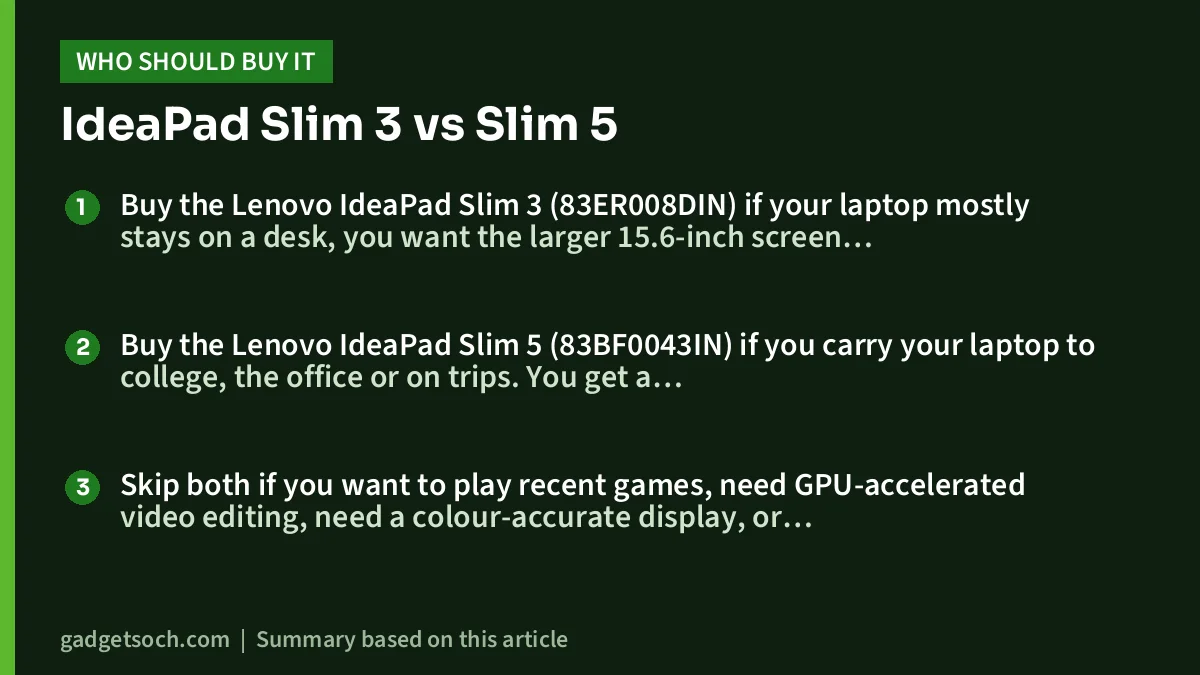
Buy the Lenovo IdeaPad Slim 3 (83ER008DIN) if your laptop mostly stays on a desk, you want the larger 15.6-inch screen and a numeric keypad, and 512GB of storage is enough for your files. Read our Lenovo IdeaPad Slim 3 i5-12450H review, or check the current price of the IdeaPad Slim 3 on Amazon.in.
Buy the Lenovo IdeaPad Slim 5 (83BF0043IN) if you carry your laptop to college, the office or on trips. You get a lighter 14-inch body with an aluminium lid, a taller 16:10 screen, a larger battery, 1TB of storage, a Full HD webcam and USB-C charging. Read our Lenovo IdeaPad Slim 5 i5-12450H review, or check the current price of the IdeaPad Slim 5 on Amazon.in.
Skip both if you want to play recent games, need GPU-accelerated video editing, need a colour-accurate display, or expect to need more than 16GB of RAM in future.
Frequently asked questions
Is the IdeaPad Slim 5 faster than the IdeaPad Slim 3?
Not on paper. Both use the same Intel Core i5-12450H, 16GB of dual-channel LPDDR5-4800 RAM and Intel UHD graphics. Real sustained speed depends on each chassis’s cooling, and we found no independent lab tests of either exact model to compare.
Can I upgrade the RAM on either laptop?
No. On both the Slim 3 (83ER008DIN) and the Slim 5 (83BF0043IN), the 16GB of RAM is soldered with no free slot, so it cannot be increased later.
Which one has better battery life?
The Slim 5, based on Lenovo’s ratings. It has a 56.6Wh battery rated at up to 9.98 hours in MobileMark 2018, compared with the Slim 3’s 47Wh battery rated at up to 7.6 hours. Real-world runtime will be lower on both.
Can both laptops charge over USB-C?
The Slim 5 ships with a 65W USB-C charger and both its USB-C ports support Power Delivery 3.0. The Slim 3 ships with a 65W round-tip charger. Its USB-C port lists Power Delivery, but Lenovo does not state a USB-C charging wattage, so we cannot confirm USB-C charging performance.
Are these laptops good for gaming?
Only for light or older games. Both rely on integrated Intel UHD Graphics, so demanding new titles are not realistic. For gaming, a laptop with a dedicated GPU, such as one with an RTX 3050, is a better fit.
Our full reviews
- Lenovo IdeaPad Slim 3 i5-12450H review: is the 16GB/512GB model right for you?
- Lenovo IdeaPad Slim 5 i5-12450H review: a 14-inch 16GB/1TB laptop for work and study
Related reading on GadgetSoch: Best 16GB Laptops for Work and Study: Picks for Portability, Screen, Multitasking and Storage and Lenovo LOQ i5-12450HX vs HP Victus i5-14450HX vs Acer ALG i5-13420H: Which RTX 3050 Gaming Laptop Should You Buy?.




