

Looking for the best budget laptop India buyers can order on Amazon.in for college, online classes or office work? For most people, the Lenovo IdeaPad Slim 3 with the Ryzen 5 7520U and 16GB is the most balanced pick in this group, because 16GB of memory is what keeps a low-cost laptop usable for years. If you want Windows, an Ethernet port and a number pad for office work, look at the Lenovo V15 G4. If you mostly watch and read, the ASUS Vivobook Go 15 OLED has by far the best screen here.
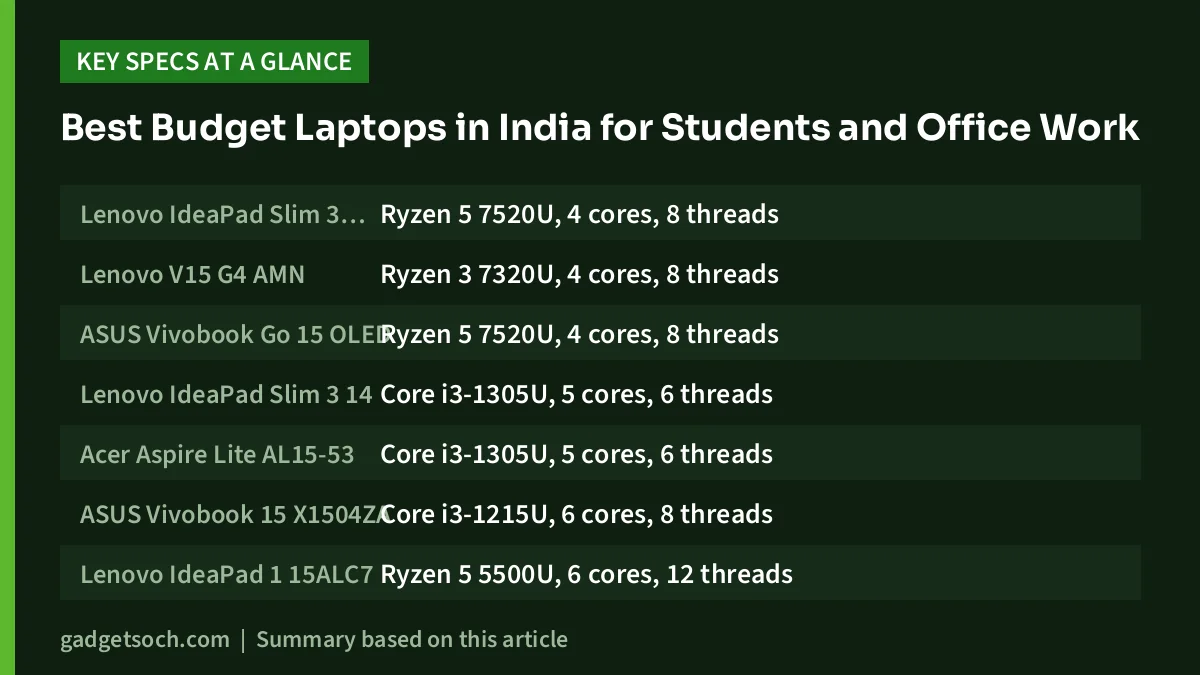
Every laptop in this guide is an entry-tier machine: AMD Ryzen 3 7320U, Ryzen 5 5500U or Ryzen 5 7520U, Intel Core i3, or, for very light use only, an Intel Celeron. Each has a trade-off, such as an HD screen, DOS, a TN panel or soldered memory, and we flag it for every pick.
How this guide was made: our picks are based on official specifications and published reviews summarised in our individual gadgetsoch reviews, not hands-on testing. Availability and prices on Amazon.in change often, so check the listing before you buy.
Best Budget Laptops: quick picks by use case
- Best all-rounder for students: Lenovo IdeaPad Slim 3 Ryzen 5 7520U (16GB)
- Best for office work with Ethernet: Lenovo V15 G4 Ryzen 3 7320U
- Best screen: ASUS Vivobook Go 15 OLED Ryzen 5 7520U
- Best lightweight 14-inch option: Lenovo IdeaPad Slim 3 14 i3-1305U
- Best for adding RAM later: Acer Aspire Lite i3-1305U
- Best for a backlit keyboard plus Office: ASUS Vivobook 15 i3-1215U
- Most processor cores in this guide: Lenovo IdeaPad 1 Ryzen 5 5500U
- Best for Linux users or an existing Windows licence: HP 15 Ryzen 3 7320U (DOS)
- Very light use only: Acer Aspire 3 Celeron N4500
Budget laptops compared side by side
| Laptop | Processor | Memory | Storage | Screen | Software | Weight |
|---|---|---|---|---|---|---|
| Lenovo IdeaPad Slim 3 (Ryzen 5) | Ryzen 5 7520U, 4 cores, 8 threads | 16GB LPDDR5, soldered | 512GB NVMe | 15.6-inch FHD, TN or IPS not confirmed | Windows 11 | From 1.62kg |
| Lenovo V15 G4 AMN | Ryzen 3 7320U, 4 cores, 8 threads | 8GB LPDDR5, soldered | 512GB NVMe | 15.6-inch FHD, 250 nits, TN per Lenovo spec | Windows 11 Home | 1.65kg |
| ASUS Vivobook Go 15 OLED | Ryzen 5 7520U, 4 cores, 8 threads | 8GB LPDDR5, soldered | 512GB NVMe | 15.6-inch FHD OLED, glossy | Windows 11 Home, Office 2021 | 1.63kg |
| Lenovo IdeaPad Slim 3 14 | Core i3-1305U, 5 cores, 6 threads | 8GB LPDDR5, soldered, single-channel | 512GB PCIe 4.0 NVMe | 14-inch FHD IPS, 300 nits | Windows 11, Office 2021 | From 1.37kg |
| Acer Aspire Lite AL15-53 | Core i3-1305U, 5 cores, 6 threads | 8GB DDR4 plus a free slot | 512GB NVMe | 15.6-inch FHD, TN on reviewed unit | Windows 11 Home | 1.59kg |
| ASUS Vivobook 15 X1504ZA | Core i3-1215U, 6 cores, 8 threads | 8GB DDR4, free slot not confirmed | 512GB NVMe | 15.6-inch FHD, IPS not confirmed by ASUS | Windows 11 Home, Office 2021 | 1.7kg |
| Lenovo IdeaPad 1 15ALC7 | Ryzen 5 5500U, 6 cores, 12 threads | 8GB DDR4, one SO-DIMM slot, 16GB max | 512GB SSD | 15.6-inch HD, likely 1366 x 768 TN | Windows 11 Home, Office Home 2024 | 1.6kg |
| HP 15 (2025) | Ryzen 3 7320U, 4 cores, 8 threads | 8GB, treat as not upgradeable | 512GB SSD | 15.6-inch HD, panel not confirmed | DOS (no Windows) | 1.5kg |
| Acer Aspire 3 A325-45 | Celeron N4500, 2 cores, 2 threads | 8GB LPDDR4X, 8GB max | 256GB SSD | 15.6-inch HD 1366 x 768 TN | Windows 11 Home | About 1.5kg |
How we picked
We only included laptops that gadgetsoch has already reviewed in detail and that were listed in stock on Amazon.in when we checked on 17 October 2026. Those reviews draw on manufacturer specification sheets such as Lenovo PSREF and the ASUS, Acer and HP listings, AMD and Intel processor pages, and named publications such as Notebookcheck and 91mobiles.
Our criteria were everyday processor capability for study and office work, whether memory can be upgraded, screen resolution and panel type, whether Windows is included, useful ports such as Ethernet, an SD card reader and USB-C charging, battery capacity and weight. Where a review could not confirm a detail, we say so instead of guessing.
Our budget laptop picks in detail
Lenovo IdeaPad Slim 3 Ryzen 5 7520U (16GB): best all-rounder
This is the configuration to choose if you want to buy once and keep it for a while. Its 16GB of LPDDR5 runs in dual-channel mode and is already the maximum the Ryzen 5 7520U supports, so Windows, a browser and a video call fit comfortably. You also get a number pad, an SD card reader and a USB-C port that charges the laptop and can drive a 4K monitor at 60Hz. Lenovo rates the series for up to 11 hours in the MobileMark 2018 test (a lab figure).
The main limitations: the Ryzen 5 7520U uses four older Zen 2 cores, the Radeon 610M graphics are basic, the memory is soldered, and Lenovo lists both TN and IPS panels for this series, so confirm the panel type before ordering. There is no Ethernet port.
Read our Lenovo IdeaPad Slim 3 Ryzen 5 7520U review or check the current price on Amazon.in.
Lenovo V15 G4 AMN Ryzen 3 7320U: best for office work
A practical office laptop with Windows 11 Home included, a Full HD screen, a spill-resistant keyboard with number pad and a full-size RJ-45 Gigabit Ethernet port, which many thin laptops have dropped. The USB-C port supports charging and DisplayPort output, and Lenovo says the series passed MIL-STD-810H tests. The 512GB SSD sits in an M.2 2242 slot that supports drives up to 1TB.
The main limitations: the 250-nit screen matches the TN option on Lenovo’s spec sheet, with narrow viewing angles and 45% NTSC colour. The 8GB of LPDDR5 is soldered, the keyboard is not backlit, there is no SD card reader, and the battery size (38Wh or 47Wh) could not be confirmed for this exact model.
Read our Lenovo V15 Ryzen 3 7320U review or check the current price on Amazon.in.
ASUS Vivobook Go 15 OLED Ryzen 5 7520U: best screen
The reason to buy this laptop is its 15.6-inch Full HD OLED panel, which ASUS rates for 100% DCI-P3 colour, 600 nits peak brightness and PANTONE validation. The backlit keyboard has a number pad, the hinge folds back to 180 degrees, Wi-Fi 6E is included and the listing bundles Office 2021.
The main limitations: 8GB of soldered LPDDR5 with no upgrade path, the same modest four-core Ryzen 5 7520U, a glossy screen that reflects lights, a 720p webcam, HDMI 1.4, and no SD card reader or Ethernet. ASUS does not publish a battery-life figure, and the battery is 42Wh or 50Wh depending on configuration.
Read our ASUS Vivobook Go 15 OLED review or check the current price on Amazon.in.
Lenovo IdeaPad Slim 3 14 i3-1305U: best lightweight pick
Starting at 1.37kg and 17.9mm thick, this is the easiest laptop in the guide to carry every day. The 14-inch Full HD IPS screen is rated at 300 nits with an anti-glare finish, the 512GB PCIe 4.0 SSD can be replaced later, and the USB-C port supports charging and 4K 60Hz output. It also has a 47Wh battery, an SD card reader and, per the listing, Office 2021.
The main limitations: the 8GB of LPDDR5 is soldered and runs in single-channel mode, which also holds back the basic Intel UHD graphics. The Core i3-1305U has only one performance core, colour coverage is 45% NTSC, there is no Ethernet port, and keyboard backlighting could not be confirmed for this model.
Read our Lenovo IdeaPad Slim 3 i3-1305U review or check the current price on Amazon.in.
Acer Aspire Lite i3-1305U: best for adding RAM later
Unusually for a budget laptop, the Aspire Lite has a metal lid and bottom panel according to 91mobiles, which also found a free memory slot on its unit. That makes adding a DDR4 stick to reach 16GB a realistic next step. Ports are generous: Ethernet, microSD, USB-C, three USB-A ports and HDMI, plus a full-size keyboard with number pad.
The main limitations: the 91mobiles review unit had a TN panel with poor viewing angles, so assume TN unless the listing clearly says IPS. The small 36Wh battery lasted 5 hours 14 minutes in the 91mobiles video playback test, its unit could not charge over USB-C, and there was no keyboard backlight.
Read our Acer Aspire Lite i3-1305U review or check the current price on Amazon.in.
ASUS Vivobook 15 i3-1215U: backlit keyboard and Office included
This listing combines a 15.6-inch Full HD screen, a backlit keyboard, a 512GB NVMe SSD, Wi-Fi 6 and Office Home and Student 2021 in one entry-level package. The 12th Gen Core i3-1215U has two performance cores and four efficient cores (8 threads), which suits documents, browsing, online classes and video calls.
The main limitations: spec sites list an IPS 250-nit panel, but ASUS’s own page could not be reached to confirm it. The 42Wh battery will not last all day according to Tech Advisor, HDMI is version 1.4, there is no Ethernet port, the listed weight is 1.7kg, and we could not confirm USB-C charging or a free RAM slot.
Read our ASUS Vivobook 15 i3-1215U review or check the current price on Amazon.in.
Lenovo IdeaPad 1 Ryzen 5 5500U: most processor cores
The six-core, 12-thread Ryzen 5 5500U is the strongest multi-core chip in this guide, and Notebookcheck placed the newer-sounding Ryzen 5 7520U below it. The platform has one SO-DIMM slot with a 16GB maximum, an SD card reader, a number pad, a webcam privacy shutter and, per the listing, Office Home 2024.
The main limitations: the listing says HD, and the only HD panel Lenovo lists for this series is a 1366 x 768 TN panel at 220 nits, although one retailer page mentions 1920 x 1080, so confirm before ordering. The keyboard is not backlit, the USB-C port is for data only, HDMI is 1.4b and the battery is 42Wh.
Read our Lenovo IdeaPad 1 Ryzen 5 5500U review or check the current price on Amazon.in.
HP 15 Ryzen 3 7320U (DOS): for Linux users or an existing Windows licence
The HP 15 is light for a 15.6-inch laptop at a listed 1.5kg and has a roomy 512GB SSD with the same Ryzen 3 7320U as the Lenovo V15. It suits offices and colleges with volume Windows licences, Linux users, or someone who already owns a retail Windows licence they can legally move to a new machine.
The main limitations: it ships with DOS, so you must install an operating system yourself, and you should add the cost of a genuine Windows licence when comparing it with other laptops. The screen is HD rather than Full HD, with panel type and brightness not stated. Treat the 8GB of memory as permanent, since the processor supports only soldered LPDDR5. Battery and port details could not be matched to an official HP spec sheet.
Read our HP 15 Ryzen 3 7320U review or check the current price on Amazon.in.
Acer Aspire 3 Celeron N4500: very light use only
Consider this only for basic tasks such as online classes, email, YouTube and simple documents, for example as a laptop for a school child or an elderly family member. It has three USB-A ports, a USB-C port and HDMI, an SSD rather than a hard disk, and a small 24W charger that is easy to carry.
The main limitations: the Celeron N4500 has just two cores and two threads at a 6W TDP, so expect waiting when a video call runs alongside several tabs or Windows Update. The 15.6-inch screen is 1366 x 768 TN, 8GB is the listed maximum memory, storage is only 256GB and the battery is 38Wh. A Ryzen 3 or Core i3 laptop is the safer long-term buy.
Read our Acer Aspire 3 Celeron N4500 review or check the current price on Amazon.in.
What to check before you buy a budget laptop
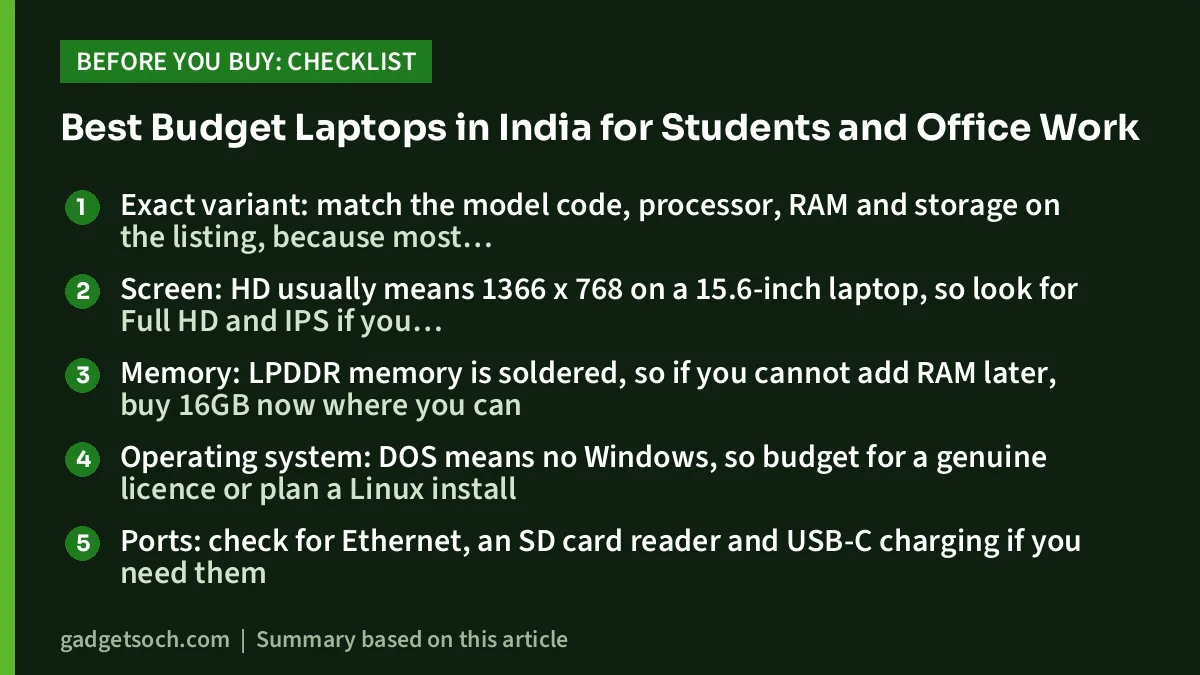
- Exact variant: match the model code, processor, RAM and storage on the listing, because most of these laptops are sold in several configurations
- Screen: HD usually means 1366 x 768 on a 15.6-inch laptop, so look for Full HD and IPS if you read or study for long hours
- Memory: LPDDR memory is soldered, so if you cannot add RAM later, buy 16GB now where you can
- Operating system: DOS means no Windows, so budget for a genuine licence or plan a Linux install
- Ports: check for Ethernet, an SD card reader and USB-C charging if you need them
- Warranty and service: buy from an authorised seller, keep the GST invoice and register the laptop with the brand’s India support
Frequently asked questions
Which budget laptop is best for college students in India?
For most students, the Lenovo IdeaPad Slim 3 Ryzen 5 7520U with 16GB is the most balanced pick here because of its memory, SD card reader and USB-C charging. If you carry your laptop all day, the 14-inch IdeaPad Slim 3 i3-1305U is lighter.
Is 8GB of RAM enough for a laptop?
For one main task, Office, a moderate number of browser tabs and video calls, 8GB is workable. It fills up quickly with many tabs plus Teams or Zoom. If the memory is soldered, as on most laptops here, 16GB is the safer buy.
What does DOS mean on a laptop listing?
It means no Windows licence is included. You need to install Windows with a genuine licence, or a free Linux distribution, before the laptop is useful.
Is a Celeron laptop good enough?
Only for very light use such as browsing, online classes and simple documents. A two-core Celeron N4500 struggles with multitasking, so a Ryzen 3 or Core i3 laptop is a better long-term choice.
Is a TN screen a problem?
TN panels lose contrast and shift colour when viewed from an angle. An IPS or OLED screen is more comfortable for long hours.
Can I play games on these laptops?
Not modern 3D games. All of them use basic integrated graphics that are meant for video playback, presentations and office work. For gaming, look at a laptop with dedicated graphics.
Our full reviews
- Lenovo IdeaPad Slim 3 Ryzen 5 7520U review
- Lenovo V15 Ryzen 3 7320U review
- ASUS Vivobook Go 15 OLED Ryzen 5 7520U review
- Lenovo IdeaPad Slim 3 i3-1305U review
- Acer Aspire Lite i3-1305U review
- ASUS Vivobook 15 i3-1215U review
- Lenovo IdeaPad 1 Ryzen 5 5500U review
- HP 15 Ryzen 3 7320U review
- Acer Aspire 3 Celeron N4500 review
Related reading on GadgetSoch: Best RTX 3050 and RTX 4050 Gaming Laptops on Amazon India and Lenovo LOQ i5-12450HX vs HP Victus i5-14450HX vs Acer ALG i5-13420H: Which RTX 3050 Gaming Laptop Should You Buy?.




