

The Canon PIXMA G1730 is a print-only, USB-only ink tank colour printer, and it is a sensible pick for Indian homes and students who print a lot of documents and want a low running cost but have no need to scan, copy or print over Wi-Fi. Canon rates its GI-71 bottles at up to 6,000 black pages and 7,700 pages per colour bottle, which is the main reason to choose it over a cartridge printer.
The short verdict: if your printing happens from one desktop or laptop sitting next to the printer, the G1730 covers the basics well, with pigment black ink for crisp text, borderless photo printing and a modest 11 ipm black speed. If you want to print from a phone, scan homework or photocopy ID documents, you should look at a different model.
This article is based on Canon India’s official specification page and the Amazon.in listing data, both checked on 17 October 2026. It is not based on hands-on testing, and where the listing and Canon’s page differ, we point it out.
Quick verdict
- Best for: students, home offices and families who print assignments, forms and occasional photos from a single PC or laptop
- Skip if: you need scanning, copying, Wi-Fi or phone printing, or automatic double-sided printing
- Key strengths: high official page yields from GI-71 bottles, pigment black ink for text, borderless photo support, low standby power, Chrome OS and macOS support
- Key limitations: USB 2.0 is the only connection, no display, a single 100-sheet rear tray, manual print head alignment and a modest colour speed
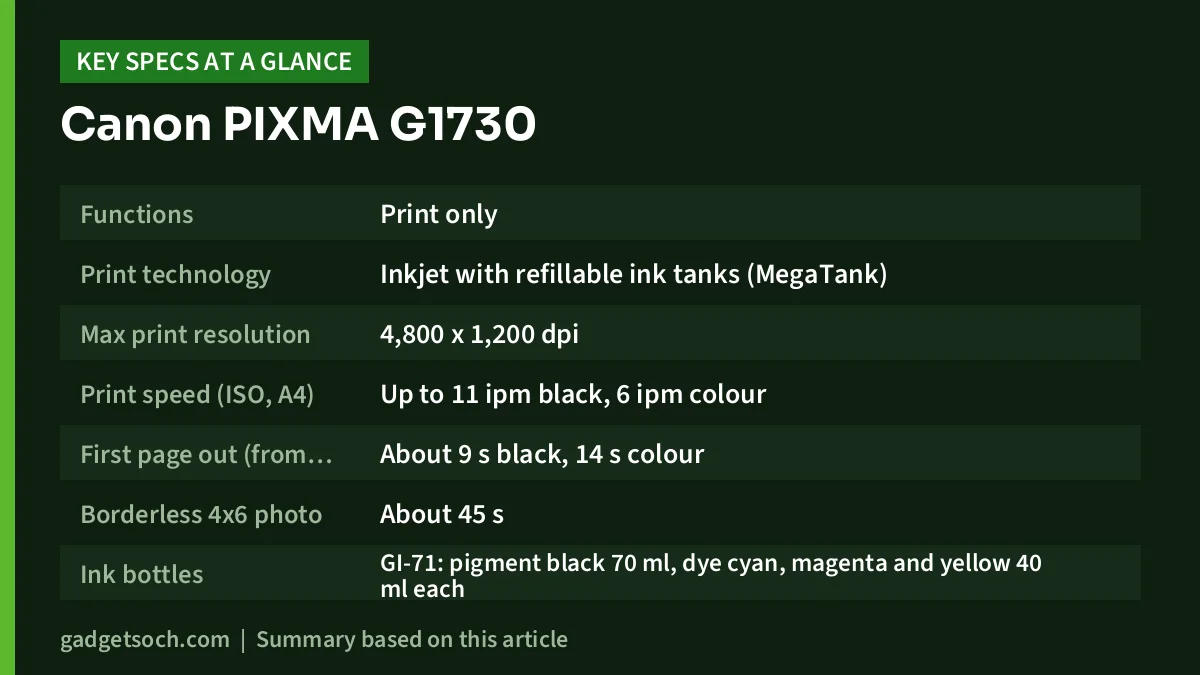
Canon PIXMA G1730 key specifications
| Specification | Canon PIXMA G1730 (official figure) |
|---|---|
| Functions | Print only |
| Print technology | Inkjet with refillable ink tanks (MegaTank) |
| Max print resolution | 4,800 x 1,200 dpi |
| Print speed (ISO, A4) | Up to 11 ipm black, 6 ipm colour |
| First page out (from ready) | About 9 s black, 14 s colour |
| Borderless 4×6 photo | About 45 s |
| Ink bottles | GI-71: pigment black 70 ml, dye cyan, magenta and yellow 40 ml each |
| Page yield (standard, A4) | 6,000 black, 7,700 per colour bottle |
| Page yield (economy mode, A4) | 7,600 black, 8,100 per colour bottle |
| Paper input | Rear tray, 100 sheets of plain A4 |
| Paper weight | 64-105 gsm plain, up to 265 gsm Canon media |
| Connectivity | Hi-Speed USB 2.0 only |
| OS support | Windows 11, 10, 8.1, 7 SP1, macOS 10.14.6-12 or later, Chrome OS |
| Recommended monthly volume | 150-1,500 pages (duty cycle up to 3,000) |
| Noise | About 49 dB(A) for black A4 printing |
| Power draw | 0.1 W off, 0.6 W standby over USB, 15 W operating |
| Dimensions | 416 x 330 x 146 mm with trays closed |
| Weight | About 4.6 kg |
Source: Canon India product specification page, checked 17 October 2026. Check the current price of the Canon PIXMA G1730 on Amazon.in.
Which variant this link points to
The Amazon.in listing linked on this page is for the Canon PIXMA G1730 Print Only Non WiFi Ink Tank Colour Printer (ASIN B0BY949L3M), listed in black. It is the single-function model. Siblings such as the G2730 and G3730 look similar but add scanning or Wi-Fi, so confirm the listing says G1730.
One mismatch: the listing title says “7000 Colour prints”, while its own feature bullets and Canon’s official page say 7,700 pages per colour bottle. We use Canon’s 7,700 figure.
Ink system and running cost: why the yield numbers matter
The G1730’s whole case rests on its ink tanks. Instead of small cartridges, you fill four tanks from GI-71 bottles. Canon’s official yields are measured under the ISO/IEC 24711 method using the ISO/IEC 24712 test file on A4 plain paper: 6,000 pages from a black bottle and 7,700 pages from each colour bottle. In Canon’s economy mode, those rise to 7,600 black and 8,100 per colour bottle.
These are standardised test pages with light coverage, so photo-heavy or dark pages will use more ink. The numbers are still useful for comparing printers, because every maker uses the same ISO method.
Canon also lists smaller GI-71S bottles with lower yields (3,100 black and 4,400 per colour bottle). When you buy refills, check whether a bottle is GI-71 or GI-71S, because the smaller bottle will run out sooner.
The black ink is pigment-based while the colours are dye-based. That split is common on Canon ink tank printers for a reason: pigment black tends to sit on top of plain paper and produce sharp, darker text, while dye colours give richer tones on photo paper. If most of your printing is text, this matters more than the headline resolution.
Canon also lists a replaceable maintenance cartridge (MC-G04), which collects waste ink, and replaceable print heads (BH-70 black, CH-70 colour). Swappable heads help over a long ownership period, but keep the printer in regular use: ink tank printers that sit idle for weeks can develop clogged nozzles.
Print quality and speed in everyday use
Canon quotes a maximum resolution of 4,800 x 1,200 dpi from a 1,792-nozzle head, which is typical for a home inkjet. Text quality depends more on the pigment black ink and your paper than on the dpi figure.
Speeds are modest: up to 11 images per minute in black and 6 in colour under the ISO test, with the first black page arriving in about 9 seconds and the first colour page in about 14 seconds from ready. A borderless 4×6 photo takes around 45 seconds. Fine for a project report, slow for a busy office; Canon recommends 150 to 1,500 pages a month.
Borderless printing is supported on A4, Letter, 4×6, 5×7, 8×10 and a few other sizes, so the G1730 can handle family photos and school project pictures without white edges. Canon’s page notes that envelopes, HR-101N paper and sticker media cannot be printed borderless.
Paper handling: one tray, plenty of sizes
Paper goes into a single rear tray. Canon rates it for 100 sheets of plain A4 or Letter paper, 80 sheets of Canon’s HR-101N high-resolution paper, and up to 20 sheets of 4×6 photo paper. Plain paper from 64 to 105 gsm is supported, and Canon’s own media can go up to 265 gsm.
Supported sizes include Indian Legal, Foolscap, A5, A6, B5, common envelopes and custom sizes from 55 to 216 mm wide, which helps with government forms and cards.
What the G1730 does not have is an automatic duplexer. The Amazon.in listing marks dual-sided printing as “No”. You can still print both sides by flipping the paper by hand, but plan for the extra step if you print long notes or reports.
Connectivity: USB only, and what that really means
This is the point most buyers should think about before ordering. Canon’s spec page lists Hi-Speed USB 2.0 as the only interface. There is no Wi-Fi, no Wi-Fi Direct and no Ethernet. The printer must be cabled to a computer to print.
Supported operating systems are Windows 11, 10, 8.1 and 7 SP1, macOS 10.14.6 to 12 or later, and Chrome OS. That covers most home desktops and laptops, including many school Chromebooks.
The Amazon.in listing’s technical details also mention “PC, Smartphones” under compatible devices. Canon’s official page does not list any wireless or mobile printing for this model, so do not buy the G1730 expecting to print straight from an Android phone or iPhone. If phone printing matters, a Wi-Fi model is the safer choice.
USB-only does have upsides: simpler setup and no wireless drop-outs on a fixed desk.
Design, size, noise and power
The G1730 measures 416 x 330 x 146 mm with trays closed and 416 x 557 x 267 mm with trays extended, so measure your desk with the larger figure. It weighs about 4.6 kg. There is no screen, only push buttons, and Canon notes that ink-end detection is dot-count based and head alignment is manual.
Canon quotes about 49 dB(A) of noise for black A4 printing at default settings, and the printer has a quiet mode for late-night use. Power draw is low at rest: 0.1 W when off, 0.6 W in standby when connected over USB, and 15 W while operating, according to Canon. The printer runs on 100-240 V AC, which suits Indian mains.
Who should buy it, and who should skip it
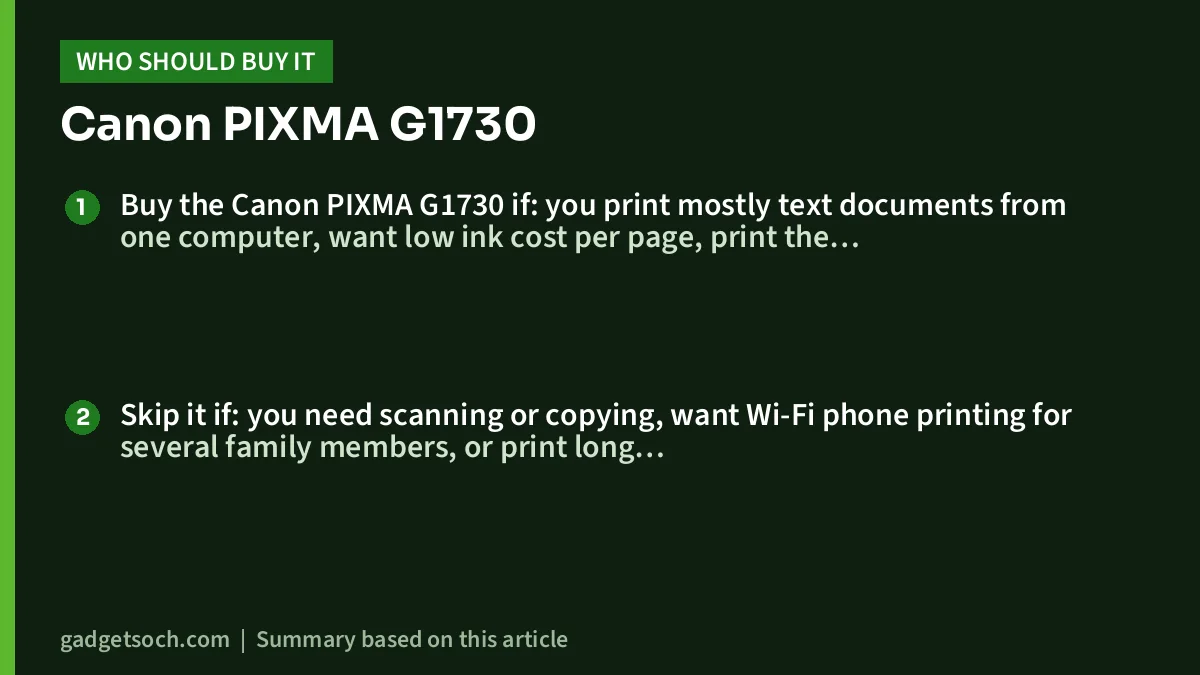
Buy the Canon PIXMA G1730 if: you print mostly text documents from one computer, want low ink cost per page, print the occasional borderless photo, and do not need to scan or copy. It also suits a small shop or home office counter where the printer sits beside a billing PC.
Skip it if: you need scanning or copying, want Wi-Fi phone printing for several family members, or print long double-sided documents often. If you print only a few pages a month, an ink tank’s advantage shrinks.
Alternatives worth comparing
- Canon PIXMA G2730: the same 11/6 ipm print speeds, 4,800 x 1,200 dpi resolution and GI-71 ink yields, but adds a flatbed A4 scanner and copying. It is still USB 2.0 only, according to Canon India.
- Canon PIXMA G3730: a print, scan and copy model with Wi-Fi, Wi-Fi Direct, AirPrint and Mopria support plus Canon’s mobile apps, using the same GI-71 bottles and yields. Pick this one if phone printing matters.
If you are still deciding between ink tank brands, our guide to the best ink tank printers for home in India and our Epson EcoTank L130 review cover other print-only and all-in-one options.
What to check before you order

- Model name: confirm the listing says G1730 and “Print Only”. Sibling models look almost identical.
- Box contents: Canon’s India page does not list the contents of the box, so check the listing or ask the seller whether a USB cable and ink bottles are included. Keep a USB printer cable handy just in case.
- Your computer: make sure it has a free USB port (or a USB-C to USB-A adapter) and runs a supported OS.
- Warranty: the Amazon.in listing claims a 1-year or 30,000-page onsite warranty, whichever comes first. Canon’s spec page only says that warranty terms come from authorised Canon sales channels and that consumables like ink and paper are not covered, so keep your invoice and register the product with Canon.
- Refills: buy GI-71 (or the smaller GI-71S) bottles from Canon or authorised sellers. Ask Canon support before using third-party ink, as warranty terms on non-genuine ink are not stated on the spec page.
- Space: plan for about 56 cm of depth with trays open.
When you are ready, see the Canon PIXMA G1730 print-only model on Amazon.in and confirm the seller and warranty details on the listing.
Frequently asked questions
Can the Canon PIXMA G1730 scan or photocopy?
No. It is a single-function, print-only printer. For scanning and copying with the same ink system, Canon offers the PIXMA G2730 (USB) and G3730 (Wi-Fi).
Can I print from my phone with the G1730?
Canon’s official page lists only USB 2.0 connectivity and no wireless or mobile printing for this model. Although the Amazon.in listing mentions smartphones under compatible devices, you should not count on phone printing.
How many pages does one ink bottle print?
According to Canon, a GI-71 black bottle yields about 6,000 A4 pages and each GI-71 colour bottle about 7,700 pages, measured with the ISO/IEC 24711 method. Real yields depend on how much of each page is covered.
Does the G1730 print on both sides automatically?
No. The Amazon.in listing marks dual-sided printing as “No”. You can print both sides manually by turning the paper over.
Does it work with a Chromebook or a Mac?
Yes. Canon lists Chrome OS and macOS 10.14.6 to 12 or later, as well as Windows.
Can it print photos without borders?
Yes. Canon lists borderless printing for A4, Letter, 4×6, 5×7, 8×10 and several other sizes, with a 4×6 borderless photo taking about 45 seconds.
Final word
The Canon PIXMA G1730 does one job, printing, and its official ink yields make it cheap to keep running for text-heavy home and student use. Its limits are just as clear: USB only, no scanner and no automatic duplex. If those trade-offs fit how you work, it is a straightforward choice. Check the current price of the Canon PIXMA G1730 on Amazon.in.
Related reading on GadgetSoch: EVM EnEdge Wireless Keyboard Review (WLKM): A Slim Multi-Device Keyboard for iPad and Android and HP Laser 1008a Review (714Z8A): A USB-Only Mono Laser Printer for Home and Study.
Sources
- Canon India: PIXMA G1730 product and specifications page (checked 17 October 2026)
- Canon India: PIXMA G2730 specifications (checked 17 October 2026)
- Canon India: PIXMA G3730 specifications (checked 17 October 2026)
- Amazon.in listing for ASIN B0BY949L3M, title, feature bullets and technical details (captured 17 October 2026)




