

The HP Laser 1008a (714Z8A) is a print-only, black-and-white laser printer that connects to one computer over Hi-Speed USB 2.0. According to its Amazon.in listing, it prints at up to 21 pages per minute, holds 150 sheets in the input tray, ships with a contractual HP toner cartridge rated at up to 1,500 pages, and carries a 1-year limited hardware warranty. It suits students, home offices and small shop counters that print text documents, not photos or colour.
The short answer: if you print mainly black text from a single PC or laptop and want a printer that does not dry out between uses, the 1008a makes sense. If you want to print from phones, scan or copy documents, or use cheaper third-party toner, look elsewhere, because it has no Wi-Fi or scanner and, per the listing, blocks cartridges with non-HP chips.
Transparency note: this article is based on the Amazon.in listing and HP’s official specifications for the closely related HP Laser 1008w, checked on 17 October 2026. HP’s own 1008a product page did not load for us, and we have not tested the printer hands-on.
The 1008a at a glance
- Ideal for: students and home offices printing assignments, forms, invoices and PDFs from one computer
- Not ideal for: anyone who needs colour, scanning, copying, Wi-Fi or mobile printing
- Strong points: up to 21 ppm, first page as fast as 8.3 seconds, 1200 x 1200 dpi, 10,000-page monthly duty cycle, compact size, simple 3-LED control panel
- Weak points: USB only, print only, no automatic duplex mentioned, small starter toner yield of up to 1,500 pages, and HP’s chip-based cartridge restriction
HP Laser 1008a specifications (from the Amazon.in listing)
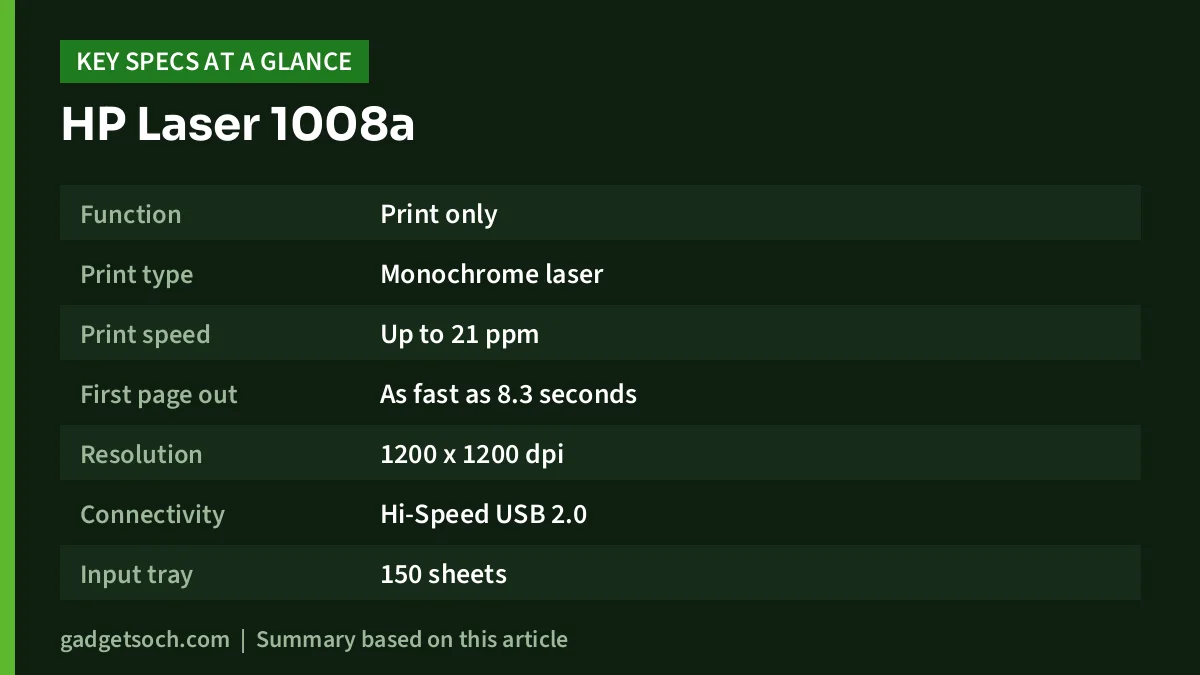
| Specification | HP Laser 1008a (714Z8A) | Listing notes |
|---|---|---|
| Function | Print only | Single function |
| Print type | Monochrome laser | Black only |
| Print speed | Up to 21 ppm | Paper size for this figure not stated |
| First page out | As fast as 8.3 seconds | Listing bullet |
| Resolution | 1200 x 1200 dpi | Technical details |
| Connectivity | Hi-Speed USB 2.0 | No Wi-Fi or Ethernet listed |
| Input tray | 150 sheets | Listing |
| Output tray | 100 sheets | Listing |
| Duty cycle | Up to 10,000 pages per month | For 1-5 users printing under 1,500 pages a month |
| Media sizes | A4, A5, A5 (LEF), B5 (JIS), Oficio, C5, DL envelopes and more | Listing bullet |
| Toner in box | HP Black Contractual Original Laser Toner, up to 1,500 pages | Listing bullet |
| Control panel | 3 LEDs (Power, Toner, Attention) and buttons | Listing |
| Operating systems | Windows 11, 10, 7, macOS and Linux | As claimed by the listing |
| Dimensions | 33.1 x 17.8 x 21.5 cm | Listing (D x W x H as labelled) |
| Weight | 5.4 kg | Listing |
| Body colour | White | Listing technical details |
| Warranty | 1-year limited hardware warranty | Plus 12×7 voice and 24×7 chat support |
Check the current price of the HP Laser 1008a (714Z8A) on Amazon.in
Speed and print volume: what 21 ppm and 10,000 pages really mean
The listing claims up to 21 pages per minute and a first page out in as fast as 8.3 seconds. It does not say whether 21 ppm is measured on A4 or US Letter paper. For comparison, HP’s official spec sheet for the Wi-Fi model, the Laser 1008w, lists up to 21 ppm on Letter and up to 20 ppm on A4, with the same 8.3-second first page. If the 1008a follows the same pattern, Indian buyers printing on A4 should expect the slightly lower figure, though we could not confirm this from HP for the 1008a.
The 10,000-page duty cycle is the maximum HP rates the printer for in a month, not a target. The more useful number is the listing’s guidance that it is ideal for 1 to 5 users printing fewer than 1,500 pages per month. Running a laser printer near its duty cycle every month shortens its life, so if your shop or office prints thousands of pages monthly, a higher-rated workgroup model is the safer choice.
Toner, yield and the HP chip restriction
The printer ships with an HP Black Contractual Original Laser Toner Cartridge rated for up to 1,500 pages, according to the listing. That is enough for many students for months, but a small office printing a few hundred pages a month will need a replacement fairly soon.
The listing does not name the replacement cartridge model. HP’s spec sheet for the related Laser 1008w lists the “HP Black Contractual Original Laser Toner Cartridge (~1500 yield) W1660A” as its replacement. Confirm the correct part number for the 1008a on HP’s support site before buying spare toner.
The most important detail is near the end of the listing: this printer is intended to work only with cartridges that have original HP chips or circuitry, and it will block cartridges using non-HP chips. The listing adds that periodic firmware updates maintain these measures. In plain terms, cheap compatible toner or refills with third-party chips may stop working, and this can change after a firmware update. If low running cost from third-party toner is your main goal, factor this in before you buy.
Connectivity: USB only, and what that means
The 1008a connects through a single Hi-Speed USB 2.0 port. The listing does not mention Wi-Fi, Ethernet or Bluetooth. That means you cannot print directly from a phone, tablet or a laptop in another room. Although one field in the listing’s technical details says “Smartphones” under compatible devices, nothing else on the listing supports phone printing, so do not count on it.
If several people need to print, you can connect the 1008a to one Windows PC and share it over your network, but that PC must be on whenever anyone prints. The Wi-Fi 1008w (see alternatives below) avoids this.
Also check your computer’s ports. Many new thin laptops have only USB-C ports, so you may need a USB-C adapter or a cable that matches the printer’s USB port. HP’s 1008w box includes a USB cable, but the captured 1008a listing does not list box contents, so confirm this on the product page.
Paper handling and print quality
The 150-sheet input tray and 100-sheet output tray are typical for a compact personal laser printer. A 150-sheet tray holds under a third of a standard 500-sheet ream, which is fine for home use but means frequent refills in a busy office. Supported sizes include A4, A5, B5 (JIS), Oficio, and C5 and DL envelopes, according to the listing, so you can print the occasional envelope or half-size document.
The 1200 x 1200 dpi resolution is more than enough for crisp text and simple charts. Laser printers are at their best with text, forms and line drawings. Large dark areas, scanned photos and colour images are not their strength, and a monochrome model obviously cannot print colour at all.
The listing does not mention automatic two-sided (duplex) printing. HP’s spec sheet for the 1008w lists manual duplex with driver support, which means the driver prints one side and then prompts you to flip the pages and reload them. Expect a similar manual process on the 1008a unless HP states otherwise.
Laser or ink tank: which is right for you?
Many Indian buyers compare a budget laser like the 1008a with an ink tank printer. The deciding factors are what you print and how often. Laser printers use dry toner, so a printer used once a week or once a month does not suffer from dried ink or clogged heads, which is a common problem for inkjets that sit unused. Ink tank printers, on the other hand, print in colour and many models add scanning, copying and Wi-Fi.
If you print only black documents and sometimes leave the printer idle for weeks, the laser approach fits. If your children print colour project work or you need to scan documents for government forms, an ink tank all-in-one is more practical. Our guide to the best ink tank printers for home covers that side of the decision.
Who should buy the HP Laser 1008a
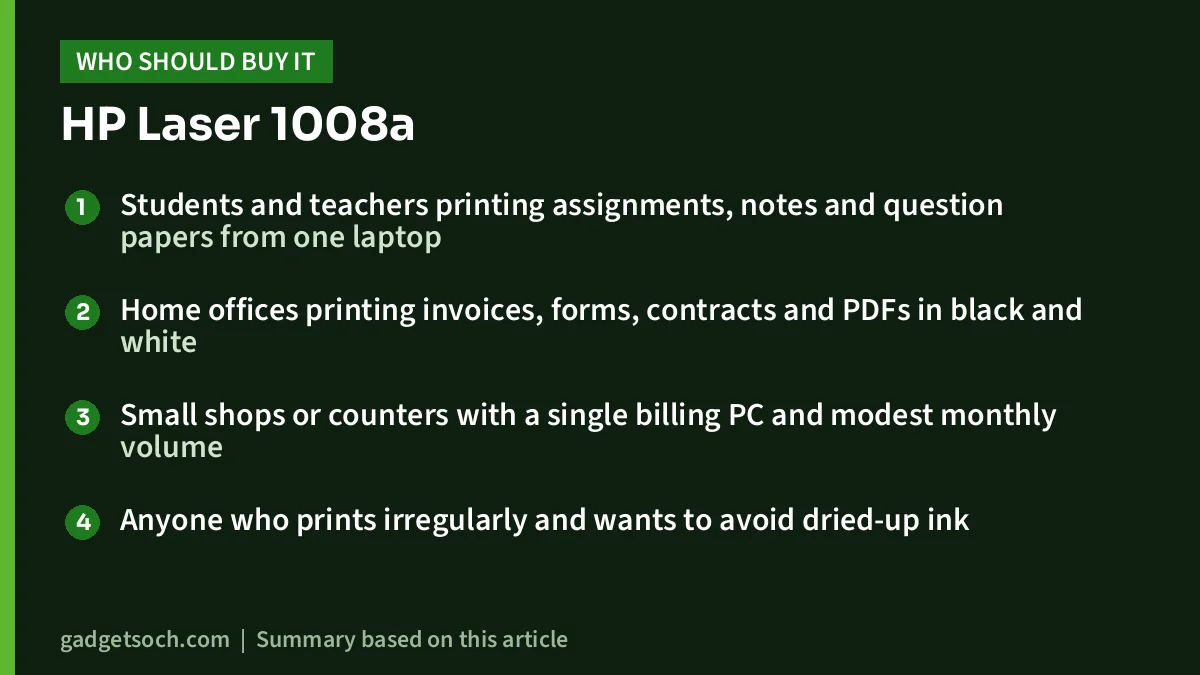
- Students and teachers printing assignments, notes and question papers from one laptop
- Home offices printing invoices, forms, contracts and PDFs in black and white
- Small shops or counters with a single billing PC and modest monthly volume
- Anyone who prints irregularly and wants to avoid dried-up ink
Who should skip it
- People who want to print from phones or over Wi-Fi without a host computer
- Anyone who needs scanning or photocopying
- Users who need colour printing
- Offices printing more than 1,500 pages a month or wanting automatic duplex
- Buyers who plan to use third-party compatible or refilled toner
Alternatives to compare
HP Laser 1008w (714Z9A): HP’s official spec sheet for this Wi-Fi sibling lists up to 20 ppm on A4, a first page in 8.3 seconds, 1200 x 1200 dpi, a 150-sheet input tray, a 10,000-page duty cycle and a recommended 100 to 1,500 pages a month, plus built-in Wi-Fi 802.11b/g/n, Wi-Fi Direct, Apple AirPrint, Mopria certification and HP Smart app support. Choose it if you want to print from phones or from several laptops.
Epson EcoTank L130: Epson India lists this as a single-function ink tank printer that prints in colour, with up to 8.5 ipm for black and 4.5 ipm for colour, 40 ml CMYK ink bottles plus additional 70 ml bottles in the box, and a warranty of one year or 15,000 prints, whichever comes first. It suits homes that need occasional colour. You can read our Epson EcoTank L130 review for more.
What to check before you order

- Exact model: the affiliate link points to the HP Laser 1008a, part number 714Z8A. The Wi-Fi version is the 1008w (714Z9A), which is a different product.
- “Black and White” in the title: this refers to monochrome printing. The listing gives the body colour as white.
- USB cable and box contents: confirm on the product page whether a USB cable is included and what toner is in the box.
- Replacement toner: check the correct HP cartridge number on HP support and remember the HP-chip restriction.
- Warranty and service: the listing states a 1-year limited hardware warranty with 12×7 voice support and 24×7 chat support. Register the printer with HP and keep the invoice.
See the HP Laser 1008a (714Z8A) listing on Amazon.in
Frequently asked questions
Does the HP Laser 1008a have Wi-Fi?
No. The Amazon.in listing describes it as a USB 2.0 printer, and no wireless connectivity is mentioned. The Wi-Fi model is the HP Laser 1008w.
Can the HP Laser 1008a scan or copy?
No. It is a single-function, print-only printer according to the listing.
How many pages does the included toner print?
The listing says the included HP Black Contractual Original Laser Toner Cartridge yields up to 1,500 pages. Actual yield depends on how much of each page is covered.
Can I use compatible or refilled toner?
The listing says the printer is intended to work only with cartridges that have original HP chips or circuitry, and will block cartridges using non-HP chips, with firmware updates maintaining this. Third-party cartridges may not work.
Does it print on both sides automatically?
Automatic duplex is not mentioned on the listing. HP lists manual duplex for the related 1008w, so expect to flip pages by hand.
Conclusion
The HP Laser 1008a is a no-frills monochrome laser printer for people who print black documents from one computer. Its strengths are fast first-page output, sharp text and freedom from dried-up ink. Its limits are equally clear: USB only, no scanning, a small starter toner and an HP-chip restriction that may rule out cheap third-party toner. Buy it if that trade-off suits your printing, and choose the 1008w if you need Wi-Fi.
Check the current price of the HP Laser 1008a on Amazon.in
Related reading on GadgetSoch: Brother DCP-T730DW Review: Ink Tank Printer With ADF and Auto Duplex, EVM EnEdge Wireless Keyboard Review (WLKM): A Slim Multi-Device Keyboard for iPad and Android and HP 303d Review (A58WCA): USB Auto-Duplex Mono Laser Printer, Specs and Limits.
Sources
- Amazon.in listing for ASIN B0C28FHWFF (title, feature bullets, technical details), captured 17 October 2026
- HP official specifications for the HP Laser 1008w (714Z9A), used for comparison and alternatives, checked 17 October 2026
- Epson India EcoTank L130 product page, checked 17 October 2026




