

The Zebronics K4000MW (ZEB-K4000MW) is a compact 78-key wireless keyboard that can connect through a 2.4 GHz wireless link or over Bluetooth to two devices, so you can move between a laptop, a tablet and a phone without re-pairing every time. It suits students, home-office users and tablet typists who want a small, light board. Our short verdict: it is a sensible budget choice if you want multi-device switching in a small footprint, but its compact layout drops the number pad and the official page leaves out battery details you should confirm before ordering.
This article is based on Zebronics’ official India product page, the Zebronics warranty policy and the Amazon.in listing data captured on 17 October 2026. It is not a hands-on review: we have not tested this Zebronics K4000MW, so typing feel, battery life and wireless reliability are described from published specifications only.
The Amazon link in this article points to the black ZEB-K4000MW variant listed on Amazon.in as a 78-key keyboard with two Bluetooth channels and 2.4 GHz wireless. Confirm the colour and model name on the listing before ordering.
Quick verdict
- Best for: people who switch between a laptop or desktop and a tablet or phone, and want a small keyboard that fits a crowded desk or a backpack
- Skip if: you enter a lot of numbers (there is no number pad), you want backlit keys, or you need a rechargeable keyboard with a stated battery life
- Key strengths: 2.4 GHz plus two Bluetooth channels, 12 integrated multimedia keys, light 265 g body per Zebronics, a Rupee key according to the Amazon.in listing
- Key limitations: compact 78-key layout, battery type and battery life are not stated on the official page, and a few listing details (such as “foldable”) do not match the official description
Key specifications
Specifications below come from the Zebronics India product page, checked on 17 October 2026. Where a detail appears only on the Amazon.in listing, it is labelled as such.

| Specification | Zebronics K4000MW (ZEB-K4000MW) |
|---|---|
| Connectivity | 2.4 GHz wireless and dual Bluetooth input |
| Bluetooth device names shown | ZEB-K4000MW 5.0 and ZEB-K4000MW 3.0 |
| Number of keys | 78 |
| Multimedia hotkeys | 12 (integrated) |
| Keystroke life | 8 million cycles (Zebronics rating) |
| Operating range | Up to 10 m without obstacles |
| Keycaps | UV printed (official page). UV-coated (Amazon.in listing) |
| Indicator | LED (battery low, connectivity and Caps Lock, per the Amazon.in listing) |
| Product dimensions | 28.7 x 12.8 x 2 cm (official). 29.4 x 13.4 x 3 cm (Amazon.in listing) |
| Weight | 265 g (official). 320 g (Amazon.in listing) |
| Power | Battery powered (type and life not stated) |
| Colour | Black |
| Warranty | 1 year, carry-in to service centre (Amazon.in listing) |
Check the current price of the Zebronics K4000MW on Amazon.in
Design and layout: small, light and without a number pad
The K4000MW is built around a compact 78-key layout. Compared with a full-size 104 or 109-key keyboard, a 78-key board usually keeps the letter keys, the number row and a function row but drops the separate number pad and squeezes the arrow and navigation keys. Zebronics describes the design as slim and minimalist, and its official dimensions of 28.7 x 12.8 x 2 cm make it noticeably narrower than a standard desktop keyboard.
Why this matters in practice: a narrower keyboard lets you keep your mouse closer to your body, which many people find more comfortable on a small study table. It also fits in a laptop sleeve or backpack. The trade-off is that anyone who works in spreadsheets, accounting software or billing tools will miss a dedicated number pad. If that is you, look at a full-size board instead.
The Amazon.in listing mentions a Rupee key, which is useful if you type invoices, quotations or expense notes in Indian rupees. The official product page does not mention the Rupee key, so check the Zebronics K4000MW image on the listing if this matters to you.
The listing’s technical table also tags the product as “Foldable”. Nothing on the Zebronics page or in the listing’s feature bullets suggests a folding design, and the official page calls it a slim keyboard. Treat “foldable” as a likely listing error, not a feature.
Connectivity: one receiver, two Bluetooth channels
This is the main reason to buy the K4000MW. Zebronics lists the interface as 2.4 GHz plus dual Bluetooth input. The Amazon.in listing says the Zebronics K4000MW supports up to two Bluetooth connections and lets you switch between devices, and that a plug-and-play nano receiver comes with the keyboard for the 2.4 GHz mode.
In everyday use, the 2.4 GHz receiver is the simplest option for a Windows desktop or a laptop with a spare USB-A port, because it typically needs no pairing and works as soon as it is plugged in. Bluetooth is the better option for tablets and phones, which usually have no USB-A port. With two Bluetooth channels, you could pair, for example, an Android tablet and a phone, and keep the Zebronics K4000MW in your laptop.
The official page shows two Bluetooth device names, “ZEB-K4000MW 5.0” and “ZEB-K4000MW 3.0”. This suggests the two channels may present themselves differently during pairing, so when you search for the Zebronics K4000MW on your device, pick the name that matches the channel you activated. Setup instructions come as a QR code guide in the box.
Box contents discrepancy: the official page lists only the Zebronics K4000MW and a QR code guide, while the Amazon.in listing says a nano receiver comes with the keyboard. Since the 2.4 GHz mode depends on that receiver, check the “What is in the box” section of the listing, and inspect the package on delivery.
The rated range is up to 10 metres without obstacles. Walls and other wireless devices usually shorten real-world range, but a desk keyboard only needs to reach an arm’s length.
Typing and keys
Zebronics rates the keys for 8 million keystrokes and uses UV printed keycaps (the listing says UV-coated). A UV finish is meant to protect the printed legends so that letters do not fade quickly with daily use. The Amazon.in technical table lists the switch type as “Silent keys”, but the official page does not describe the switch mechanism or noise level, so we cannot confirm how quiet it is.
The 12 integrated multimedia keys control volume, play and pause, and track navigation, according to the listing. “Integrated” usually means these functions share keys with the function row and may require the Fn key. That keeps the layout compact but means a two-key press for media control.
There is no backlighting mentioned on the official page or the listing. If you type in a dim room, plan for a desk lamp.
Power and battery: the biggest gap in the information
The Amazon.in listing says the keyboard is battery powered and that its LED indicator warns of low battery. However, neither the official page nor the listing data we checked states the battery type, how many cells are needed, whether batteries are included, or the expected battery life. We have deliberately not guessed these details.
Before buying, look at the listing images and the questions section for the battery type, and keep a spare set handy once you know it. If you would rather charge your keyboard over USB-C, the Zebronics K5002MW is a rechargeable alternative from the same brand.
Compatibility
Zebronics describes the K4000MW as compatible with laptops, desktops, tablets and smartphones. The Amazon.in listing’s technical table names Windows 11, macOS 14 Sonoma, Ubuntu 22.04 and iPadOS 17 as minimum operating system versions. That list comes from the seller, not the official page, so treat it as a guide.
If you are planning a complete home-office setup, our work-from-home desk setup guide covers keyboard, mouse, monitor and cooling choices together.
Who should buy it, and who should skip it

Buy the K4000MW if you want one keyboard for a laptop and a tablet or phone, you have limited desk space, you carry a keyboard between home and college or office, or you want media keys and a Rupee key on a budget board.
Skip it if you enter lots of numbers, you want backlit keys, you prefer a rechargeable keyboard with a published battery life, or you need detailed manufacturer documentation on battery and pairing before buying.
Alternatives worth comparing
- Zebronics K5002MW: a full-size 109-key slim keyboard with 2.4 GHz plus up to three Bluetooth connections, scissor switches, 13 integrated hotkeys and USB Type-C charging, according to Zebronics. It is larger and heavier (557 g, per Zebronics), but adds a number pad and, per the Amazon.in listing, a built-in battery.
- Logitech K380 Multi-Device: a compact Bluetooth keyboard that connects to up to three devices and lists Windows, macOS, iPadOS, ChromeOS, Android, iOS and Apple TV compatibility on Logitech India’s page. Logitech’s page describes Bluetooth connection and does not mention a USB receiver.
- Any full-size wired keyboard: if you only ever use one desktop, a basic wired keyboard avoids batteries and pairing entirely, and usually includes a number pad.
What to check before you order
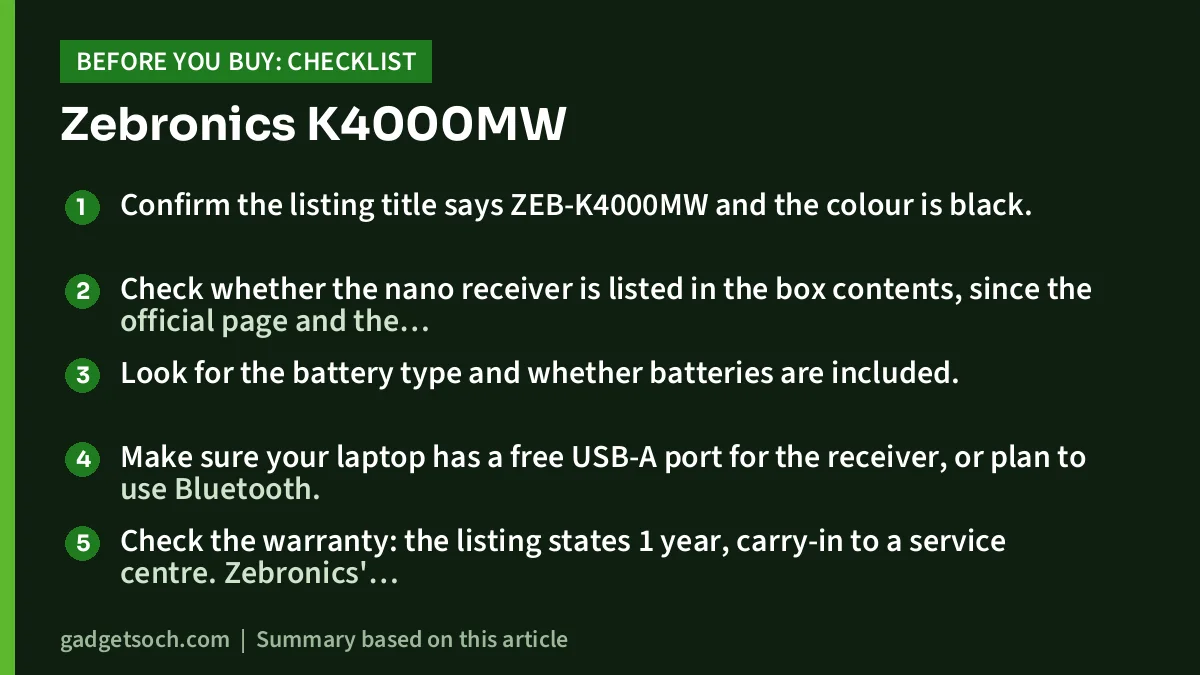
- Confirm the listing title says ZEB-K4000MW and the colour is black.
- Check whether the nano receiver is listed in the box contents, since the official page and the listing differ.
- Look for the battery type and whether batteries are included.
- Make sure your laptop has a free USB-A port for the receiver, or plan to use Bluetooth.
- Check the warranty: the listing states 1 year, carry-in to a service centre. Zebronics’ warranty policy asks for a tax-paid invoice and purchase from Zebronics or an authorised seller, so keep your invoice and check the seller.
- Note Zebronics’ warranty policy says products used commercially get only 3 months of cover, which matters if you are buying for an office.
See the black Zebronics K4000MW on Amazon.in
Frequently asked questions
Does the Zebronics K4000MW have a number pad?
No. It has a compact 78-key layout, which does not include a separate number pad. If you need one, consider a full-size keyboard such as the Zebronics K5002MW.
How many devices can the K4000MW connect to?
Zebronics lists 2.4 GHz wireless plus dual Bluetooth input, and the Amazon.in listing says it supports up to two Bluetooth connections that you can switch between. The 2.4 GHz mode uses the nano receiver, which the listing says is included.
Is the Zebronics K4000MW rechargeable?
The official page does not say so, and the Amazon.in listing describes it as battery powered without naming a battery type. Check the listing images or questions section for the battery type before buying.
Does it work with an iPad or Android phone?
Zebronics says it is compatible with tablets and smartphones, and the Amazon.in listing names iPadOS 17 among supported systems. Use Bluetooth for these devices, since most do not have a USB-A port.
What warranty does it have?
The Amazon.in listing states a 1-year carry-in warranty, and the Zebronics warranty policy lists 1 year for keyboards. Keep your tax-paid invoice for claims.
Final thoughts
The Zebronics K4000MW makes the most sense for people who want a small, light keyboard that moves between a laptop and a tablet or phone. Its dual Bluetooth plus 2.4 GHz connectivity, 12 multimedia keys and Rupee key are practical touches for Indian users. The trade-offs are a missing number pad, no backlighting, and gaps in the official information on batteries and box contents, which you should verify on the listing before ordering.
Check the current price of the Zebronics K4000MW on Amazon.in
Related reading on GadgetSoch: Logitech MK215 Review: Compact Wireless Combo, Battery Life and Limits and Rapoo E9050L Review: Slim Multi-Device Keyboard for Four Devices, Explained.
Sources
- Zebronics India: ZEB-K4000MW product page (checked 17 October 2026)
- Zebronics warranty policy (checked 17 October 2026)
- Zebronics India: ZEB-K5002MW product page (for the alternative, checked 17 October 2026)
- Logitech India: K380 Multi-Device keyboard (for the alternative, checked 17 October 2026)
- Amazon.in listing for ASIN B0CNRSRMYN, seller-provided data captured 17 October 2026




