

The Rapoo E9050L is a slim, rechargeable multi-device keyboard that can pair with up to four devices and switch between them with one key press, using Bluetooth 4.0, Bluetooth 5.0 or a 2.4GHz USB receiver. It is a good fit for people who move between a laptop, a tablet and a phone through the day and want one compact, aluminium-framed keyboard for all of them. It is not the right pick if you need a number pad, backlit keys or a full-size layout.
This guide covers the exact Amazon.in listing titled “Rapoo E9050L Ultra Slim Multi Device W/L & BT Keyboard, Rechargeable, Grey”. It is based on Rapoo’s official product page and the Amazon.in listing data, both checked on 17 October 2026. It is not a hands-on review: we have not tested this keyboard, and no typing-feel or battery claims here come from our own use.
Short verdict: on paper, the E9050L covers the features most hybrid workers ask for in a compact keyboard, namely multi-mode wireless, four-device switching, USB Type-C charging and a metal frame. The main trade-offs are a 78-key compact layout with no number pad and some inconsistencies in the Amazon listing that you should check before ordering.
Quick verdict
- Best for: laptop-plus-tablet or laptop-plus-phone users, hot-desking office workers, students who want one keyboard for several devices
- Skip if: you enter a lot of numbers, need backlit keys for dark rooms, or prefer deep-travel mechanical keys
- Key strengths (official): Bluetooth 4.0, Bluetooth 5.0 and 2.4GHz modes, up to four devices, 500mAh rechargeable battery with Type-C, aluminium alloy frame, 292 g weight
- Key limitations: no numeric keypad, no backlight mentioned anywhere, multimedia keys need the FN key, and the listing’s key count and colour wording do not fully match Rapoo’s page
Rapoo E9050L key specifications

| Specification | Rapoo E9050L (official page unless noted) |
|---|---|
| Connection modes | Bluetooth 4.0, Bluetooth 5.0 and 2.4GHz wireless |
| USB receiver | Nano USB receiver included |
| Devices | Up to 4, one-click switching |
| Keys | 78 keys, compact layout, 12 multimedia functions via FN |
| Key type | Chiclet keycaps on scissor switches |
| Rated key life | 5 million presses |
| Battery | 500mAh built-in lithium, USB Type-C charging |
| Battery life | Up to 240 hours (2.4GHz) or 160 hours (Bluetooth) |
| Charging time | About 1 hour 15 minutes (Amazon.in listing claim only) |
| Dimensions | 284 x 119 x 13 mm |
| Weight | 292 g |
| Build | Aluminium alloy frame and back panel |
| OS support | Windows, macOS, Android, Chrome OS, iOS |
| Official colours | Black and White (listing says Grey or Dark Grey) |
Check the current price of the Rapoo E9050L (Grey listing) on Amazon.in
Multi-device switching: the main reason to buy it
According to Rapoo, the E9050L can stay paired with up to four devices and lets you jump between them with a single key. In practice this matters if you, for example, type a report on a Windows laptop, reply to a message on an Android phone and take notes on an iPad. Instead of re-pairing every time, you press the channel key for the device you want and carry on.
The keyboard offers two types of wireless link. The 2.4GHz mode uses the Nano USB receiver that Rapoo says is included in the box. A receiver is usually the simplest choice for a desktop PC or a laptop with a free USB port that matches it. Bluetooth (both 4.0 and 5.0 are listed) is the route for tablets, phones and laptops without a suitable port for the receiver.
One point to be aware of: the Amazon.in technical details list the connectivity as “Bluetooth” only, while the listing title says “W/L & BT” and Rapoo’s own page clearly lists 2.4GHz with a receiver. The official page is the stronger source here, but it is still worth checking the box contents section or asking the seller if the receiver is important to you.
Dedicated Windows and Mac keys
The Amazon.in listing highlights a dual-system key function for Windows and Mac. Windows and macOS place modifier keys differently, so a layout switch avoids awkward shortcuts when you move between a Windows laptop and a MacBook or iPad. Rapoo’s page lists Windows, macOS, Android, Chrome OS and iOS as supported systems, although its own feature text mainly talks about Windows and Mac. Basic typing should work on all of them; some function-row shortcuts may behave differently depending on the system.
Design and typing: slim and metal, but compact
Rapoo describes the E9050L as having an aluminium alloy frame and back panel, which it says resists wear and oxidation. A metal base tends to make a thin keyboard feel more rigid on the desk, reducing the flex you sometimes get with all-plastic slim boards. The Amazon.in listing adds that the key plate is polycarbonate and the enclosure is aluminium.
The keys are chiclet-style caps on scissor switches, the same general design used on most laptop keyboards. If you are used to typing on a laptop, the feel should be familiar: short travel, stable keycaps and lower noise than a mechanical keyboard. Rapoo lists “quiet keys” as a feature but gives no decibel figure, so treat it as a general description rather than a measured result. The rated key life is 5 million presses.
Rapoo markets a “5.3mm” slim design, while its specification table lists the overall height as 13 mm. The page does not explain what the 5.3 mm figure measures, so do not expect the whole keyboard to be 5.3 mm thick; the 13 mm overall height is the more useful number when thinking about wrist angle and bag space.
The layout is compact, with 78 keys according to Rapoo. That means no number pad and a reduced set of navigation keys. Twelve multimedia functions are reached through FN combinations. The Amazon.in technical details list two different numbers, 78 under “Button Quantity” and 84 under “Number of Keys”, so go by the official 78-key figure and look at the listing photos to see the exact key arrangement.
Battery and charging
The E9050L uses a built-in 500mAh lithium battery, charged over USB Type-C. Rapoo quotes up to 240 hours of use in 2.4GHz mode and up to 160 hours in Bluetooth mode on a full charge. These are manufacturer figures; real numbers depend on how much you type and how often the keyboard wakes up. The Amazon.in listing says a full charge takes about 1 hour 15 minutes, which Rapoo’s page does not state.
A rechargeable battery has two practical upsides: you do not buy AA or AAA cells, and Type-C means you can use the same cable as most modern phones and laptops. The downside is that lithium capacity slowly falls over the years and the cell is not user-replaceable. If you dislike charging peripherals, a keyboard that runs on replaceable cells for months may suit you better.
Colour and variant: what the Amazon link points to
The affiliate link in this article goes to ASIN B0DDY1K9SL, whose listing title says Grey. The same listing’s technical details say “Dark Grey” for colour and “E9050L Black” for model name, while Rapoo’s official page lists Black and White as the colours. If the exact shade matters to you, check the listing photos and the colour selector before ordering, and do not assume that the White version is available through the same link.
Who should buy the Rapoo E9050L

- People who switch between a laptop, tablet and phone and want one keyboard for all three
- Anyone setting up an iPad or Android tablet as a light work device
- Office workers who carry a keyboard between home and work, since it weighs 292 g according to Rapoo
- Users of thin laptops with few ports, who can rely on Bluetooth instead of the receiver
Who should skip it
- Accountants, data-entry staff and anyone who types a lot of numbers, since there is no number pad
- People who work in low light and need backlit keys (no backlight is mentioned in the official specifications)
- Gamers or typists who like deep key travel or mechanical switches
- Buyers who want guaranteed spill protection: the Amazon.in listing says “Spill Proof” and “Water Resistant”, but Rapoo’s page does not mention spill resistance at all, so do not rely on it
If you are building a home office around a keyboard like this, our work from home desk setup guide for India covers the other pieces, such as a mouse, monitor and cooling.
Alternatives worth comparing
Rapoo E9350L: a larger sibling from the same family. Rapoo lists 99 keys including a number pad, the same Bluetooth 4.0/5.0 and 2.4GHz modes, up to four devices, a 500mAh Type-C battery, and a weight of 366 g. Choose it if you want the same multi-device idea with a numeric keypad.
Rapoo E9550L: the full-size option, with 110 keys and a number pad, the same connection modes and four-device support, and a 500mAh battery. Rapoo lists its weight as 437 g, so it is less of a carry-everywhere keyboard.
Dell KB216: if you only use one desktop PC and want to avoid charging altogether, Dell’s KB216 is a wired USB keyboard with chiclet keys and multimedia hot keys. It gives up wireless and multi-device switching for simplicity.
What to check before you order
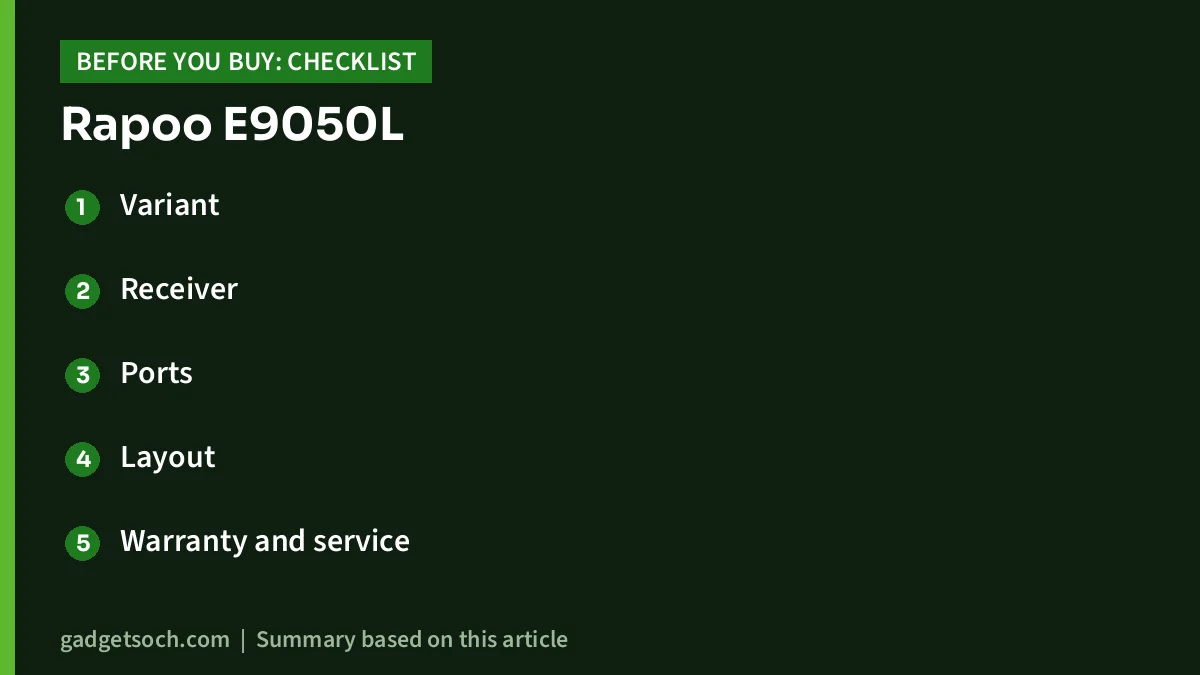
- Variant: confirm the listing title still says Rapoo E9050L and Grey, and look at the photos to see the finish
- Receiver: if you plan to use 2.4GHz mode, check that the Nano USB receiver is listed in the box contents or confirm with the seller
- Ports: Rapoo does not state the receiver’s plug type; check the listing photos, and use Bluetooth or an adapter if your laptop has no matching port
- Layout: no number pad, and multimedia keys need FN; check the key photos if you rely on Home, End, Page Up or Page Down
- Warranty and service: neither Rapoo’s page nor the Amazon.in listing data we saw states the warranty period, so check the listing’s warranty section and keep the invoice
- Return window: check the return policy shown on the listing in case the layout does not suit you
See the Rapoo E9050L Grey variant on Amazon.in and confirm the colour and box contents on the listing before you buy.
Frequently asked questions
Does the Rapoo E9050L work with an iPad and an Android phone?
Rapoo lists iOS and Android among supported systems, and both can connect over Bluetooth. Some function keys may behave differently from Windows, which is normal for cross-platform keyboards.
Does the Rapoo E9050L have a number pad?
No. Rapoo lists 78 keys in a compact layout. If you need a number pad, Rapoo’s E9350L (99 keys) and E9550L (110 keys) both include one.
How long does the battery last?
Rapoo quotes up to 240 hours in 2.4GHz mode and up to 160 hours in Bluetooth mode on one charge from its 500mAh battery. These are manufacturer figures, not results from our testing.
Is the Rapoo E9050L backlit?
Neither Rapoo’s official page nor the Amazon.in listing mentions backlighting, so assume it has none.
Is it spill-proof?
The Amazon.in listing says it is spill proof and water resistant, but Rapoo’s official page does not mention spill resistance. Treat any spill as a risk and wipe it dry quickly.
Does it come with a USB receiver?
Rapoo’s page says a Nano USB receiver is included for 2.4GHz mode. Confirm it in the listing’s box contents before buying, since the listing’s technical details mention Bluetooth only.
Final word
The Rapoo E9050L suits people who juggle several devices and want one slim, rechargeable keyboard. If you need a number pad, backlighting or confirmed spill protection, look elsewhere. Otherwise, check the current price of the Rapoo E9050L on Amazon.in and confirm the variant details on the listing.
Related reading on GadgetSoch: Zebronics K4000MW Review: Compact 78-Key Keyboard With Dual Bluetooth and 2.4 GHz and EMEET S600L Review: 4K Webcam With a Built-in Ring Light, Explained.
Sources
- Rapoo E9050L official product page (connectivity, devices, battery, keys, size, weight, OS, colours; checked 17 October 2026)
- Amazon.in listing for ASIN B0DDY1K9SL (title, feature bullets, technical details; captured 17 October 2026)
- Rapoo E9350L official product page (alternative specs; checked 17 October 2026)
- Rapoo E9550L official product page (alternative specs; checked 17 October 2026)
- Dell KB216 official product page (alternative specs; checked 17 October 2026)




