
A good work from home desk setup in India does not need to be expensive. For most people it comes down to three things: a keyboard and mouse that are comfortable for a full workday, a monitor that is larger than your laptop screen, and, if your laptop runs hot, a way to keep air flowing underneath it. This guide picks products for each of those jobs from models gadgetsoch has already reviewed in detail.
The short answer: for a quiet budget mouse, the Logitech M221 Silent is the simple choice. For a full-size keyboard and mouse with a number pad, the Logitech MK270r combo covers most home offices. If you switch between a laptop, tablet and phone, the Portronics Bubble keyboard is built for that. For a second screen, the Acer EK220Q E3 (21.5-inch IPS, 100 Hz) and Zebronics A24FHD (24-inch class, 100 Hz) are budget options, while the LG UltraGear 34GS95QE is a premium ultrawide OLED for people who also game seriously.
Please note: these picks are based on official specifications and published reviews summarised in our individual reviews, not on hands-on testing. Availability and prices on Amazon.in change often, so check the listing before you order.
Quick picks for a home office desk
- Best quiet mouse for calls and shared rooms: Logitech M221 Silent
- Best full-size keyboard and mouse combo with number pad: Logitech MK270r
- Best keyboard for laptop, tablet and phone users: Portronics Bubble
- Best lightweight mouse for gamers who also work from home: Logitech G PRO X Superlight 2
- Best compact budget second screen: Acer EK220Q E3
- Best 24-inch class budget monitor with speakers: Zebronics A24FHD (100Hz)
- Best premium ultrawide for work and gaming: LG UltraGear 34GS95QE
- Best for hot 15.6-inch laptops: Zebronics ZEB-NC3300 cooling pad
Monitors compared at a glance
The monitor is usually the biggest upgrade to a laptop-based home office, so here is how the three screens compare on the specs confirmed in our reviews.
| Spec | Acer EK220Q E3 | Zebronics A24FHD (100Hz) | LG UltraGear 34GS95QE |
|---|---|---|---|
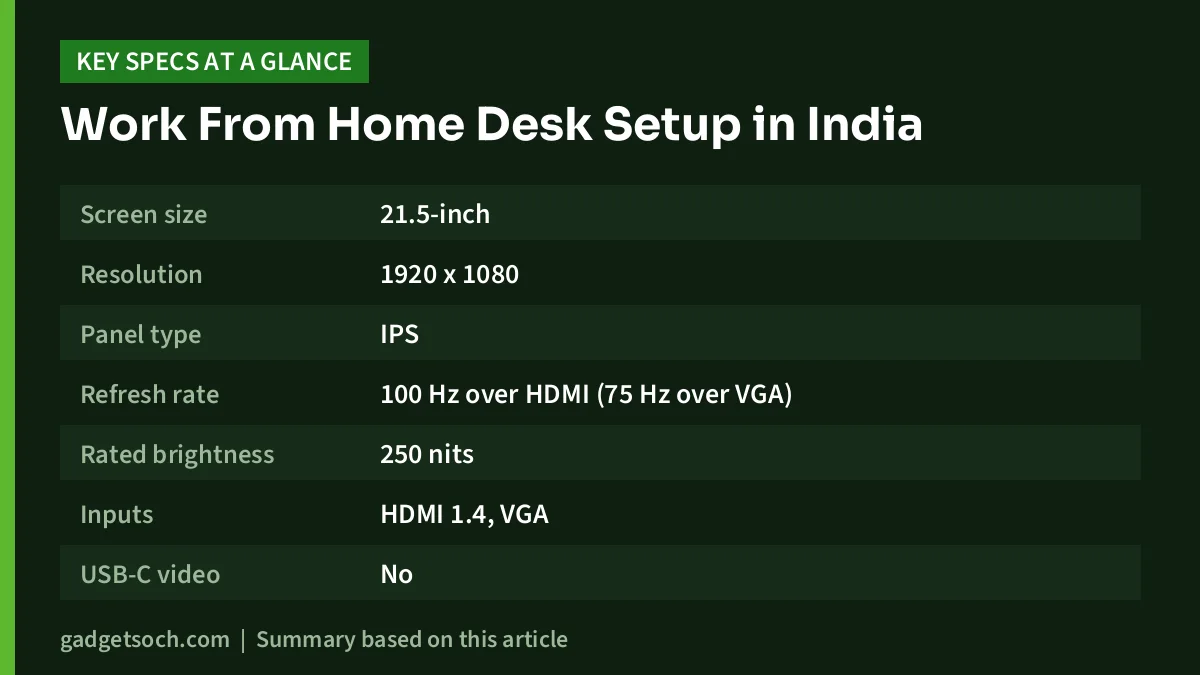
| Screen size | 21.5-inch | 23.8-inch viewable (24-inch class) | 34-inch, 21:9, 800R curve |
| Resolution | 1920 x 1080 | 1920 x 1080 | 3440 x 1440 |
| Panel type | IPS | Not confirmed | OLED |
| Refresh rate | 100 Hz over HDMI (75 Hz over VGA) | 100Hz | Up to 240Hz |
| Rated brightness | 250 nits | 250 nits | 275 nits typical |
| Inputs | HDMI 1.4, VGA | HDMI, VGA | 2x HDMI 2.1, DisplayPort 1.4 |
| USB-C video | No | No | No |
| Adaptive sync | AMD FreeSync | Not confirmed | G-SYNC Compatible, FreeSync Premium Pro |
| Built-in speakers | None listed by Acer India | Yes | None |
| Stand adjustment | Tilt only | Not confirmed | Tilt, height, swivel |
| VESA mount | 100 x 100 mm | Not confirmed | 100 x 100 mm |
And the input devices and cooling pad side by side:
| Product | Type | Connection | Power | Key limitation |
|---|---|---|---|---|
| Logitech M221 Silent | Compact ambidextrous mouse | 2.4 GHz USB receiver | 1 x AA, rated up to 18 months | Three buttons, no Bluetooth |
| Logitech MK270r | Full-size keyboard and mouse combo | 2.4 GHz USB receiver | AAA (keyboard) and AA (mouse) | No backlight, no Bluetooth |
| Portronics Bubble | Tenkeyless 78-key keyboard | Bluetooth 5.0 and 2.4 GHz receiver | Battery type not confirmed by Portronics | No number pad |
| Logitech G PRO X Superlight 2 | 60 g wireless gaming mouse | LIGHTSPEED USB receiver | Rechargeable via USB-C, up to 95 hours | Five buttons, no Bluetooth listed |
| Zebronics ZEB-NC3300 | Cooling pad, two 120 mm fans | USB powered | DC 5V, 350 mA | Up to 15.6-inch laptops only |
How we picked
Every product here is one that gadgetsoch has reviewed in a full article, and each was listed in stock on Amazon.in when checked on 17 October 2026. We did not test them hands-on. Instead, our reviews summarise official specifications from Logitech, Portronics, Zebronics, Acer and LG, along with published reviews and tests where they exist.
For a work from home desk, we looked at practical criteria: comfort over a long workday, noise (for calls and shared rooms), how easily each item connects to a typical Indian laptop, warranty information where the brand publishes it, and clear limitations. We grouped the picks by job rather than ranking them, because the right choice depends on your laptop, your desk and how you work.
Keyboard and mouse picks
Logitech M221 Silent
The M221 Silent suits anyone who works on calls, in a shared room or late at night. Logitech says its SilentTouch technology cuts more than 90% of click noise compared with its own M170 mouse, measured by an independent lab at one metre, so read it as quieter, not completely silent. It connects through a small 2.4 GHz USB receiver, tracks at 1000 DPI, and is rated for up to 18 months on one AA battery. The ambidextrous shape works for left-handed users too.
The main limitation is size and simplicity: there are only three buttons, no side buttons, no Bluetooth, and the compact body (about 99 mm long) may feel cramped in large hands. USB-C-only laptops will need an adapter for the receiver.
Read our Logitech M221 Silent review or check the current price on Amazon.in.
Logitech MK270r
If you do spreadsheets, accounting or data entry from home, the MK270r combo gives you a full-size keyboard with a number pad plus a mouse on one USB receiver. Logitech rates the keyboard for up to 36 months on two AAA batteries and the mouse for up to 12 months on one AA. The keyboard is spill-resistant (tested with up to 60 ml of liquid, not waterproof), has eight media keys and two tilt positions, and Logitech’s data sheet lists a 3-year limited hardware warranty.
The limitations: no backlight or lock-key lights, no Bluetooth or multi-device switching, a basic 1000 DPI mouse that is small for large hands, and official compatibility listed only for Windows and ChromeOS.
Read our Logitech MK270r review or check the current price on Amazon.in.
Portronics Bubble keyboard
The Bubble suits people who move between a laptop, a tablet and a phone during the workday. It connects over both Bluetooth 5.0 and a 2.4 GHz USB receiver, and Portronics says it can pair with up to three devices and switch between them with shortcut keys. The 78 low-profile keys are described as silent, which helps on calls, and at 276 g it is light enough to carry. Portronics lists a 12-month warranty.
The trade-off is the compact tenkeyless layout, which drops the number pad, so it is a poor fit for number-heavy work. Portronics’ own page does not state battery type or battery life (a retailer listing shows AAA cells), and no backlight is mentioned.
Read our Portronics Bubble keyboard review or check the current price on Amazon.in.
Logitech G PRO X Superlight 2 (for gamers)
This one is not a typical office mouse. It is for people whose work desk doubles as a gaming desk, especially competitive shooter players. It weighs about 60 g, uses Logitech’s HERO 2 sensor (32,000 DPI in the Amazon.in title, raised to up to 44,000 DPI on Logitech’s current page through a software update), and is rated for up to 95 hours per charge over USB-C. The LIGHTFORCE hybrid switches are rated for 70 million clicks.
For work, the limits are real: only five buttons, no Bluetooth listed, and the newest DPI and polling features depend on keeping G HUB and firmware updated. If you only need an office mouse, the M221 Silent or the MK270r’s mouse is enough.
Read our Logitech G PRO X Superlight 2 review or check the current price on Amazon.in.
Monitor picks
Zebronics A24FHD (100Hz)
The A24FHD is a budget 24-inch class Full HD monitor for students and home offices that want a bigger screen with built-in speakers. Its 100Hz refresh rate makes scrolling and window movement smoother than a 60Hz panel, it has HDMI and VGA inputs, a metal stand, and an HDMI cable in the box. Zebronics’ warranty policy gives A-series monitors 3 years.
Limitations to know: a 14ms quoted response time, 250-nit brightness, no DisplayPort or USB-C, and no official adaptive sync claim. Zebronics does not state the panel type (retailer listings conflict between VA and IPS) or the VESA pattern, and buyer reviews describe the speakers as weak.
Read our Zebronics A24FHD review or check the current price on Amazon.in.
Acer EK220Q E3
The EK220Q E3 is a 21.5-inch Full HD IPS monitor that suits smaller desks and second-screen setups. At this size, text looks reasonably crisp (about 102 pixels per inch), the IPS panel gives wide viewing angles, and Acer rates it at 99% sRGB. It runs at 100 Hz over HDMI with AMD FreeSync, supports VESA 100 x 100 mm mounts, and Acer India lists a 3-year on-site warranty. Acer India also lists eye-comfort features such as Flickerless and BlueLight Shield.
The catches: the stand only tilts, there are no speakers per Acer India, VGA tops out at 75 Hz, and the headline 1 ms figure is a VRB (backlight strobing) number, not a grey-to-grey response time.
Read our Acer EK220Q E3 review or check the current price on Amazon.in.
LG UltraGear 34GS95QE (premium)
The 34GS95QE is the premium pick for someone who wants one big screen for work and serious PC gaming. It is a 34-inch 21:9 curved OLED at 3440 x 1440 and up to 240Hz, with a 0.03 ms rated grey-to-grey response time, two HDMI 2.1 ports, DisplayPort 1.4, a USB 3.0 hub and a tilt, height and swivel stand. The ultrawide format gives roughly a third more horizontal space than a 27-inch 16:9 screen at the same height.
It is not ideal for every home office. There is no USB-C and no speakers, the 800R curve can make straight lines look bent, it weighs 9.3 kg with the stand, and LG itself says burn-in may occur in brighter mode. For long days of static spreadsheets, an IPS monitor is the lower-risk choice. We could not confirm India warranty terms for burn-in.
Read our LG UltraGear 34GS95QE review or check the current price on Amazon.in.
Laptop cooling: Zebronics ZEB-NC3300
If you work on a laptop all day, especially a 15.6-inch gaming or performance model, a cooling pad can help, but set your expectations. The ZEB-NC3300 has two 120 mm fans rated at 75 CFM, runs off USB (DC 5V, 350 mA), weighs 650 g and has a retractable stand. Independent tests of other cooling pads, cited in our review, found temperature drops on laptops with large bottom intake vents but negligible performance gains, so think of it as a comfort and temperature aid, not a speed boost.
Limitations: it supports laptops only up to 15.6 inches, has no listed fan-speed control or stand height levels, and Zebronics publishes no noise figure. Thin laptops without bottom vents will see little benefit.
Read our Zebronics ZEB-NC3300 review or check the current price on Amazon.in.
Buying advice for a home office setup
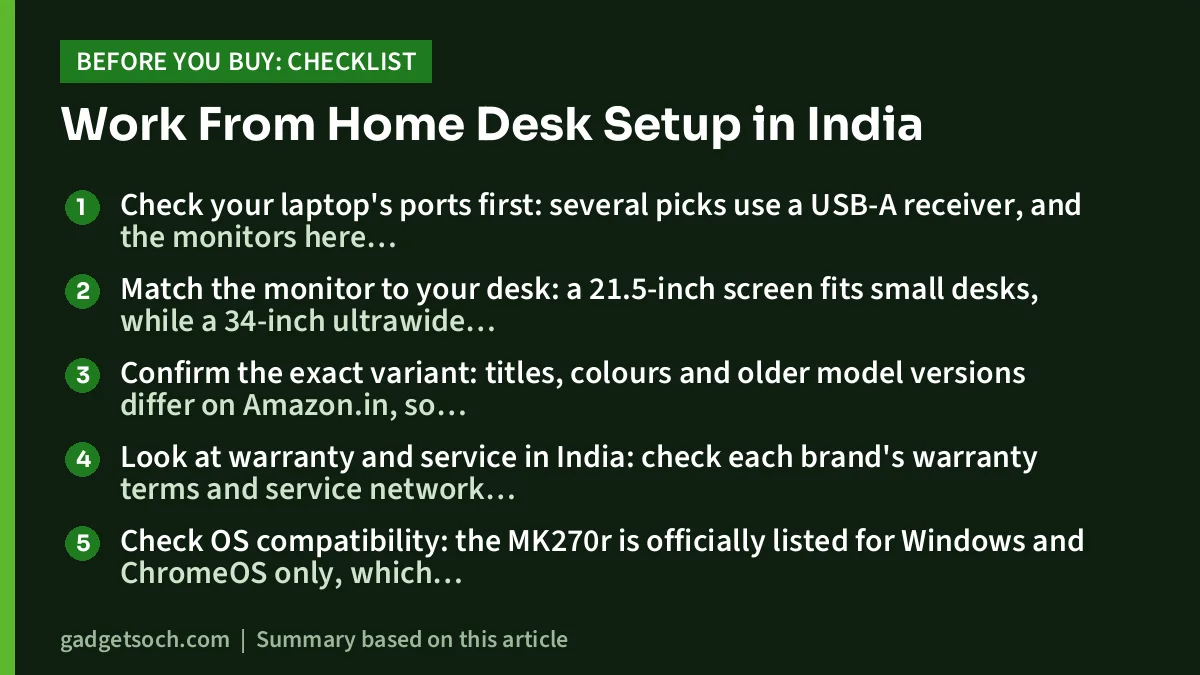
- Check your laptop’s ports first: several picks use a USB-A receiver, and the monitors here have no USB-C video input, so USB-C-only laptops need an adapter or hub
- Match the monitor to your desk: a 21.5-inch screen fits small desks, while a 34-inch ultrawide needs a deep desk and a capable GPU for gaming
- Confirm the exact variant: titles, colours and older model versions differ on Amazon.in, so check the model name before checkout
- Look at warranty and service in India: check each brand’s warranty terms and service network for your city, and LG’s OLED burn-in terms should be confirmed before you order
- Check OS compatibility: the MK270r is officially listed for Windows and ChromeOS only, which matters for Mac users
- Plan for ergonomics: budget monitor stands mostly only tilt, so a riser or VESA arm can bring the screen to eye level
Frequently asked questions
What do I need for a basic work from home desk setup in India?
For most people, an external keyboard and mouse plus a Full HD monitor connected to the laptop is enough. A combo like the Logitech MK270r and a 100 Hz monitor such as the Acer EK220Q E3 or Zebronics A24FHD cover the basics.
Is a 100Hz monitor worth it for office work?
It is a nice upgrade rather than a must. Moving from 60 Hz to 100 Hz makes scrolling and moving windows look smoother. Remember to set the refresh rate to 100 Hz in your display settings, and use HDMI rather than VGA.
Do laptop cooling pads actually work?
Modestly. Published tests cited in our ZEB-NC3300 review show temperature drops on laptops with bottom intake vents, but performance gains were negligible. If your laptop suddenly started overheating, get the vents cleaned first.
Which keyboard is better for work from home, the MK270r or the Portronics Bubble?
Choose the MK270r if you need a number pad and use one computer. Choose the Bubble if you switch between a laptop, tablet and phone and want quieter, compact keys.
Is an OLED monitor a good idea for all-day office work?
Only with care. LG says burn-in may occur in brighter mode on the 34GS95QE and recommends its screen-move and cleaning features. For long hours of static windows, an IPS monitor is the safer choice.
Our full reviews
- Logitech M221 Silent review
- Logitech MK270r review
- Portronics Bubble keyboard review
- Logitech G PRO X Superlight 2 review
- Zebronics A24FHD (100Hz) review
- Acer EK220Q E3 review
- LG UltraGear 34GS95QE review
- Zebronics ZEB-NC3300 cooling pad review
Related reading on GadgetSoch: Best Ink Tank Printer for Home in India and Epson EcoTank L3250 vs HP Smart Tank 589: Which Ink Tank Printer Should You Buy?.




