

The Zebronics A24FHD (100Hz) is a budget Full HD monitor in the 24-inch class with a 100Hz refresh rate, 250 nits of rated brightness, HDMI and VGA inputs, built-in speakers and a metal stand. It makes sense as a first desktop monitor, a second screen for a laptop, or a simple display for study and office work. It is not built for serious gaming or colour-critical editing, and it skips DisplayPort, USB-C and any official adaptive sync claim.
Short verdict: if you want a no-fuss 1080p screen with a smoother-than-60Hz picture and you only need HDMI or VGA, the A24FHD covers the basics. If you need a fast response time, ergonomic adjustments or proven eye-care certification, you should look at the alternatives listed further down.
A quick note on how this article was put together: it is based on Zebronics’ official specification pages, the company’s published warranty policy and retailer listings checked on 17 October 2026. It is not based on hands-on testing, and we found no independent lab review of this exact 100Hz model to quote.
Quick verdict
- Best for: students, home offices and laptop users who want a larger 1080p screen with HDMI or VGA input
- Skip if: you play fast competitive games, edit photos for print, or need height adjustment or USB-C
- Key strengths: 100Hz refresh rate, slim bezels, metal stand, built-in speakers, HDMI cable in the box, 3-year warranty under Zebronics’ A-series policy
- Key limitations: 14ms quoted response time, modest 250-nit brightness, no DisplayPort, panel type and VESA pattern not stated by Zebronics, no official adaptive sync or flicker-free claim
Zebronics A24FHD (100Hz) key specifications
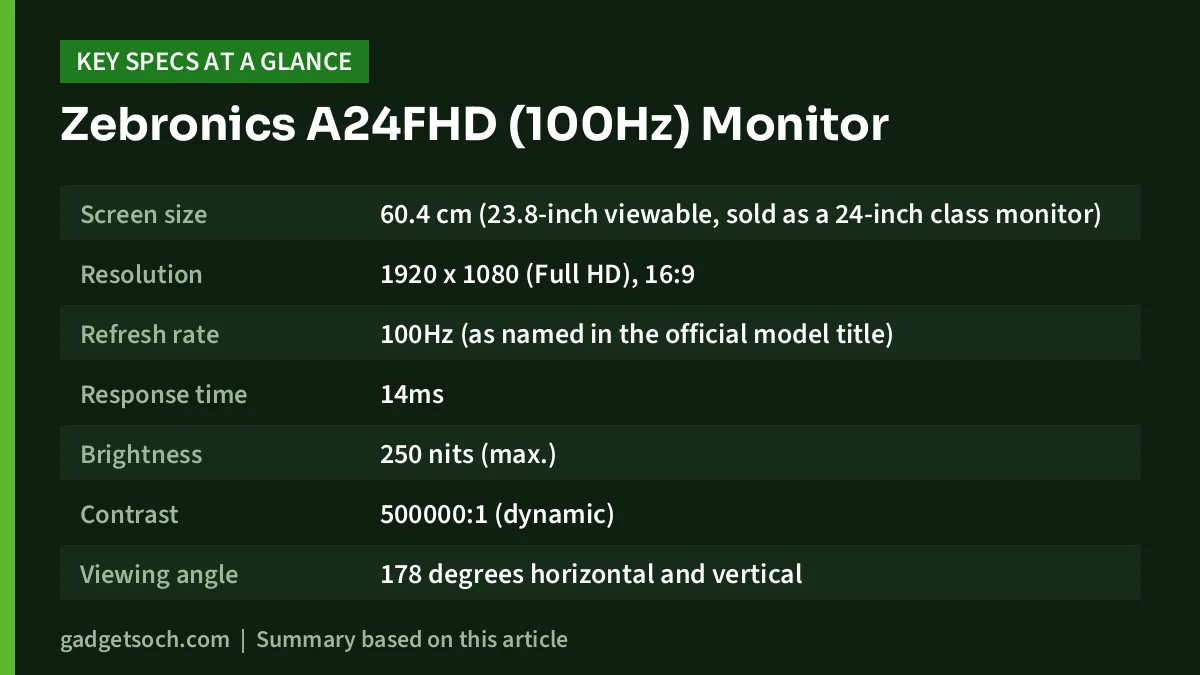
The table below lists only what Zebronics publishes on its own product page for the Zeb A24FHD LED (100Hz). Rows the company does not state, such as panel type and VESA pattern, are left out instead of guessed.
| Specification | Zebronics A24FHD (100Hz) |
|---|---|
| Screen size | 60.4 cm (23.8-inch viewable, sold as a 24-inch class monitor) |
| Resolution | 1920 x 1080 (Full HD), 16:9 |
| Refresh rate | 100Hz (as named in the official model title) |
| Response time | 14ms |
| Brightness | 250 nits (max.) |
| Contrast | 500000:1 (dynamic) |
| Viewing angle | 178 degrees horizontal and vertical |
| Colours | 16.7 million |
| Pixel pitch | 0.2745 x 0.2745 mm |
| Inputs | HDMI, VGA |
| Audio | Built-in speakers |
| Stand and mounting | Metal stand (base and stem), wall mountable |
| Power | External adapter, 48W max. consumption |
| Size with stand (W x H) | 54 x 40.5 cm |
| Weight with stand | 2.5 kg |
| In the box | Monitor, base, stem, HDMI cable, power adapter, power cord, user manual |
Check the current price of the Zebronics A24FHD 100Hz monitor on Amazon.in
Design, stand and mounting
Zebronics describes the A24FHD as a slim-design monitor with an ultra-slim bezel. Thin borders make the screen look less boxy and shrink the gap if you later add a second monitor.
The stand is metal and comes in two pieces, a base and a stem, that you attach yourself. However, Zebronics does not list any tilt, height or swivel range for this model, so you should not expect ergonomic adjustment. If your desk and chair height do not suit a fixed screen, budget for a monitor riser or an arm.
The monitor is listed as wall mountable, but the official page does not mention the VESA hole pattern. Check the back panel photos on the listing or ask the seller before buying a third-party wall mount or monitor arm.
Display: what Full HD and 250 nits mean on a 24-inch screen
The A24FHD runs at 1920 x 1080, which is the standard resolution for this screen size. Zebronics’ quoted pixel pitch of 0.2745 mm works out to roughly 92 pixels per inch. At a normal desk distance of about an arm’s length, that is fine for documents, browsing, online classes and video. Text will not look as crisp as on a 1440p or 4K monitor.
Rated brightness is 250 nits. That is a typical figure for budget monitors and is enough for an indoor room with normal lighting. Next to a sunny window you may need it near maximum, and Zebronics claims no HDR support.
The 500000:1 figure is a dynamic contrast ratio, which is a marketing measurement based on the backlight adjusting between scenes. It is not the native, static contrast that determines how deep blacks look in a dark room, and Zebronics does not publish a native figure.
Viewing angles are quoted as 178 degrees both ways, and the screen shows 16.7 million colours. Zebronics’ own page does not state the panel technology. Some retailer listings, including Flipkart, call it a VA panel, but the same Flipkart page also mentions IPS in its description, so the panel type is not something we can confirm. Zebronics also gives no sRGB coverage figure, so this is not a monitor to buy for colour-accurate photo or video work.
Refresh rate and response time: is it a gaming monitor?
The headline upgrade over older budget screens is the 100Hz refresh rate. Compared with a 60Hz monitor, a 100Hz screen draws a new image more often, so scrolling web pages, moving windows and casual games look smoother.
To actually get 100Hz, your PC or laptop must output 100Hz over HDMI (or over VGA, though HDMI is the better choice). After connecting, check the display settings in Windows and set the refresh rate to 100Hz, because many systems default to 60Hz.
The weak spot is the 14ms response time quoted by Zebronics. At 100Hz each frame lasts 10ms, so a pixel transition time longer than one frame can leave visible trails behind fast-moving objects. For casual titles, strategy games and everyday use this is not a big deal, but competitive shooter players should look for a monitor with a much lower quoted response time. The company also does not mention FreeSync or Adaptive-Sync, so do not count on tear-free variable refresh.
Connectivity: HDMI and VGA only
The official spec sheet lists two inputs: HDMI and VGA. HDMI covers almost every modern laptop, desktop and mini PC, while VGA helps with older office desktops.
What is missing matters just as much. There is no DisplayPort in the official list, no USB-C video input and no USB hub. If your laptop only outputs video over USB-C, you will need a USB-C to HDMI adapter or cable. Zebronics also does not list a headphone jack on the product page, so if you rely on wired headphones, plug them into your computer instead.
Built-in speakers and power
The built-in speakers are handy for video calls, YouTube and system sounds when you do not want extra boxes on the desk. Zebronics does not list a speaker wattage, and some buyer reviews on the Flipkart listing describe the sound as low or weak. Expect basic audio, not a replacement for even an inexpensive pair of desktop speakers.
Power comes from an external adapter, and maximum consumption is listed as 48W.
Who should buy it, and who should skip it
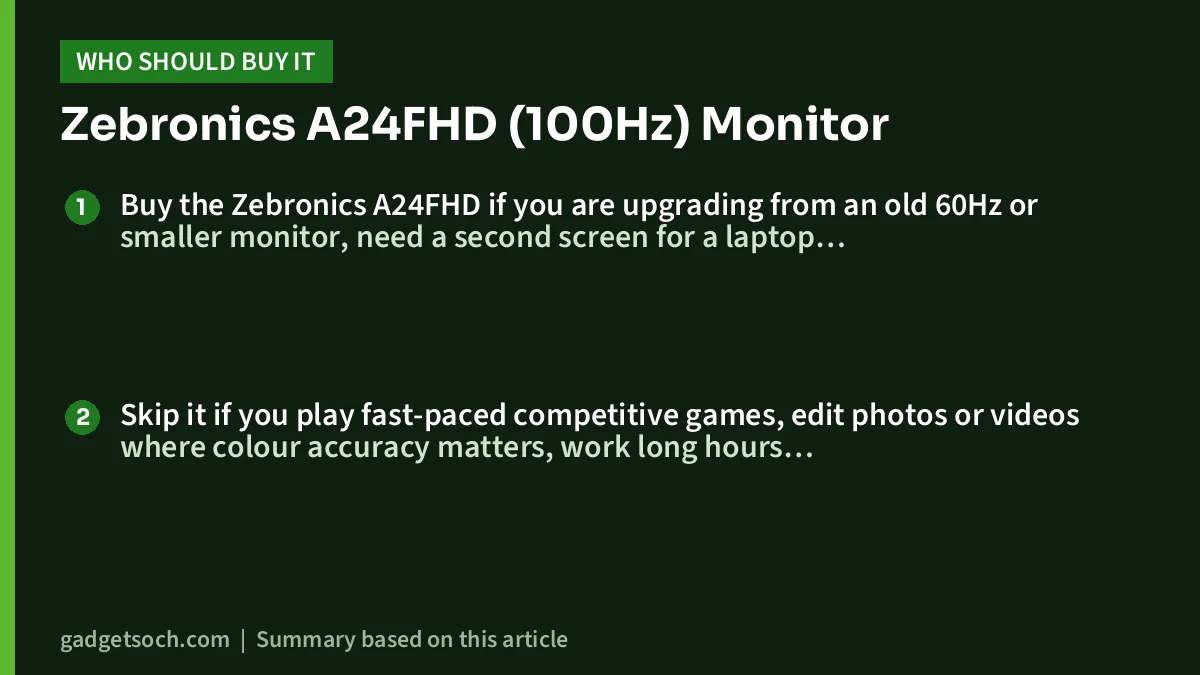
Buy the Zebronics A24FHD if you are upgrading from an old 60Hz or smaller monitor, need a second screen for a laptop with an HDMI port, run an office PC that only has VGA, or want a tidy-looking monitor with built-in speakers for study and streaming.
Skip it if you play fast-paced competitive games, edit photos or videos where colour accuracy matters, work long hours and want height adjustment, or need DisplayPort, USB-C or a headphone jack. People who are sensitive to screen flicker may also prefer a model with a published flicker-free certification, which Zebronics does not list for this monitor.
Alternatives worth comparing
MSI PRO MP243X
According to MSI’s specification page, the PRO MP243X uses an IPS panel at 1920 x 1080 and 100Hz, with a 1ms MPRT and 4ms GTG response time. It has HDMI 1.4, DisplayPort 1.2a and a headphone output, two 3W speakers, Adaptive-Sync support, VESA 75 x 75 mm mounting and a tilt range of minus 5 to 20 degrees. It is the better pick if you want DisplayPort, a confirmed mounting pattern and a faster quoted response time.
BenQ GW2490
BenQ’s product page lists the GW2490 as a 23.8-inch Full HD 100Hz monitor with a built-in speaker, 99% sRGB colour coverage and TÜV Rheinland flicker-free and low blue light certifications. If eye comfort during long work sessions and a published colour coverage figure matter to you, it is worth comparing.
What to check before you order

- Variant: the affiliate link below opens the A24FHD listing titled with 100Hz, 250 nits, HDMI, VGA, metal stand and built-in speakers. Confirm the exact title and model on the listing before checkout, because older A24FHD versions with different specs exist.
- Screen size: Amazon describes it as 24 inch (60.96 cm), while Zebronics lists a 60.4 cm (23.8-inch) screen. This is normal for the 24-inch class and is the same product.
- Your device’s outputs: make sure your laptop or PC has HDMI or VGA. A USB-C-only laptop needs an adapter. Only an HDMI cable is listed in the box, so buy a VGA cable separately if you need one.
- Warranty and service: Zebronics’ warranty policy gives A-series monitors 3 years, with the first year onsite (at selected pin codes only) and years two and three carry-in at a service centre. Retailer listings may describe it simply as carry-in, so keep your invoice and check Zebronics’ list of authorised service centres near you.
- Mounting: if you plan to use a wall mount or arm, confirm the VESA pattern from the seller or the back panel photos first.
- Box contents: on delivery, check for the base, stem, HDMI cable, power adapter, power cord and manual.
See the Zebronics A24FHD 100Hz variant on Amazon.in and confirm the model name in the title before you order.
Frequently asked questions
Is the Zebronics A24FHD 100Hz or 75Hz?
The version covered here, and the one in our Amazon link, is the Zeb A24FHD LED (100Hz) according to Zebronics’ official page and the Amazon title checked on 17 October 2026. Older A24FHD listings mention other specs, so check the title says 100Hz.
Does the Zebronics A24FHD have DisplayPort?
No DisplayPort is listed on Zebronics’ official spec page for the 100Hz model. The inputs are HDMI and VGA. Some older A24FHD listings on comparison sites mention DisplayPort, which is another reason to confirm the variant.
Is the Zebronics A24FHD good for gaming?
It is fine for casual gaming thanks to the 100Hz refresh rate, but the quoted 14ms response time and the lack of any stated adaptive sync support make it a weak choice for fast competitive games.
Can I connect a laptop to the Zebronics A24FHD?
Yes, through HDMI, which most laptops have. An HDMI cable is included. If your laptop only has USB-C, use a USB-C to HDMI adapter that supports display output.
What warranty does the Zebronics A24FHD come with?
Zebronics’ warranty policy lists 3 years for A-series monitors: the first year onsite where available (selected pin codes) and the next two years carry-in. Keep your purchase invoice, as it is needed for service.
Final word
The Zebronics A24FHD (100Hz) is a straightforward budget monitor: Full HD on a 24-inch class screen, a smoother 100Hz refresh rate, slim bezels, a metal stand and built-in speakers, all backed by Zebronics’ 3-year A-series warranty. Its limits are clear too, from the 14ms response time and 250-nit brightness to the HDMI-and-VGA-only connectivity. For everyday work and study it covers the essentials; gamers and creators should compare the MSI and BenQ options.
Check the current price of the Zebronics A24FHD on Amazon.in
Related reading on GadgetSoch: Acer EK220Q E3 Review: 21.5-inch 100Hz IPS Monitor, and What "1ms VRB" Really Means and LG UltraGear 34GS95QE Review: 240Hz Ultrawide OLED Explained.
Sources
- Zebronics: Zeb A24FHD LED (100Hz) product page (checked 17 October 2026)
- Zebronics Shop: A24FHD (100Hz) LED Monitor specifications (checked 17 October 2026)
- Zebronics warranty policy (checked 17 October 2026)
- Flipkart listing: Zebronics ZEB-A24FHD LED (checked 17 October 2026)
- Smartprix: Zebronics 24-inch monitors list (checked 17 October 2026)
- MSI: PRO MP243X specifications (checked 17 October 2026)
- BenQ: GW2490 product page (checked 17 October 2026)
- Amazon.in listing for ASIN B09X3C3JXP (title checked 17 October 2026)




