

The EMEET S600L is a 4K USB webcam with a built-in ring light, a 1/2-inch sensor and phase-detection (PDAF) autofocus. It is aimed at streamers, YouTubers and people who spend a lot of time on video calls in rooms that are not well lit. If you want sharper video than a typical laptop camera and you would rather not add a separate light to your desk, the S600L is one of the more complete single-device options.
Our short verdict: on paper, the S600L puts a larger-than-usual sensor, fast autofocus, a soft front light and two microphones into one 4K camera. Home streamers usually buy these separately. It is a poor fit for anyone using an ARM-based Windows laptop, which EMEET says is not supported. It is also more camera than you need if you only join a few meetings a week.
How this article was put together: it draws on EMEET’s official product page, the Amazon.in listing and the official pages for the alternatives we mention, all checked on 17 October 2026. It is not a hands-on review, and we have not tested the camera ourselves.
Quick verdict
- Best for: solo streamers, creators recording talking-head videos and remote workers whose rooms have weak or uneven light
- Skip if: you use a Windows on ARM laptop, need Windows Hello face login, want to frame two or three people comfortably, or only make the occasional call
- Key strengths: 1/2-inch sensor with an f/1.8 lens, 4K at 30fps and 1080p at 60fps, PDAF autofocus, a ring light with adjustable colour temperature, a built-in privacy shutter and a 1/4-inch tripod thread
- Key limitations: 4K tops out at 30fps, the built-in light is modest next to a dedicated ring light, EMEET gives no noise-reduction details for the microphones, and we could not find an independent test that confirms the low-light claims
EMEET S600L specifications
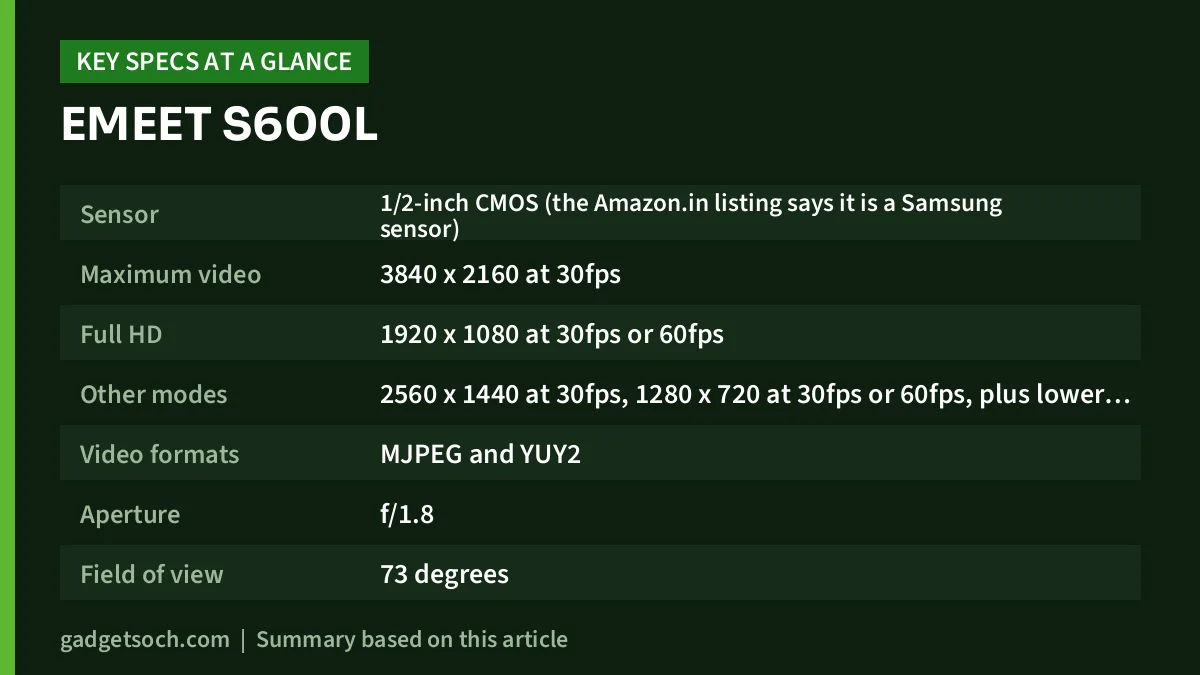
| Specification | EMEET S600L (official page unless noted) |
|---|---|
| Sensor | 1/2-inch CMOS (the Amazon.in listing says it is a Samsung sensor) |
| Maximum video | 3840 x 2160 at 30fps |
| Full HD | 1920 x 1080 at 30fps or 60fps |
| Other modes | 2560 x 1440 at 30fps, 1280 x 720 at 30fps or 60fps, plus lower resolutions |
| Video formats | MJPEG and YUY2 |
| Aperture | f/1.8 |
| Field of view | 73 degrees |
| Focus | PDAF autofocus (EMEET claims 0.2-second focusing), with a 10 cm to infinity range per the Amazon.in listing |
| Microphones | 2 built-in |
| Light colour temperature | 2600K to 6200K (Warm 2600K, Mixed 4000K, Cool 6200K) |
| Light brightness | 5 to 60 lux at 0.5 m |
| Light colour rendering | CRI 90 or higher |
| Ambient light | Six colours (official page and listing) |
| Connection | 2 m USB-C cable, USB-C to USB-A adapter in the box, needs a USB 2.0 port |
| Mounting | Monitor clip plus a 1/4-inch threaded hole |
| Dimensions | 69.7 x 58.5 x 89.6 mm |
| Weight | 159 g (Amazon.in listing only, not stated on the official page) |
| Software | EMEET STUDIO |
| Operating systems | Windows 10 or later (64-bit) and macOS 10.14 or later. ARM-based Windows is not supported |
The affiliate link below is for the black S600L with ring light and 1/2-inch sensor, which is the exact variant this article covers. Check the current price of the EMEET S600L on Amazon.in.
Why the 1/2-inch sensor and f/1.8 lens matter
A webcam’s image quality depends heavily on how much light reaches the sensor. A larger sensor, all else being equal, gathers more light per frame. EMEET pairs the 1/2-inch sensor with an f/1.8 aperture, which is a wide opening for a webcam lens.
These are design advantages, not proven results. EMEET’s page markets the camera as better than a webcam plus a separate light, but it publishes no test data to back that up. We also could not find an independent lab test we could verify. Treat the low-light promise as likely but unconfirmed, and use the return window to judge it in your own room.
4K at 30fps or 1080p at 60fps: which mode to use
Pick the mode to suit what you are making.
- 4K at 30fps is best for recorded YouTube videos, tutorials and anything you might crop later. The extra pixels let you reframe in editing without the image getting soft too quickly.
- 1440p at 30fps is a sensible middle ground if your editing PC or upload speed struggles with 4K files.
- 1080p at 60fps suits live streams and gaming facecams, where smoother motion matters more than fine detail.
- Video calls rarely use the full resolution. Calling services compress and often downscale the stream, so a well-lit 1080p picture is usually all a meeting will show.
The camera connects over USB 2.0, and USB 2.0 does not have enough bandwidth to carry uncompressed 4K video. So the higher-resolution modes rely on compressed MJPEG rather than YUY2. In OBS or similar software, choose MJPEG if a high-resolution mode does not appear when YUY2 is selected.
The built-in ring light: helpful, not a studio light
The main feature of the S600L is the light ring around the lens. Its colour temperature runs from a warm 2600K to a cool 6200K, with presets at 2600K, 4000K and 6200K. Its colour rendering index is rated at 90 or higher, so skin tones should not look grey or green under it. EMEET’s FAQ lists cold, warm, mixed and ambient modes. The Amazon.in listing says a dial on the camera switches modes and adjusts brightness, and the same controls are available in EMEET STUDIO.
Do not expect it to replace a proper light. EMEET rates its output at 5 to 60 lux at 0.5 m. That is enough to soften shadows on a face close to the monitor, but it is far less than a full-size ring light or panel. Our Amazon Basics 10-inch ring light review covers what a separate starter light offers.
When the camera is not in use, the light can act as desk ambient lighting in six colours, according to both EMEET and the Amazon.in listing. Blue is the default, and you can change it in EMEET STUDIO. EMEET notes the light comes on at startup and switches off after 6 seconds.
Autofocus, field of view and mounting
EMEET claims the PDAF autofocus focuses in 0.2 seconds. The Amazon.in listing gives a focus range of 10 cm to infinity, but the official page does not state a range. Phase-detection autofocus matters most if you hold products up to the camera for demos or unboxings, where slower focus systems tend to hunt.
The field of view is a fixed 73 degrees. That frames one person at a desk naturally without showing much of the room. It is tight for two or three people sitting together, and EMEET does not mention auto-framing or digital field-of-view presets. It ships with a monitor clip, has a 1/4-inch tripod thread (EMEET suggests rotating it on a tripod for vertical content) and a built-in privacy shutter. The listing’s claim of 360-degree rotation and plus or minus 15 degrees of tilt does not appear on the official page.
Microphones and EMEET STUDIO software
The S600L has two built-in microphones. EMEET does not publish noise-reduction details or a pickup range. Webcam mics sit far from your mouth and pick up more room echo, which is fine for meetings. For streaming or YouTube voiceovers, plan on a separate microphone. Our YouTube starter kit guide covers mics, lights and stands for Indian creators.
The EMEET STUDIO app on Windows and macOS controls image settings, light brightness and ambient modes. EMEET’s page also lists an adjustable beauty mode and green-screen background removal for cleaner subject separation.
Compatibility and system requirements
According to EMEET, the S600L needs Windows 10 or later (64-bit) or macOS 10.14 or later. It also needs at least a 2.4 GHz Intel Core 2 Duo-class processor, 2 GB of RAM and a USB 2.0 port. The important exception is ARM-based Windows, which is not supported. If you have a newer Windows laptop with a Snapdragon processor, this camera is not the right choice. The Amazon.in listing says it works with OBS, YouTube and Twitch.
Who should buy the EMEET S600L, and who should skip it
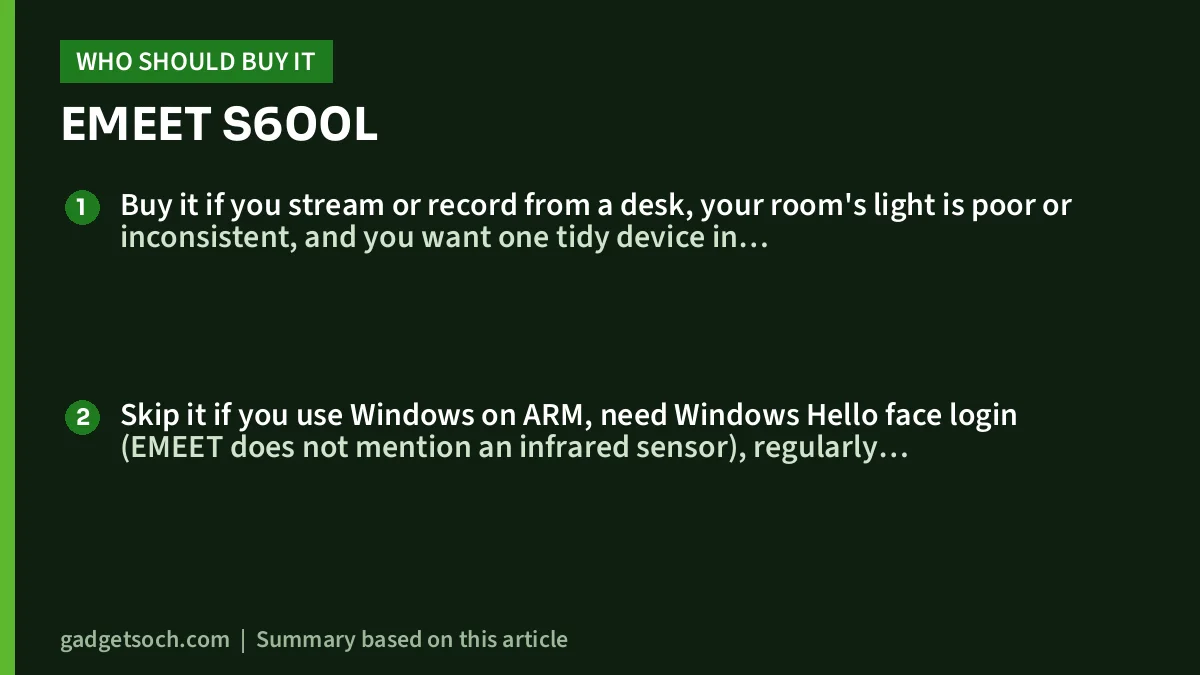
Buy it if you stream or record from a desk, your room’s light is poor or inconsistent, and you want one tidy device in place of a webcam plus a clip-on light. It also suits remote workers who present on camera daily.
Skip it if you use Windows on ARM, need Windows Hello face login (EMEET does not mention an infrared sensor), regularly frame several people, or already own a good ring light and microphone. A cheaper 1080p webcam may then cover what you need.
Alternatives worth comparing
- Logitech Brio 4K: also 4K at 30fps and 1080p at 60fps. Logitech lists three field-of-view presets (65, 78 and 90 degrees) in Logi Tune, infrared support for Windows Hello, two omnidirectional microphones and an attachable privacy shutter. It has no built-in light.
- Logitech C922 Pro Stream: a Full HD streaming webcam offering 1080p at 30fps or 720p at 60fps, a 78-degree field of view, autofocus and two omnidirectional microphones. It has no light.
- A Full HD webcam plus a separate ring light: if your desk has space, a dedicated light gives much more output than any built-in ring. You can then put money into lighting instead of a 4K sensor.
What to check before you order

- Variant: the listing title should read “EMEET S600L 4K Webcam for Streaming with Ring Light, 1/2″ Sensor, 0.2S PDAF” in black. Do not confuse it with other EMEET models that lack the ring light.
- Box contents: EMEET lists the S600L, a USB-C to USB-A adapter, a user guide, a user manual and a warranty card. A tripod is not listed, so buy one separately if you need it.
- Port and processor: the bundled adapter covers USB-A ports, and Windows on ARM is not supported.
- Warranty in India: EMEET’s global page mentions an extended warranty of up to 2 years, but terms can differ by region and seller. Check the warranty shown on the Amazon.in listing and the seller’s service process.
- Return window: test low-light quality and microphone sound in your own room within the return period.
If those points check out, see the EMEET S600L (ring light, 1/2-inch sensor) on Amazon.in and confirm the current seller and warranty details.
Frequently asked questions
Can the EMEET S600L record 4K at 60fps?
No. EMEET lists 4K (3840 x 2160) at 30fps as the top mode. You get 60fps at 1080p and 720p.
Does the EMEET S600L work with a Mac?
Yes. EMEET lists macOS 10.14 or later as supported, along with Windows 10 or later (64-bit).
Will it work on a Snapdragon (ARM) Windows laptop?
EMEET’s official page says ARM-based Windows is not supported, so do not count on it working on those laptops.
Does the S600L have a privacy cover?
Yes. EMEET says it has a built-in privacy shutter that you slide over the lens.
Is a tripod included?
No tripod appears in EMEET’s box contents. The camera has a 1/4-inch thread that fits standard desk and floor tripods, and it comes with a monitor clip.
Final word
The EMEET S600L makes the most sense for a single person at a desk who wants better video and a soft front light in one device, with fast autofocus for demos. The low-light and microphone claims are unconfirmed by independent tests we could verify, and the light is a helper, not a full lighting setup. If that balance suits your desk, check the current price of the EMEET S600L on Amazon.in.
Related reading on GadgetSoch: Rapoo E9050L Review: Slim Multi-Device Keyboard for Four Devices, Explained and Samsung 8GB DDR5-5600 SODIMM Review (M425R1GB4BB0-CWM): Will It Fit Your Laptop?.
Sources
- EMEET SmartCam S600L official product page (specs, box contents, system requirements, checked 17 October 2026)
- Amazon.in listing for ASIN B0G6L2WHKG (title, feature bullets and technical details, captured 17 October 2026)
- Logitech Brio 4K official India page (checked 17 October 2026)
- Logitech C922 Pro Stream official India page (checked 17 October 2026)




