

The Logitech MK215 is a basic, compact wireless keyboard and mouse combo that shares one 2.4 GHz USB receiver and runs on AAA batteries. It is a sensible pick for a Windows desktop or a laptop that stays on a desk, especially if you want fewer cables and long gaps between battery changes. It is not for anyone who needs Bluetooth, backlit keys, multi-device switching or official support for macOS or ChromeOS.
The variant covered here is the black MK215 (Logitech part number 920-007444) sold on Amazon.in. According to the Amazon.in listing, the box contains the keyboard, an M150 mouse, a USB receiver, AAA batteries for both devices and user documentation, and the combo carries a 3-year manufacturer warranty.
How this article was put together: it is based on the Amazon.in listing details and Logitech’s official MK215 setup guide, both checked on 17 October 2026. It is not based on hands-on testing, so there are no first-hand claims about typing feel or reliability. Logitech’s India product page could not be opened when we checked, so some details (wireless range, exact size, mouse DPI) are not confirmed here and are left out rather than guessed.
Quick verdict
- Best for: Windows PCs and desk-bound laptops, home offices, reception desks, students and older family members who want a plain plug-and-play setup
- Skip if: you need Bluetooth, backlighting, a quiet keyboard, Mac-specific keys or one keyboard that switches between several devices
- Key strengths: one USB receiver for both devices, listed battery life of about 2 years (keyboard) and 5 months (mouse), compact footprint, ambidextrous mouse, 3-year warranty per the listing
- Key limitations: USB-A receiver only, mouse battery life is much shorter than the keyboard’s, the listing’s official OS list stops at Windows 8 and Windows RT, no spill-resistance or backlight claims, no published range on the listing
Logitech MK215 key specifications
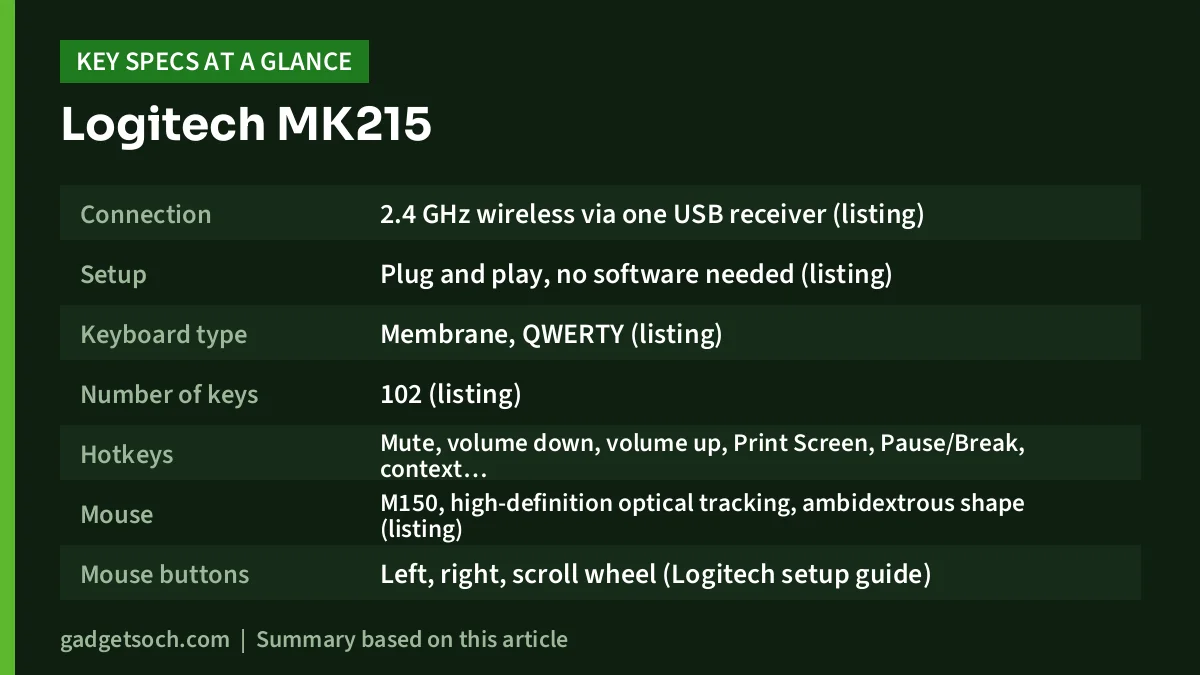
| Specification | Logitech MK215 (920-007444, Black) |
|---|---|
| Connection | 2.4 GHz wireless via one USB receiver (listing) |
| Setup | Plug and play, no software needed (listing) |
| Keyboard type | Membrane, QWERTY (listing) |
| Number of keys | 102 (listing) |
| Hotkeys | Mute, volume down, volume up, Print Screen, Pause/Break, context menu, Scroll Lock (Logitech setup guide) |
| Mouse | M150, high-definition optical tracking, ambidextrous shape (listing) |
| Mouse buttons | Left, right, scroll wheel (Logitech setup guide) |
| Keyboard battery life | About 2 years (listing title) |
| Mouse battery life | About 5 months (listing title) |
| Batteries | AAA, included for both keyboard and mouse (listing) |
| Listed OS compatibility | Windows XP, Vista, 7, 8 and Windows RT (listing) |
| Item weight | 322 g (listing, the listing does not say whether this covers keyboard alone or the set) |
| Warranty | 3 years manufacturer warranty (listing) |
| Country of origin | China (listing) |
| Colour | Black |
Battery life figures are the listing’s claims and depend on how much you type and move the mouse. Check the current price of the Logitech MK215 (Black) on Amazon.in.
What “compact” means on the MK215
The Amazon.in listing describes the MK215 as a compact design while also listing 102 keys. In practice that usually means a keyboard that keeps the main typing area and function row but packs keys more tightly than a standard full-size board, so it takes up less desk width. That helps on small desks and shop counters.
Because the official spec page could not be checked, we cannot confirm the exact keyboard dimensions or how the number keys are arranged. If you type a lot of numbers in Excel, Tally or billing software, look closely at the product photos on the listing before you order and confirm the layout you get matches how you work.
The keyboard is a membrane type, according to the listing. Membrane keyboards are quiet enough for most offices and are cheap to make, but they do not have the crisp, defined feel of mechanical switches. For office typing and school work, that is adequate.
Batteries: why the 2-year and 5-month figures matter
The headline claim on the listing is battery life: about 2 years for the keyboard and about 5 months for the mouse. The gap is normal. A mouse’s optical sensor works constantly while you move it, while a keyboard draws power mainly when keys are pressed.
What this means in practice is that you will swap the mouse batteries several times before the keyboard needs any. Keep a small pack of good-quality AAA cells in a drawer.
The listing’s battery details are not perfectly consistent. One feature bullet mentions two AAA batteries, while the box contents say there are AAA batteries for both the keyboard and the mouse. Logitech’s setup guide only confirms that both devices use replaceable batteries. Treat the battery count as something to confirm when you unbox it, and check battery orientation first if either device does not respond, which is the first troubleshooting step Logitech gives.
Wireless connection and setup
Setup is the MK215’s strong point. Per the listing, you plug the USB receiver into a free USB port on a desktop, laptop or netbook and both devices work straight away, with no pairing step or software. One receiver for both devices also saves a USB port.
Logitech’s setup guide gives practical advice if the connection is unreliable:
- Make sure the receiver is pushed fully into the USB port, ideally a port closer to where you use the keyboard
- Plug the receiver directly into the computer rather than through a USB hub
- Remove metal objects between the receiver and the keyboard or mouse, since they can interfere with reception
- Try the mouse on a different surface if the pointer jumps
- Restart the computer, and if nothing works, use Logitech’s Reconnection Utility from its support site
One practical point for laptop owners: the receiver is a USB-A plug. Many thin laptops and recent MacBooks have no USB-A port, so you would need a USB-C to USB-A adapter or a hub. Logitech advises connecting directly rather than through a hub if you have signal problems.
The mouse: simple, ambidextrous and basic
The included mouse is listed as the M150, with high-definition optical tracking and a sculpted, ambidextrous shape that the listing says suits either hand. The setup guide shows three controls: left button, right button and a scroll wheel. There are no side buttons for back and forward, and no DPI button.
For spreadsheets, browsing and document work, three buttons are enough. Left-handed users benefit from the symmetrical shape. If you edit photos, design or game, you will likely want a mouse with adjustable sensitivity and more buttons. Optical mice also struggle on glass and very glossy desks, so use a mouse pad if your desk has a shiny laminate top.
Compatibility: Windows 10 and 11, Mac and ChromeOS
This is the one area where the listing looks dated. It lists Windows XP, Vista, 7, 8 and Windows RT, and it names Windows as the operating system family. Windows 10 and Windows 11 are not mentioned, and neither are macOS, ChromeOS or Linux.
Plain wireless combos with a USB receiver generally work as standard keyboards and mice on modern systems without drivers, but that is general behaviour, not a promise from this listing. If you plan to use it with a Mac or a Chromebook, accept that some keys (such as the Windows key or Print Screen) may not map neatly, and that Logitech does not list official support on the Amazon.in page. Windows 10 and 11 users are the safest fit.
Who should buy the Logitech MK215

- Home and office users with a Windows desktop who want a tidy, cable-free desk
- Laptop users who work at a fixed desk and want a separate keyboard and mouse at a more comfortable distance
- Shops, clinics and reception counters where space is tight and the setup has to just work
Who should skip it
- Anyone who needs Bluetooth to connect tablets or phones
- People who type in dim rooms and want backlit keys
- Mac users who want proper Mac key labels and official support
- Users who switch between a work laptop and a personal PC many times a day
- Gamers, designers and heavy spreadsheet users who need a full-size layout or a precise, adjustable mouse
Alternatives worth comparing
Logitech MK270r: a full-size combo with a number pad and eight media keys. Logitech rates it for up to 36 months of keyboard battery life and 12 months for the mouse, with a 10 m range and spill resistance tested with up to 60 ml of liquid. It suits number-heavy work better than a compact board, but it takes more desk space.
Portronics Bubble keyboard: a 78-key tenkeyless keyboard that connects over Bluetooth 5.0 or a 2.4 GHz receiver and can switch between devices. It is the better choice if you move between a laptop, tablet and phone, but it has no number pad and does not include a mouse.
Logitech M221 Silent (mouse only): if the keyboard you already own is fine and you only want a quieter mouse, Logitech says the M221 Silent cuts more than 90% of click noise compared with its M170 mouse and is rated for up to 18 months on one AA battery.
For a broader look at keyboards, mice, monitors and cooling for a home office, see our work from home desk setup guide for India.
What to check before you order

- Variant and part number: confirm the listing shows MK215, part number 920-007444, in black, so you get the exact combo described here
- Keyboard layout: zoom into the photos to check the arrow keys, number keys and any Indian layout markings
- Box contents: on unboxing, check for the keyboard, M150 mouse, USB receiver, batteries and documentation, as the listing states
- USB port type: if your laptop has only USB-C, order a small USB-C to USB-A adapter at the same time
- Warranty: the listing states 3 years manufacturer warranty, so keep the invoice and box, and register or note the details for Logitech India support
- Operating system: if you use a Mac, Chromebook or Linux PC, accept that official support is not listed
If those points suit your setup, see the Logitech MK215 black combo on Amazon.in and confirm the variant before you add it to the cart.
Frequently asked questions
Does the Logitech MK215 work with Windows 11?
The Amazon.in listing lists only Windows XP, Vista, 7, 8 and RT. Windows 10 and 11 are not named. Standard USB-receiver combos usually work without drivers on modern Windows, but it is not an official claim on this listing.
Does the MK215 have Bluetooth?
No. According to the listing, it connects through a 2.4 GHz wireless USB receiver only.
What batteries does the MK215 use?
The listing says it uses AAA batteries and that they are included. Battery life is listed as about 2 years for the keyboard and about 5 months for the mouse.
Which mouse comes with the MK215?
The listing’s box contents name the M150 mouse, an ambidextrous optical mouse with left and right buttons and a scroll wheel.
What warranty does the MK215 have in India?
The Amazon.in listing states a 3-year manufacturer warranty. Keep your invoice, and confirm the warranty terms shown on the listing at the time you buy.
Final verdict
The Logitech MK215 is a no-frills combo that does the basics: one receiver, quick setup, a compact keyboard and long listed battery life. Its weaknesses are just as clear: no Bluetooth, no backlight, a basic mouse and an outdated official OS list. For a Windows desk that needs a dependable wireless keyboard and mouse without fuss, it fits well. Check the current price of the Logitech MK215 on Amazon.in.
Related reading on GadgetSoch: ASUS WT300 Review: A Simple Ambidextrous Wireless Mouse With a 1600 DPI Switch and Zebronics K4000MW Review: Compact 78-Key Keyboard With Dual Bluetooth and 2.4 GHz.
Sources
- Amazon.in product listing for Logitech MK215 (ASIN B012MQS060): title, feature bullets and technical details, checked 17 October 2026
- Logitech Wireless Combo MK215 setup guide (official PDF): hotkeys, mouse controls and troubleshooting steps, checked 17 October 2026
- gadgetsoch’s published reviews of the Logitech MK270r, Portronics Bubble and Logitech M221 Silent, which summarise the official specifications used in the alternatives section




