

The Dyazo Foldable Metal Laptop & Mobile Stand with Dual Cooling Fans is a tabletop stand that lifts a laptop of up to 15.6 inches to a better height and angle, and adds two small fans under the deck to move air across the laptop’s underside. It suits people who work long hours on a laptop at a desk and want better posture and a little extra airflow from one product. The catch is that Dyazo publishes very few hard numbers for it, so part of the purchase is on trust.
This article covers the Black version sold under ASIN B0FXXQP853 on Amazon.in. Short verdict: a sensible all-in-one idea for 13-inch to 15.6-inch laptops if posture is your main goal and cooling is a bonus, but confirm the fan power source, height range and warranty on the listing before you order.
How this article was put together: it is based on the product’s Amazon.in listing and Dyazo’s official website, both checked on 17 October 2026. It is not based on hands-on testing. Dyazo’s website lists several of its laptop stands but did not show a product page for this dual-fan model, so most specifications below are the seller’s claims as stated on the Amazon.in listing, and they are labelled that way.
Quick verdict
- Best for: laptop users with screens up to 15.6 inches who want the display closer to eye level plus some airflow, mainly on a desk
- Skip if: you own a 16-inch or 17-inch laptop, want published noise or cooling figures, or need an ultra-light stand for daily travel
- Key strengths (per the listing): metal build, adjustable height and angle, two fans, foldable design, ventilated surface
- Key limitations: no stated fan size, speed, airflow, noise level, power source, height range or weight limit, and no official product page to cross-check
Key specifications
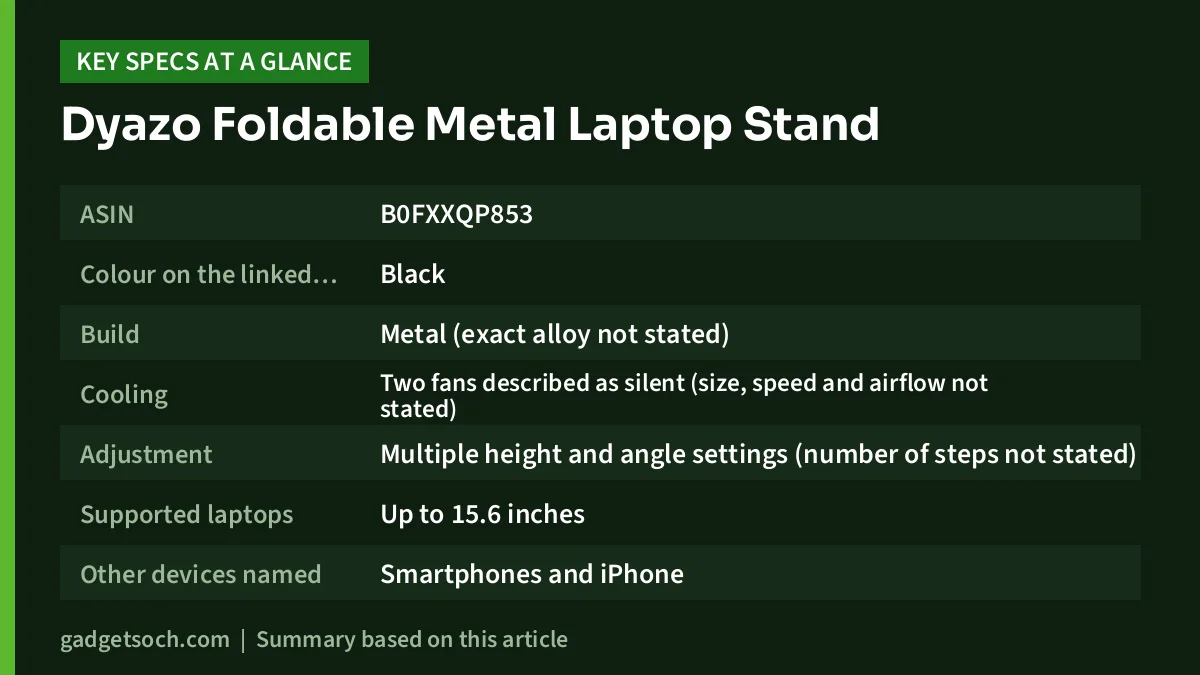
| Specification | Dyazo dual-fan stand (per Amazon.in listing) |
|---|---|
| ASIN | B0FXXQP853 |
| Colour on the linked listing | Black |
| Build | Metal (exact alloy not stated) |
| Cooling | Two fans described as silent (size, speed and airflow not stated) |
| Adjustment | Multiple height and angle settings (number of steps not stated) |
| Supported laptops | Up to 15.6 inches |
| Other devices named | Smartphones and iPhone |
| Size | 27.9 x 21.2 x 5 cm (feature text) or 28 x 21 x 4.5 cm (technical details) |
| Weight | 1,180 g |
| Mounting | Tabletop, foldable |
| Fan power source | Not stated |
| Maximum load | Not stated |
| Warranty | Shown only as 1 (unit not stated) |
| Country of origin | China |
| Marketed by | Dyazo Alliance Trade Links, New Delhi |
All rows come from the Amazon.in listing. The warranty field reads only “1”, which most likely means one year, but the listing does not say so, so confirm it with the seller or Dyazo support.
Check the current price of the Dyazo dual-fan laptop stand (Black) on Amazon.in
What this stand is trying to do
Two different accessories are being combined here. A laptop stand (or riser) lifts and tilts the laptop so the screen sits higher and you look down less. A cooling pad blows air at the bottom panel to help the laptop’s own fans. Dyazo’s pitch is that you get both in one foldable metal frame, which saves desk space and avoids stacking a stand on a pad.
Height and angle: the ergonomic side
According to the Amazon.in listing, the Dyazo offers multiple height and angle adjustments aimed at reducing neck and back strain during long working hours. The reasoning behind this is simple. When a laptop sits flat on a desk, its screen is well below eye level, so you tilt your head forward for hours. Lifting and angling the laptop brings the top of the screen closer to your line of sight.
There is a trade-off that applies to every laptop stand, not just this one. Once the screen is high, the built-in keyboard and trackpad are also high and tilted, which is uncomfortable for long typing sessions. The practical fix is an external keyboard and mouse, so the Dyazo becomes a raised monitor. Our work-from-home desk setup guide covers how those pieces fit together.
The listing gives no maximum height or number of angle steps, so check the product images and seller answers. If you are tall, a stand with too little lift may still leave you looking down.
The dual fans: what you can and cannot expect
The listing describes two silent cooling fans and a ventilated surface for airflow and heat dissipation. It does not state the fan diameter, rotation speed (RPM), airflow (CFM), noise level in decibels, power input, or whether the fans have an on/off switch or speed control. Each of these matters in practice:
- Fan size, speed and airflow (CFM): together these tell you whether two fans move meaningful air or are mostly decorative
- Noise: “silent” is a marketing word unless a decibel figure is given, so treat it as the seller’s description
- Power source: fan stands usually draw power through a USB cable, but this listing does not confirm the cable type or whether one is included, which matters for USB-C-only laptops
- Switch or speed control: useful if you only want the fans during heavy work
How much any cooling stand helps depends mostly on your laptop. If it pulls air in through grilles on its bottom panel, extra airflow and clearance can lower temperatures somewhat. If it draws air mainly from the sides or keyboard deck, the gain is smaller. Expect a cooler underside and more comfortable long sessions rather than faster performance. If a laptop has started overheating suddenly, dust or a worn fan is the more likely cause, and a service visit will do more than any stand.
Build, size and portability
The listing describes a premium metal build with a metallic finish and a foldable, lightweight design. At 1,180 g by the listing’s figure, it is not the lightest stand around: many plain folding aluminium risers weigh less because they have no fans or wiring. If you plan to carry it to the office every day, that extra kilogram adds up in a backpack.
The listed size of about 28 x 21 cm is smaller than the base of most 15.6-inch laptops, so a large laptop will overhang the edges when open. That is normal for compact stands, but it is worth checking how far the support arms or hooks extend in the product photos, especially for heavier gaming laptops. The listing does not state a weight limit, so if your laptop is heavy, ask the seller first.
The “mobile stand” part of the name
The product title calls this a laptop and mobile stand, and the technical details list smartphones and iPhone as compatible devices. The feature bullets, however, describe no separate phone holder or slot. A phone or tablet can rest on the deck, but if you want a dedicated phone cradle beside your laptop, check the listing images first.
Who should buy it, and who should skip it

Good fit for:
- Students and office workers using a 13-inch to 15.6-inch laptop for many hours at a desk
- Anyone who already uses, or plans to buy, an external keyboard and mouse
- People whose laptop’s underside gets warm and who want a ventilated, raised base
- Buyers who prefer one compact accessory over a separate stand and cooling pad
Consider something else if:
- Your laptop is 16 inches or larger, beyond the listed support
- You need verified fan specifications or a measured noise figure
- You travel daily and want the lightest possible stand
- You want a rotating base for sharing your screen in meetings
Alternatives worth comparing
- Portronics Twister: a fanless metal-alloy stand for laptops up to 15.6 inches, rated by Portronics for up to 10 kg, with a rotating base and anti-slip silicone pads. Pick it if you care more about a rotating base and a stated load rating than about fans.
- Portronics My Buddy Plus: a portable MDF laptop table with one USB-powered 1800 RPM fan, a top that tilts from 0 to 30 degrees and, per image captions on the Portronics page, support for laptops up to 17 inches. It suits bed or sofa use more than a desk.
- Zebronics ZEB-NC3300: a flat USB-powered cooling pad with two 120 mm fans for laptops up to 15.6 inches. It focuses on cooling rather than height. See our Zebronics ZEB-NC3300 review for its full specifications.
What to check before you order

- Variant: the affiliate link opens the Black version (ASIN B0FXXQP853). Confirm the colour and the dual-fan wording in the title on the listing.
- Laptop size: measure your laptop. The listing supports up to 15.6 inches, and the stand is smaller than a typical 15.6-inch laptop base.
- Fan power and cable: look for the cable type in the images or questions section, and check you have a free matching port on your laptop or a USB charger.
- Height range: since no figure is listed, use the photos and seller answers to judge whether it lifts high enough for your chair and desk.
- Warranty and service: the warranty field shows only “1”. Dyazo lists a customer care number and support@dyazo.in on the listing, so confirm the term and keep your invoice.
- Box contents: the listing does not list what is in the box, so check whether a USB cable is included.
See the Black Dyazo dual-fan stand on Amazon.in and confirm these details on the listing before you buy.
Setting it up and looking after it
A few habits make any fan stand more useful. First, place the laptop so its bottom intake grilles sit over the fans, not over solid metal. Second, set the angle so the top of the screen is roughly at eye level and your elbows stay near a right angle when using an external keyboard. Third, run the fans only when the laptop is working hard if you find the sound distracting.
For care, unplug the stand before cleaning and clear dust from the fan grilles with a soft brush every few weeks, since dusty blades move less air and can get noisier. When folding the stand, make sure no cable is pinched in the hinges.
Frequently asked questions
Does the Dyazo dual-fan stand fit a 15.6-inch laptop?
Yes, according to the Amazon.in listing, which states support for laptops up to 15.6 inches, including MacBook, HP, Dell, Lenovo and Acer models. A 15.6-inch laptop will overhang the compact deck, so check the support arms in the product photos.
How are the fans powered?
The listing does not say. Fan stands of this type commonly use a USB cable from the laptop or a charger, but confirm the connector type and whether a cable is included before ordering, especially if your laptop has only USB-C ports.
Is it really silent?
The listing calls the fans silent and ultra quiet but gives no decibel figure. Treat it as the seller’s claim rather than a measured result.
Will it make my laptop faster?
Do not expect it to. The listing claims the fans help keep the laptop cool for optimal performance and a longer lifespan, but extra airflow mainly helps temperatures and comfort, and only when the laptop takes in air from underneath. It will not turn a slow laptop into a fast one.
Final word
The Dyazo Foldable Metal Laptop & Mobile Stand with Dual Cooling Fans combines a riser and a pair of fans in one compact metal frame, which is a practical idea for desk-bound laptop users with screens up to 15.6 inches. Its weak point is information: no official spec sheet, no fan figures, no height range and an unclear warranty field. If those gaps do not worry you and your laptop takes in air from below, it is worth a look.
Check the current price of the Dyazo dual-fan laptop stand on Amazon.in
Related reading on GadgetSoch: AIWaft 4K UHD Webcam Review: 12MP Sensor, ePTZ and Dual Mics, Explained and Canon PIXMA MG2577s Review: A USB-Only All-in-One for Light Home Printing.
Sources
- Amazon.in listing for the Dyazo Foldable Metal Laptop and Mobile Stand with Dual Cooling Fans, ASIN B0FXXQP853 (title, feature bullets and technical details, captured 17 October 2026)
- Dyazo official website, laptop stand collection (checked 17 October 2026, dual-fan model not listed)
- Portronics Twister official product page (checked 17 October 2026)
- Portronics My Buddy Plus official product page (checked 17 October 2026)
- Zebronics ZEB-NC3300 specifications from the official Zebronics product page, as documented in our NC3300 review (checked 17 October 2026)




