

The AIWaft 4K UHD Webcam is a plug-in USB webcam built around a 12.2MP CMOS sensor, with autofocus, electronic pan-tilt-zoom (ePTZ), dual omnidirectional microphones and a sliding privacy cover. It is a sensible upgrade for Indian work-from-home users, teachers and new streamers who find their laptop camera soft and grainy, as long as they do not need a camera that physically turns to follow them. The main catch is that neither AIWaft nor the Amazon.in listing publishes frame-rate figures, so you cannot confirm whether the 4K mode runs smoothly enough for streaming.
This article covers the exact variant on the Amazon.in listing: the AIWaft 4K UHD Webcam, 12MP CMOS, AI Auto-Focus, ePTZ, Dual Mics in black (listed style name “4K UHD”). On AIWaft’s own website, the product with matching figures (81.5° diagonal view, 150 g, 1.89 mm focal length) is called the AIWAFT 4K VEOαCAM, model AIW20A3. AIWaft also sells a pricier E-PTZ 4K business webcam, which is a different product and not what this link opens.
How this article was put together: it is based on AIWaft’s official product page and the Amazon.in listing data, both checked on 17 October 2026. We have not tested this AIWaft 4K ourselves, and we could not find an independent published review to cite, so there are no image-quality verdicts or measured results here, only what the sources state.
Quick verdict
- Best for: Zoom, Google Meet and Teams calls, online teaching, and starter streaming from a desk setup
- Skip if: you need confirmed 4K at 30fps or 1080p at 60fps, true mechanical tracking, or a long published warranty
- Key strengths: 12.2MP 4K sensor, autofocus with manual override, ePTZ with 3x digital zoom, dual omnidirectional mics, privacy cover, clip plus tripod thread, driver-free setup on Windows, macOS, Linux and Android
- Key limitations: no published frame rates, USB 2.0 cable, small 1/2.55-inch class sensor, no image stabilisation, conflicting connector and format details between sources, warranty length not stated on the official page
AIWaft 4K webcam: key specifications

| Specification | AIWaft 4K UHD Webcam (VEOαCAM) | Source |
|---|---|---|
| Image sensor | 12.2MP CMOS, 1/2.55-inch | AIWaft (listing says 1/2.5-inch) |
| Video resolution | 4K UHD, 16:9 | AIWaft and listing |
| Frame rates | Not published | Neither source |
| Field of view | 81.5° diagonal, 69.8° horizontal, 54.5° vertical | AIWaft |
| Focal length and aperture | 1.89 mm, f/2.0 | Listing |
| Focus | AI autofocus with auto/manual switch (listing says PDAF) | AIWaft and listing |
| Zoom | 3x digital, ePTZ | AIWaft and listing |
| Microphones | Dual omnidirectional | AIWaft and listing |
| Video formats | H.264/H.265 (AIWaft), MJPG and YUY2 (listing) | Both, they differ |
| Connection | USB, 1.5 m USB 2.0 cable in box | AIWaft |
| Privacy | Sliding lens cover, activity LED | AIWaft and listing |
| Mounting | Flexible clip and tripod thread | Listing |
| Weight and size | 150 g, about 5.7 x 10.6 x 5.6 cm | AIWaft and listing |
| Image stabilisation | No | AIWaft and listing |
| Certifications | RoHS, FCC, CE | AIWaft |
| Colour | Black | Listing |
Where AIWaft’s page and the Amazon.in listing disagree, both are shown. AIWaft’s page also contains a confusing line about an “8.42MP sensor + 12MP lens” in its feature highlights, while the specification table says 12.2MP, so treat the exact sensor resolution with some caution.
Check the current price of the AIWaft 4K UHD Webcam on Amazon.in
Image quality: what a 12MP 4K sensor can and cannot promise
A 4K frame is 3840 x 2160, roughly 8.3 million pixels, so a 12.2MP sensor can output 4K with some room left for cropping. That spare resolution is what makes ePTZ and 3x digital zoom usable, especially when the final output is 1080p.
Sensor size matters as much as pixel count. AIWaft lists a 1/2.55-inch sensor (the listing rounds it to 1/2.5-inch), much smaller than the 1/1.5-inch sensor in premium webcams such as the OBSBOT Tiny 2. A small sensor needs more light to keep noise down, so a lamp or ring light in front of you will matter more than any setting.
The f/2.0 aperture listed on Amazon.in is reasonably bright for a webcam. AIWaft’s page also lists image controls that are genuinely useful in Indian homes: WDR and backlight compensation (helpful when you sit with a window behind you), saturation and contrast adjustment, mirror and flip, and 50Hz/60Hz flicker control. India’s mains supply runs at 50Hz, so if you see rolling bands from tube lights or LED panels on a call, switching the AIWaft 4K’s anti-flicker setting to 50Hz in your video app or camera settings is the first thing to try.
Frame rates and the USB 2.0 question
This is the biggest information gap: neither AIWaft nor the Amazon.in listing states frame rates at 4K or 1080p. Calls usually target 30fps, while many streamers want 1080p at 60fps.
The box includes a 1.5 m USB 2.0 cable, and the Amazon.in listing describes a USB 2.0 connection. USB 2.0 has far less bandwidth than USB 3.0, so 4K over USB 2.0 depends on compressed formats (the listing names MJPG and YUY2, AIWaft’s page names H.264 and H.265). Without a frame-rate table, treat this as a sharp call camera with a 4K option rather than a proven 4K streaming camera.
AIWaft’s key-features text also mentions setup “via USB Type-C”, which does not match the USB 2.0 cable description. Check the product photos and the listing for the connector on the AIWaft 4K end, and make sure the plug on the other end matches a free port on your laptop. If your laptop only has USB-C ports, you may need an adapter.
Autofocus and ePTZ framing
The Amazon.in listing says the AIWaft 4K uses phase detection autofocus (PDAF) with face detection, and AIWaft’s page adds a switch between automatic and manual focus. Autofocus helps when you hold documents or products up to the camera, common in tutoring and online selling, while manual focus stops hunting caused by background movement.
ePTZ is electronic, not mechanical. The AIWaft 4K body does not rotate. Instead, it crops and moves a window inside the wider 81.5° frame to keep your face centred and to zoom up to 3x. That keeps the camera small and quiet, but it also means it cannot follow you if you walk out of the original field of view, and zoomed-in shots use fewer real pixels. If you teach at a whiteboard and move across a room, a motorised PTZ webcam is a better fit.
Microphones and audio
Both sources confirm dual omnidirectional microphones. The Amazon.in listing claims they capture voice clearly and reduce background noise from up to 3 metres away. That 3-metre figure appears only on the listing, not on AIWaft’s own page, so treat it as the seller’s claim.
Built-in webcam mics are fine for meetings and classes. For recorded videos or podcasts, a separate lavalier or USB microphone closer to your mouth will usually sound better.
Design, privacy and mounting
The AIWaft 4K weighs about 150 g. The Amazon.in listing mentions a flexible clip mount plus a tripod thread for a desk tripod or light stand. AIWaft’s page does not list mounting details, so check the photos if a tripod thread matters to you.
A sliding privacy cover is confirmed by both sources, and the listing adds an LED that lights when the AIWaft 4K is active. A physical shutter is more reassuring than a software toggle, but it does not mute the microphones.
Compatibility and setup
AIWaft lists Windows, macOS, Linux and Android compatibility, and the Amazon.in listing adds Chrome OS and says no drivers or extra software are needed. It should therefore show up directly in Zoom, Meet, Teams or OBS Studio. Android support depends on your phone or tablet supporting external USB cameras, which varies by device, so do not buy it mainly for a phone without checking first.
- Plug the camera directly into a USB port rather than a passive hub
- Select the AIWaft camera by name in your video app’s settings
- Turn on 50Hz anti-flicker if you see banding under indoor lights
- Place the camera at eye level
Who should buy it, and who should skip it
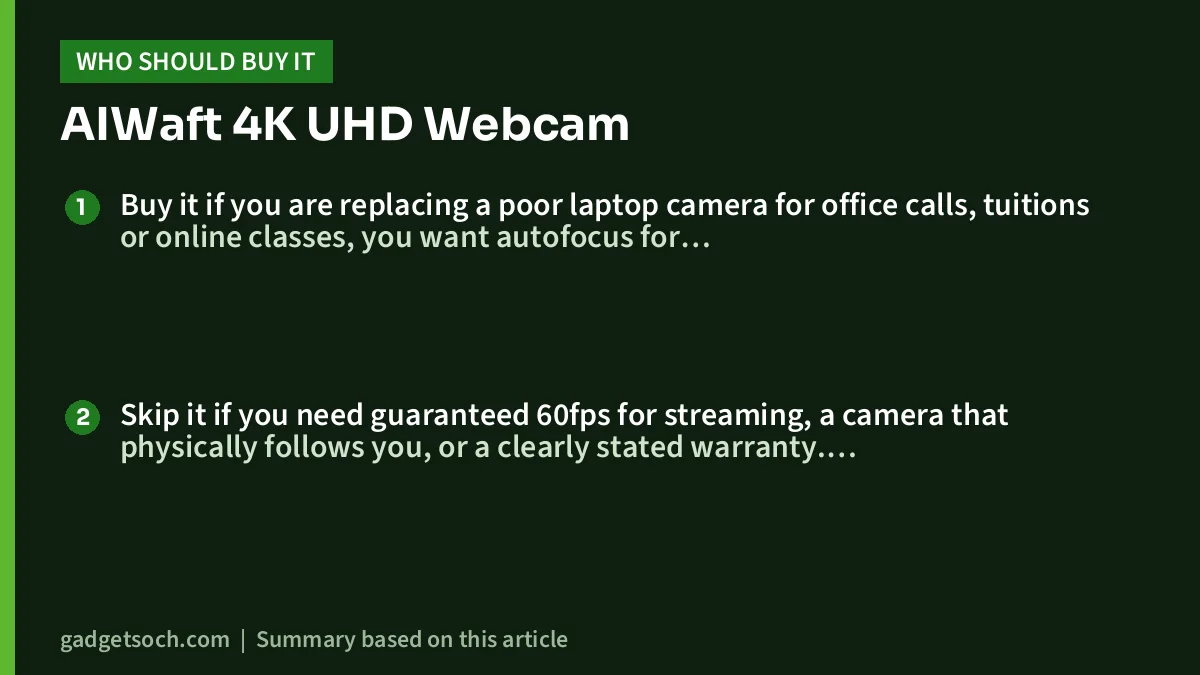
Buy it if you are replacing a poor laptop camera for office calls, tuitions or online classes, you want autofocus for showing documents, you value a physical privacy cover, and you want a simple clip-on camera that needs no software.
Skip it if you need guaranteed 60fps for streaming, a camera that physically follows you, or a clearly stated warranty. A better-documented webcam is the safer choice then.
Alternatives worth comparing
- OBSBOT Tiny 2 Lite: OBSBOT lists a 1/2-inch sensor, 4K up to 30fps and 1080p up to 60fps, PDAF, HDR and a 2-axis motorised gimbal with AI tracking, so it can physically follow you
- OBSBOT Tiny 2: a premium step up with a 1/1.5-inch 50MP sensor, all-pixel PDAF, 4K at 30fps, 1080p at 60fps, a 2-axis gimbal and voice and gesture control, per OBSBOT
- Logitech Brio 4K: Logitech India lists 4K at 30fps, 1080p at 60fps, three field-of-view presets (65°, 78°, 90°), HDR, dual mics and an infrared sensor for Windows Hello face login
- AIWaft E-PTZ 4K webcam: AIWaft’s higher-end 4K business webcam, which the brand lists with auto framing and noise suppression, aimed at classrooms and training rooms
What to check before you order

- Variant: the link opens the AIWaft 4K UHD Webcam with 12MP CMOS, AI auto-focus, ePTZ and dual mics in black, so confirm that title before buying
- Connector: look at the photos to see which plug the camera uses and whether you need a USB-C adapter
- Box contents: AIWaft lists the camera, a 1.5 m USB 2.0 cable, a user manual and a warranty card
- Warranty: AIWaft’s page mentions a warranty card but no duration, so check the warranty period on the Amazon.in listing and keep your invoice
- Lighting: budget for a desk light or ring light if your room is dim, because a small-sensor webcam depends heavily on light
If you are building a fuller setup, our work-from-home desk setup guide covers keyboards, mice and monitors, and the YouTube starter kit for India covers lights, mics and stands that pair well with a webcam.
See the AIWaft 4K UHD Webcam (black) on Amazon.in
Frequently asked questions
Does the AIWaft 4K webcam record 4K at 30fps or 60fps?
Neither AIWaft’s product page nor the Amazon.in listing publishes frame rates, so this cannot be confirmed. Because it ships with a USB 2.0 cable, 4K output relies on compressed video, and buyers who need guaranteed 4K30 or 1080p60 should choose a webcam with a published frame-rate table.
Does it need drivers or software?
The Amazon.in listing says no extra drivers or software are needed on Windows, macOS, Chrome OS, Linux and Android.
Does the camera physically move to follow me?
No. The ePTZ is electronic: the camera crops and shifts the image within its 81.5° diagonal view to keep you framed and to zoom up to 3x. The body stays still.
Is there a privacy cover?
Yes. Both AIWaft and the Amazon.in listing mention a built-in sliding privacy cover, and the listing adds an activity LED.
Will it work with a tripod?
The Amazon.in listing says it has both a clip mount and a tripod thread. AIWaft’s page does not list mounting details, so check the photos to confirm.
Is the AIWaft VEOαCAM the same camera?
Its official specifications match the listing’s field of view, weight, size and focal length, but the listing states no model number, so compare photos before ordering.
Final word
On paper, the AIWaft 4K UHD Webcam packs a 12.2MP sensor, switchable autofocus, ePTZ, dual mics and a privacy cover into a driver-free clip-on camera. Its weak spot is documentation: missing frame rates and conflicting connector and format details make it an upgrade for calls and classes rather than a proven streaming camera. If that suits you, check the current price and warranty details of the AIWaft 4K webcam on Amazon.in.
Related reading on GadgetSoch: Dyazo Foldable Metal Laptop Stand with Dual Cooling Fans Review: Specs, Gaps and Who It Suits and Canon PIXMA MG2577s Review: A USB-Only All-in-One for Light Home Printing.
Sources
- AIWaft: AIWAFT 4K VEOαCAM product page (checked 17 October 2026)
- AIWaft official website, webcam range (checked 17 October 2026)
- Amazon.in listing for ASIN B0DPXT6XX8: title, feature bullets and technical details (captured 17 October 2026)
- OBSBOT Tiny 2 Lite official page (checked 17 October 2026)
- OBSBOT Tiny 2 official specifications (checked 17 October 2026)
- Logitech India: Brio 4K webcam (checked 17 October 2026)




