

The ZEBRONICS Transformer PRO (model ZEB-Transformer Pro) is a 2.4GHz wireless keyboard and mouse combo with an aluminium-bodied 104-key keyboard, a six-button mouse that switches between 1600, 2400 and 4000 DPI, multi-colour LED lighting on both devices, and built-in batteries that charge over Type-C. It suits budget gamers, students and home-office users who want a lit, cable-free desk without buying AA or AAA cells. The main catch is that Zebronics publishes no battery capacity or battery-life figure for either device, so you cannot plan charging around a rated number.
In short, it is a sensible pick if you want a rechargeable, backlit wireless combo with a sturdier-looking keyboard than most entry-level sets, and a mouse with adjustable DPI and side buttons. It is not a substitute for a dedicated gaming keyboard: Zebronics does not describe the key switches as mechanical, and it lists no polling rate or anti-ghosting specification.
How this article was put together: it is based on Zebronics’ official Transformer Pro product page and the Amazon.in listing data for ASIN B0CSN6N2L2, both checked on 17 October 2026. It is not based on hands-on testing, and we make no claims about how it feels to type on or game with.
Quick verdict
- Best for: casual gamers, students and work-from-home users who want a backlit wireless combo with rechargeable batteries
- Skip if: you want mechanical switches, Bluetooth, multi-device pairing, official Mac support or a published battery-life figure
- Key strengths: aluminium keyboard body, double-shot keycaps, 104 keys with 12 multimedia keys, Windows-key lock, mouse DPI steps up to 4000, forward and back buttons, one Nano receiver for both devices, Type-C charging
- Key limitations: no official battery capacity or runtime, no stated polling rate, switch type not described, colour on the listing does not match the colours shown on the official page
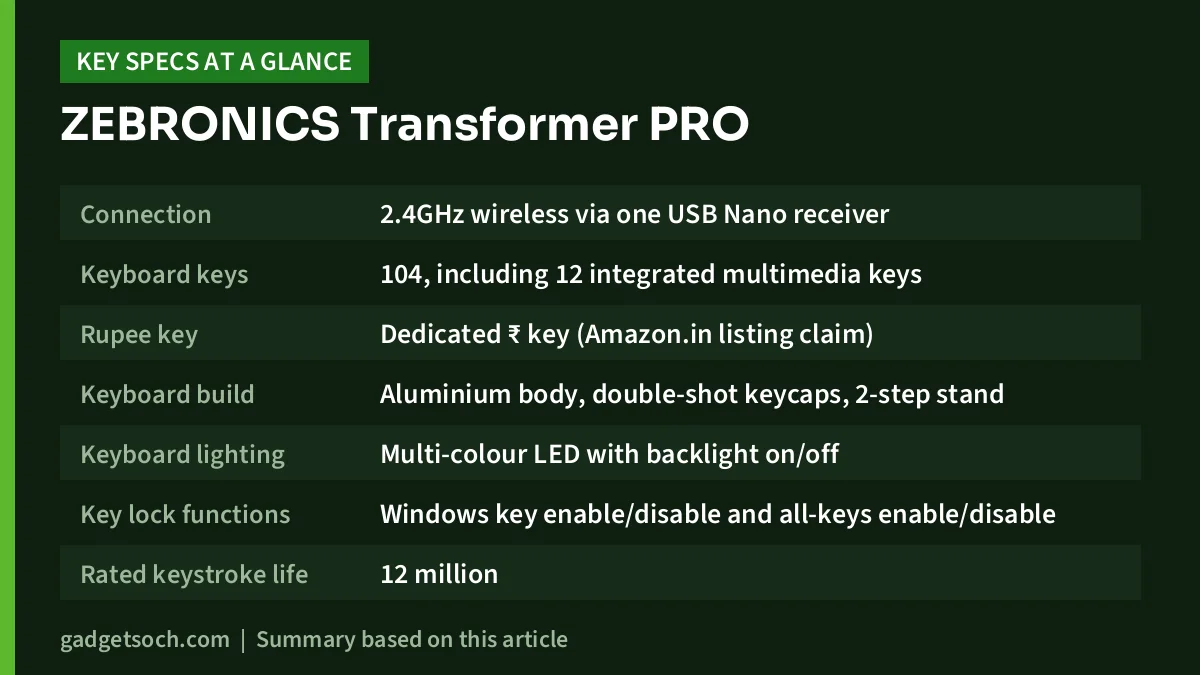
| Specification | ZEBRONICS Transformer PRO (official unless noted) |
|---|---|
| Connection | 2.4GHz wireless via one USB Nano receiver |
| Keyboard keys | 104, including 12 integrated multimedia keys |
| Rupee key | Dedicated ₹ key (Amazon.in listing claim) |
| Keyboard build | Aluminium body, double-shot keycaps, 2-step stand |
| Keyboard lighting | Multi-colour LED with backlight on/off |
| Key lock functions | Windows key enable/disable and all-keys enable/disable |
| Rated keystroke life | 12 million |
| Keyboard size and weight | 47.5 x 17.5 x 4 cm, 650 g |
| Mouse buttons | 6, including DPI, forward and back |
| Mouse sensor and DPI | Optical, 1600 / 2400 / 4000 DPI |
| Rated click life | 3 million |
| Mouse size and weight | 7.5 x 13.5 x 4 cm, 100 g |
| Mouse lighting | Multi-colour LED |
| Power | Built-in rechargeable batteries in both devices, Type-C charging, DC 5V under 400mA |
| Battery capacity and life | Not stated by Zebronics |
| In the box | Keyboard, mouse, Nano receiver, 1 m charging cable |
| Colour (this listing) | Grey per the Amazon.in technical details (official page shows Black and White) |
| Warranty | 1 year carry-in to service centre (Amazon.in listing) |
Specifications are from Zebronics’ official product page unless marked as an Amazon.in listing claim. Both were checked on 17 October 2026.
Check the current price of the ZEBRONICS Transformer PRO combo on Amazon.in
Which variant does the link point to?
The affiliate link on this page opens Amazon.in listing B0CSN6N2L2, titled “ZEBRONICS Transformer PRO Gaming Wireless Keyboard & Mouse Combo” with 2.4GHz, aluminium body, built-in battery, multi-colour LED modes, Type-C, double-shot keycaps and up to 4000 DPI. The listing’s technical details give the colour as Grey, while the official Zebronics page offers the Transformer Pro in Black and White. Check the photos and colour selector on the listing before ordering. This article covers only this wireless Transformer Pro combo.
Keyboard design: aluminium top, full layout and useful locks
The ZEBRONICS Transformer PRO is a full-size 104-key layout, so you get a number pad, arrow keys, a function row and 12 integrated multimedia keys for volume and playback. According to the Amazon.in listing it also carries a dedicated Rupee (₹) key, which saves a key combination for anyone typing invoices, quotes or expense sheets in Indian currency.
Zebronics describes the body as aluminium, which is unusual at this level, where most combos are all plastic. A metal top plate generally makes a board more rigid, though we cannot confirm that for this unit. At 650 g and 47.5 cm wide, measure your desk or keyboard tray if space is tight.
The keycaps are double-shot. The legend is moulded from a second layer of plastic rather than printed on, so letters should not rub off with heavy use. The 2-step stand gives two typing angles.
The Windows key lock stops a stray press from throwing you out of a full-screen game, and the all-keys lock disables the whole keyboard while you clean it. Zebronics rates the keys for 12 million keystrokes.
The official page does not describe the switch type, does not call the ZEBRONICS Transformer PRO mechanical, and lists no anti-ghosting or n-key rollover figure. Competitive gamers should prefer a mechanical board with stated rollover.
Lighting: multi-colour LEDs you can switch off
Both the ZEBRONICS Transformer PRO and the mouse have multi-colour LED lighting. The official page mentions a backlight on/off function on the keyboard; the Amazon.in title refers to “Multicolor LED Modes”, and the listing’s technical details say RGB. Zebronics lists no mode count or per-key control, so treat it as decorative lighting.
Being able to switch the ZEBRONICS Transformer PRO off matters on a rechargeable keyboard, because turning LEDs off is the simplest way to stretch the time between charges. The listing also mentions a power-saver mode.
The mouse: adjustable DPI and side buttons
The ZEBRONICS Transformer PRO has six buttons, including a DPI button and forward and back buttons, which are also handy for going back a page in a browser.
The optical sensor offers three DPI steps: 1600, 2400 and 4000. DPI controls how far the pointer moves per hand movement: lower settings give finer control, higher ones suit large or dual-monitor desktops.
Zebronics lists the ZEBRONICS Transformer PRO at 7.5 x 13.5 x 4 cm and 100 g, with a rated 3 million click life. The Amazon.in listing describes it as ergonomic and matte-finished. The listing’s technical details also say “Ambidextrous”, but with forward and back buttons the shape is not necessarily symmetrical, so left-handed users should look at the photos before assuming it fits their hand. Zebronics does not publish a polling rate for the mouse.
Wireless connection, charging and battery life
Both devices connect through one USB Nano receiver on the 2.4GHz band. A single receiver keeps a USB-A port free on laptops. There is no Bluetooth, so you cannot pair the combo with a tablet or phone that lacks a USB port.
Each device has a built-in rechargeable battery and a Type-C port. Zebronics gives the charging input as DC 5V under 400mA, which is a low draw, so any phone charger or computer USB port should be able to charge it with the included 1 m cable.
The weak point is that Zebronics does not state a battery capacity or a rated battery life for either device, with the lights on or off. You never buy cells, but you must remember to top up, and an ageing built-in battery cannot be swapped like an AA cell.
Note that the Amazon.in technical table lists “Power Source: Corded Electric” and “1 12V batteries required”, which conflict with the listing’s own bullets and the official page. Go by the official description: built-in batteries charged over Type-C.
Compatibility
The Amazon.in listing gives Windows 10 as the minimum operating system and lists laptops and PCs as compatible devices. The official page lists a USB interface but no operating system list. Zebronics does not promise macOS or Linux support, so multimedia keys may not all work there. You need a free USB-A port for the receiver; laptops with only USB-C ports need an adapter.
Planning a full workstation? See our work-from-home desk setup guide.
Who should buy it, and who should skip it

- Buy it if you want a backlit full-size wireless combo with a number pad and Rupee key for home or study
- Buy it if you prefer charging over Type-C to buying AA and AAA cells
- Buy it if you want a mouse with DPI steps and forward and back buttons for casual gaming and browsing
- Skip it if you need mechanical switches, stated anti-ghosting or a high polling rate for competitive gaming
- Skip it if you need Bluetooth or the ability to switch between several devices
- Skip it if you want a rated battery-life figure before you buy, or you use a Mac and need official support
Alternatives worth comparing
Zebronics details come from its official pages. Logitech figures are from Logitech’s MK270 data sheet, as covered in our MK270r review.
- Zebronics Max Ninja 104W: a keyboard only (no mouse), but with mechanical linear red switches, three connection modes (2.4GHz, Bluetooth and wired USB-C), USB-C charging and adjustable RGB with 15 LED modes. Better if you mainly want a proper mechanical keyboard.
- Logitech MK270r: a full-size wireless combo with no backlighting and a basic 1000 DPI mouse, but it runs on standard batteries that Logitech rates at up to 36 months for the keyboard and 12 months for the mouse, and Logitech lists a 3-year limited hardware warranty. Better for low-maintenance office use.
- Zebronics Companion 116-K: a simple 2.4GHz wireless keyboard (no mouse) with 104 keys, 12 multimedia keys, a Rupee key and a retractable stand, powered by one AAA cell. Better if you only need a plain keyboard and already own a mouse.
What to check before you order

- Colour: the listing’s technical details say Grey, while Zebronics shows Black and White. Confirm the shade in the photos and colour selector.
- Model: make sure the title says Transformer PRO and wireless, not a different Zebronics model.
- Box contents: Zebronics lists the keyboard, mouse, one Nano receiver and a charging cable. No charger brick is listed, so use any USB port or phone charger.
- Ports: keep a USB-A port free for the receiver, or use a USB-C adapter.
- Warranty: the listing states a 1-year carry-in warranty at a service centre. Keep your invoice, and register the product on Zebronics’ warranty page.
See the ZEBRONICS Transformer PRO wireless combo on Amazon.in
Frequently asked questions
Is the Zebronics Transformer Pro keyboard mechanical?
Zebronics does not describe it as mechanical and does not name a switch type on the official page. It highlights the aluminium body, double-shot keycaps and 12 million keystroke rating instead.
What DPI does the Transformer Pro mouse support?
The mouse has three DPI steps of 1600, 2400 and 4000, selected with a dedicated DPI button, according to Zebronics.
How long does the battery last on one charge?
Zebronics does not publish a battery capacity or a rated battery life for the keyboard or the mouse. It states only that both have built-in rechargeable batteries charged through Type-C at 5V under 400mA.
Does it work with Bluetooth or a Mac?
There is no Bluetooth. The Amazon.in listing gives Windows 10 as the minimum OS, and Zebronics does not list macOS support, so Mac users should not count on every key and lighting control working.
Final thoughts
The ZEBRONICS Transformer PRO brings features you do not always see in a budget wireless combo: an aluminium keyboard body, double-shot keycaps, a Windows-key lock, a six-button mouse with DPI steps up to 4000, and Type-C charging for both devices with a single receiver. Its gaps are the missing battery-life figure, no stated switch type or rollover, and the listing’s colour label. If those do not bother you, it is a tidy, cable-free setup for study, work and casual games.
Check the current price of the ZEBRONICS Transformer PRO on Amazon.in
Related reading on GadgetSoch: HP K270 Wireless Keyboard Review: Full-Size, Number Pad and What the Listing Leaves Out, HP Ink Advantage 4388 Review: Dual-Band Wi-Fi All-in-One With ADF, Explained and Zebronics Glassy 10 Review: Dual-Mode Rechargeable Mouse, Specs and Caveats.
Sources
- Zebronics: Transformer Pro Gaming Keyboard & Mouse Combo, official product page (checked 17 October 2026)
- Amazon.in listing B0CSN6N2L2, title, feature bullets and technical details (captured 17 October 2026)
- Zebronics: Max Ninja 104W product page (checked 17 October 2026)
- Zebronics: Companion 116 K product page (checked 17 October 2026)
- Logitech MK270r figures as documented in gadgetsoch’s Logitech MK270r review, sourced from Logitech’s MK270 data sheet (checked 17 October 2026)




