
The Samsung Galaxy Book4 (15.6-inch) is a slim, metal-bodied everyday laptop for study, office work and home use, and on Amazon.in it is sold in two closely matched versions: a 13th Gen Intel Core i5-1335U model and a Core i7-1355U model, both with 16GB of RAM and a 512GB SSD. For most buyers the Core i5 version is the smarter choice, because the Core i7 brings only a small on-paper speed bump while the screen, memory, battery and design stay the same.
The Galaxy Book4 suits people who want a light 15.6-inch machine with a number pad, a fingerprint reader, a wide range of ports and close integration with Samsung Galaxy phones. It is not meant for gaming or colour-critical creative work. This article is based on Samsung’s official specification pages and on published reviews, not on hands-on testing by GadgetSoch. Specifications were checked on 17 October 2026.
Verdict at a glance
- Best for: students, office users and Galaxy phone owners who want a light 15.6-inch laptop with a number pad and Ethernet
- Skip if: you need a bright, colour-rich display, any real gaming ability, or the option to add more RAM later
- Strengths: 1.55kg metal body, 16GB RAM, second SSD slot, HDMI plus Ethernet plus microSD, fingerprint reader, 45W USB-C charging
- Weaknesses: a dim, narrow-gamut panel according to Expert Reviews, soldered memory, integrated graphics only and a 720p webcam
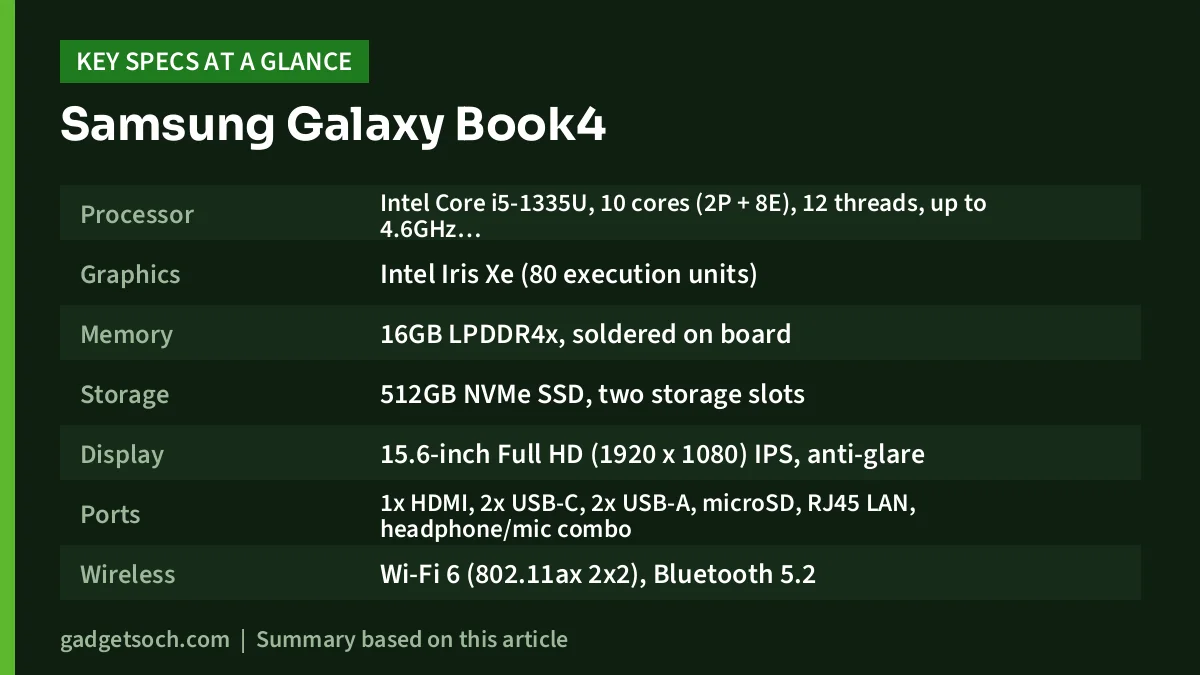
Galaxy Book4 specifications for both configurations
| Specification | Galaxy Book4 Core i5-1335U | Galaxy Book4 Core i7-1355U |
|---|---|---|
| Processor | Intel Core i5-1335U, 10 cores (2P + 8E), 12 threads, up to 4.6GHz, 12MB cache | Intel Core i7-1355U, 10 cores (2P + 8E), 12 threads, up to 5.0GHz, 12MB cache |
| Graphics | Intel Iris Xe (80 execution units) | Intel Iris Xe (96 execution units) |
| Memory | 16GB LPDDR4x, soldered on board | 16GB LPDDR4x, soldered on board |
| Storage | 512GB NVMe SSD, two storage slots | 512GB NVMe SSD, two storage slots |
| Display | 15.6-inch Full HD (1920 x 1080) IPS, anti-glare | 15.6-inch Full HD (1920 x 1080) IPS, anti-glare |
| Ports | 1x HDMI, 2x USB-C, 2x USB-A, microSD, RJ45 LAN, headphone/mic combo | Same |
| Wireless | Wi-Fi 6 (802.11ax 2×2), Bluetooth 5.2 | Same |
| Camera and audio | 1MP (720p) webcam, stereo speakers with Dolby Atmos, dual microphones | Same |
| Security | Fingerprint reader, TPM, lock slot | Same |
| Battery and charger | 54Wh, 45W USB-C adapter | Same |
| Size and weight | 356.6 x 229.1 x 15.4mm, 1.55kg | Same |
| Keyboard | Full-size with number pad | Same |
| OS | Windows 11 Home | Windows 11 Home |
Specifications come from Samsung India’s Galaxy Book4 product pages, with core counts and graphics details from Notebookcheck’s processor database. The two Amazon links below open different configurations: see the Galaxy Book4 with Core i5-1335U (16GB, 512GB) on Amazon.in, or see the Galaxy Book4 with Core i7-1355U (16GB, 512GB) on Amazon.in.
Core i5-1335U vs Core i7-1355U: is the upgrade worth paying for?
Both chips belong to Intel’s 13th Gen Raptor Lake U-series, designed for thin laptops with a 15W base power. They share the same layout of two performance cores and eight efficient cores, 12 threads and 12MB of cache. The differences are clock speed and graphics: the Core i7-1355U boosts to 5.0GHz on its performance cores against 4.6GHz on the Core i5-1335U, and its Iris Xe graphics have 96 execution units against 80.
Notebookcheck says the Core i7-1355U should be slightly faster because of those higher clocks and extra graphics units, but its averaged benchmark ratings put the two processors very close together. In a thin chassis where both chips work within similar power limits, the gap in everyday tasks such as browsing, video calls, documents and spreadsheets is unlikely to be noticeable.
The practical rule is simple. If the Core i7 model costs only a little more, the extra graphics units can help slightly with light photo editing or casual games. If the gap is meaningful, put the money towards the Core i5 model or a second SSD instead, since every other part of the laptop is identical.
What the Galaxy Book4 does well
Slim metal design
Samsung lists the Galaxy Book4 at 1.55kg and 15.4mm thick, which is light for a 15.6-inch laptop with a full number pad. Expert Reviews, which tested the Core 7 150U version of this chassis, described the all-metal body as stiff and robust and called the laptop stylish and well made.
Keyboard, touchpad and fingerprint login
The full-size keyboard includes a number pad, which accountants, students and anyone who works with spreadsheets will appreciate. Expert Reviews liked the typing feel, with 1.5mm of key travel, but noted a slightly bouncy centre and half-height cursor keys. Its 120 x 85mm glass touchpad was praised for a smooth surface and positive clicks. The fingerprint reader allows quick Windows Hello sign-in.
Ports for every situation
The port selection is better than many slim laptops. Samsung lists HDMI, two USB-C ports, two USB-A ports, a microSD slot, Gigabit Ethernet and a combo audio jack. According to Expert Reviews, the USB-C ports run at 10Gbps with DisplayPort output, one of them is used for charging, and the HDMI port is version 1.4. Built-in Ethernet is handy for offices and hostels with wired connections.
Speakers and battery
The stereo speakers are tuned for Dolby Atmos. Expert Reviews called them punchy and solid, with no distortion at maximum volume, and listed the speaker system as a highlight. The 54Wh battery lasted 9 hours and 24 minutes in Expert Reviews’ video rundown test, which it described as reasonable. Charging uses a compact 45W USB-C adapter.
Galaxy ecosystem features
Owners of Samsung Galaxy phones get extras such as Quick Share, Samsung Notes, Second Screen and the option to use a Galaxy phone as a webcam, according to Samsung’s product page and India launch coverage from GSMArena and SamMobile.
Where it falls short
The display is the biggest weakness
Samsung specifies a 15.6-inch Full HD IPS anti-glare panel but does not publish brightness or colour figures. Expert Reviews measured its unit at 296cd/m² peak brightness, 933:1 contrast and 55.1 percent sRGB coverage, with visible ghosting in motion, and called the screen drab. In everyday terms it is fine for documents and web pages indoors, but colours look muted and it is not suitable for photo editing. Expert Reviews lists its unit as a 60Hz panel.
Integrated graphics only
Intel Iris Xe graphics handle video streaming, video calls and older or very light games, but not modern 3D games. Expert Reviews described the integrated graphics as weak. If gaming matters, look at a laptop with a dedicated GPU instead.
Memory cannot be upgraded
Samsung lists the 16GB of LPDDR4x as soldered on board, so the amount you buy is permanent. 16GB is comfortable for office work and multitasking today. Storage is more flexible: Samsung lists two storage slots and expandable SSD storage up to 2TB, sold separately. Expert Reviews warned, however, that the base has no visible screws and opening it requires careful disassembly involving glue, so this is not a quick upgrade.
Keyboard backlight and webcam
Samsung India’s specification pages list the keyboard as backlit, but Expert Reviews’ UK review unit had no keyboard backlight, and SamMobile’s India launch report also described the keyboard as not backlit. Treat backlighting as uncertain and check the Amazon listing or ask the seller if it matters to you. The 1MP (720p) webcam was described by Expert Reviews as noisy and grainy, and it does not support Windows Hello face login.
Who should buy it and who should look elsewhere
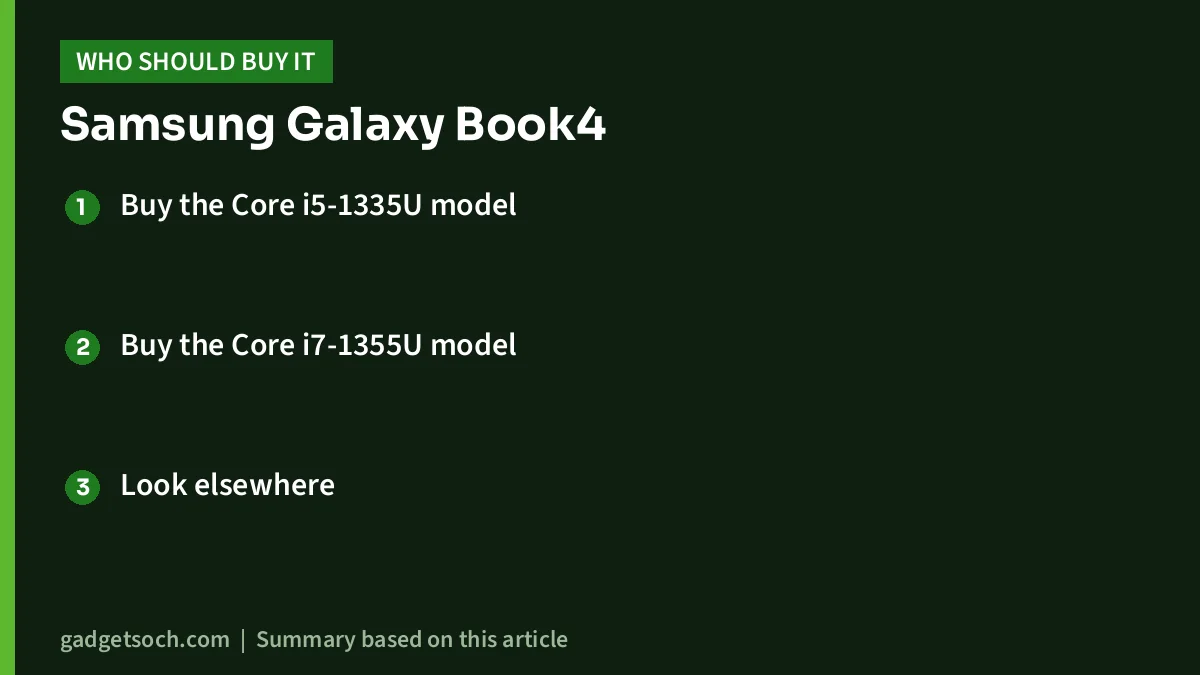
- Buy the Core i5-1335U model if you want the best value version for office work, study, browsing and streaming
- Buy the Core i7-1355U model only if the price difference is small and you want slightly faster graphics for light editing
- Look elsewhere if you play modern games, edit photos or videos seriously, often work outdoors in bright light, or want to add RAM later
Other laptops to consider
Samsung Galaxy Book4 with Intel Core 5 120U: the same 15.6-inch, 1.55kg chassis with a 54Wh battery, launched in India in March 2024 with 8GB or 16GB of LPDDR4x memory according to GSMArena. Worth comparing if you like the design but want a different processor option.
HP Laptop 15 (15-fd0013TU): uses the same Core i5-1335U with 16GB of DDR4, a 512GB SSD and a 15.6-inch Full HD IPS display rated at 250 nits, according to 91mobiles. It has a smaller 41Wh battery and weighs about 1.6kg.
Lenovo LOQ 15ARP9: if you need a dedicated graphics card for gaming or 3D work, Expert Reviews pointed to the Lenovo LOQ Gen 9 as an option. Our Lenovo LOQ Ryzen 7 7435HS RTX 4050 review covers one configuration, though it is a heavier gaming laptop with a different purpose.
Before you click buy: a quick checklist

- Confirm the processor (Core i5-1335U or Core i7-1355U) in the listing title and technical details, as both versions look the same
- The Amazon titles mention MS Office 2021, so check how the licence is activated and linked to your Microsoft account
- Check whether the keyboard is backlit if you often work in dim rooms
- Confirm the colour shown on the listing (the observed titles say Gray) and that the 45W USB-C adapter is included
- Buy from an authorised seller and confirm the Samsung India warranty terms on the listing, as Samsung’s product page links to a separate warranty page rather than stating them
Bottom line
The Samsung Galaxy Book4 is a well-built, light and practical 15.6-inch laptop with a useful number pad, plenty of ports and good speakers and battery life according to Expert Reviews. Its display is the main compromise. Choose the Core i5 version unless the Core i7 costs very little extra: check the current price of the Galaxy Book4 Core i5-1335U on Amazon.in or check the current price of the Galaxy Book4 Core i7-1355U on Amazon.in.
Frequently asked questions
Is the Samsung Galaxy Book4 i5 or i7 better?
For most people the Core i5-1335U version is the better buy. The Core i7-1355U has higher boost clocks and more graphics units, but Notebookcheck’s averaged benchmarks place the two chips very close, and everything else on the laptop is identical.
Can I upgrade the RAM on the Galaxy Book4?
No. Samsung lists the 16GB of LPDDR4x memory as soldered on board. Storage can be expanded through a second SSD slot, although Expert Reviews found that opening the laptop requires careful disassembly.
Is the Galaxy Book4 good for gaming?
Only for very light or older games. It relies on Intel Iris Xe integrated graphics, which Expert Reviews described as weak. Choose a laptop with a dedicated GPU for modern games.
How long does the Galaxy Book4 battery last?
It has a 54Wh battery. Expert Reviews recorded 9 hours and 24 minutes in its video rundown test on the Core 7 150U version, and real-world results will vary with brightness and workload.
Does the Galaxy Book4 charge over USB-C?
Yes. It ships with a 45W USB Type-C adapter, and Samsung lists USB Power Delivery support.
Related reading on GadgetSoch: Lenovo IdeaPad Slim 3 Ryzen 5 7520U Review: A Good Everyday Laptop for Students? and Lenovo LOQ i5-12450HX RTX 3050 Review: An Entry-Level Gaming Laptop for Students (LOQ 15IAX9).
Sources
- Samsung India: Galaxy Book4 Core i5 16GB (NP750XGJ-KG2) specifications (checked 17 October 2026)
- Samsung India: Galaxy Book4 Core i7 16GB specifications (checked 17 October 2026)
- Samsung UK: Galaxy Book4 Core i7-1355U specifications
- Notebookcheck: Core i7-1355U vs Core i5-1335U
- Expert Reviews: Samsung Galaxy Book4 review
- GSMArena: Galaxy Book4 India launch
- SamMobile: Galaxy Book4 India launch
- 91mobiles: HP 15-fd0013TU specifications




