

The Logitech M235 is a compact, contoured wireless mouse that connects through a small USB receiver, tracks with an optical sensor and, according to Logitech, runs for up to 12 months on its battery. For students, laptop users and office workers who want a no-fuss travel mouse from a well-known brand, it is a safe, simple choice. If you want extra buttons, Bluetooth, a rechargeable battery or quiet clicks, other models fit better.
The Amazon.in link here opens the listing titled “Logitech M235 Wireless Mouse, 1000 DPI Optical Tracking, 12 Month Life Battery, Compatible with Windows, Mac, Chromebook/PC/Laptop – Grey”, with model number 910-002201. Logitech India’s own page for that part number describes it as the Logitech Wireless Mouse M235, 2nd Generation, in grey.
How this article was put together: it is based on Logitech India’s official product page and the Amazon.in listing data, both checked on 17 October 2026. gadgetsoch has not tested this mouse, so there are no comfort or tracking impressions from personal use. Where a figure appears only on the Amazon listing, we say so.
Quick verdict
- Best for: laptop users, students and home or office desks that need a small, plug-and-play wireless mouse
- Skip if: you have large hands, want side buttons or adjustable DPI, need Bluetooth, or prefer a rechargeable mouse
- Key strengths: up to 12 months of rated battery life, on/off switch and auto-sleep, up to 10 m range, works with Windows, macOS, Linux and Chromebook, rubber side grips, ambidextrous shape
- Key limitations: basic three-button design, fixed 1000 DPI per the listing, USB receiver only, battery type not stated on Logitech’s page
Logitech M235 at a glance
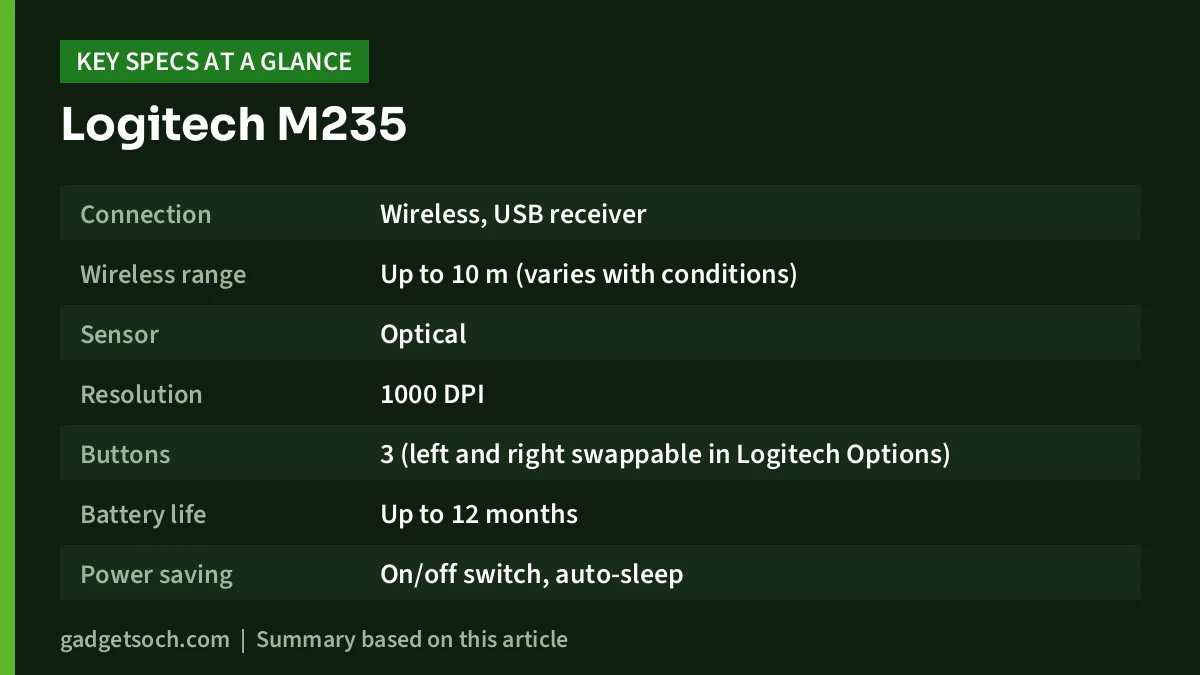
| Specification | Logitech M235 (910-002201) | Source |
|---|---|---|
| Connection | Wireless, USB receiver | Logitech India |
| Wireless range | Up to 10 m (varies with conditions) | Logitech India |
| Sensor | Optical | Logitech India |
| Resolution | 1000 DPI | Amazon.in listing |
| Buttons | 3 (left and right swappable in Logitech Options) | Amazon.in listing, Logitech India |
| Battery life | Up to 12 months | Logitech India |
| Power saving | On/off switch, auto-sleep | Logitech India |
| Battery indicator | Indicator light | Amazon.in listing |
| Battery | 1 x AAA, included (listing claim) | Amazon.in listing |
| Compatibility | Windows, macOS, Linux, Works with Chromebook certified | Logitech India |
| Shape | Compact, contoured, rubber sides, ambidextrous | Logitech India |
| Size and weight | 9 x 5 cm, 2.96 oz (about 84 g) | Amazon.in listing |
| Warranty | 3-year limited hardware warranty | Amazon.in listing |
| Colour on linked listing | Grey | Amazon.in listing, Logitech India |
| Carbon footprint | 4.07 kg CO2e | Logitech India |
Check the current price of the Logitech M235 (Grey) on Amazon.in
Shape and size: built to travel
Logitech describes the M235 as compact and contoured, with comfortable rubber sides, and says it suits both right- and left-handed use. The Amazon.in listing gives a footprint of about 9 x 5 cm. That is smaller than a typical full-size desktop mouse, which is exactly why it is popular as a laptop companion: it slips into a laptop sleeve or bag pocket without much bulk.
The flip side is grip. A small mouse tends to suit a fingertip or claw grip better than a full-palm grip, so people with large hands who rest their whole palm on the mouse for hours may find it cramped. If that describes you, compare it with a full-size mouse before buying. Left-handed users can swap the primary and secondary buttons in Logitech Options software on Windows and macOS, according to Logitech, though Logitech notes that this customisation is not available on Linux.
Tracking: what 1000 DPI means in practice
Logitech’s page confirms an optical sensor but does not list a DPI figure. The Amazon.in listing title and technical details say 1000 DPI, with no DPI switch mentioned anywhere. DPI (dots per inch) describes how far the pointer moves for each inch of mouse movement.
Why it matters: 1000 DPI is a common, comfortable setting for everyday work on a single laptop or Full HD screen. You can still speed up or slow down the pointer in your operating system’s mouse settings, so a fixed DPI is not a problem for documents, browsing and spreadsheets. Gamers and designers who want instant DPI changes, or very high sensitivity on large high-resolution monitors, should look at a mouse built for that.
Optical sensors work best on a mouse pad or a matte, non-reflective surface. Glass desks and glossy tabletops can cause skipping on many optical mice, so a basic mouse pad is a good companion purchase.
Battery life and power saving
Logitech rates the M235 for up to 12 months without changing batteries, and credits two features: an on/off switch and an auto-sleep power-saving mode. The listing adds a battery indicator light so you are not caught out when the battery runs low. Like any rated figure, real life depends on how many hours a day you use it.
The battery type is where you should double-check. The Amazon.in listing says the mouse needs one AAA battery and that it is included, but Logitech’s India page does not state the battery type. Look at the box or the battery compartment when it arrives, and keep a spare of the right size in your bag.
To stretch battery life, switch the mouse off when you pack it or finish for the day, and remove the battery if you will not use the mouse for several weeks.
Receiver, range and compatibility
The M235 connects through a USB receiver that you plug into your computer, according to Logitech. That means plug-and-play on most machines, with no Bluetooth pairing, and it works on desktops that lack Bluetooth. Logitech lists a range of up to 10 metres, which is far more than you need at a desk, though Logitech notes that range varies with your environment.
Logitech lists compatibility with Windows, macOS and Linux, and the M235 is certified “Works with Chromebook”. The listing gives Windows 7 as the minimum Windows version. Since the receiver plugs into a USB port, owners of thin laptops with only USB-C ports should check the receiver type in the listing photos and keep a USB-C adapter or hub handy if needed.
A practical habit: the receiver is small and easy to lose. If you carry the mouse between home and office, decide on one safe place for the receiver, such as leaving it plugged into the laptop.
Setting it up in a minute
- Open the battery cover, insert the battery the right way round and take out the USB receiver if it is stored inside.
- Plug the receiver into a free USB port on your laptop or desktop, using an adapter if you only have USB-C.
- Slide the on/off switch to on. Windows, macOS, Linux and ChromeOS should recognise the mouse without a driver.
- Adjust pointer speed, scroll direction and primary button in your operating system’s mouse settings.
- Install Logitech Options only if you want to swap buttons through Logitech’s software on Windows or macOS.
If the pointer stutters, try a different USB port, move the receiver closer to the mouse with a short USB extension, or replace the battery before assuming a fault.
Who it suits, and who should look elsewhere
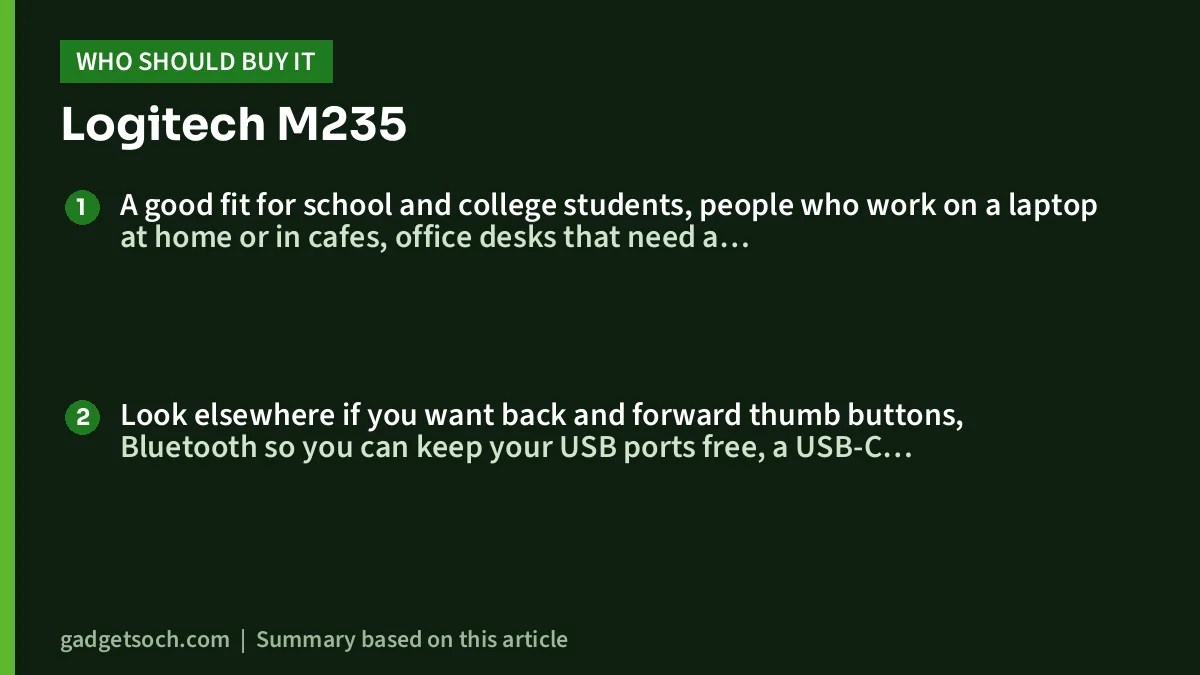
A good fit for school and college students, people who work on a laptop at home or in cafes, office desks that need a dependable spare, and anyone moving off a trackpad for the first time. The 12-month battery rating and plug-and-play receiver keep it low-maintenance.
Look elsewhere if you want back and forward thumb buttons, Bluetooth so you can keep your USB ports free, a USB-C rechargeable battery, a larger palm-filling shape, or silent clicks for shared rooms. Logitech’s page does not describe the M235’s clicks as quiet.
Alternatives worth comparing
- Logitech M221 Silent: also a compact USB-receiver mouse with 1000 DPI tracking, but Logitech says its SilentTouch clicks cut more than 90% of click noise compared with the Logitech M170, and rates it for up to 18 months of battery life.
- Logitech MK270r: if you need a keyboard too, this combo pairs a full-size keyboard with a compact 1000 DPI mouse on one 2.4 GHz receiver, with Logitech rating the mouse battery at up to 12 months.
Our Logitech M221 Silent review explains the quiet-click option, and the work from home desk setup guide covers keyboard and mouse picks together.
What to check before you order

- Confirm the listing shows the M235 in grey with model number 910-002201. Other colours or listings may be different products or part numbers.
- Check the battery size on arrival. The listing says one AAA battery is included, but Logitech’s page does not specify it.
- If your laptop has only USB-C ports, plan for an adapter.
- Keep the invoice for warranty claims. The listing mentions a three-year limited hardware warranty, so confirm the terms on the box or with Logitech India support.
- Buy from the listing’s authorised seller where possible, so warranty service through Logitech India is straightforward.
See the Logitech M235 Wireless Mouse (Grey) on Amazon.in
Frequently asked questions
Does the Logitech M235 work with a Mac or Chromebook?
Yes. Logitech lists Windows, macOS and Linux support and says the M235 is certified “Works with Chromebook”.
Is the Logitech M235 Bluetooth?
No. It uses a USB receiver, according to Logitech. Your computer needs a free USB port, or an adapter on USB-C-only laptops.
How long does the battery last?
Logitech rates it for up to 12 months, helped by an on/off switch and auto-sleep. Actual life depends on daily use.
Can I change the DPI?
No DPI button is mentioned by Logitech or the listing, which gives 1000 DPI. You can still adjust pointer speed in Windows, macOS or ChromeOS settings.
Is the M235 good for left-handed users?
Logitech says the shape works for both hands and that the left and right buttons can be swapped in Logitech Options on Windows and macOS.
Final verdict
The Logitech M235 is a sensible, low-maintenance mouse for laptops and everyday desks: small, simple, rated for a year on a battery and widely compatible. It is not built for big hands, power users or gamers.
Check the current price of the Logitech M235 on Amazon.in
Related reading on GadgetSoch: Logitech MX Mechanical Review: Low-Profile Wireless Keyboard for Multi-Device Work and Logitech C920 HD Pro Webcam Review: 1080p Calls, Dual Mics and the 30fps Limit.
Sources
- Logitech India: M235 Wireless Mouse official product page (910-002201), checked 17 October 2026
- Logitech India: M235 Wireless Mouse shop page, checked 17 October 2026
- Amazon.in listing for ASIN B004IO5BMQ (seller-provided title, feature bullets and technical details), captured 17 October 2026




