
The GIGABYTE Radeon RX 7600 Gaming OC 8G (GV-R76GAMING OC-8GD) is a triple-fan, factory-overclocked version of AMD’s Radeon RX 7600, with 8GB of GDDR6 memory on a 128-bit bus, a PCIe 4.0 interface and one 8-pin power connector. It is aimed at budget and mid-range desktop gamers in India who play mostly at 1080p and want a quiet, well-built card rather than the cheapest one available.
The short answer: it is a sensible pick if 8GB of video memory is enough for the games you play and your cabinet can take a 282 mm card. If you want more headroom for newer games, the newer GIGABYTE RX 9060 XT Gaming OC 16G is the obvious card to compare first. Also note that the Amazon.in listing and GIGABYTE’s official specification page disagree on the display outputs, which we explain below.
This guide is based on GIGABYTE’s official product and specification pages, checked on 17 October 2026, and on the Amazon.in listing data captured the same day. It is not a hands-on review, and we have not quoted any frame rates or thermal results because we could not verify independent test data for this exact card.
Quick verdict
- Best for: 1080p gaming builds and upgrades from older entry-level cards, where a 550W PSU with an 8-pin cable is already in place
- Skip if: you want 16GB of memory for future games, high-settings 1440p or 4K, or your cabinet is short
- Strengths: three 80mm WINDFORCE fans with semi-passive mode, five copper heat pipes, metal backplate, factory overclock, four display outputs
- Limitations: 8GB on a 128-bit bus, 50 mm thick, listing and official port specs do not match
Specifications: official page vs Amazon.in listing
The table puts GIGABYTE’s official figures next to what the Amazon.in listing says, because the two do not always agree.

| Item | GIGABYTE official specification | Amazon.in listing |
|---|---|---|
| GPU | Radeon RX 7600 | RX 7600 |
| Boost clock | Up to 2755 MHz (reference 2655 MHz) | Not stated |
| Game clock | Up to 2355 MHz (reference 2250 MHz) | Not stated |
| Stream processors | 2048 | Not stated |
| Memory | 8GB GDDR6, 128-bit | 8GB GDDR6, 128-bit |
| Memory speed | 18 Gbps | 18000 MHz |
| Interface | PCI-E 4.0 | PCI Express 4.0 |
| Outputs | 2x DisplayPort 1.4a, 2x HDMI 2.1a | HDMI 2.1 x1, DisplayPort 2.1 x2 |
| Max digital resolution | 7680 x 4320 | Not stated |
| Multi-view | 4 displays | Not stated |
| Size | 282 x 115 x 50 mm | 25 x 11 cm |
| Recommended PSU | 550W | Not stated |
| Power connector | 1x 8-pin | Not stated |
| DirectX / OpenGL | 12 Ultimate / 4.6 | Not stated |
| Box contents | Quick guide | Graphic card, users manual |
| Warranty | Not stated on spec page | 3 year manufacturer |
GIGABYTE’s page covers both Rev. 1.0 and Rev. 1.1 of this card and shows one set of specifications for both. The listing does not say which revision you will receive.
Check the current price of the GIGABYTE RX 7600 Gaming OC 8G on Amazon.in
The output mismatch, and why it matters
GIGABYTE’s specification page lists two DisplayPort 1.4a and two HDMI 2.1a ports. The Amazon.in listing’s feature bullets instead claim one HDMI 2.1 and two DisplayPort 2.1 ports. GIGABYTE’s product page does mention DisplayPort 2.1, but in AMD’s general marketing text with a footnote that DisplayPort 2.1 support “is dependent on AIB card designs”, meaning it depends on how each board partner builds its card.
For most buyers this is not a deal-breaker, because DisplayPort 1.4a and HDMI 2.1a both handle typical 1080p and 1440p high-refresh monitors. It matters if you were planning to use two HDMI devices (for example a TV and a monitor that only has HDMI), or if you specifically need DisplayPort 2.1 for a very high-bandwidth monitor. Before ordering, zoom into the listing photos of the rear bracket and count the ports, and if it matters to you, ask the seller to confirm.
What 8GB of memory means in 2026
The RX 7600’s 8GB of GDDR6 is the main thing to weigh. Video memory stores textures and other assets. When a game needs more than the card has, you may see stutter, textures loading late, or you will need to lower texture quality. At 1080p with sensible settings, 8GB is workable in many games. Newer, more demanding titles and high-resolution texture packs are where it runs short first.
Put simply, this card makes the most sense if you play esports titles, older games or well-optimised releases at 1080p, and are happy to adjust settings. If you buy a graphics card to keep for many years, or play the newest big releases at high settings, the extra memory on a 16GB card is worth paying attention to.
Cooling and build quality
The cooler is where this Gaming OC model puts its effort. According to GIGABYTE’s product page, the WINDFORCE cooler includes:
- Three 80mm fans with a unique blade design that spin in alternating directions to reduce turbulence and raise air pressure
- Five composite copper heat pipes that touch the GPU directly, with a large metal plate that also covers the VRAM
- 3D Active Fan, which keeps the fans off when the GPU is idle or under a light load
- Graphene nano lubricant, which GIGABYTE claims extends sleeve-bearing fan life by 2.1 times
- Screen Cooling, an extended heatsink that lets air flow straight through
- A metal backplate for rigidity and protection
In daily use, the semi-passive fan behaviour is the most noticeable feature: when you are browsing, watching videos or working, the fans can stay off. A larger cooler also tends to run quieter under load than a compact one for the same heat output, though we cannot quote measured temperatures or noise for this exact card.
GIGABYTE also lists “Ultra Durable” parts including metal chokes, low-ESR capacitors, a 2oz copper PCB and low-RDS(on) MOSFETs, an over-temperature design, a power indicator that flashes on power supply problems, and RGB Fusion lighting with 16.7 million colours, controlled through GIGABYTE Control Center.
Power and fitting it in your cabinet
GIGABYTE recommends a 550W power supply and the card needs one 8-pin PCIe power connector. If you are upgrading an older office PC with a basic power supply, check that it has a real 8-pin (6+2) PCIe cable and enough rated output. Adapters from SATA or Molex connectors are a poor idea for a gaming card.
The official size is 282 x 115 x 50 mm. Two things to check: the length (282 mm) against your cabinet’s maximum GPU length, and the 50 mm thickness, which means the card is thicker than a standard two-slot card and can cover the slot below it. If you have a Wi-Fi card or capture card in the next slot, plan the layout first. The listing’s “25 x 11 cm” dimensions do not match the official figures, so go by GIGABYTE’s numbers when measuring.
The card uses PCIe 4.0 and also works in PCIe 3.0 x16 slots, since PCIe is backward compatible, although the link then runs at the older standard’s speed. If you are pairing it with a budget AM4 board, our ASUS Prime A520M-K review covers what A520 boards can and cannot do.
RX 7600 Gaming OC 8G vs RX 9060 XT Gaming OC 16G
Both are GIGABYTE Gaming OC cards with 2048 stream processors, a 128-bit GDDR6 bus and a single 8-pin connector, but the newer card changes several things on paper:
| Spec | RX 7600 Gaming OC 8G | RX 9060 XT Gaming OC 16G |
|---|---|---|
| Memory | 8GB GDDR6 | 16GB GDDR6 |
| Memory speed | 18 Gbps | 20 Gbps |
| Boost clock | Up to 2755 MHz | Up to 3320 MHz |
| Interface | PCI-E 4.0 | PCI-E 5.0 |
| Outputs | 2x DP 1.4a, 2x HDMI 2.1a | 2x DP 2.1a, 1x HDMI 2.1b |
| Recommended PSU | 550W | 450W |
| Length | 282 mm | 281 mm |
The same stream processor count does not mean the same performance, since the two chips come from different Radeon generations. The RX 9060 XT 16G’s double memory and lower recommended PSU are the clear on-paper advantages, while the RX 7600 offers one extra display output. Check independent reviews for real-world performance differences before deciding.
Who should buy it and who should skip it
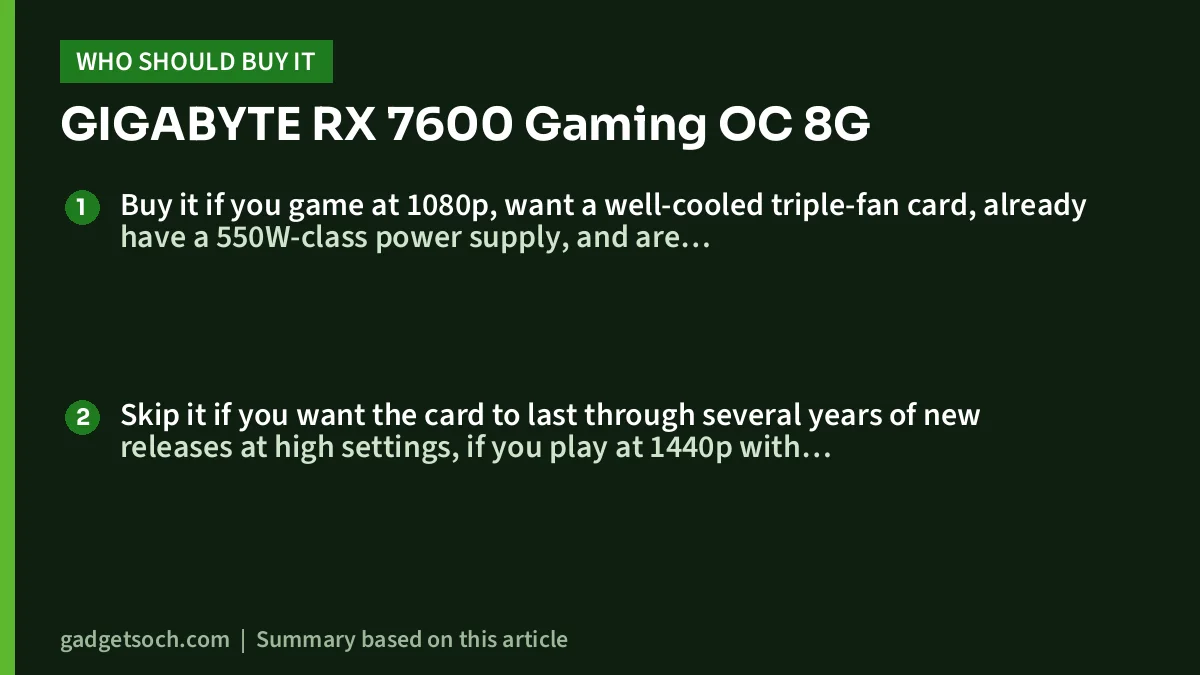
Buy it if you game at 1080p, want a well-cooled triple-fan card, already have a 550W-class power supply, and are pairing it with a processor that has no integrated graphics, such as the one in our Intel Core i5-12400F review.
Skip it if you want the card to last through several years of new releases at high settings, if you play at 1440p with high textures, if you need DVI or VGA outputs for an old monitor, or if your cabinet has less than 282 mm of clearance.
Alternatives worth comparing
- GIGABYTE Radeon RX 9060 XT Gaming OC 16G: 16GB GDDR6, PCIe 5.0 and a 450W recommended PSU, per GIGABYTE. The first card to compare if your budget stretches.
- MSI GeForce RTX 4070 Ti Gaming X Trio 12G: a much higher-tier NVIDIA card with 12GB of memory, for buyers targeting higher resolutions. Covered in our separate review.
- ZEBRONICS GT740-4GD3: a basic NVIDIA GeForce GT 740 card with 4GB GDDR3 and HDMI, DVI and VGA outputs, according to its Amazon.in listing. Not a gaming alternative, but enough if you only need a display output for office work.
Before you order: a checklist

- Confirm the listing title says GV-R76GAMING OC-8GD and 8GB GDDR6, the exact variant this article’s link points to
- Check the rear-bracket photo for the actual port layout, since the listing and official specs disagree
- Measure your cabinet for a 282 mm long, 50 mm thick card
- Confirm your PSU is around 550W or more with an 8-pin PCIe cable
- Expect only the card and a guide or manual in the box, per the listing and GIGABYTE
- The listing states a 3 year manufacturer warranty. Keep the invoice, and note GIGABYTE says cryptocurrency mining voids the warranty on non-mining cards
- Install the latest AMD Software: Adrenalin Edition driver after fitting the card
See the GIGABYTE RX 7600 Gaming OC 8G (GV-R76GAMING OC-8GD) on Amazon.in
Frequently asked questions
Is 8GB of VRAM enough on the RX 7600 Gaming OC 8G?
For 1080p gaming at sensible settings, often yes. For the newest demanding games at high texture settings, or for 1440p, 8GB can be a limit and you may need to lower settings.
What PSU does the GIGABYTE RX 7600 Gaming OC 8G need?
GIGABYTE recommends a 550W power supply, and the card uses one 8-pin PCIe power connector.
Which display outputs does this card have?
GIGABYTE’s official spec page lists two DisplayPort 1.4a and two HDMI 2.1a ports. The Amazon.in listing claims one HDMI 2.1 and two DisplayPort 2.1 ports, so check the bracket photo or confirm with the seller.
Will it fit in my cabinet?
GIGABYTE lists it at 282 mm long, 115 mm wide and 50 mm thick. Compare that with your cabinet’s maximum GPU length and check the slot below.
What warranty does it have in India?
The Amazon.in listing states a 3 year manufacturer warranty. Confirm the terms on the listing before you buy and keep the invoice.
Conclusion
The GIGABYTE Radeon RX 7600 Gaming OC 8G is a well-equipped version of a 1080p-focused chip: three fans, five heat pipes, a metal backplate and a factory overclock. Its 8GB of memory is the main limit, and the port mismatch between the listing and GIGABYTE’s spec page deserves a quick check before you order. If 1080p gaming is your target and the card fits your cabinet, it is a solid option to shortlist.
Check the current price of the GIGABYTE RX 7600 Gaming OC 8G on Amazon.in
Related reading on GadgetSoch: ZEBRONICS GT740-4GD3 Review: A Basic 4GB Graphics Card for Display, Not Gaming, ASUS Dual RTX 3050 6GB OC Review (DUAL-RTX3050-O6G): A No-Power-Cable GPU Upgrade and GIGABYTE RX 9060 XT Gaming OC 16G Review: 16GB Mid-Range Card, Specs and Trade-offs.
Sources
- GIGABYTE: Radeon RX 7600 GAMING OC 8G (Rev. 1.0 / 1.1) specifications (checked 17 October 2026)
- GIGABYTE: Radeon RX 7600 GAMING OC 8G product page and features (checked 17 October 2026)
- GIGABYTE: Radeon RX 9060 XT GAMING OC 16G specifications, for the comparison (checked 17 October 2026)
- Amazon.in listing for ASIN B0C5S9CHMG, feature bullets and technical details (captured 17 October 2026)




