The Intel Core i5-12400F is a six-core, twelve-thread 12th Gen desktop processor for the LGA 1700 socket, and it remains a sensible pick for a budget-to-midrange gaming PC in India as long as you pair it with a dedicated graphics card. The “F” means it has no integrated graphics, so it cannot display anything on its own. In return you get six Performance-cores up to 4.40 GHz, 18 MB of cache, support for both DDR4 and DDR5 memory, and a 65 W base power rating that a modest cooler can handle.
Short verdict: if you are building a new gaming or everyday desktop and already plan to buy a GPU, the i5-12400F gives strong per-core performance and a flexible platform. If you need a PC that works without a graphics card, want to overclock, or mainly run heavily threaded workloads such as long video renders, look elsewhere.
How this article was prepared: this review is based on Intel’s official specifications (checked on 17 October 2026) and published independent reviews, cited by name below. Gadgetsoch has not tested this processor hands-on.
Quick verdict
- Best for: new budget or midrange gaming PCs with a discrete graphics card, students and home users building their first desktop
- Skip if: you do not have or cannot buy a graphics card, you want to overclock the CPU, or your work is dominated by multi-core rendering
- Key strengths: six P-cores with Hyper-Threading, 4.40 GHz max turbo, DDR4 or DDR5 support, PCIe 5.0 and 4.0 lanes, boxed cooler included in the retail pack
- Key limitations: no integrated graphics, locked multiplier, no Efficient-cores, the stock cooler can get loud under sustained load
Intel Core i5-12400F key specifications
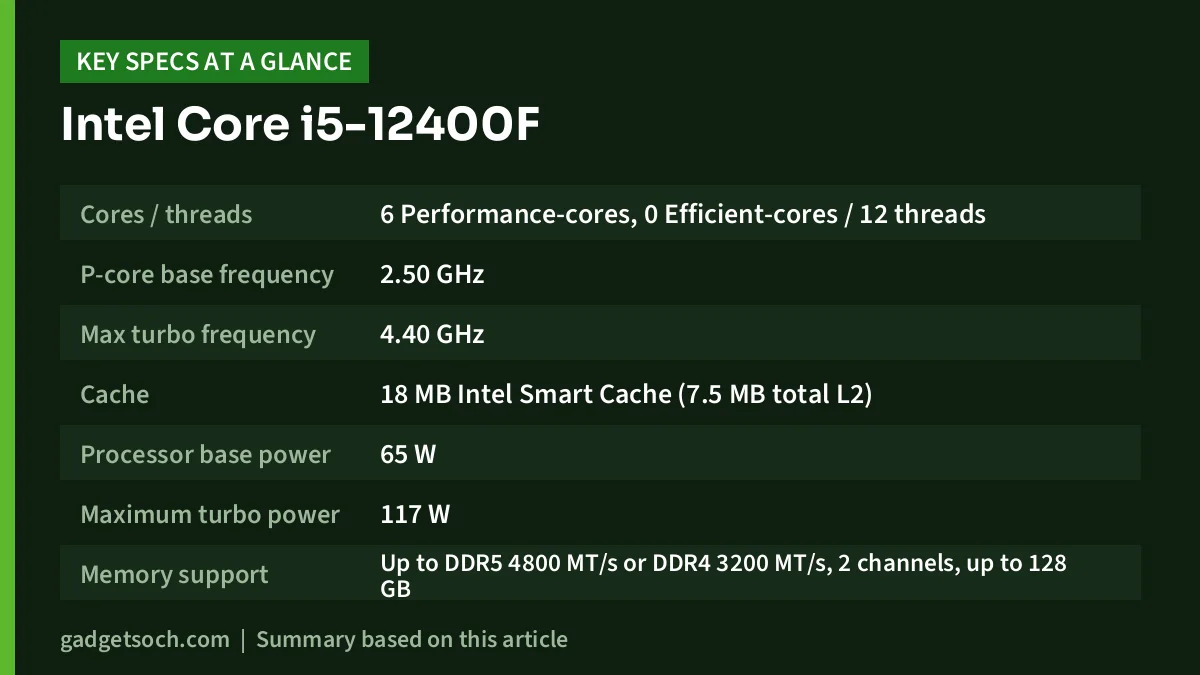
| Specification | Intel Core i5-12400F |
|---|---|
| Cores / threads | 6 Performance-cores, 0 Efficient-cores / 12 threads |
| P-core base frequency | 2.50 GHz |
| Max turbo frequency | 4.40 GHz |
| Cache | 18 MB Intel Smart Cache (7.5 MB total L2) |
| Processor base power | 65 W |
| Maximum turbo power | 117 W |
| Memory support | Up to DDR5 4800 MT/s or DDR4 3200 MT/s, 2 channels, up to 128 GB |
| Max memory bandwidth | 76.8 GB/s |
| PCI Express | PCIe 5.0 and 4.0, up to 1×16+4 or 2×8+4, 20 lanes |
| Socket | FCLGA1700 |
| Integrated graphics | None (graphics card required) |
| Process / launch | Intel 7 / Q1 2022 |
| Max operating temperature | 100 °C |
Specifications from Intel’s official product page (Intel ARK), checked 17 October 2026. The Amazon.in listing linked here describes the boxed version “with Fan”, which includes Intel’s stock cooler. Check the current price of the Intel Core i5-12400F on Amazon.in.
What “F” actually means for your build
The single most important thing to understand about the i5-12400F is the missing integrated GPU. Intel’s non-F twin, the Core i5-12400, has the same six cores, the same 4.40 GHz turbo, the same 18 MB cache and the same 65 W base power, but adds Intel UHD Graphics 730. The 12400F drops that block entirely.
In practice, that means your monitor must plug into a graphics card, not into the motherboard’s HDMI or DisplayPort outputs. Those motherboard ports will stay blank with this processor. If your graphics card fails, the PC cannot show a picture at all. For a gaming build, where a GPU is the plan anyway, this is a reasonable trade. For an office PC, a home server or a “buy the GPU later” build, it is a real problem.
Cores, clocks and gaming performance
The i5-12400F is built from Alder Lake Performance-cores only. Intel lists six P-cores and zero Efficient-cores, with Hyper-Threading for twelve threads. Intel’s page also lists Intel Thread Director as “No” for this chip, which makes sense: Thread Director exists to sort work between P-cores and E-cores, and this processor has only one kind of core.
The clocks run from a 2.50 GHz base to a 4.40 GHz maximum turbo. Guru3D’s launch review describes a 4.0 GHz all-core boost, which is what you are more likely to see when a game or application loads every core.
Independent testing backs this up. In TechSpot’s April 2022 comparison by Steven Walton, the Core i5-12400F was tested against the AMD Ryzen 5 5600 across nine games at 1080p and 1440p, with both chips using the same 32 GB of DDR4-3200 memory. TechSpot found the two “evenly matched for the most part, though the Intel CPU is a tad faster”: in the nine-game 1080p average, the 12400F was 5% faster in average frame rate and 8% faster in 1% lows. With an RTX 3060, the two produced identical results, which shows that with a midrange graphics card the GPU, not the CPU, usually sets the limit.
In TechSpot’s testing, the 12400F’s lead grew mainly at high frame rates with faster GPUs, which is why the site recommended it to competitive gamers.
Power, heat and the boxed cooler
Intel rates the i5-12400F at 65 W Processor Base Power and 117 W Maximum Turbo Power. The base figure is what the chip is designed to sustain, while the turbo figure is the short-term ceiling when the motherboard allows it. Both are modest figures, so most of your power budget will go to the graphics card.
The boxed i5-12400F ships with Intel’s Laminar RM1 cooler, according to Club386, which lists it among the 12th Gen chips bundled with that cooler. Club386 tested the RM1 on a Core i3-12100F rather than the i5-12400F, so its numbers do not transfer directly. Its findings are still useful context: the cooler held that chip at about 65 °C without throttling at stock settings, coped “okay-ish” at an 89 W limit, and only throttled when pushed with a 125 W Core i5-12600K. Club386 called it “a competent in-box cooler” but noted it “can get noisy” because the fan ramps up quickly under load.
For a 65 W chip like the i5-12400F, the stock cooler should be adequate for normal use. If you care about a quiet PC or plan long full-load sessions, a basic aftermarket tower cooler is a worthwhile upgrade. Make sure any cooler you buy lists LGA 1700 compatibility.
Memory, motherboard and upgrade path
Platform flexibility is one of this processor’s best features. Intel lists support for DDR5 up to 4800 MT/s and DDR4 up to 3200 MT/s, in two channels, up to 128 GB. The catch is that the motherboard decides which one you use: each board supports either DDR4 or DDR5, not both. TechSpot’s gaming tests above were run on DDR4-3200, so a DDR4 board is a valid budget route, while DDR5 gives you newer memory.
Guru3D’s launch review advised skipping expensive Z690 boards and looking at value B660 motherboards. That advice still holds because the i5-12400F has a locked multiplier, so a premium overclocking board brings little benefit for the CPU itself. TechSpot similarly favoured the 12400F with “a decent B660 board” for new builds.
On expansion, Intel lists 20 PCIe lanes with PCIe 5.0 and 4.0 support, configured as up to one x16 slot plus x4, or two x8 plus x4. Whether you get PCIe 5.0 depends on the motherboard. Guru3D noted at launch that B660 boards implemented PCIe 4.0 rather than 5.0, which is still plenty for current mainstream graphics cards and NVMe SSDs.
As for future upgrades, the LGA 1700 socket also hosts later Intel chips; TechSpot noted at the time that the platform would support another CPU generation. Always confirm your specific motherboard’s CPU support list and BIOS version before buying a newer processor for it.
Who should buy the Core i5-12400F

- First-time PC builders putting together a gaming desktop with a dedicated graphics card
- Gamers using entry-level or midrange GPUs who want a CPU that will not hold them back
- Buyers who want to save money with DDR4 now while keeping a modern LGA 1700 platform
Who should skip it
- Anyone without a graphics card: choose the Core i5-12400 instead, which adds integrated UHD Graphics 730
- Overclockers: the multiplier is locked, so a “K” model suits you better
- Heavy multi-threaded users such as full-time video editors or 3D artists, who benefit from chips with more cores
- Existing AM4 owners with a good motherboard, for whom a drop-in AMD upgrade is often the simpler path
Alternatives worth comparing
Intel Core i5-12400
The closest alternative is the same chip with graphics. Intel lists the Core i5-12400 with identical cores, clocks, cache and power figures, plus Intel UHD Graphics 730. It is the better pick if you want a PC that works before you buy a graphics card, or a backup display output if your GPU ever fails.
AMD Ryzen 5 5600
The Ryzen 5 5600 is the most direct AMD rival: six cores and twelve threads, a 3.5 GHz base and 4.4 GHz boost clock, 32 MB of L3 cache, a 65 W TDP and the AM4 socket, with DDR4-3200 support and no integrated graphics. It is unlocked for overclocking and comes with AMD’s Wraith Stealth cooler. TechSpot found the 12400F slightly faster in games, but recommended the 5600 as the ideal path for people who already own a solid AM4 motherboard.
Intel Core i3-12100F
If your budget is tighter, the Core i3-12100F sits below the i5 in the same 12th Gen family, also without integrated graphics. Club386 notes it has a 60 W default TDP and also ships with the Laminar RM1 cooler. Check Intel’s specification page for its core count before choosing it over the i5.
What to check before you order
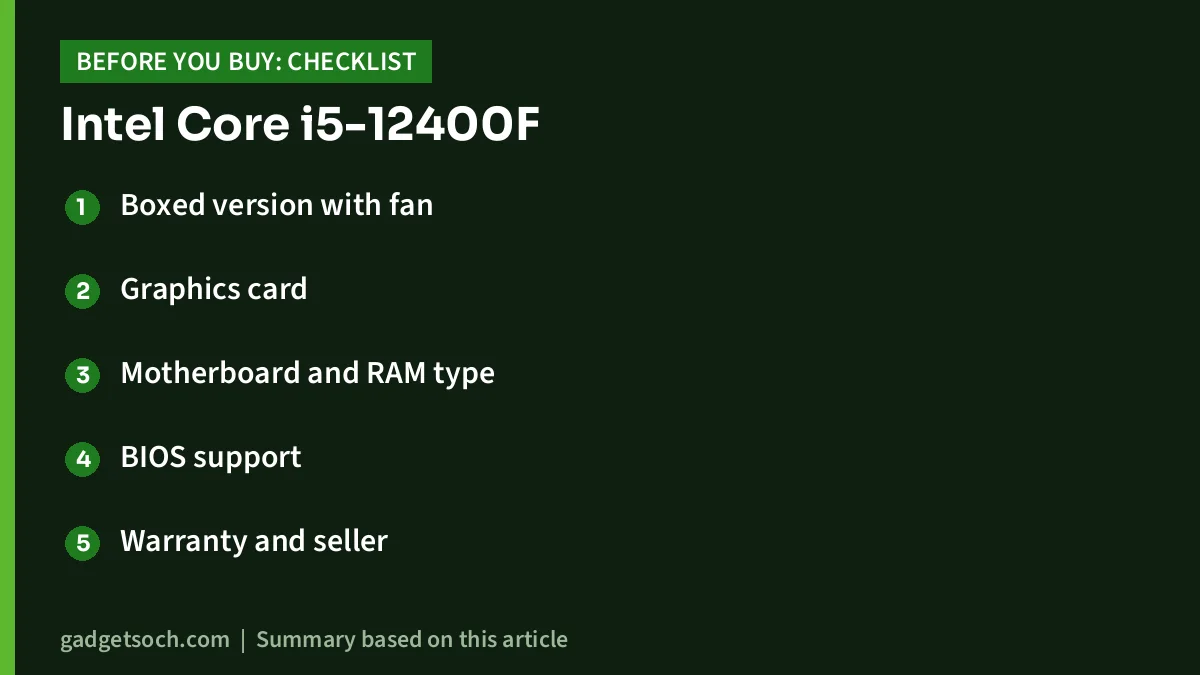
- Boxed version with fan: the observed Amazon.in title describes the boxed processor “with Fan”. Confirm the listing still says this before ordering
- Graphics card: budget for a dedicated GPU. Without one, this PC will not display anything
- Motherboard and RAM type: pick an LGA 1700 board and buy the RAM type it supports, DDR4 or DDR5, not both
- BIOS support: check that the motherboard’s CPU support list includes the i5-12400F
- Warranty and seller: the listing title mentions a 3-year warranty. Confirm the warranty terms with the seller and keep the invoice safe
- Cooler fit: if you buy an aftermarket cooler, confirm LGA 1700 mounting support
Once you have checked those points, see the boxed Intel Core i5-12400F on Amazon.in and confirm the exact listing details before ordering.
Frequently asked questions
Does the Intel Core i5-12400F have integrated graphics?
No. Intel’s specification page lists no processor graphics for this chip, so the i5-12400F needs a dedicated graphics card to display anything. The non-F Core i5-12400 includes Intel UHD Graphics 730.
Does the i5-12400F support DDR4 and DDR5?
Yes. Intel lists support for DDR4 up to 3200 MT/s and DDR5 up to 4800 MT/s. Your motherboard decides which type you use, since each board supports only one of them.
Can you overclock the Core i5-12400F?
Not in the traditional way. It has a locked multiplier, as Guru3D noted, so there is no simple CPU overclocking as on Intel’s “K” models. You can still enable memory profiles such as XMP on supported boards.
Is the stock cooler good enough?
For normal use at Intel’s 65 W base power, the bundled Laminar RM1 is generally adequate. Club386’s test on a Core i3-12100F showed it works without throttling at stock settings but can get noisy. A budget tower cooler improves noise and headroom.
How many cores does the i5-12400F have?
Six Performance-cores with Hyper-Threading, for 12 threads in total. It has no Efficient-cores, according to Intel’s specification page.
Which socket does the i5-12400F use?
It uses Intel’s FCLGA1700 socket, so you need an LGA 1700 motherboard and a cooler that lists LGA 1700 support.
Final thoughts
The Intel Core i5-12400F does one job very well: it gives a new gaming desktop six fast cores, modern memory and PCIe support, and a cooler in the box, while keeping power demands modest. Its limits are clear and easy to plan around. You must buy a graphics card, you cannot overclock it, and heavy rendering workloads will benefit from more cores. If those trade-offs fit your build, it is a well-reviewed, sensible foundation. Check the current price of the Intel Core i5-12400F on Amazon.in.
Related reading on GadgetSoch: ASUS Prime A520M-K Review: Budget AM4 Board, BIOS Needs and A520 Limits and MSI RTX 4070 Ti Gaming X Trio 12G Review: Quiet, Big and Still Worth It?.
Sources
- Intel ARK: Intel Core i5-12400F specifications (checked 17 October 2026)
- Intel ARK: Intel Core i5-12400 specifications (checked 17 October 2026)
- TechSpot: AMD Ryzen 5 5600 vs Intel Core i5-12400F (Steven Walton, April 2022)
- Guru3D: Core i5 12400 processor review (Hilbert Hagedoorn, January 2022)
- Club386: Intel Laminar RM1 stock cooler review
- B&H Photo: AMD Ryzen 5 5600 specifications