

The Dell 15 with the Intel Core i5-1334U, 16GB RAM and a 1TB SSD is a sensible everyday Windows laptop for students, home users and office work. It handles browsing, documents, spreadsheets, online classes and video calls comfortably, and the 1TB SSD gives you more room than most laptops in this class. It is not built for gaming, heavy video editing or long unplugged days.
This is the laptop Dell used to sell under the Inspiron name. The exact Amazon.in listing this article links to is titled “Dell 15 SmartChoice (Previously Inspiron)” and shows the Core i5-1334U, 16GB RAM, 1TB SSD, a 15.6-inch FHD screen, Windows 11, Microsoft Office 2024 (listed as MSO’24), a backlit keyboard, 12 months of McAfee and a Silver finish. Our short verdict: a good-value, low-drama work laptop if you accept a modest screen and average battery life.
Please note: this article is based on published specifications (the Amazon.in listing, spec databases and review sites) and published reviews, checked on 17 October 2026. Gadget Soch has not tested this laptop hands-on.
Quick verdict
- Best for: students, home offices and small-business users who need Windows plus Office for everyday work
- Skip if: you game, edit video, need a colour-accurate screen or want all-day battery life
- Key strengths: 1TB SSD, 16GB RAM, Office 2024 bundled, backlit keyboard with a number pad, two RAM slots for later upgrades
- Key limitations: integrated graphics only, modest battery capacity, weak colour coverage on the screen according to LaptopMedia, HDMI 1.4 output only
Why it is called “Dell 15” and not Inspiron
On 6 January 2025, around CES 2025, Dell announced that it would phase out its long-running PC sub-brands. As PCWorld reported, the XPS, Inspiron and Latitude names were retired in favour of three lines: Dell for everyday consumers and students, Dell Pro for business productivity and Dell Pro Max for high-performance work. The number in the new names refers to screen size, so a “Dell 15” is simply Dell’s mainstream 15-inch consumer laptop.
In practice, the Dell 15 sits where the budget Inspiron 15 models used to sit, which is why Amazon.in labels the listing “Previously Inspiron”. The Dell 15 configurations with the Core i5-1334U that we found on Notebookcheck, LaptopMedia, Smartprix and MySmartPrice all carry the model number DC15250. Amazon’s title does not print the model number, so check the “Technical Details” section of the listing for DC15250 before you order.
Key specifications
| Specification | Dell 15 (DC15250) on this listing |
|---|---|
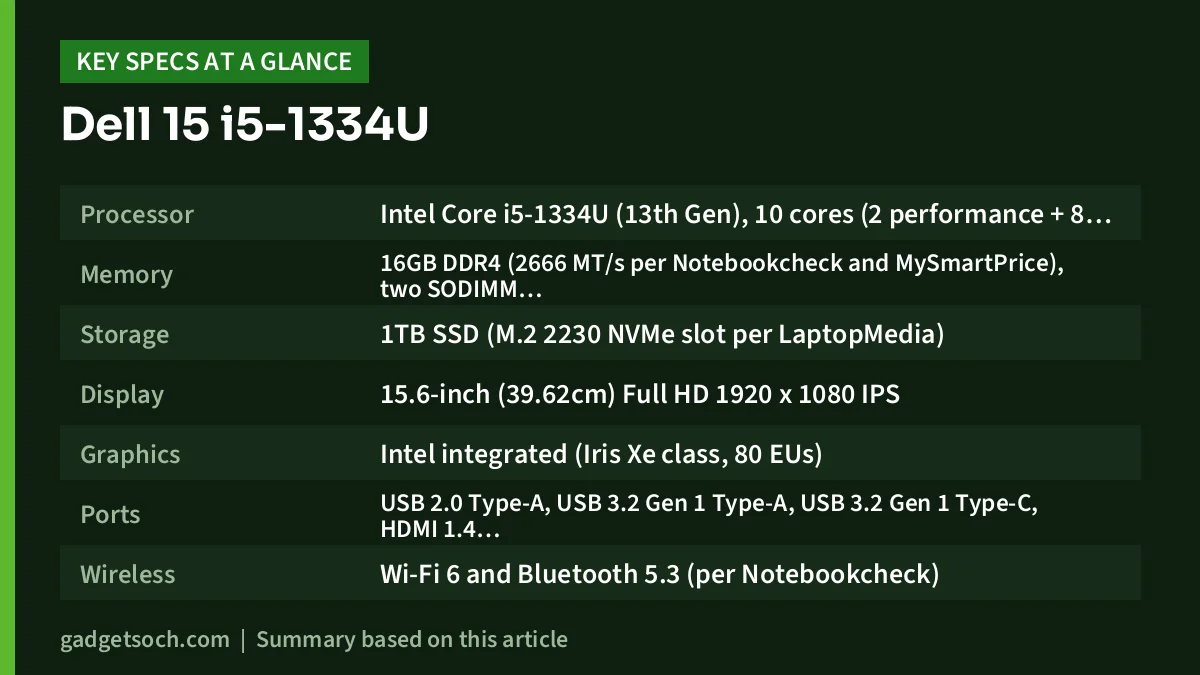
| Processor | Intel Core i5-1334U (13th Gen), 10 cores (2 performance + 8 efficient), 12 threads, up to 4.6GHz, 15W |
| Memory | 16GB DDR4 (2666 MT/s per Notebookcheck and MySmartPrice), two SODIMM slots |
| Storage | 1TB SSD (M.2 2230 NVMe slot per LaptopMedia) |
| Display | 15.6-inch (39.62cm) Full HD 1920 x 1080 IPS |
| Graphics | Intel integrated (Iris Xe class, 80 EUs) |
| Ports | USB 2.0 Type-A, USB 3.2 Gen 1 Type-A, USB 3.2 Gen 1 Type-C, HDMI 1.4, SD card reader, 3.5mm audio jack |
| Wireless | Wi-Fi 6 and Bluetooth 5.3 (per Notebookcheck) |
| Webcam | 720p HD |
| Keyboard | Backlit, with number pad |
| Battery | 41Wh 3-cell on listed DC15250 configurations, 65W adapter |
| Dimensions | 358.5 x 235.6 x 18.99mm |
| Weight | 1.62kg per the Amazon listing title (some spec listings show 1.9kg) |
| Software | Windows 11, Microsoft Office 2024 (MSO’24), 12 months McAfee |
| Colour | Silver |
The configuration comes from the Amazon.in listing title, and the hardware details from Notebookcheck, LaptopMedia, Smartprix and MySmartPrice, because Dell’s India product page could not be opened on 17 October 2026.
Check the current price of the Dell 15 i5-1334U (16GB, 1TB) on Amazon.in
Performance: what the Core i5-1334U is good at
The Core i5-1334U is a 15W U-series chip with two performance cores and eight efficient cores (12 threads). The performance cores handle the active app while the efficient cores take background tasks such as cloud sync and antivirus scans. For Office, Google Workspace, Zoom or Teams calls, online classes, accounting software and browsing, this is plenty.
Where it struggles is sustained heavy work. A 15W processor in a budget chassis cannot hold its peak speed for long, and LaptopMedia describes the Dell 15’s sustained CPU performance as conservative. That means long video exports, large code compiles or big Excel models with heavy calculations will take noticeably longer than on a laptop with an H-series or HX-series chip.
The 16GB of RAM is the right amount for multitasking, and avoids the slowdown cheaper 8GB variants run into with Windows 11, many browser tabs and Office open together.
Graphics and the dual-channel memory catch
Intel’s integrated graphics on this chip only run as the faster “Iris Xe” version when the laptop has memory in dual-channel mode (two RAM sticks). With a single stick, the same hardware is reported as the slower “UHD Graphics”. LaptopMedia’s unit had 8GB in single-channel mode and listed the GPU as UHD Graphics.
The Amazon listing does not say whether its 16GB is one stick or two. For light games or photo editing this matters, and a single stick can be paired with a matching second one in the free slot. For pure office work, the difference is small.
For gaming, a dedicated-GPU machine such as the Lenovo LOQ with the i5-12450HX and RTX 3050 is a different class of product.
Display: 15.6-inch Full HD, with a budget panel
The 15.6-inch Full HD resolution is sharp enough for spreadsheets and side-by-side documents, and the IPS panel type keeps viewing angles reasonable. A 120Hz refresh rate, where fitted, makes scrolling look smoother. MySmartPrice lists 120Hz and 250 nits for one i5 configuration, and LaptopMedia’s review unit had a 120Hz panel. The Amazon title only says “FHD”, so confirm the refresh rate on the listing if it matters to you.
LaptopMedia describes the colour coverage as weak and notes aggressive PWM (flicker-based dimming) below maximum brightness. A 250-nit panel like the one MySmartPrice lists is fine indoors but looks washed out near a bright window. Photo editors and flicker-sensitive users should look elsewhere.
Design, keyboard and ports
The Silver finish looks plain and professional, and the 18.99mm thickness is normal for a 15-inch budget laptop. The weight is less clear. The Amazon title states 1.62kg, while Notebookcheck, MySmartPrice and LaptopMedia list 1.9kg for the DC15250 configurations they cover.
The backlit keyboard with a full number pad is a genuine plus for accounts, data entry and late-night typing. LaptopMedia lists the keyboard among the laptop’s practical strengths.
Ports cover the basics: two USB Type-A (one only USB 2.0), one USB Type-C, HDMI, an SD card reader and a headphone jack, but no Ethernet. HDMI 1.4 limits external 4K monitors to 30Hz. LaptopMedia also notes that on the plastic DC15250 model the USB-C port is data-only, so do not assume you can charge over USB-C or drive a monitor through it unless the listing confirms it.
Battery life and charging
The DC15250 configurations listed by Notebookcheck and MySmartPrice use a 41Wh 3-cell battery with a 65W adapter, and LaptopMedia notes that Dell offers two battery sizes for this model. 41Wh is on the small side for a 15.6-inch laptop, and LaptopMedia calls the battery life modest. Expect to keep the charger nearby for a full working day.
Upgrades and long-term value
Upgradeability is one of the Dell 15’s best features. According to LaptopMedia, the DC15250 has two SODIMM RAM slots and an M.2 2230 NVMe slot, and the chassis is easy to service. Many thin laptops at this level solder the memory, so this is a real advantage.
The bundled Microsoft Office 2024 is also a practical saving if you would otherwise buy Office separately. Check the exact Office edition named on the listing and activate it with your own Microsoft account.
Who should buy it, and who should skip it

- Buy it if you need a dependable Windows laptop for college, office documents, accounts and video calls
- Buy it if you want 1TB of storage and Office included without paying for a premium brand line
- Buy it if you want to upgrade RAM later
- Skip it if you play modern games or edit video regularly
- Skip it if you need a bright, colour-accurate or flicker-free screen
- Skip it if you work unplugged for most of the day or need USB-C charging
Alternatives worth comparing
Acer Aspire 15 (AS15-42) with Ryzen 7 7730U. Acer India lists this model with an 8-core, 16-thread Ryzen 7 7730U, 16GB DDR4, a 512GB SSD and a larger 55Wh battery. It suits buyers who want more CPU cores and battery but can live with half the storage.
Lenovo IdeaPad Slim 3 (Ryzen 5 7520U). The 16GB variant uses AMD’s 4-core, 8-thread Ryzen 5 7520U with LPDDR5 memory, which is soldered. It is a reasonable pick for very light work, but the processor is clearly weaker and the RAM cannot be upgraded. Our IdeaPad Slim 3 Ryzen 5 7520U review covers it in detail.
What to check before you order

- Exact variant: confirm the listing still shows Core i5-1334U, 16GB RAM and 1TB SSD, since Dell 15 listings also exist with 8GB, 512GB and other processors
- Model number: look for DC15250 in the Technical Details section
- RAM layout: if graphics matter, ask the seller or check whether the 16GB is one stick or two
- Refresh rate: confirm whether the screen is 60Hz or 120Hz on this listing
- Office and McAfee: check the Office 2024 edition and activate it on first setup
- Warranty: check the warranty period and service terms for your service tag on Dell India’s support site
- Box contents: make sure the 65W adapter is included
If everything matches, see the Dell 15 i5-1334U 16GB/1TB variant on Amazon.in.
Frequently asked questions
Is the Dell 15 the same as the Dell Inspiron 15?
It is the successor in the same role. Dell retired the Inspiron brand in January 2025, and its mainstream consumer laptops are now sold simply as “Dell” followed by the screen size. The i5-1334U Dell 15 found on Indian listings is model DC15250.
Is the Core i5-1334U good enough for students and office work?
Yes. With 10 cores and 12 threads, it handles Office, browsing, online classes and video calls comfortably. It is less suited to sustained heavy tasks such as long video exports, where LaptopMedia describes its sustained performance as conservative.
Can I upgrade the RAM on the Dell 15 DC15250?
Yes. LaptopMedia lists two SODIMM slots for the DC15250, so memory can be added or replaced later.
Does the Dell 15 charge over USB-C?
Do not count on it. LaptopMedia notes that the USB-C port on the plastic DC15250 model is data-only. Use the supplied 65W adapter unless the listing explicitly confirms USB-C charging.
Does it come with Microsoft Office?
The Amazon.in listing title for this variant includes “MSO’24”, meaning Microsoft Office 2024 is bundled. Check the edition on the listing and activate it with your Microsoft account during setup.
Final thoughts
The Dell 15 with the Core i5-1334U, 16GB RAM and 1TB SSD is an honest, practical work laptop: enough memory, plenty of storage, a backlit number-pad keyboard, bundled Office and easy upgrades. It gives up screen quality, battery capacity and graphics muscle to stay affordable. For documents, browsers and video calls, it is a safe choice.
Check the current price of the Dell 15 i5-1334U on Amazon.in
Related reading on GadgetSoch: Lenovo IdeaPad Slim 3 i5-12450H Review: Is the 16GB/512GB Model Right for You? and Acer ALG Review (i5-13420H, RTX 3050 6GB): Is This Budget Gaming Laptop Worth It?.
Sources
- Notebookcheck: Dell 15 DC15250 specifications (checked 17 October 2026)
- LaptopMedia: Dell 15 (DC15250) specifications and review (checked 17 October 2026)
- Smartprix: Dell 15 DC15250 13th Gen Core i5 specifications (checked 17 October 2026)
- MySmartPrice: Dell 15 (ODC1525000401RINS1) specifications (checked 17 October 2026)
- PCWorld: Dell drops XPS, Inspiron and Latitude brands (checked 17 October 2026)
- Acer India Store: Aspire AS15-42 Ryzen 7 7730U specifications (checked 17 October 2026)
- AMD: Ryzen 5 7520U specifications (checked 17 October 2026)
- Amazon.in listing B0DSFQZTVW, product title (checked 17 October 2026)




