

The Canon PIXMA G3000 is a refillable ink tank all-in-one that prints, scans and copies, connects over Wi-Fi or USB, and is rated by Canon for up to 6,000 black pages and 7,000 colour pages per set of GI-790 ink bottles. It suits homes, students and small offices that print a lot of plain documents and want a low running cost more than speed or modern conveniences. Our short verdict: a sensible choice for steady, high-volume home printing, as long as you can live with a slow colour speed, no automatic two-sided printing listed in its specs and a software support list that shows its age.
This article is based on Canon India’s official product and specification pages and the Amazon.in listing data captured on 17 October 2026. It is not a hands-on test, so we explain what the published specifications mean for daily use rather than claiming our own print results.
The Amazon.in listing linked here is titled as the G3000 bundle that includes 2 additional black ink bottles, according to the listing. Confirm the bundle contents on the listing before ordering.
Quick verdict
- Best for: families, students and home offices printing many black-and-white pages each month
- Skip if: you need automatic duplex printing, an automatic document feeder or fast colour output
- Key strengths: high rated page yields, refillable GI-790 bottles, Wi-Fi with a direct Access Point mode, flatbed scanner, borderless photos up to A4
- Key limitations: 5.0 ipm colour speed, manual print head alignment, a 100-sheet rear tray, and an official OS list that stops at Windows 10 and older macOS versions
Canon PIXMA G3000 key specifications
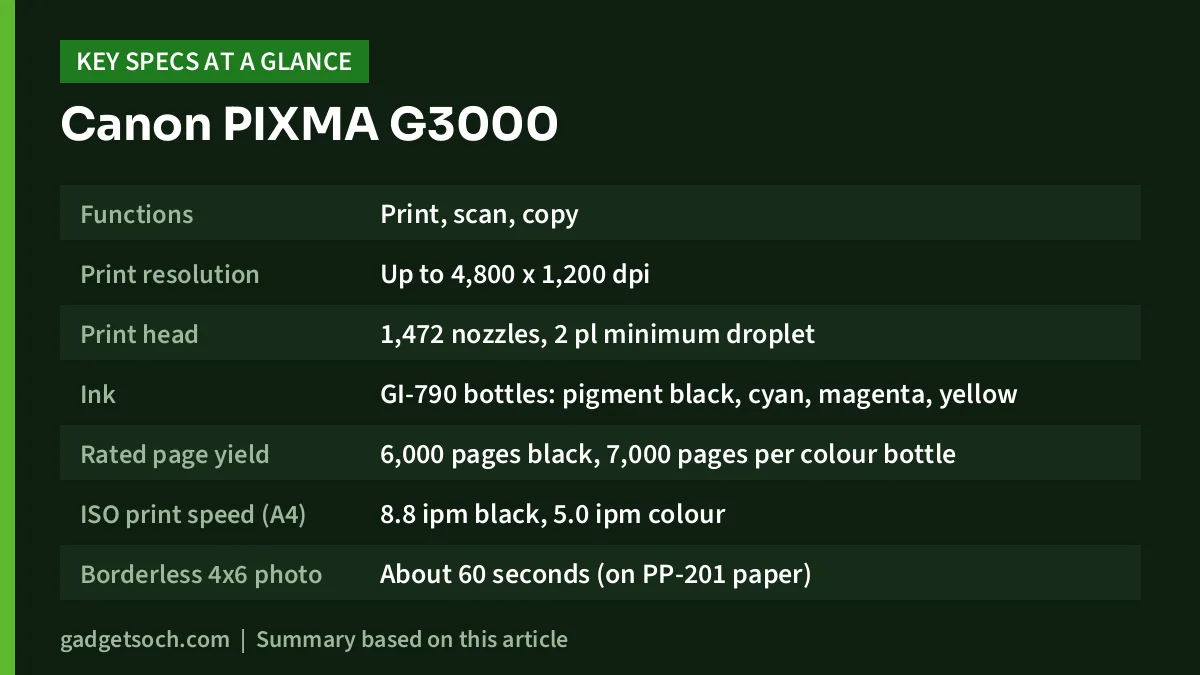
| Specification | Canon PIXMA G3000 (official Canon India spec page unless noted) |
|---|---|
| Functions | Print, scan, copy |
| Print resolution | Up to 4,800 x 1,200 dpi |
| Print head | 1,472 nozzles, 2 pl minimum droplet |
| Ink | GI-790 bottles: pigment black, cyan, magenta, yellow |
| Rated page yield | 6,000 pages black, 7,000 pages per colour bottle |
| ISO print speed (A4) | 8.8 ipm black, 5.0 ipm colour |
| Borderless 4×6 photo | About 60 seconds (on PP-201 paper) |
| Borderless sizes | A4, Letter, 4×6, 5×7 and 8×10 inch |
| Paper input | Rear tray, up to 100 sheets of A4 plain paper, 10 envelopes |
| Paper weight | 64 to 105 gsm plain, up to 275 gsm specialty paper |
| Scanner | Flatbed CIS, 600 x 1,200 dpi optical, A4/Letter area |
| Copy | Up to 21 copies, colour first copy about 24 seconds |
| Connectivity | Hi-Speed USB, Wi-Fi 802.11b/g/n (2.4 GHz), Access Point mode |
| Mobile printing | Canon PRINT app, PIXMA Cloud Link, Canon Print Service plug-in for Android |
| Power use | 0.3 W off, 1.7 W standby, 14 W copying |
| Dimensions | 445 x 330 x 163 mm |
| Weight | 5.8 kg (Amazon.in listing says 6 kg) |
| Warranty (per listing) | 1 year onsite or 15,000 prints, whichever is earlier |
Check the current price of the Canon PIXMA G3000 (with 2 extra black ink bottles) on Amazon.in
What an ink tank design means for running cost
The G3000 uses front-facing tanks that you refill from GI-790 bottles. Canon India rates each bottle at 6,000 pages for pigment black and 7,000 pages for cyan, magenta and yellow. The Amazon.in listing adds that these yields follow ISO/IEC 24711 using the ISO/IEC 24712 test file on A4 paper.
The standard allows fair comparisons but is not a promise for your own pages. Dense pages, photos and cleaning cycles use ink faster. Still, yields rated in thousands of pages per bottle are why ink tank printers are popular for school notes, invoices and project work.
The black ink is pigment-based, according to Canon India. Pigment black usually gives crisp text on plain paper.
Print quality and speed in practice
Canon lists a maximum resolution of 4,800 x 1,200 dpi and a print head with 1,472 nozzles and a 2 picolitre minimum droplet. Small droplets help smooth photo gradients. Resolution figures alone do not prove quality, though.
Speed is the clear weak spot. Canon’s ISO figures are 8.8 images per minute in black and 5.0 images per minute in colour, measured as simplex (single-sided) documents. At that rate a 20-page colour handout takes around four minutes, which is fine at home but slow for a busy office queue.
Photo printing is supported, including borderless output on A4, Letter, 4×6, 5×7 and 8×10 inch paper. Canon quotes about 60 seconds for a borderless 4×6 photo on PP-201 paper. That suits occasional family photos and school projects.
Paper handling and what is missing
Paper loads into a rear tray that holds up to 100 sheets of plain A4, according to Canon’s spec sheet. It also accepts A5, B5, Letter, Legal, photo sizes, envelopes and custom sizes. Plain paper from 64 to 105 gsm is supported, and specialty paper up to 275 gsm.
Two features are not listed on Canon’s specification page: automatic two-sided (duplex) printing and an automatic document feeder (ADF). The scanner is described only as a flatbed with an A4/Letter scan area. If you often print double-sided assignments or scan multi-page documents in one go, confirm these points with Canon or the seller before buying, or look at a model that lists them.
Print head alignment is listed as manual. If lines look misaligned after moving the printer, you run the alignment yourself from the printer or driver.
Scanning and copying
The flatbed scanner uses a contact image sensor (CIS) with 600 x 1,200 dpi optical resolution, according to Canon India. Canon quotes about 19 seconds for a colour A4 scan at 300 dpi. For ID copies, mark sheets, receipts and forms, 300 dpi is usually enough.
The copy function handles A4 and Letter plain paper, with up to 21 copies per job. Canon lists a colour first-copy time of about 24 seconds and a colour copy rate of 2.5 images per minute. That is fine for occasional copies, not bulk photocopying.
Wi-Fi, mobile printing and software support
The G3000 has Hi-Speed USB and Wi-Fi (802.11b/g/n on the 2.4 GHz band). Canon India highlights an Access Point mode that lets a phone or tablet connect straight to the printer when there is no router. That is handy in a home without broadband. Only 2.4 GHz Wi-Fi is listed, so keep that band enabled on your router.
For phones, Canon lists the Canon PRINT app, PIXMA Cloud Link and the Canon Print Service plug-in for Android. The Amazon.in listing also mentions Mopria support, which is not listed on Canon’s spec page, so treat that as the seller’s claim.
The biggest caveat is computer compatibility. Canon India’s spec page lists Windows 10, 8, 7, Vista SP2 and XP SP3, and Mac OS X v10.7.5 and later. Windows 11 and recent macOS versions are not named there, and the product page points to a separate macOS compatibility notice. Before buying, open the Canon India support and drivers page for the G3000, select your exact operating system and confirm a current driver is available.
Design, size and power use
Canon lists dimensions of 445 x 330 x 163 mm and a weight of 5.8 kg. The Amazon.in listing shows 6 kg. Plan for a desk or shelf at least 45 cm wide with space at the back for the rear paper tray and in front for the output tray, which holds about 50 A4 sheets.
Power draw is low: 0.3 W when off, 1.7 W in standby and 14 W while copying, according to Canon India, and the printer carries an Energy Star label.
Who should buy the Canon PIXMA G3000
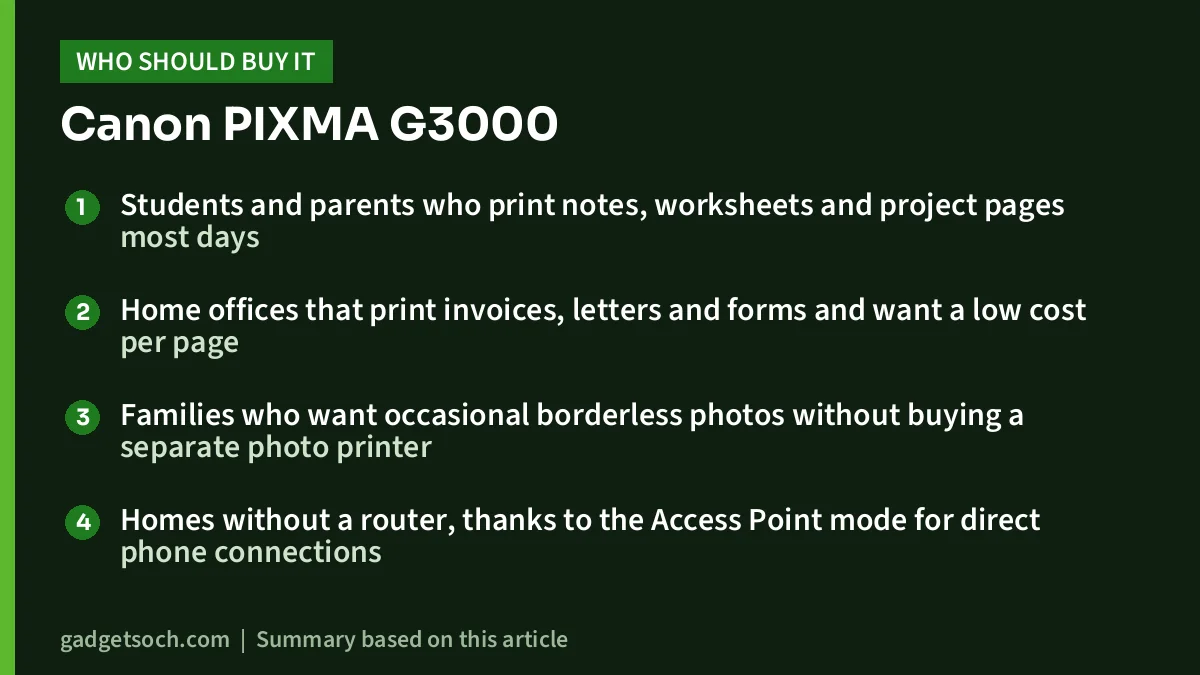
- Students and parents who print notes, worksheets and project pages most days
- Home offices that print invoices, letters and forms and want a low cost per page
- Families who want occasional borderless photos without buying a separate photo printer
- Homes without a router, thanks to the Access Point mode for direct phone connections
Who should skip it
- Anyone who needs automatic two-sided printing or an automatic document feeder, since neither is listed
- Small offices that print large colour jobs and need faster speeds
- Users on Windows 11 or a recent Mac who cannot find a current driver for their system on Canon’s support site
- People who print only a few pages a month, since inkjet nozzles can clog when left idle
Alternatives worth comparing
If the G3000 does not tick every box, these ink tank models are worth checking on their official pages before you decide. We have not listed specs here that we could not verify on 17 October 2026, so compare speed, duplex, ADF and OS support yourself:
- Canon PIXMA G3010: another model in Canon’s PIXMA G ink tank range, worth checking if you prefer to stay with Canon and GI-series bottles
- Epson EcoTank L3250: Epson’s Wi-Fi all-in-one ink tank for homes; see our Epson EcoTank L3250 review for details
- HP Smart Tank 589: HP’s Wi-Fi all-in-one ink tank printer aimed at home and small office users
For a wider comparison, our guide to the best ink tank printer for home in India compares several models side by side.
What to check before you order

- Bundle contents: the listing title includes 2 additional black ink bottles. Check the “What’s in the box” section and the seller details on the listing.
- Genuine ink: use GI-790 bottles. Third-party ink can affect quality and may affect warranty terms, so read Canon’s warranty conditions first.
- Warranty: the listing says 1 year onsite or 15,000 prints, whichever comes first, subject to Canon’s terms. Keep your invoice and register the product if Canon India asks you to.
- Driver support: confirm a driver for your Windows or macOS version on Canon India’s support site.
- Wi-Fi band: make sure your router broadcasts 2.4 GHz, since the printer does not list 5 GHz.
- Paper: stock 70 to 80 gsm A4 for daily printing, within the 64 to 105 gsm range Canon lists.
See the Canon PIXMA G3000 bundle with extra black ink on Amazon.in
Setup and care tips
First-time setup takes longer than with a cartridge model: you fill each tank from its matching bottle, and initial ink charging uses some ink before your first page.
To keep the print head healthy, print at least a page with both black and colour every week. Inkjet nozzles can clog if they sit unused. If you see faint lines, run a nozzle check and a normal cleaning before any deep cleaning, which uses more ink.
Frequently asked questions
Is the Canon PIXMA G3000 a Wi-Fi printer?
Yes. Canon India lists built-in Wi-Fi (802.11b/g/n, 2.4 GHz) and an Access Point mode for direct connections from phones and tablets, plus Hi-Speed USB.
How many pages can the Canon G3000 print with one set of ink?
Canon rates the GI-790 bottles at up to 6,000 black pages and 7,000 pages for each colour, based on ISO test methods. Your real yield depends on what you print.
Does the Canon PIXMA G3000 print on both sides automatically?
Automatic duplex printing is not listed on Canon India’s specification page. Check with Canon or the seller if this feature is essential for you.
Does the Canon G3000 work with Windows 11?
Canon India’s spec page lists Windows 10 and earlier, and does not name Windows 11. Check the Canon India drivers page for your exact OS version before buying.
Final verdict
The Canon PIXMA G3000 makes sense for homes and students who print a lot of plain pages and value a low running cost. Its rated yields, flatbed scanner and Access Point mode cover everyday needs. The trade-offs are slow colour printing, no automatic duplex or ADF listed, and an operating system list that needs checking for newer computers.
Check the current price and bundle details of the Canon PIXMA G3000 on Amazon.in
Related reading on GadgetSoch: Amkette XS Series Natural Review: Vertical Wireless Mouse With Side Scroll, Specs and Limits and Canon PIXMA MG2577s Review: A USB-Only All-in-One for Light Home Printing.
Sources
- Canon India: PIXMA G3000 product page (checked 17 October 2026)
- Canon India: PIXMA G3000 specifications (checked 17 October 2026)
- Amazon.in listing for ASIN B01H25A1AE: title, feature bullets and technical details (captured 17 October 2026)




