
The Amkette Optimus XL Plus is a rechargeable multi-device keyboard that can stay paired with three Bluetooth devices plus one computer over a 2.4GHz USB receiver, and you switch between them with dedicated keys. Its built-in 500mAh battery charges over USB Type-C, so there are no AAA cells to replace. If you move between a laptop, a tablet and a phone during the workday and want one affordable keyboard for all of them, it is a sensible pick, provided you are fine with membrane keys and no confirmed backlight.
This article is based on Amkette’s official product page and the Amazon.in listing (both checked on 17 October 2026), not on hands-on testing. We did not rely on independent reviews for this model, so there are no real-world battery-life or typing-feel claims here, only what the maker and the listing state, plus practical guidance on what those specs mean for you.
The variant covered here is the Black Optimus XL Plus listed on Amazon.in as “Rechargeable Wireless Keyboard/Bluetooth Keyboard for PC… 2.4G+3xBT… Dual OS Layout (Black)”. Confirm the colour on the listing before you order.
Quick verdict
- Best for: people who switch between a Windows laptop, a Mac, an Android tablet or an iPhone and want one keyboard for all of them
- Key strengths: four connection slots (3 Bluetooth + 1 2.4GHz), built-in 500mAh battery with Type-C charging, dedicated device-switching keys, one-year warranty
- Key limitations: membrane keys, no backlight mentioned, battery life and Bluetooth version not published, and the listing reports 78 keys, which points to no separate number pad
- Skip it if: you enter a lot of numbers, type in the dark, or want low-profile scissor keys
Amkette Optimus XL Plus key specifications

| Specification | Detail | Source |
|---|---|---|
| Connectivity | 3 x Bluetooth + 1 x 2.4GHz (USB receiver) | Amkette official page |
| 2.4GHz range | About 10 metres | Amkette official page (FAQ) |
| Battery | 500mAh built-in, rechargeable | Amkette official page |
| Charging port | USB Type-C | Amkette official page |
| Key type | Membrane (“Retro Pop Silver Membrane Keys”) | Amkette official page |
| Number of keys | 78 | Amazon.in listing |
| Shortcut keys | 12 multimedia shortcut keys | Amazon.in listing |
| Dimensions | 367 x 130 x 24 mm | Amkette official page |
| Weight | 467 g | Amkette official page |
| Supported systems | Windows, macOS, iOS, Android | Amkette official page |
| Power saving | Auto sleep mode and ON/OFF switch | Amazon.in listing |
| Body material | ABS plastic | Amazon.in listing |
| In the box | Keyboard, USB receiver, quick start guide | Amkette official page (FAQ) |
| Warranty | One-year manufacturer warranty | Amkette official page (FAQ) |
Check the current price of the Amkette Optimus XL Plus (Black) on Amazon.in
Four connection slots: why it matters
Amkette’s spec sheet lists the connectivity as “3xBT + 1×2.4GHz”. In practice, that means the Optimus XL Plus can remember four devices at once: three over Bluetooth and one through the small USB receiver in the box. Dedicated switching keys move the Amkette Optimus XL Plus from one device to the next, so you do not have to re-pair each time.
The 2.4GHz receiver suits a desktop PC without Bluetooth, or a work laptop where Bluetooth pairing is locked. Bluetooth suits tablets, phones and laptops with few spare ports. Amkette states a range of about 10 metres for the 2.4GHz link. It does not publish a Bluetooth version or range, so treat the Amkette Optimus XL Plus as the more predictable connection.
Layout: full size or compact?
This is the one point you should check carefully. Amkette’s page lists “Full Size Design” among the key features, and the Amazon.in bullets also call it full-size. However, the listing title says “Compact Design”, and the listing’s technical details give a count of 78 keys. A traditional full keyboard with a number pad has well over 100 keys, so a 78-key count usually means a layout without a separate numeric keypad. The official dimensions of 367 x 130 x 24 mm fit that reading, as the board is wide enough for full-size letter keys but not long enough for a typical layout with a number pad.
Our reading: “full size” probably refers to normal-sized keys and spacing, not a full 104-key layout. Check the listing photos before buying. If you work in spreadsheets or billing software all day, a keyboard with a dedicated number pad will serve you better.
“Dual OS layout” and “AI access”
The listing title mentions a “Dual OS Layout” and “AI Access”. Neither Amkette’s product page nor the listing explains exactly which keys do what. A dual-OS layout usually means keys labelled for both Windows and Mac, but we could not confirm the exact legends or how you switch modes. Do not buy it expecting a specific AI assistant shortcut until you have checked the listing images.
Typing feel and keys
Amkette describes the keys as “Retro Pop Silver Membrane Keys”. Membrane keyboards use a rubber dome under each key. They are usually quieter than mechanical keyboards and have more travel than laptop-style scissor keys. The listing describes the switch feel as “Tactile”, which in membrane terms usually means a noticeable bump before the key registers.
The official page gives no key-travel or noise figures, so if typing feel matters a lot to you, check customer photos and videos on the listing and the return window before ordering.
The FAQ on Amkette’s page explains that Fn Lock Mode switches the top row between standard function keys (F1 to F12) and multimedia functions. The Amazon.in listing says there are 12 shortcut keys for volume, playback and similar actions. If you use F-keys a lot (F2 to rename files, F5 to refresh, F12 in browser developer tools), turn Fn Lock to standard mode. If you mostly control music and volume, leave it in multimedia mode.
Battery and charging
Many budget multi-device keyboards run on AAA cells. The Optimus XL Plus uses a built-in 500mAh rechargeable battery with Type-C charging, according to Amkette. Amkette’s own Optimus Bluetooth XL, by comparison, uses two AAA batteries that are not included. Type-C helps because the same cable that charges most current Android phones and many laptops will also top up the Amkette Optimus XL Plus.
What Amkette does not publish for this model is a battery-life figure or charging time. The Amazon.in listing mentions an auto sleep mode and a dedicated ON/OFF switch to save power. Without an official runtime figure, we will not estimate one. Switching it off when you leave your desk is a sensible habit.
One trade-off of a built-in battery: when it eventually wears out, you cannot simply swap in fresh cells.
Build, size and portability
The official dimensions are 367 x 130 x 24 mm and the weight is 467 g. It can go in a laptop bag, but it is not a pocket travel keyboard. The listing gives the body material as ABS plastic and states that it is not water resistant, so keep tea and water away from it.
Neither the official page nor the listing mentions a backlight.
Compatibility checks
Amkette’s FAQ says the Amkette Optimus XL Plus works with Windows, macOS, iOS, Android and “any device with Bluetooth or USB support”. The Amazon.in technical details list a minimum of Windows 10 and give the compatible OS family as Android and Windows, which is narrower than the official claim. We trust the official page here, but note a few practical points:
- Mac: check whether the Command and Option positions match what you expect, and whether the dual-OS mode needs a key combination to switch
- iPad and iPhone: Bluetooth keyboards work, but some function keys may behave differently from the printed legend
- Desktops without Bluetooth: use the USB receiver, which needs a free USB-A port (check whether your PC only has USB-C, in which case you need an adapter)
Who should buy it

- Hybrid workers who use an office PC and a personal laptop at the same desk
- Students who type on an Android tablet and a laptop
- Anyone tired of replacing AAA cells in a wireless keyboard
Who should skip it
- Accountants, data-entry staff and anyone who needs a number pad every day
- People who type at night and need backlit keys
- Fans of mechanical or low-profile scissor keys
- Buyers who want a published battery-life figure before buying
Alternatives worth comparing
All facts below come from Amkette’s official product pages, checked on 17 October 2026.
- Amkette Optimus Bluetooth XL 4-in-1: the same “3xBT + 1×2.4GHz” connectivity, membrane keys and a 10-metre 2.4GHz range, at 355 x 130 x 23 mm and 461 g. The key difference: it runs on two AAA batteries (not included) instead of a built-in rechargeable cell. Choose it only if you prefer replaceable batteries
- Amkette Optimus Pro Max Bluetooth 4-in-1: also 3 Bluetooth + 1 2.4GHz, but with scissor keys, a 400mAh rechargeable battery with Type-C, and an official battery claim of 80 hours of continuous use. It is larger at 405 x 170 x 26 mm. Choose it if you prefer flatter laptop-style keys and want a published battery figure
What to check before you order
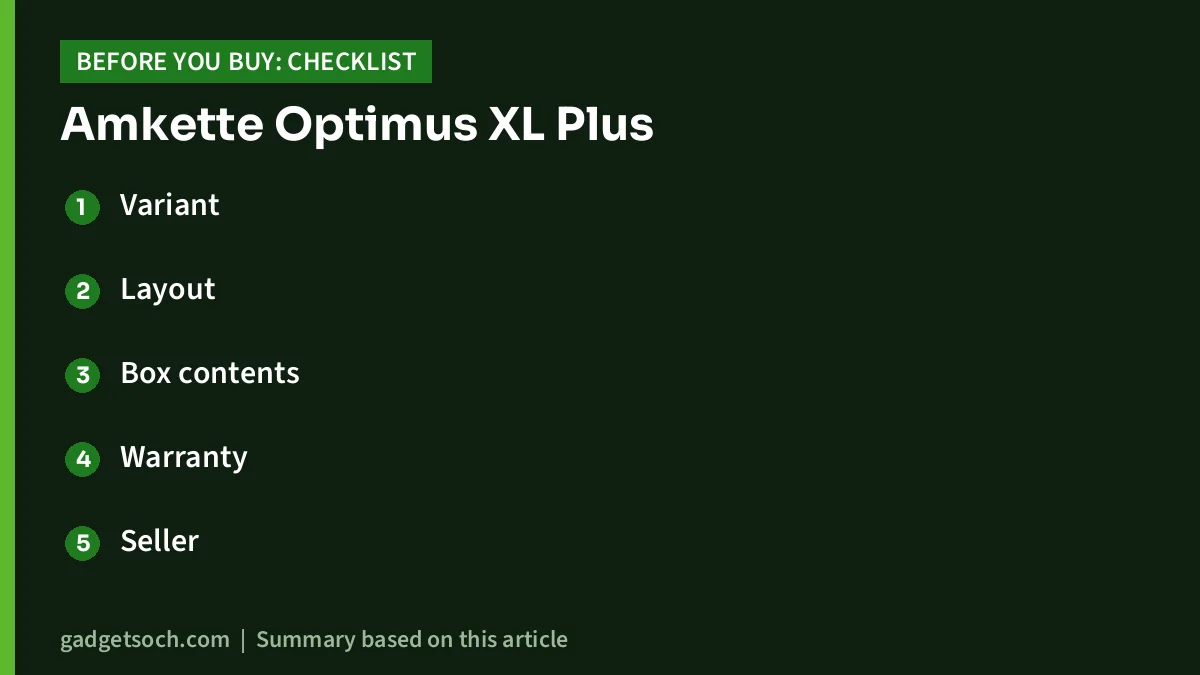
- Variant: the link on this page goes to the Black Optimus XL Plus. Confirm the colour and that the title says “Optimus XL Plus”, not Optimus XL or Optimus Plus, which are different models
- Layout: look at the listing photos to confirm whether there is a number pad and how the Windows and Mac keys are labelled
- Box contents: Amkette lists the keyboard, USB receiver and quick start guide. A charging cable is not mentioned in the FAQ box list, so check the listing or keep a Type-C cable ready
- Warranty: Amkette states a standard one-year manufacturer warranty. Keep your Amazon invoice, as it is your proof of purchase for a claim
- Seller: buy from a listing sold or fulfilled through a trusted seller so the warranty is honoured
See the Black Amkette Optimus XL Plus on Amazon.in
Setting it up in five minutes
Based on Amkette’s FAQ: charge it over Type-C, plug the USB receiver into your PC for the 2.4GHz slot, and for each Bluetooth slot press and hold the pairing key, then pick the keyboard in your device’s Bluetooth settings. The quick start guide shows which key is which.
Planning a full workspace? See our work-from-home desk setup guide.
Frequently asked questions
Does the Amkette Optimus XL Plus need batteries?
No replaceable batteries are needed. Amkette says it has a built-in 500mAh rechargeable battery that charges over USB Type-C.
How many devices can it connect to?
Four: three over Bluetooth and one over the included 2.4GHz USB receiver, with dedicated keys to switch between them.
Does it have a number pad?
The Amazon.in listing gives a count of 78 keys, which usually means no separate number pad, even though both Amkette and the listing describe it as “full size”. Check the listing photos to be sure.
Does it work with a Mac and an iPad?
Amkette’s official page lists macOS and iOS support alongside Windows and Android. Confirm the key labels for Mac shortcuts in the listing images.
Is the keyboard backlit?
Neither the official page nor the Amazon.in listing mentions a backlight, so assume it is not backlit.
What is the warranty?
Amkette’s FAQ states a standard one-year manufacturer warranty.
Final word
The Amkette Optimus XL Plus covers the basics that matter for a multi-device keyboard: four connection slots, a rechargeable Type-C battery and simple switching keys. Its weak spots are the gaps in published information, including battery life, Bluetooth version and the exact layout, and the likely lack of a number pad. If those do not affect how you work, it is a practical way to run several devices from one keyboard. Check the current price of the Amkette Optimus XL Plus on Amazon.in and confirm the variant before ordering.
Related reading on GadgetSoch: Canon PIXMA G1730 Review: Print-Only, USB-Only Ink Tank Printer for Home and Portronics Toad 23 Review: A Basic Wireless Mouse With a DPI Button, and Some Spec Conflicts.
Sources
- Amkette: Optimus XL Plus 4 In 1 Wireless Keyboard (official page), checked 17 October 2026
- Amazon.in listing for ASIN B0G4RN8VYX (title, feature bullets and technical details), checked 17 October 2026
- Amkette: Optimus Bluetooth XL 4 In 1 Keyboard (official page), checked 17 October 2026
- Amkette: Optimus Pro Max Bluetooth 4 In 1 Keyboard (official page), checked 17 October 2026




