

The Amazon Basics Pro Series 6-in-1 USB Hub is a USB-C hub that, according to its Amazon.in listing, adds HDMI output at up to 4K 60Hz, USB 3.0 at 5 Gbps, a USB-C Power Delivery port and a 3.5 mm audio jack, plus two extra buttons: one to switch the screen off and one to mute audio. On paper it suits a work-from-home desk with a 4K monitor and wired headphones. The catch is that the listing leaves out several basics, including the charging wattage, size, weight and warranty.
This article covers the Turquoise variant, ASIN B0DPCRJNXQ. Amazon Basics is Amazon’s own brand, and we could not find a separate manufacturer product page, so every product fact here comes from the Amazon.in listing as captured on 17 October 2026, and is labelled as the listing’s claim. We have not tested this hub, and we found no independent review of it to cite. Use this as a guide to what the listing promises and what you should confirm.
The short answer
- Good for: people with a 4K monitor who want 60Hz through a single USB-C cable, and anyone who uses wired headphones and likes a physical mute button for calls
- Skip if: you need a card reader or Ethernet, or you want a clearly stated charging wattage and warranty before you buy
- Listed strengths: HDMI at 4K 60Hz, 5 Gbps USB 3.0, 3.5 mm audio, screen-off and mute buttons, overcurrent and short-circuit protection, no drivers needed
- Gaps and limits: no PD wattage, size, weight, cable length, box contents or warranty in the captured listing data, and a compatibility list that names devices with no USB-C port
What the listing says, and what it does not
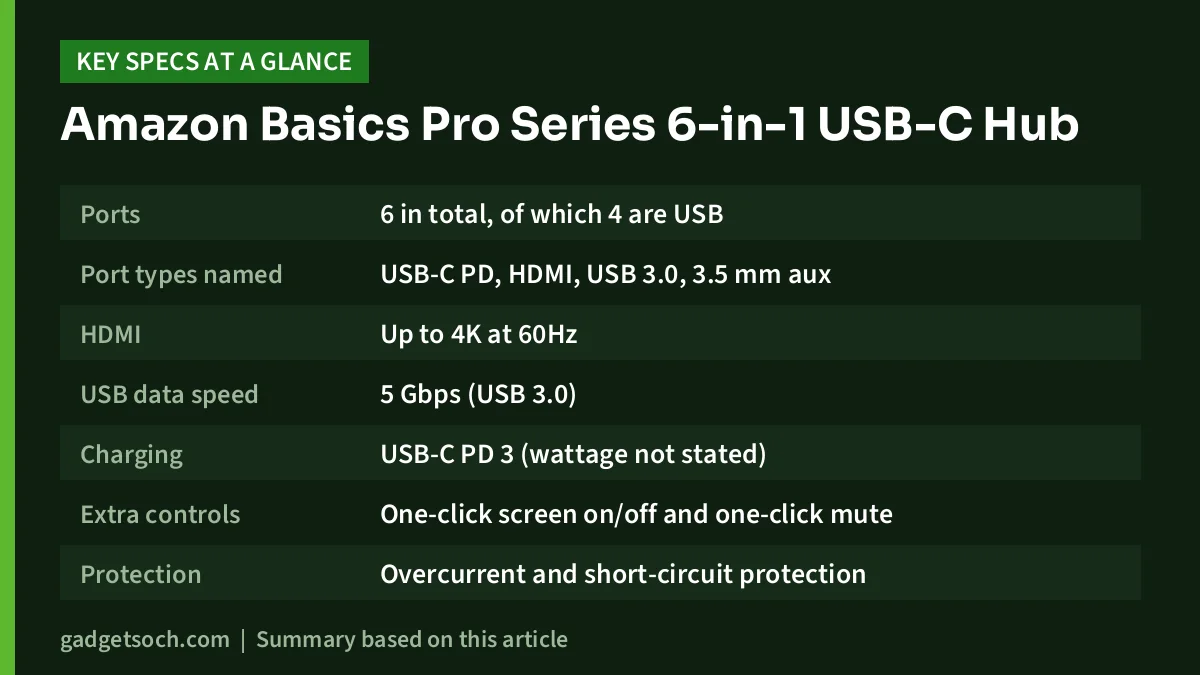
| Detail | Amazon.in listing (17 Oct 2026) |
|---|---|
| Ports | 6 in total, of which 4 are USB |
| Port types named | USB-C PD, HDMI, USB 3.0, 3.5 mm aux |
| HDMI | Up to 4K at 60Hz |
| USB data speed | 5 Gbps (USB 3.0) |
| Charging | USB-C PD 3 (wattage not stated) |
| Extra controls | One-click screen on/off and one-click mute |
| Protection | Overcurrent and short-circuit protection |
| Drivers | Plug-and-play, no drivers needed |
| Operating systems | Linux, Windows, Mac |
| Colour | Turquoise |
| Size, weight, cable length | Not stated |
| Material | Not stated |
| Warranty and box contents | Not stated |
The title says “USB-C PD 3”, which most likely refers to the USB Power Delivery 3.0 standard, but the listing does not give the maximum wattage. The listing also does not break down the four USB ports by type (Type-A or Type-C) or by speed. Check the product images and the “Product information” section on the listing before you order.
Check the current price of the Amazon Basics Pro Series 6-in-1 USB Hub (Turquoise) on Amazon.in
4K at 60Hz: the headline feature
Many compact USB-C hubs are rated at 4K 30Hz, including the Amkette 7-in-1 and Portronics C-Konnect according to their official pages. This one claims 4K 60Hz, which is the main reason to consider it. On a 4K monitor, 60Hz means the screen refreshes twice as often as 30Hz, so scrolling, typing and moving the mouse look smooth rather than slightly juddery. If you use a 1080p monitor or TV, the difference matters much less.
To actually get 4K 60Hz, three things need to line up:
- Your laptop’s USB-C port must output video. Look for DisplayPort Alt Mode, Thunderbolt or USB4 in your laptop’s specs. Many budget laptops have USB-C ports for data and charging only, and no hub can add video to those.
- Your laptop must be able to drive 4K at 60Hz over that port. Check your laptop maker’s spec sheet for the maximum external display resolution.
- Your HDMI cable must handle it. Use a cable sold as Premium High Speed or Ultra High Speed HDMI. An old cable from a set-top box may limit you to a lower refresh rate.
The screen-off and mute buttons
The listing describes a one-click mute that silences audio instantly, and a one-click screen-off that turns the display off to save battery and avoid interruptions. For anyone who spends the day on video calls, a physical mute button within reach is genuinely handy.
The listing does not explain how these buttons work, which display the screen-off button affects (the laptop panel, the external monitor or both), or whether they behave the same on Windows, macOS and Linux. Treat them as a bonus rather than the reason to buy, and read the listing’s question-and-answer section for owner experiences before you rely on them.
3.5 mm audio jack
The aux port lets you plug in wired headphones or speakers. This is useful for thin laptops that have dropped the headphone jack, and for keeping a headset plugged in at the desk so you do not have to reach behind the laptop. The listing does not say whether the port supports a headset microphone as well as audio output, so confirm this if you use a wired headset for calls.
Charging through the hub
The USB-C PD port lets you charge your laptop while using the hub. Without a stated wattage, plan cautiously:
- Find your laptop charger’s wattage, which is printed on the charger, and confirm the hub’s PD rating covers it.
- If your laptop uses a high-wattage charger, such as 90W or 100W, do not assume this hub supports that much. Look for an explicit figure first.
- The hub needs a separate USB-C PD charger. The listing does not mention one in the box.
- Laptops with round barrel-pin chargers cannot charge through any USB-C hub.
Our charger and power bank wattage guide explains how to find your laptop’s charging needs.
That compatibility list needs a warning
The listing’s “Compatible Devices” field names devices such as the iPhone 6 Plus, iPhone 7 Plus, iPhone 11, iPhone 3G, iPod Nano and AirPods Pro. Those iPhones and the iPod Nano use Lightning or older connectors, not USB-C, and AirPods are not a device you would plug a hub into. Ignore that field. What matters is the feature text, which says the hub works with Type-C tablets, smartphones and laptops. For a phone or tablet, HDMI output still depends on that device supporting video over USB-C.
How to choose a USB-C hub (and whether this one fits)
Before buying any hub, list the ports you actually use every day. Then match:
- Display: 1080p monitor, any hub with HDMI is fine. 4K monitor for work, look for 4K 60Hz, as this listing claims.
- Storage: if you move big files, count the 5 Gbps ports you need.
- Memory cards: this listing mentions no SD or microSD slot. Photographers should look elsewhere.
- Network: no Ethernet is listed. If your Wi-Fi is unreliable, choose a hub with an RJ45 port.
- Charging: match the hub’s PD rating to your laptop charger.
- Audio: wired headphones or speakers point towards this hub’s 3.5 mm jack.
For a full desk plan, see our work from home desk setup guide.
Who should buy it
- Remote workers with a 4K monitor and a laptop that supports 4K 60Hz over USB-C
- People who use wired headphones and want a physical mute button for calls
- Buyers who like the turquoise finish and want a hub that stands out on the desk
Who should skip it
- Photographers and creators who need an SD card reader
- Anyone who needs wired Ethernet
- Buyers with 90W to 100W laptops who need a confirmed PD rating
- People whose laptop USB-C port does not support video output
Alternatives worth comparing
- Amkette USB-C 7-in-1 Multiport Dock: per Amkette’s official page, 100W PD pass-through, SD and microSD slots, one 5 Gbps USB-A port and three USB 2.0-speed ports, but HDMI only at 4K 30Hz.
- Amkette Type-C 8-in-1 Pro Dock: adds Gigabit Ethernet and two USB 3.0 ports with 100W PD, but HDMI 1.4 at 4K 30Hz, per Amkette.
- Portronics C-Konnect 3-in-1: a smaller adapter with HDMI at 4K 30Hz, one USB 3.0 port and 100W PD charging, per Portronics’ official page.
Before you order

- Colour and variant: this link is for the Turquoise Pro Series 6-in-1, ASIN B0DPCRJNXQ. Confirm the colour and the “Pro Series 6-in-1” name on the listing, since Amazon Basics sells other hubs.
- Ask about missing specs: check the images and the question-and-answer section for the PD wattage, cable length and warranty, which were not in the listing data we captured.
- Your laptop: confirm video output over USB-C and the maximum external resolution.
- HDMI cable: have a Premium High Speed or better cable ready for 4K 60Hz.
- Returns: check the return window shown on the listing so you can test 4K 60Hz and the buttons with your own laptop.
See the Turquoise Amazon Basics Pro Series 6-in-1 hub on Amazon.in
Frequently asked questions
Does the Amazon Basics Pro Series 6-in-1 hub support 4K at 60Hz?
The Amazon.in listing claims HDMI output at 4K 60Hz. Your laptop’s USB-C port and your HDMI cable must also support it.
How many watts can it pass through for charging?
The listing names USB-C PD 3 but does not state a wattage. Confirm it on the listing or packaging before relying on it for a high-wattage laptop.
Does it have an SD card reader?
The listing does not mention one. Its named ports are USB-C PD, HDMI, USB 3.0 and a 3.5 mm audio jack.
Does it need drivers?
The listing describes it as plug-and-play with no drivers needed, and lists Linux, Windows and Mac.
Will it work with my iPhone?
Only an iPhone with a USB-C port could work with a USB-C hub. Ignore the older iPhones named in the listing’s compatibility field, as they use Lightning.
Final thoughts
On paper, the Amazon Basics Pro Series 6-in-1 offers something the compact hubs listed above do not: 4K at 60Hz, plus an audio jack and handy mute and screen-off buttons. The listing’s missing details, especially the PD wattage and warranty, are the reason to check carefully before buying. If those check out for your laptop, it is a sensible desk hub for a 4K monitor. Check the current price of the Amazon Basics Pro Series 6-in-1 USB Hub on Amazon.in.
Related reading on GadgetSoch: UGREEN Revodok 5-in-1 USB-C Hub Review (CM478): 4K HDMI, 100W PD, Specs and Limits and Acer USB-C Hub 7-in-1 (ODK360) Review: Three 5Gbps Ports, 4K 30Hz HDMI and PD Charging.
Sources
- Amazon.in listing for ASIN B0DPCRJNXQ: title, feature bullets and technical details (captured 17 October 2026)
- Amkette USB C 7-in-1 Multiport Dock, official page (checked 17 October 2026)
- Amkette Type-C 8-in-1 Pro Dock with Gigabit Ethernet, official page (checked 17 October 2026)
- Portronics C-Konnect, official product page (checked 17 October 2026)




