

The HP 320 FHD Webcam (53X26AA) is a simple plug-and-play USB-A webcam that records 1080p Full HD video at 30 frames per second with a 66-degree diagonal field of view, a single built-in microphone, a privacy cap and a clip that fits laptop screens and monitors. It is a sensible buy for anyone who wants clearer Zoom, Teams or Google Meet calls than an old 720p laptop camera can give, without paying for autofocus or stereo microphones.
Our short verdict: the HP 320 covers the basics that matter for everyday video calls, and HP officially lists Windows 11, Windows 10, macOS and Chrome OS support. Its limits are equally clear: the lens is fixed-focus, there is only one microphone, and it plugs into USB-A, so owners of USB-C-only laptops will need an adapter.
This article is based on HP’s official India product page, the Amazon.in listing data and published specifications, checked on 17 October 2026. It is not based on hands-on testing, and we have not reproduced any image-quality test results because we could not find an independent review to cite.
Quick verdict
- Best for: work-from-home calls, online classes, interviews and Chromebook users who want a certified external camera
- Skip if: you stream, record close-up product shots, or want a camera that refocuses automatically when you move
- Key strengths: 1080p at 30fps, 66-degree view, privacy cap, 360-degree swivel, tripod support, works with Chromebook certification
- Key limitations: fixed focus, single microphone, USB-A only, cable length not published, no 60fps mode
HP 320 FHD Webcam key specifications
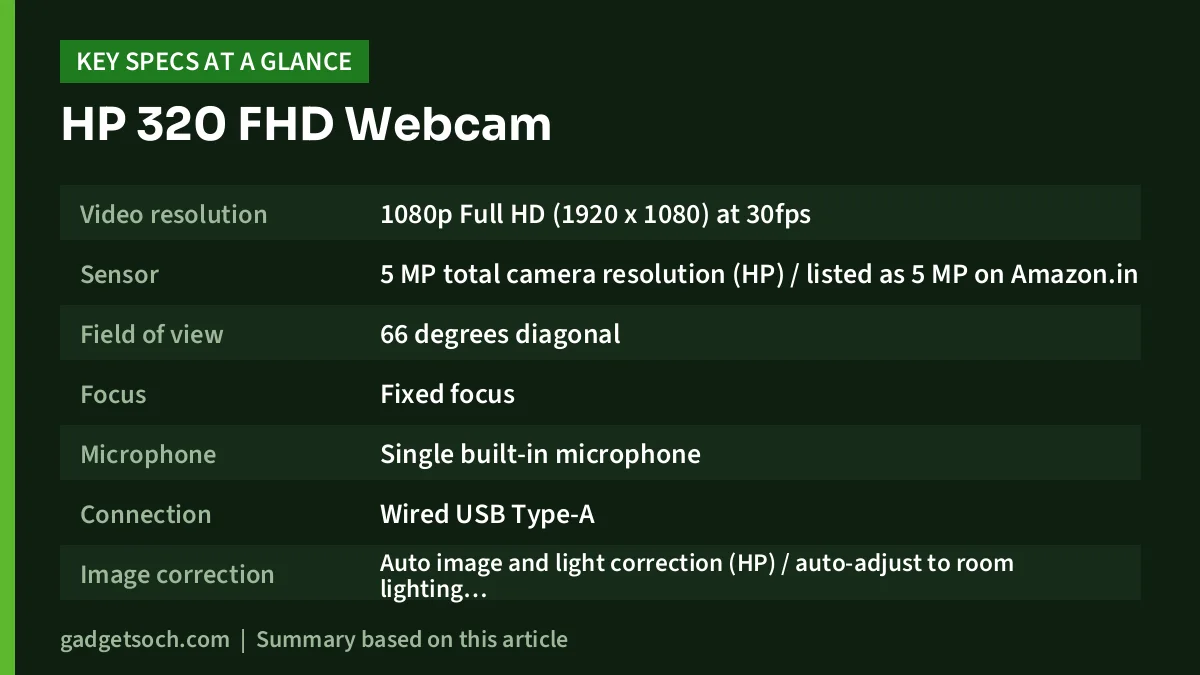
| Specification | HP 320 FHD Webcam (53X26AA) |
|---|---|
| Video resolution | 1080p Full HD (1920 x 1080) at 30fps |
| Sensor | 5 MP total camera resolution (HP) / listed as 5 MP on Amazon.in |
| Field of view | 66 degrees diagonal |
| Focus | Fixed focus |
| Microphone | Single built-in microphone |
| Connection | Wired USB Type-A |
| Image correction | Auto image and light correction (HP) / auto-adjust to room lighting (listing) |
| Privacy | Attachable privacy cap (HP) / manual privacy cover plus red camera-in-use LED (listing claim) |
| Mounting | Monitor or laptop clip, 360-degree swivel, 15-degree tilt, tripod support (tripod sold separately) |
| Operating systems | Windows 11, Windows 10, macOS, Chrome OS (HP) / Windows 10 and 11 (Amazon.in listing) |
| Size (W x D x H) | 72 x 53.6 x 53.2 mm |
| Weight | 107 g (HP) / 109 g (Amazon.in listing) |
| In the box | Webcam, Quick Start guide, warranty card |
| Warranty | HP one-year limited warranty |
The Amazon.in listing for ASIN B09SBNSFR5 is the black HP 320 FHD Webcam with model number 53X26AA. Check the current price of the HP 320 FHD Webcam on Amazon.in.
Design and mounting: small, light and adjustable
The HP 320 is a compact camera, roughly 72 mm wide, and HP lists its weight at 107 g (the Amazon.in listing says 109 g, a negligible difference). A light body matters on a thin laptop lid, which a heavier camera can tip backwards.
The built-in clip hooks over the top edge of a laptop display or desktop monitor. HP specifies a 360-degree swivel and 15-degree tilt, which lets you point the lens down slightly at your face rather than at the ceiling. If you sit at a standing desk or want the camera at eye level beside a large monitor, the base also supports a tripod; HP notes that the tripod is sold separately.
The connection is a fixed USB-A cable. HP does not publish the cable length on the product page we checked, so if your PC tower sits on the floor, measure the distance from the monitor to the nearest USB port and plan for a USB extension or a hub on the desk if needed.
Video quality: what 1080p, 30fps and 66 degrees mean in practice
1080p at 30fps is the standard target for video meetings. Zoom, Teams and Meet usually compress your video heavily before the other side sees it, so a sharper source gives the compression more detail to work with. The jump is most noticeable if your current camera is 720p. The HP 320 does not offer a 60fps mode, which matters only if you want smoother motion for streaming or recording.
The 66-degree diagonal field of view is moderate. It comfortably frames one person at a desk with some background, which is what HP means by a “natural conversational feel”. It is not wide enough for three or four people around a meeting table, but for one person it also shows less of a messy room.
The fixed-focus lens is the main technical compromise. A fixed-focus camera is set to stay sharp across a typical sitting distance, so your face should look in focus when you sit normally at a desk. What it cannot do is refocus on an object you hold close to the lens, such as a document, a product or a handwritten page. Teachers who show worksheets on camera or sellers who demo small items should consider an autofocus webcam instead.
HP says the camera auto-adjusts image and light to the environment. Automatic exposure helps when room brightness changes, but facing a window or lamp will improve the picture far more than software correction. HP’s page does not make any specific low-light claims, so we do not either.
Microphone: fine as a backup, not a headset replacement
HP lists a single built-in microphone. That is enough for short meetings without a headset, but a mic on top of a monitor sits further from your mouth than a headset mic and will pick up more room echo, fan noise and keyboard sound. HP does not publish any noise-reduction claims for this microphone. For long client calls or voice-overs, use a headset or USB microphone instead.
Privacy and security features
HP’s official page lists an attachable privacy cap. The Amazon.in listing describes a manual privacy cover and a red LED camera-in-use indicator. HP’s own India page that we checked did not mention the LED, so treat the indicator as the listing’s claim and check it on the product you receive. A physical cover is the dependable part, because it blocks the lens whatever software is running.
Compatibility: Windows, Mac, Chromebook and apps
HP lists Windows 11, Windows 10, macOS and Chrome OS as supported systems, and the only stated system requirement is a USB-A port. The Amazon.in listing’s technical details mention only Windows 10 and Windows 11, but HP’s own page is the stronger source here.
HP also states that the camera is certified to meet Google’s compatibility standards under the “Works with Chromebook” programme, and lists Google Meet as certified collaboration software. HP names Microsoft Teams, Zoom, Google Meet, OBS, XSplit and YouTube as UVC-compliant applications. UVC (USB Video Class) is the standard that lets an operating system use a webcam without a separate driver.
Many recent slim laptops and MacBooks have only USB-C ports, so you would need a USB-C to USB-A adapter or hub. Android phones and iPads are not on HP’s supported list.
Setting it up for better calls
Because the HP 320 is plug-and-play, the setup work is mostly about positioning and settings. These steps help any webcam, and they make a fixed-focus 1080p camera look its best:
- Clip the camera centred above your screen so you look close to the lens while reading the other person
- Tilt it so your eyes sit roughly one third from the top of the frame
- Place your main light in front of you, never a bright window behind you
- In Zoom, Teams or Meet, open video settings and choose “HP 320 FHD Webcam” as the camera, then check that the app is set to send HD video where it offers that option
- If you use a headset, select it separately as the microphone so the app does not switch back to the webcam mic
- If an app says the camera is busy, close other apps that may be using it and try again
Who should buy the HP 320 FHD Webcam
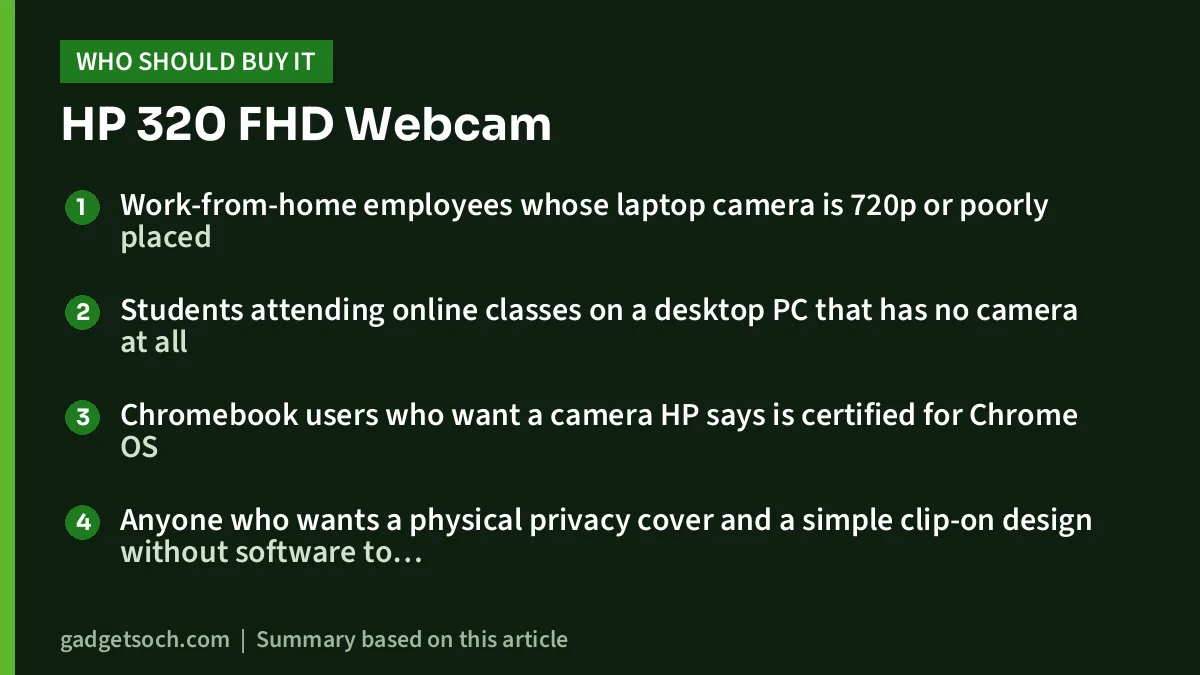
- Work-from-home employees whose laptop camera is 720p or poorly placed
- Students attending online classes on a desktop PC that has no camera at all
- Chromebook users who want a camera HP says is certified for Chrome OS
- Anyone who wants a physical privacy cover and a simple clip-on design without software to install
Who should skip it
- Streamers and YouTubers who want 60fps, wider framing or better audio
- Teachers or sellers who show documents and products close to the lens, because the lens is fixed-focus
- People with USB-C-only laptops who do not want to carry an adapter
- Small teams who need to fit several people in frame in a meeting room
Alternatives worth comparing
Logitech C270 HD Webcam: Logitech’s India page lists 720p at 30fps, a 55-degree diagonal field of view, a mono noise-reducing microphone effective up to 1.5 metres, and RightLight 2 automatic light correction. It is a lower-resolution, narrower option for people who only need a basic camera; the HP 320 offers both higher resolution and a wider view.
Logitech C920s Pro HD Webcam: Logitech lists 1080p at 30fps, a 78-degree diagonal field of view, autofocus, two microphones for stereo audio, RightLight 2 light correction and a sliding privacy shutter. It is the step up to consider if you need autofocus and better audio pickup than a single mic.
If you are building a full home office setup, our work-from-home desk setup guide covers keyboards, mice, monitors and cooling to go with a webcam.
What to check before you order
- Exact variant: the linked listing is the black HP 320 FHD Webcam, model 53X26AA. Confirm the model number on the listing before you pay
- Port: make sure your computer has a free USB-A port, or budget for an adapter
- Box contents: the listing and HP both mention the webcam, a Quick Start guide and a warranty card. A tripod is not included
- Warranty: HP states a standard one-year limited warranty, and the listing title also says one year. Check that the seller is an authorised one so the warranty can be claimed through HP India service
See the HP 320 FHD Webcam (53X26AA, black) on Amazon.in and confirm the model number and seller before ordering.
Frequently asked questions
Does the HP 320 FHD Webcam work with a MacBook?
HP lists macOS as a supported operating system. Most recent MacBooks have only USB-C or Thunderbolt ports, so you will need a USB-C to USB-A adapter or hub, because the HP 320 uses a USB-A plug.
Does the HP 320 have autofocus?
No. HP lists the focus as fixed. It should stay sharp at a normal sitting distance but will not refocus on objects held close to the lens.
Is the microphone good enough for meetings?
It is a single built-in microphone, which is enough to join calls. HP makes no noise-reduction claims, so for long calls in a noisy room a headset or dedicated USB mic is the better choice.
Can I mount the HP 320 on a tripod?
Yes. HP lists tripod support, but the tripod is sold separately.
What warranty does the HP 320 FHD Webcam have in India?
HP states a standard one-year limited warranty, and the Amazon.in listing title also mentions one year.
Final take
The HP 320 FHD Webcam is a straightforward upgrade from a weak laptop camera or a desktop with no camera at all. Full HD at 30fps, a 66-degree view, a privacy cap and official Windows, macOS and Chrome OS support cover what most meetings and classes need. Its fixed focus, single microphone and USB-A plug are the trade-offs to accept, and creators should look at autofocus models instead. Check the current price of the HP 320 FHD Webcam on Amazon.in.
Related reading on GadgetSoch: Logitech M196 Review: A Bluetooth-Only Travel Mouse With 12-Month Battery and HP Laser 1008w Review: Compact Wi-Fi Laser Printer for Black-and-White Documents.
Sources
- HP India: HP 320 FHD Webcam (53X26AA) product page, checked 17 October 2026
- Amazon.in listing for ASIN B09SBNSFR5 (title, feature bullets and technical details), captured 17 October 2026
- Logitech India: C270 HD Webcam, checked 17 October 2026
- Logitech: C920s Pro HD Webcam, checked 17 October 2026




