

The Logitech M196 is a small, Bluetooth-only wireless mouse that pairs directly with a laptop, tablet or Mac without a USB receiver, runs on a single AA battery that Logitech rates for up to 12 months, and has a simple three-button layout. It is a sensible pick if you want a light, no-fuss travel mouse for a laptop that has Bluetooth, especially a thin laptop or tablet with few or no USB-A ports.
It is not the right mouse if your desktop PC has no Bluetooth, if you want a rechargeable battery, or if you rely on back and forward side buttons. The variant on our link is the Graphite colour (model number 910-007462 on the Amazon.in listing).
How this article was put together: it is based on Logitech’s official M196 product page, the Amazon.in listing and a published retailer specification sheet, all checked on 17 October 2026. It is not based on hands-on testing, so it makes no claims about how the mouse feels in personal use.
Quick verdict
- Best for: students, office workers and travellers who use a Bluetooth laptop, MacBook or tablet and want a compact mouse with no dongle to lose
- Skip if: your PC lacks Bluetooth, you want a rechargeable mouse, or you need side buttons or adjustable DPI
- Key strengths: pair-and-play Bluetooth with no receiver, 12-month rated battery life on one AA cell, compact ambidextrous shape, plastic parts with 67% certified recycled content in Graphite
- Key limitations: Bluetooth only, three buttons, no DPI button listed, line-by-line scrolling only, and a small body that may feel cramped in large hands
Logitech M196 specifications
Logitech’s product page describes the features but, when we checked, did not show a detailed spec table in its page text. Measurements and some technical details below therefore come from a published retailer specification sheet (PB Tech) and the Amazon.in listing, labelled as such.
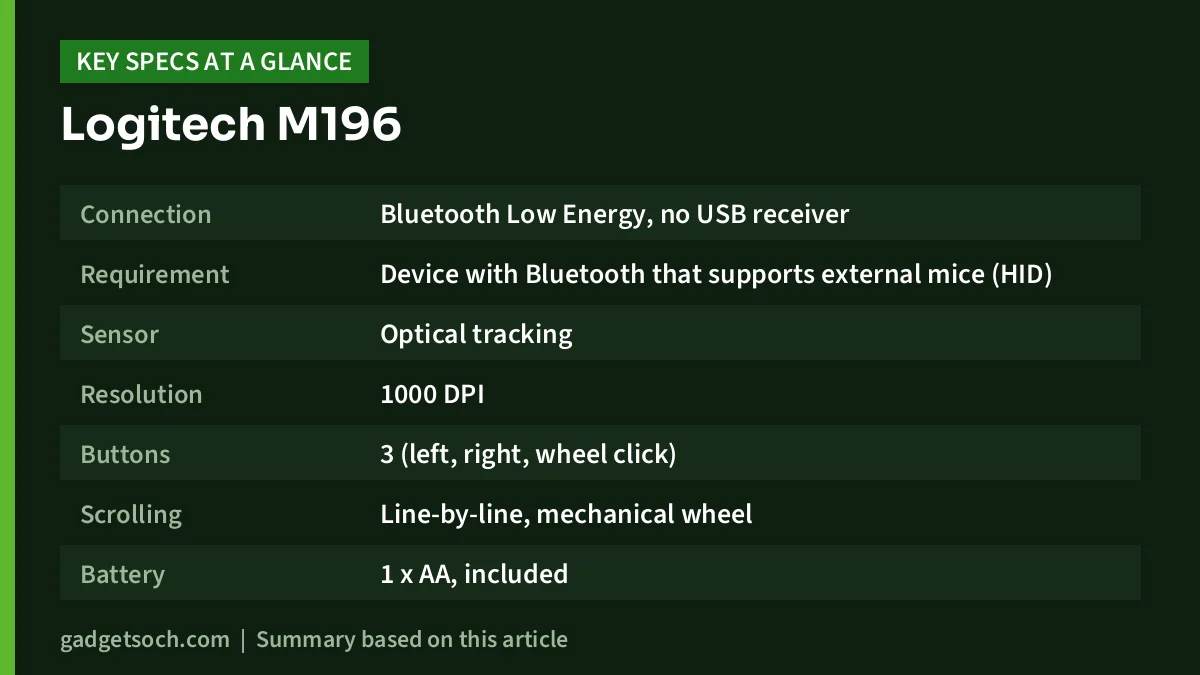
| Specification | Logitech M196 (Graphite) | Source |
|---|---|---|
| Connection | Bluetooth Low Energy, no USB receiver | Logitech, PB Tech |
| Requirement | Device with Bluetooth that supports external mice (HID) | PB Tech |
| Sensor | Optical tracking | Logitech |
| Resolution | 1000 DPI | PB Tech |
| Buttons | 3 (left, right, wheel click) | Amazon.in listing |
| Scrolling | Line-by-line, mechanical wheel | Logitech, PB Tech |
| Battery | 1 x AA, included | PB Tech, Amazon.in listing |
| Rated battery life | Up to 12 months (based on daily 8-hour office use) | Logitech, PB Tech |
| Power saving | Auto sleep and on/off switch | Logitech, PB Tech |
| Wireless range | 10 metres (varies with conditions) | PB Tech |
| Size (H x W x D) | 100 x 60 x 38 mm | PB Tech |
| Weight | 75.4 g with battery (listing says 76 g) | PB Tech, Amazon.in listing |
| OS support listed | Windows 10, 11 or later and macOS 11 or later | PB Tech |
| Shape | Ambidextrous, contoured | Logitech |
| Recycled plastic | 67% post-consumer recycled plastic (Graphite) | Logitech |
| In the box | Mouse, AA battery, documentation | PB Tech |
| Model number | 910-007462 | Amazon.in listing |
Check the current price of the Logitech M196 (Graphite) on Amazon.in
Bluetooth only: the most important thing to understand
The M196 has no USB receiver at all. Logitech describes it as a “pair and play” Bluetooth mouse with no dongle or port required, and the retailer spec sheet notes it needs a host device that supports Bluetooth external mice (the HID profile). This single design choice decides whether the M196 suits you.
On the plus side, there is nothing to plug in. That matters on thin laptops and MacBooks with only USB-C ports, where a receiver mouse would need an adapter, and it means one less tiny part to lose.
The trade-off is that the mouse depends entirely on your computer’s Bluetooth. Most laptops sold in recent years include Bluetooth, but many budget desktop PCs and older office machines do not. If your desktop has no Bluetooth, you would need to add a USB Bluetooth adapter, and at that point a receiver mouse is simpler. Bluetooth mice in general also tend to be unavailable until the operating system loads, so they are usually not useful for changing BIOS settings or using a boot menu. Keep a wired mouse around if you do that kind of work.
The listing and spec sheet do not mention multi-device switching, so plan on using the M196 with one paired device at a time. Pairing is started with a long press, according to the PB Tech spec sheet.
Size, shape and comfort
Logitech calls the M196 compact and contoured, with an ambidextrous shape for left- and right-handed users. The retailer sheet gives 100 x 60 x 38 mm and about 75 grams with the battery, and the Amazon.in listing gives similar figures (10 x 6 cm, 76 g).
One small inconsistency is worth knowing: the Amazon.in listing’s “hand orientation” field says “Right”, while Logitech’s own page describes the shape as ambidextrous. Since the manufacturer’s description is the more reliable source, the symmetrical shape should work for left-handed users too. Note that the button functions themselves are swapped in your operating system’s mouse settings, not on the mouse.
A 10 cm mouse is a travel size. It slips into a laptop sleeve, but people with large hands often end up gripping a mouse this size with their fingertips. For full working days at a desk, a full-size mouse may be more comfortable.
Tracking, DPI and scrolling
The M196 uses an optical sensor, and the Amazon.in listing claims smooth, accurate control on nearly any surface (not a claim that it works on glass). The PB Tech spec sheet lists the resolution as 1000 DPI. No DPI button is mentioned on the listing or the spec sheet, so treat it as a single-speed sensor and adjust pointer speed in Windows or macOS settings if needed.
Why does 1000 DPI matter? On a typical laptop screen it is generally enough to cross the screen with a modest wrist movement. On a large 4K monitor you may need to raise pointer speed in software, which can make fine movements feel less precise.
Scrolling is line-by-line with a mechanical wheel. That is predictable and precise for spreadsheets and documents, but there is no free-spinning mode for flying through long web pages or code files.
Battery life and power saving
Logitech rates the M196 at up to 12 months on a single AA battery, and the retailer sheet adds that this estimate is based on daily 8-hour office use. Auto sleep and an on/off switch help it reach that figure. A battery is included in the box, according to both the PB Tech sheet and the Amazon.in listing.
Real battery life varies with use, so treat 12 months as a rated figure. The upside of AA power is that you never wait for a mouse to charge: you swap the cell and carry on, and a rechargeable AA cell works too. Switch the mouse off when you pack it so it does not wake from movement.
Build and materials
Logitech says the plastic parts contain certified post-consumer recycled plastic: 67% for the Graphite version on our link, and 66% for Off-white and Rose. The Amazon.in listing describes the finish as matte. Recycled content says nothing about durability, but it matters if you care about the footprint of small electronics.
How to set up the M196
Setting it up is straightforward, but a few steps help avoid the most common pairing problems.
- Fit the AA battery (or remove any pull tab if it is pre-installed), then switch the mouse on
- Long-press to put the mouse into pairing mode (the method given in the PB Tech spec sheet), and check the quick guide in the box for the exact button
- On Windows, open Settings, then Bluetooth and devices, and choose Add device
- On a Mac, open System Settings, then Bluetooth, and select the M196 when it appears
- If it does not appear, switch the mouse off and on and retry
Who should buy it
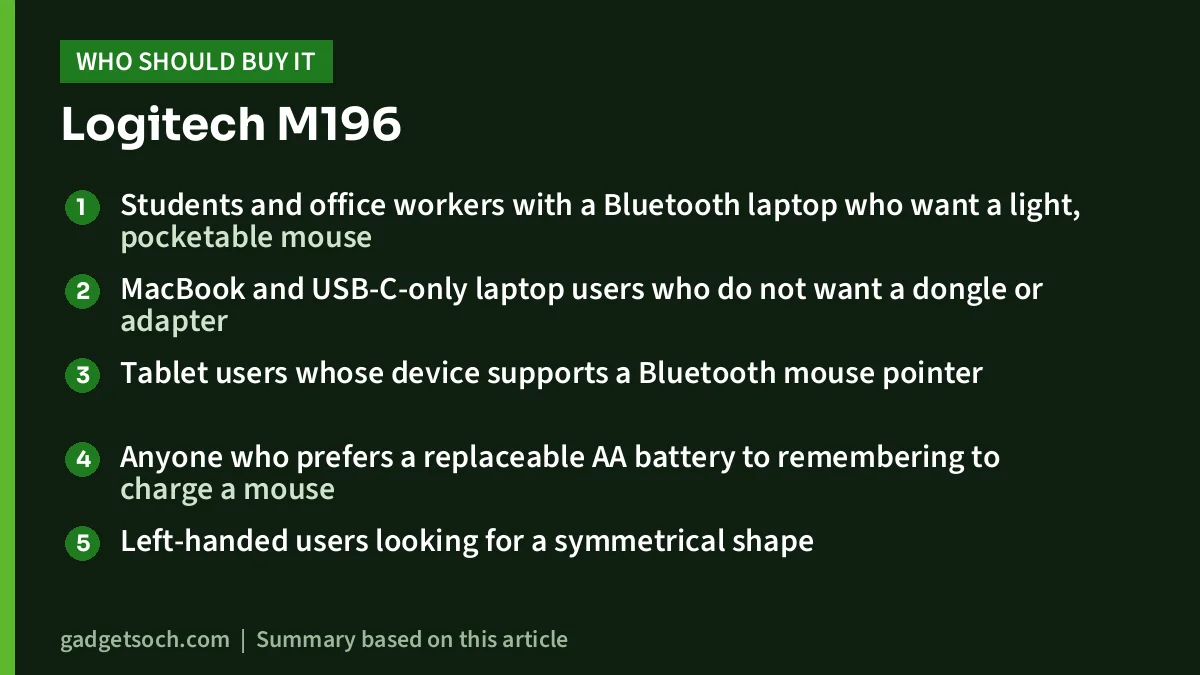
- Students and office workers with a Bluetooth laptop who want a light, pocketable mouse
- MacBook and USB-C-only laptop users who do not want a dongle or adapter
- Tablet users whose device supports a Bluetooth mouse pointer
- Anyone who prefers a replaceable AA battery to remembering to charge a mouse
- Left-handed users looking for a symmetrical shape
Who should skip it
- Desktop PC users without built-in Bluetooth
- People who want a rechargeable mouse with a USB-C port
- Users who depend on back and forward side buttons or adjustable DPI
- Gamers, who will want a higher-resolution sensor and a faster connection
- Heavy daily users with large hands who may find a 10 cm mouse cramped
Alternatives worth comparing
Logitech M221 Silent: the same small, three-button idea, but it connects through a 2.4 GHz USB receiver instead of Bluetooth and focuses on quiet clicks, which Logitech says are more than 90% quieter than its M170. Logitech rates it for up to 18 months on one AA battery. It suits desktops without Bluetooth better. Read our Logitech M221 Silent review for details.
Zebronics Glassy 10: a dual-mode mouse with both a 2.4 GHz nano receiver and Bluetooth, a built-in rechargeable battery, 5 buttons and three DPI steps (800, 1200 and 1600) according to Zebronics’ product page. It suits people who want a rechargeable mouse with a receiver option.
If you are building a complete laptop workstation, our work from home desk setup guide covers keyboards, mice and monitors together.
What to check before you order

- Colour and variant: our link is for the Graphite M196 (910-007462). Off-white and Rose are separate listings, so confirm the colour on the product page before ordering
- Bluetooth on your device: check that your laptop, PC or tablet has Bluetooth and supports external mice
- OS version: the retailer sheet lists Windows 10 or 11 and macOS 11 or later, so check older systems carefully
- Box contents: the mouse, an AA battery and documentation, according to the spec sheet. There is no USB receiver
- Seller and warranty: check the warranty terms shown on the Amazon.in listing and buy from a seller that provides a GST invoice, which you will need for any warranty claim with Logitech India
See the Logitech M196 Graphite variant on Amazon.in
Frequently asked questions
Does the Logitech M196 come with a USB receiver?
No. The M196 is Bluetooth only. Logitech describes it as a pair-and-play Bluetooth mouse with no dongle or port required, so your device must have Bluetooth.
Is the Logitech M196 rechargeable?
No. It runs on one AA battery, which is included according to the Amazon.in listing and the retailer spec sheet. Logitech rates the battery life at up to 12 months, based on daily 8-hour office use.
What is the DPI of the Logitech M196?
The PB Tech specification sheet lists 1000 DPI. Logitech’s product page simply describes optical tracking, and neither source mentions a DPI switch.
Does the M196 work with an iPad or Android tablet?
Logitech markets it for laptops, tablets and more, and it needs a device that supports Bluetooth mice. The retailer sheet only lists Windows and macOS, so check that your tablet model supports a Bluetooth mouse before buying.
Can it connect to two devices at once?
Neither the listing nor the spec sheet mentions multi-device switching, so plan on using it with one device at a time and re-pairing when you switch.
Final word
The Logitech M196 does one job: give a Bluetooth laptop or tablet a small, simple mouse with long battery life and no receiver. If that matches your setup, it is an easy recommendation on paper. If your PC lacks Bluetooth, or you want a rechargeable battery and more buttons, one of the alternatives above will suit you better.
Check the current price of the Logitech M196 on Amazon.in
Related reading on GadgetSoch: HP 320 FHD Webcam Review (53X26AA): 1080p Plug-and-Play Camera for Calls, With Limits and Canon PIXMA G3010 Review: Wi-Fi Ink Tank All-in-One, Specs and Trade-offs.
Sources
- Logitech India: M196 Bluetooth Mouse product page (checked 17 October 2026)
- PB Tech: Logitech M196 Bluetooth Mouse (Graphite) specifications (checked 17 October 2026)
- Amazon.in listing for the Logitech M196 Graphite (ASIN B0DBPCSWX5), seller-provided details captured 17 October 2026
- Zebronics: Zeb Glassy 10 product page (for the alternative, checked 17 October 2026)




