
The TP-Link UH6120C is a 6-in-1 USB-C hub that adds a 4K 60Hz HDMI port, gigabit Ethernet, 100W Power Delivery charging, one USB-C data port and two USB-A data ports to a laptop, tablet or phone through a single USB-C connection. Its standout point is that every data port is rated at 5Gbps and the HDMI output runs 4K at 60Hz, which many budget hubs do not offer. It has no SD or microSD card reader, so photographers may want something else.
Our short verdict: if you want one compact hub for a 4K monitor, wired internet and laptop charging, the UH6120C covers the essentials well on paper. If you need card slots or more than three USB devices, look at a bigger hub.
This review is based on TP-Link’s official specification pages and the Amazon.in listing data, both checked on 17 October 2026. It is not a hands-on test, and no independent measurements are quoted.
Quick verdict
- Good for: MacBook, Windows ultrabook and Chromebook users who want a 4K 60Hz monitor, gigabit LAN and pass-through charging from one port
- Skip if: you need SD or microSD slots, more than three USB data ports, or two external monitors
- Strengths: 4K at 60Hz HDMI, 1Gbps Ethernet, all three data ports rated 5Gbps, 100W PD, braided 180 mm cable, one-year warranty per the listing
- Limitations: no card reader, only six ports, TP-Link does not publish how much of the 100W reaches the laptop, case material described differently by TP-Link and the Amazon.in listing
TP-Link UH6120C specifications
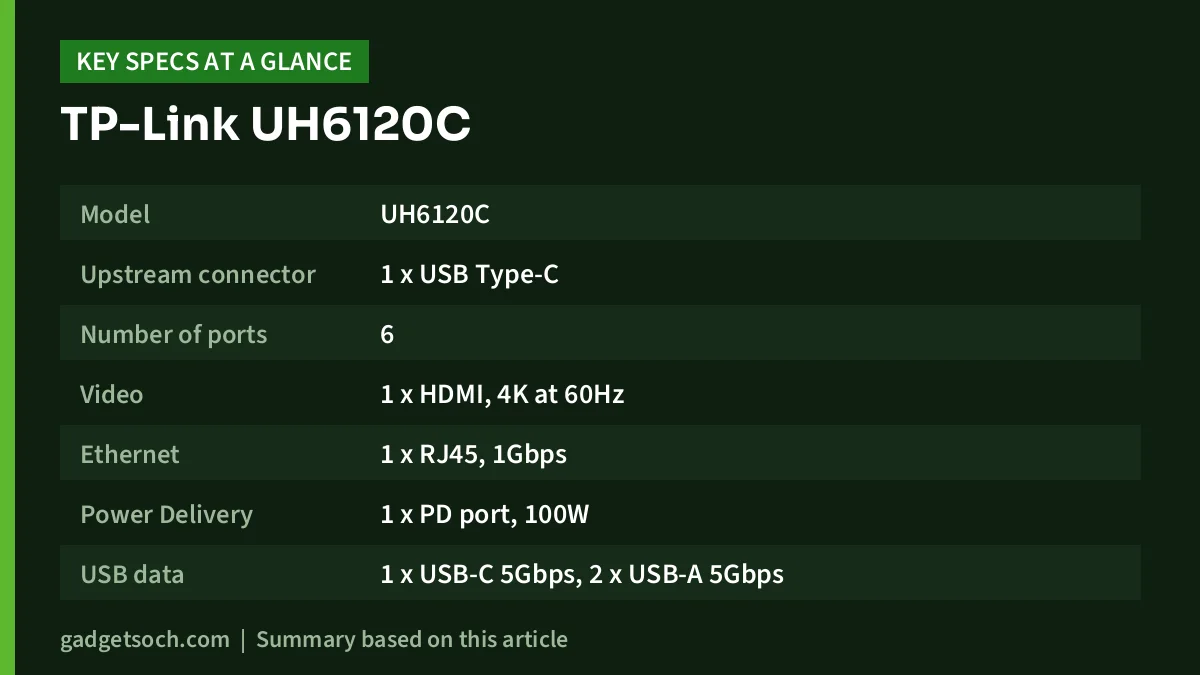
| Item | Official TP-Link specification |
|---|---|
| Model | UH6120C |
| Upstream connector | 1 x USB Type-C |
| Number of ports | 6 |
| Video | 1 x HDMI, 4K at 60Hz |
| Ethernet | 1 x RJ45, 1Gbps |
| Power Delivery | 1 x PD port, 100W |
| USB data | 1 x USB-C 5Gbps, 2 x USB-A 5Gbps |
| Cable | 180 mm braided |
| Case | Aluminium alloy (Amazon.in listing says plastic) |
| Dimensions | 118.2 x 43 x 14.3 mm |
| Weight | Not stated by TP-Link. Amazon.in listing shows 0.07 kg |
| Supported systems | macOS X 10.9 and later, Windows 7 and later, Linux, iPadOS, iOS, Android, Chrome OS |
| Certifications | CE, FCC, HDMI, BSMI |
| Operating temperature | 0 to 40 degrees C |
| In the box | UH6120C hub and Quick Installation Guide |
| Colour (this listing) | Grey |
| Warranty (Amazon.in listing) | 1 year manufacturer |
Check the current price of the TP-Link UH6120C on Amazon.in
Why 4K at 60Hz HDMI matters
The single biggest reason to pick the UH6120C over many cheaper hubs is its HDMI rating. TP-Link lists 4K at 60Hz, while a lot of budget USB-C hubs top out at 4K at 30Hz. On a 4K monitor, 60Hz makes mouse movement, scrolling and video playback look smooth in the way people expect from a laptop screen. At 30Hz, the same desktop feels laggy even though the picture is just as sharp.
There is a condition you need to check: the laptop’s own USB-C port must support video output (DisplayPort Alternate Mode, Thunderbolt or USB4), and it must be able to send a 4K 60Hz signal. A hub cannot add video capability to a port that does not have it. Many entry-level laptops have USB-C ports for data and charging only, so check the manual or the symbol next to the port before ordering.
The UH6120C has one HDMI port, so it drives one external display. If you want two monitors from one laptop, you need a different kind of dock.
Gigabit Ethernet for stable calls and big downloads
TP-Link, best known for networking gear, rates the RJ45 port at 1Gbps. That covers typical home broadband plans comfortably, and a wired connection is usually steadier than Wi-Fi for video calls, online exams, gaming and large file transfers. For office laptops on a corporate LAN, it also removes the need for a separate USB Ethernet dongle.
TP-Link’s page notes that you may need to update the hub’s drivers after an operating system update to keep it compatible, and that the latest drivers are in TP-Link’s download centre. If the Ethernet port stops working after a major Windows or macOS update, that is the first thing to check.
Three 5Gbps data ports
TP-Link lists one USB-C and two USB-A data ports, each rated at 5Gbps, and describes them as three USB 3.0 ports. This is a practical advantage over hubs that have one fast port and the rest at USB 2.0 speed: you can connect a portable SSD, a fast pen drive and a webcam without worrying about which port is the “fast” one.
Two cautions apply. First, TP-Link’s footnote says the transfer figures come from its own lab and actual speed will vary with the devices and conditions. Second, all three ports share the one USB-C link back to the laptop, so copying from two fast drives at once will not give each the full 5Gbps.
100W Power Delivery charging
The PD port accepts a USB-C charger so the hub can pass power through to your laptop while you use the other ports. TP-Link’s page describes it as delivering up to 100W to the PC. It does not say how much power the hub keeps for its own ports, and most hubs do reserve some, so plan for the laptop to receive somewhat less than the charger’s rating.
In practice: if your laptop came with a 65W USB-C charger, plug that same charger (or a stronger USB-C PD one) into the UH6120C’s PD port. A charger is not included in the box. Low-wattage phone chargers may keep a laptop alive only very slowly, or not at all under load.
Build, size and cable
At 118.2 x 43 x 14.3 mm, the UH6120C is small enough to carry in a laptop sleeve. TP-Link specifies an aluminium alloy case and a 180 mm braided cable, a longer and more flexible lead than the very short stubs on some hubs, which helps when the laptop’s USB-C port is on the far side from where you want the hub. Note that the Amazon.in listing’s technical details describe the enclosure material as plastic. Since TP-Link’s own spec says aluminium alloy, check the listing photos and description when ordering if the material matters to you.
TP-Link does not publish a weight. The Amazon.in listing shows 0.07 kg, which may or may not include packaging.
Compatibility
TP-Link’s spec page lists macOS X 10.9 and later, Windows 7 and later, Linux, iPadOS, iOS, Android and Chrome OS, and one regional TP-Link page also lists Nintendo OS. The Amazon.in listing gives macOS X 10.11 El Capitan and Windows 10 as minimum versions. In everyday use, data ports work with almost any USB-C host, while HDMI and charging depend on the host’s USB-C port supporting video and USB-C PD input.
Set it up in four steps
- Plug your USB-C laptop charger into the hub’s PD port first, if you want pass-through charging
- Connect the hub’s braided USB-C cable to a USB-C port on your laptop that supports video and charging
- Attach your monitor’s HDMI cable, then set the resolution and refresh rate in Windows Display settings or macOS Displays
- Plug in the LAN cable and USB devices, and check that each one is detected before relying on the setup
Who should buy the UH6120C
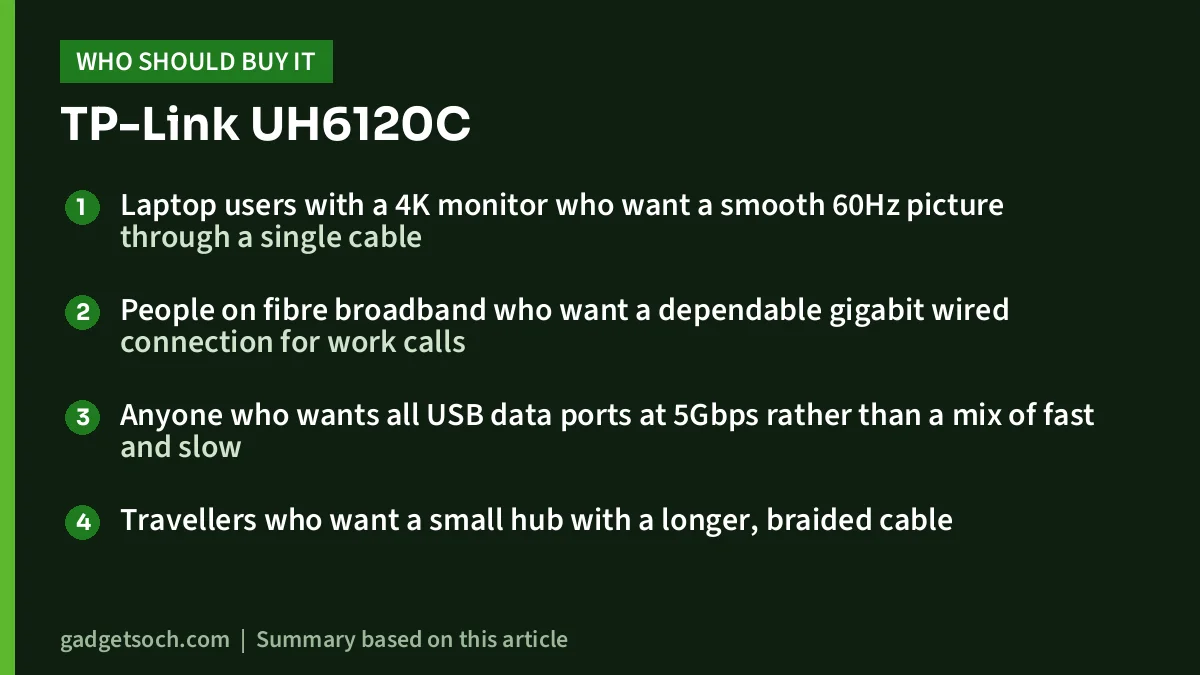
- Laptop users with a 4K monitor who want a smooth 60Hz picture through a single cable
- People on fibre broadband who want a dependable gigabit wired connection for work calls
- Anyone who wants all USB data ports at 5Gbps rather than a mix of fast and slow
- Travellers who want a small hub with a longer, braided cable
Who should skip it
- Photographers and creators who need built-in SD or microSD card readers
- People who need more than three USB peripherals connected at once
- Users who want two external displays from one hub
- Owners of laptops whose USB-C port does not support video output, if HDMI is the main reason for buying
Alternatives worth comparing
| Feature | TP-Link UH6120C | Zebronics CT101 | UGREEN Revodok 105 5-in-1 |
|---|---|---|---|
| Ports | 6 | 10 | 5 |
| HDMI | 4K at 60Hz | HDMI 1.4, 4K at 30Hz | 4K at 30Hz (per UGREEN’s listing) |
| Ethernet | 1Gbps | RJ45, speed not stated | None |
| Card readers | None | SD and microSD | None |
| Fast USB-A ports | 2 at 5Gbps | 1 at 5Gbps | 1 at 5Gbps |
| PD input | 100W | 100W | 100W |
The Zebronics CT101 suits people who want card readers and more ports and can live with 4K at 30Hz. The UGREEN Revodok 105 is a lighter, simpler travel option without Ethernet. The UH6120C sits between them: fewer ports than the Zebronics, but the strongest display and network specs of the three.
If you are planning a full work desk around a monitor, our work-from-home desk setup guide covers keyboards, mice and monitors.
What to check before you order

- Exact model: the link below is for the grey TP-Link UH6120C 6-port USB-C hub (ASIN B0DCZY52K3). Confirm the model number UH6120C on the listing
- Your laptop’s USB-C port: make sure it supports video output and USB-C PD charging
- Charger: none is included. Use a USB-C PD charger at least as powerful as your laptop’s own
- Monitor cable: for 4K at 60Hz, use an HDMI cable rated for that resolution and refresh rate
- Warranty: the Amazon.in listing shows a one-year manufacturer warranty. Keep your invoice for any service claim
- Test on arrival: check HDMI, Ethernet, every USB port and charging within the return window
See the TP-Link UH6120C 6-port USB-C hub on Amazon.in
Frequently asked questions
Does the TP-Link UH6120C support 4K at 60Hz?
Yes, TP-Link specifies its HDMI port at 4K 60Hz. Your laptop’s USB-C port must support video output at that resolution and refresh rate for it to work.
Is the Ethernet port gigabit?
Yes. TP-Link rates the RJ45 port at 1Gbps.
Can it charge my laptop while I use the other ports?
Yes, through the 100W PD port, using your own USB-C PD charger. TP-Link does not state how much power the hub keeps for itself, so the laptop may receive somewhat less than the charger’s rating.
Does it have an SD card reader?
No. The UH6120C has HDMI, RJ45, a PD port, one USB-C data port and two USB-A data ports, with no card slots.
Will it work with an iPad or Android phone?
TP-Link lists iPadOS, iOS and Android among supported systems. Whether HDMI and Ethernet work depends on the specific device’s USB-C port and software support.
Final verdict
The TP-Link UH6120C is a focused hub: fewer ports than some rivals, but the ones it has are well specified, with 4K at 60Hz HDMI, gigabit Ethernet, three 5Gbps data ports and 100W PD charging. Skip it if you need card readers or lots of USB ports. For a clean single-cable laptop desk with a 4K monitor, it is one of the more sensible picks on paper. Check the current price of the TP-Link UH6120C on Amazon.in.
Related reading on GadgetSoch: Portronics C-Konnect Review: 3-in-1 USB-C to HDMI Adapter With 100W PD, Explained and Anker 332 USB-C Hub (5-in-1) Review: 4K HDMI, 85W Charging and the 30Hz Catch.
Sources
- TP-Link: UH6120C specifications (checked 17 October 2026)
- TP-Link Hong Kong: UH6120C product page (checked 17 October 2026)
- Amazon.in listing for TP-Link UH6120C, ASIN B0DCZY52K3 (listing data captured 17 October 2026)
- Zebronics: Zeb CT101 product page (checked 17 October 2026)
- UGREEN: Revodok 105 5-in-1 USB-C Hub product page (checked 17 October 2026)




