

If you want the more compact printer with the higher rated ink yields per replacement bottle and sharper rated scanning, the Epson EcoTank L3250 is the better pick for most homes and students. If you want slightly faster rated black printing, Apple AirPrint and Mopria support, a small icon display and a clearly listed warranty, the HP Smart Tank 589 makes more sense, especially for a busy home or small office that prints a few hundred pages a month.

Both are Wi-Fi colour ink tank all-in-ones that print, scan and copy. Neither offers automatic two-sided printing or an automatic document feeder (ADF), so the choice comes down to ink yields, speed, size and mobile printing options.
A note on method: this comparison is based on official specifications and published reviews summarised in our individual reviews, not on hands-on testing. We have not printed with either machine. Availability and prices on Amazon.in change often, so check the listing before you buy.
Quick verdict: Epson L3250 or HP Smart Tank 589?
- Choose the Epson EcoTank L3250 if you want the higher rated ink yields per replacement bottle (up to 4,500 black and 7,500 colour pages), a lighter and smaller printer, and 1200 x 2400 dpi scanning.
- Choose the HP Smart Tank 589 if you want a slightly higher rated ISO black speed (up to 12 ppm against 10 ipm) and a listed monthly duty cycle of up to 3,000 pages.
- Choose the HP Smart Tank 589 if your family uses iPhones or Android phones that print through Apple AirPrint or Mopria without installing a brand app.
- Choose the HP Smart Tank 589 if you want an ID copy function for KYC paperwork and borderless printing listed up to A4.
Epson L3250 vs HP Smart Tank 589: specifications side by side
| Specification | Epson EcoTank L3250 | HP Smart Tank 589 (4A8D9A) |
|---|---|---|
| Functions | Print, scan, copy | Print, scan, copy |
| Print technology | Inkjet, refillable 4-colour ink tanks | HP Thermal Inkjet, refillable ink tanks |
| ISO print speed (A4) | Up to 10.0 ipm black, 5.0 ipm colour | Up to 12 ppm black, 5 ppm colour |
| Draft speed (A4) | Up to 33 ppm black, 15 ppm colour | Up to 22 ppm black, 16 ppm colour |
| Maximum print resolution | 5760 x 1440 dpi | Up to 4800 x 1200 optimised dpi colour |
| Ink bottles | Epson 003 series | GT53 black, GT52 cyan, magenta, yellow |
| Rated or listed ink yield | Replacement bottles: up to 4,500 black, 7,500 colour pages | Listing claim: up to 4,000 black, 6,000 colour prints |
| Monthly duty cycle | Not confirmed | Up to 3,000 pages (400 to 800 recommended) |
| Scanner | Flatbed CIS, 1200 x 2400 dpi optical | Flatbed CIS, up to 1200 x 1200 dpi |
| Copy | Up to 20 copies per job, ISO 7.7 ipm black | ISO up to 10 cpm black, ID copy |
| Paper input | 100 sheets plain or 20 sheets photo | Up to 100 sheets |
| Output tray | Not confirmed | Up to 30 sheets |
| Borderless printing | Up to 4R (4 x 6 inch) | Up to A4 (family sheet) |
| Automatic duplex | No | No (manual only) |
| ADF | No | No |
| Connectivity | Wi-Fi, Wi-Fi Direct (up to 8 devices), USB 2.0 | Wi-Fi 2.4 GHz, Wi-Fi Direct, USB 2.0, no Ethernet |
| Display | None | Small segment display with 1.2-inch icon LCD |
| Dimensions | 375 x 347 x 179 mm | About 43.4 x 58.1 x 25.9 cm (max, trays open) |
| Weight | 3.9 kg | 5.03 kg |
| Warranty | Not confirmed | 12 months carry-in (Croma listing) |
Epson figures come from Epson’s official regional product page. For the HP, HP’s India product page did not load when our review was written, so its specifications come from HP’s official sheet for the Smart Tank 580-590 family, cross-checked against Croma’s listing for the 589.
Running cost and ink yields
Low running cost is the main reason to buy either printer, and both use bottles instead of cartridges. Epson rates one replacement 003 black bottle for up to 4,500 pages and a set of colour bottles for up to 7,500 pages. The bottles supplied in the box give fewer pages, because some ink is used to charge the system.
For the HP, the 4,000 black and 6,000 colour figure is the claim in the Amazon.in listing title for the ink supplied with the printer. HP’s own fine print for the family says yields vary with content and that part of the first fill primes the system. The exact size of the black bottle packed with the India 589 could not be confirmed, so check the box contents on the listing.
Because Epson quotes replacement bottle yields and the HP figure is a listing claim for the supplied ink, the numbers are not a perfect like-for-like comparison. Even so, on the figures available, Epson’s rated yields are higher.
Both need regular use. A Canaltech review cited in our Epson review advised against the L3250 for people who print very rarely, because ink tank printers can clog when left unused. Our HP review gives the same warning: ink in any inkjet can dry if the printer sits idle for long.
Better for whom: the Epson suits buyers who want the highest rated yield per replacement bottle. The HP is still a low-running-cost printer, but its listed yield claim is lower.
Print speed and print quality
Under the ISO standard, which uses a standard document test, the HP is rated at up to 12 ppm black against up to 10 ipm black for the Epson. Colour is effectively a tie at around 5 pages per minute for both. Draft-mode figures are in the table, but ISO figures are the more realistic guide.
On paper resolution, Epson lists up to 5760 x 1440 dpi and HP lists up to 4800 x 1200 optimised dpi in colour. Maximum figures do not tell you which prints look better. Canaltech described the L3250’s text quality as good and found colours on photo prints accurate, while noting that inkjet prints can smudge if they get wet soon after printing. Our HP review makes no print-quality claims beyond the specifications.
For photos, Epson supports borderless printing up to 4R (4 x 6 inch). HP’s family sheet lists borderless printing up to A4.
Better for whom: the HP has the edge for anyone printing long black-and-white documents, thanks to the higher rated ISO black speed. The Epson has published review notes on text and photo quality, and is fine for small photo prints. Neither is fast for colour reports.
Scanning, copying and paper handling
Both scanners are A4 flatbeds with a CIS sensor and no ADF, so multi-page documents must be placed on the glass one page at a time. Epson rates its optical scan resolution at 1200 x 2400 dpi. HP lists up to 1200 x 1200 dpi with a maximum scan area of 216 x 297 mm.
For copying, Epson allows up to 20 copies per job with ISO copy speeds of up to 7.7 ipm black and 3.8 ipm colour. HP rates copying at up to 10 cpm black and lists an ID copy function that puts both sides of an ID card on one page, handy for KYC forms.
Paper handling is similar: up to 100 sheets of plain paper in each input tray, with Epson also listing 20 sheets of photo paper. Epson lists Indian-Legal (215 x 345 mm) and Legal sizes, and HP lists legal and DL envelopes among others. Two-sided printing is manual on both: you flip and reload the paper.
Better for whom: the Epson suits those who scan photos or fine detail, given its higher rated scan resolution. The HP suits small offices that copy ID cards often and want a listed duty cycle to plan around.
Wi-Fi, apps and setup
Both printers support Wi-Fi, Wi-Fi Direct and USB 2.0, and neither lists Ethernet. Both work on the 2.4 GHz band, so if your router broadcasts separate networks, connect to the 2.4 GHz one. Epson says Wi-Fi Direct supports up to eight devices.
Epson’s main tool is the Epson Smart Panel app, alongside Epson iPrint, Email Print and Remote Print Driver. HP offers the HP Smart app, plus Apple AirPrint, Mopria Print Service and the HP Print Service Plugin for Android.
For computers, Epson’s regional spec page lists Windows versions up to Windows 10 and macOS from 10.6.8, although Canaltech installed the L3250 on a Windows 11 PC and reported that the driver installation from Epson’s website took a long time. HP’s family sheet lists Windows 11, Windows 10 and macOS 10.15 onward.
Better for whom: the HP is the easier choice for mixed households of iPhones, Android phones and Windows 11 laptops, thanks to AirPrint, Mopria and listed Windows 11 support. The Epson works well if you are happy to use Epson’s own app.
Design, size, controls and warranty
The Epson is clearly the more compact printer at 375 x 347 x 179 mm and 3.9 kg. The HP weighs 5.03 kg and measures about 43.4 cm wide, with depth growing to about 58 cm when the trays are open, so plan desk space for the open position.
Neither has a proper screen. Canaltech listed the lack of an information display as the L3250’s main drawback. HP’s family sheet describes a small segment display with a 1.2-inch icon LCD.
For warranty, Croma lists a 12-month carry-in warranty for the HP, and HP’s family sheet adds a page limit of one year or 30,000 pages, whichever comes first. Our Epson review does not confirm warranty terms, so check the listing and your nearest Epson service centre before buying.
Better for whom: the Epson suits small desks and shelves. The HP suits buyers who want a small status display and warranty terms they can see up front.
Who should buy which
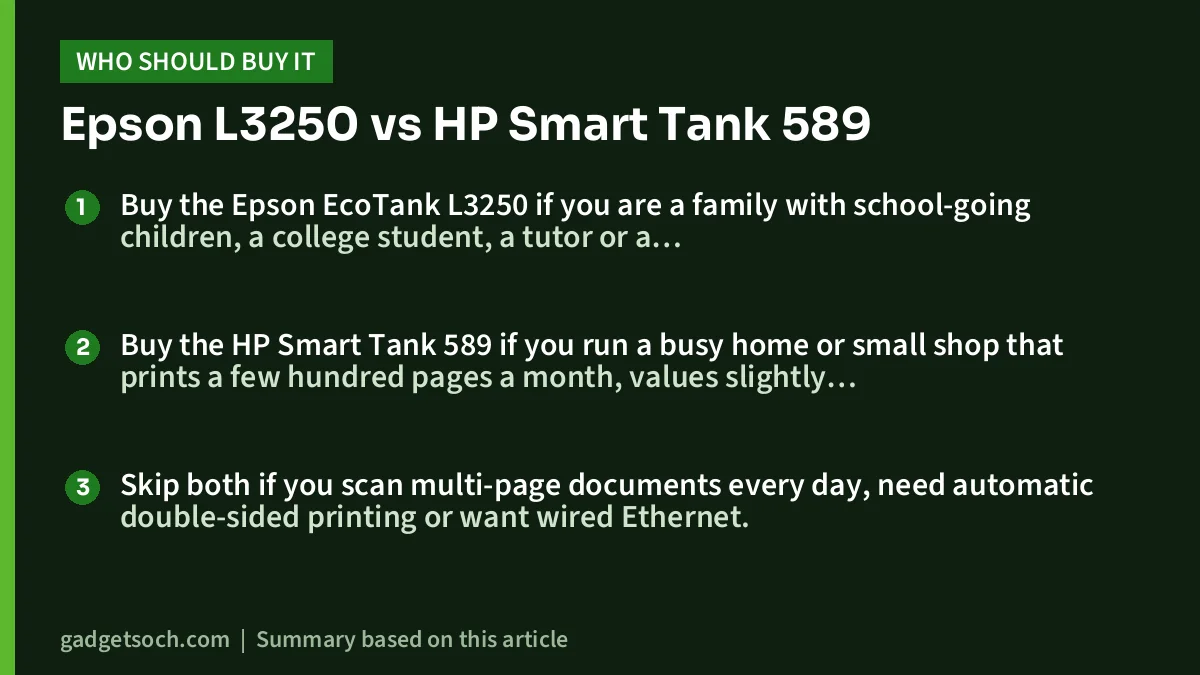
Buy the Epson EcoTank L3250 if you are a family with school-going children, a college student, a tutor or a work-from-home user who prints several pages a week, wants the highest rated ink yield per replacement bottle and has limited desk space. Read our Epson EcoTank L3250 review, then check the current price of the Epson EcoTank L3250 on Amazon.in. Confirm the listing says L3250.
Buy the HP Smart Tank 589 if you run a busy home or small shop that prints a few hundred pages a month, values slightly faster black printing, copies ID cards for paperwork, or prints from iPhones and Android phones through AirPrint or Mopria. Read our HP Smart Tank 589 review, then check the current price of the HP Smart Tank 589 on Amazon.in. Look for product code 4A8D9A on the listing if it is shown.
Skip both if you scan multi-page documents every day, need automatic double-sided printing or want wired Ethernet.
Frequently asked questions

Which has lower running costs, the Epson L3250 or the HP Smart Tank 589?
On the figures available, the Epson’s rated yields are higher: up to 4,500 black and 7,500 colour pages per replacement bottle set, against a listed claim of up to 4,000 black and 6,000 colour prints for the HP’s supplied ink. The two figures are measured on different bases, and real yields depend on what you print.
Does either of these printers print on both sides automatically?
No. Both support only manual two-sided printing, where you flip and reload the paper to print the second side.
Which is faster?
The HP is rated at up to 12 ppm black (ISO) against up to 10 ipm for the Epson. Colour is rated at about 5 pages per minute on both.
Can I print from my phone on both?
Yes. Both support Wi-Fi and Wi-Fi Direct. The Epson works with Epson Smart Panel and Epson iPrint, and the HP works with HP Smart, Apple AirPrint, Mopria and the HP Print Service Plugin.
Which is better for photos?
Neither is a dedicated photo printer. The Epson supports borderless prints up to 4 x 6 inches and Canaltech found its photo colours accurate. The HP lists borderless printing up to A4.
Our full reviews
- Epson EcoTank L3250 review: a low-running-cost Wi-Fi printer for home and students
- HP Smart Tank 589 review: Wi-Fi ink tank printer for home and small office
Related reading on GadgetSoch: Work From Home Desk Setup in India: Keyboard, Mouse, Monitor and Cooling Picks and Best Ink Tank Printer for Home in India.




