
The Zebronics Companion 116-K is a full-size wireless keyboard (keyboard only, no mouse) that connects to a laptop or PC through a 2.4GHz USB Nano receiver. It has 104 keys including a dedicated Rupee (₹) key, 12 multimedia keys, UV-coated keycaps, a retractable stand, an on/off switch and a power-saving mode, and it runs on a single AAA battery. If you want a plain, inexpensive wireless keyboard with a number pad for home or office typing, it covers the basics; if you need backlighting, Bluetooth or a rechargeable battery, look elsewhere.
This article is based on Zebronics’ official Companion 116 K product page and the Amazon.in listing data for ASIN B0G2GLPQ16, both checked on 17 October 2026. It is not a hands-on review: we have not typed on this Zebronics Companion 116-K, so there are no claims here about key feel or real battery life. Because a keyboard like this has few specifications, much of the article is practical buying advice that applies to any basic wireless keyboard.
At a glance
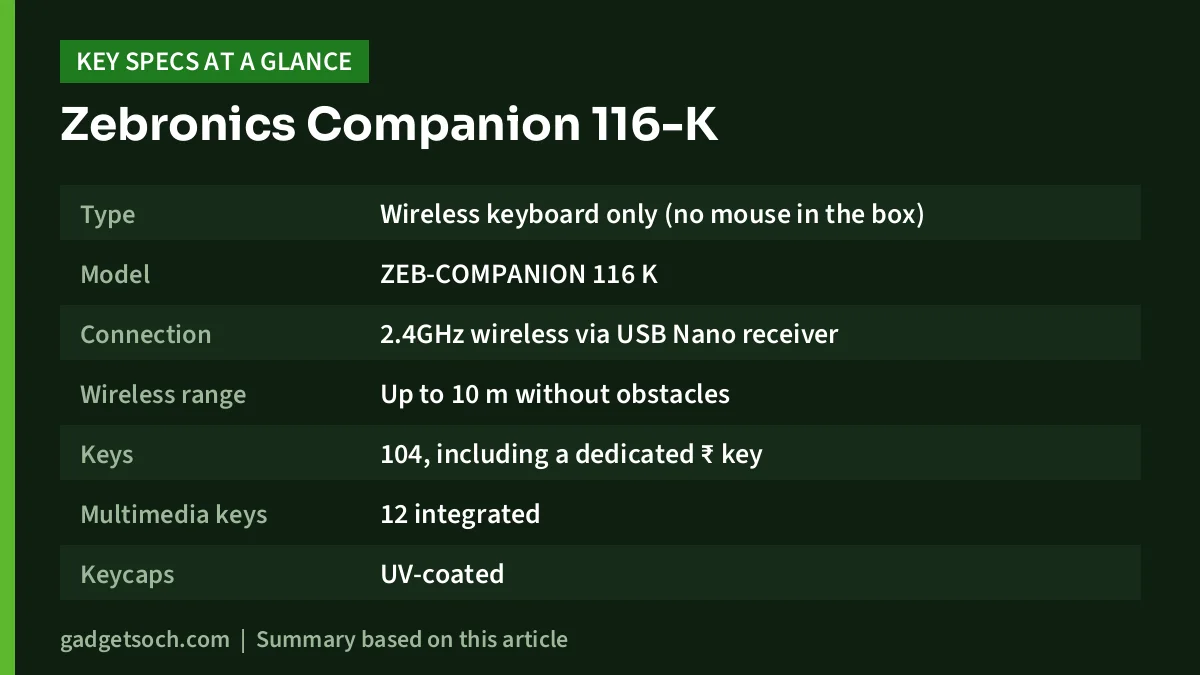
| Item | Zebronics Companion 116-K (official unless noted) |
|---|---|
| Type | Wireless keyboard only (no mouse in the box) |
| Model | ZEB-COMPANION 116 K |
| Connection | 2.4GHz wireless via USB Nano receiver |
| Wireless range | Up to 10 m without obstacles |
| Keys | 104, including a dedicated ₹ key |
| Multimedia keys | 12 integrated |
| Keycaps | UV-coated |
| Stand | Retractable |
| Controls | On/off switch, LED indicator, power-saving mode |
| Battery | 1 x AAA |
| Rated keystroke life | 8 million cycles |
| Size | 44 x 14 x 3.5 cm |
| Weight | 425 g (listing says 424 g) |
| In the box | Keyboard and USB Nano receiver |
| Colour (this listing) | Black (Amazon.in listing) |
| Minimum OS | Windows 7 (Amazon.in listing) |
| Warranty | 1 year carry-in to service centre (Amazon.in listing) |
Check the current price of the Zebronics Companion 116-K keyboard on Amazon.in
Quick verdict
- Good for: home PCs, office desks, students and laptop users who want a full keyboard with a number pad and no cable
- Not for: typing in the dark, connecting to phones or tablets over Bluetooth, switching between several devices, or Mac users who want official support
- Strengths: full 104-key layout with ₹ key and number pad, 12 multimedia keys, on/off switch, power-saving mode, single tiny receiver, 10 m rated range
- Limitations: keyboard only, no backlight listed, no Bluetooth, no published battery-life figure, battery not listed in the box contents
Make sure you are ordering the right product
The affiliate link opens Amazon.in listing B0G2GLPQ16, titled “Zebronics Wireless Keyboard, 2.4GHz, 104 Keys with 12 Multimedia Keys, UV-Coated Keycaps, Retractable Stand, On/Off Switch, Power Saving Mode, Plug & Play (Companion 116-K)”. The listing gives the colour as Black. It is a keyboard on its own: both Zebronics and the listing name only the Zebronics Companion 116-K and the Nano receiver as box contents, so you will need a separate mouse if your laptop’s touchpad is not enough.
Look for “116-K” in the title, because the listing’s technical table also uses broad labels such as “ZEB” and “ZEB-COMPANION” for the model.
Layout and keys: the practical bits
A full 104-key layout means a number pad on the right, a full function row, arrow keys and the usual navigation cluster. If you enter numbers in Excel, Tally, GST billing or banking forms, a number pad is far quicker than the row of digits above the letters, which is one of the main reasons people add an external keyboard to a laptop.
The dedicated Rupee (₹) key is a small but useful addition for Indian users. On most keyboards, typing ₹ needs a key combination or a symbol menu; here it is one press.
The 12 multimedia keys let you control music, videos and other functions, according to the listing, which helps if the Zebronics Companion 116-K also drives a PC you use for music or video. Zebronics does not list exactly which function each key performs, so check the product photos if a specific shortcut matters to you.
The keycaps are UV-coated. The Amazon.in listing says the coating protects against fading and everyday wear, so letters should stay legible longer than on uncoated budget keycaps. Zebronics rates the keys for 8 million keystrokes.
A retractable stand lifts the back of the Zebronics Companion 116-K for a steeper typing angle. Whether you use it is personal preference: some typists find a raised back comfortable, while others keep keyboards flat to reduce wrist bending.
Wireless connection, range and setup
The 116-K uses a 2.4GHz USB Nano receiver rather than Bluetooth. A receiver connection is generally simple: there is no pairing menu, and it works the moment the computer recognises it as a standard keyboard, which is what the listing means by plug and play. Zebronics rates the range at up to 10 metres without obstacles, more than enough for a desk or a computer connected to a TV across a room.
Setting it up usually takes under a minute:
- Insert one AAA cell into the keyboard’s battery compartment, matching the + and – marks
- Plug the Nano receiver into a free USB-A port on your laptop or PC
- Slide the on/off switch to on and wait a few seconds for the computer to detect the keyboard
- Open a text box and type a few keys, then test the number pad and multimedia keys
If nothing happens, try another USB port, confirm the switch is on, and check the battery direction. Laptops with only USB-C ports need a USB-C to USB-A adapter or hub, because the Zebronics Companion 116-K is a USB-A plug.
Battery: one AAA cell, no rated life
Zebronics lists 1 x AAA as the battery. It does not publish an expected battery life, and neither the official page nor the listing names a battery in the box contents, so keep an AAA cell ready when the keyboard arrives.
Three habits help a single cell last:
- Use the on/off switch when you leave the desk for a long time or carry the keyboard in a bag
- Let the power-saving mode do its job: Zebronics lists it as a feature but does not explain its timing, so the first keypress after a pause may simply wake the keyboard
- Use a good alkaline or rechargeable AAA cell, and remove the battery if the keyboard will sit unused for months, to avoid leakage
Zebronics lists an LED indicator but does not say which status it shows. When typing starts to lag or keys drop, a weak cell is the most likely cause, so try a fresh battery first.
Compatibility
The Amazon.in listing names laptops and PCs as compatible devices and gives Windows 7 as the minimum operating system. The official page does not list compatible systems. Standard typing will usually work with any computer that accepts a USB keyboard, but multimedia keys may behave differently on macOS, Linux or other devices, and Zebronics does not promise support for those. There is no Bluetooth, so phones and tablets without a USB port cannot use it.
Care and cleaning
- Switch the keyboard off before cleaning
- Turn it upside down and tap gently to remove crumbs, or use a soft brush between keys
- Wipe keycaps with a slightly damp, lint-free cloth, never a soaked one, and avoid harsh solvents that could damage the UV coating
- Zebronics does not claim spill resistance, so keep drinks away from the keyboard
- Store the Nano receiver in a safe place when you unplug it, because it is small and easy to lose
Who should buy it, and who should skip it

Buy it if you want a straightforward full-size wireless keyboard for a desktop PC or a laptop that stays on a desk, you type numbers often, and you prefer an inexpensive replaceable AAA cell over remembering to charge.
Skip it if you type in dim light and need backlit keys (none are listed), want to use one keyboard with a phone, tablet and laptop, need a mouse in the same box, or want a published battery-life figure before buying.
If you are pairing this keyboard with a separate mouse, our Logitech M221 Silent review covers a quiet, simple wireless option, and our work-from-home desk setup guide covers the wider desk.
Alternatives worth comparing
Zebronics details are from its official product pages. Logitech figures are from Logitech’s MK270 data sheet, as covered in our MK270r review.
- Zebronics K4000MW: a slimmer 78-key keyboard with 12 hotkeys that connects over 2.4GHz and Bluetooth, with up to two Bluetooth connections, so it can work with tablets and phones too. It drops the number pad.
- Zebronics Transformer PRO: a wireless keyboard and mouse combo with an aluminium keyboard body, double-shot keycaps, multi-colour LED lighting, a 1600 to 4000 DPI mouse and built-in batteries charged over Type-C.
- Logitech MK270r: a full-size wireless keyboard and mouse combo with one receiver, battery life rated by Logitech at up to 36 months for the keyboard and 12 months for the mouse, and a 3-year limited hardware warranty listed by Logitech.
Checks before you order
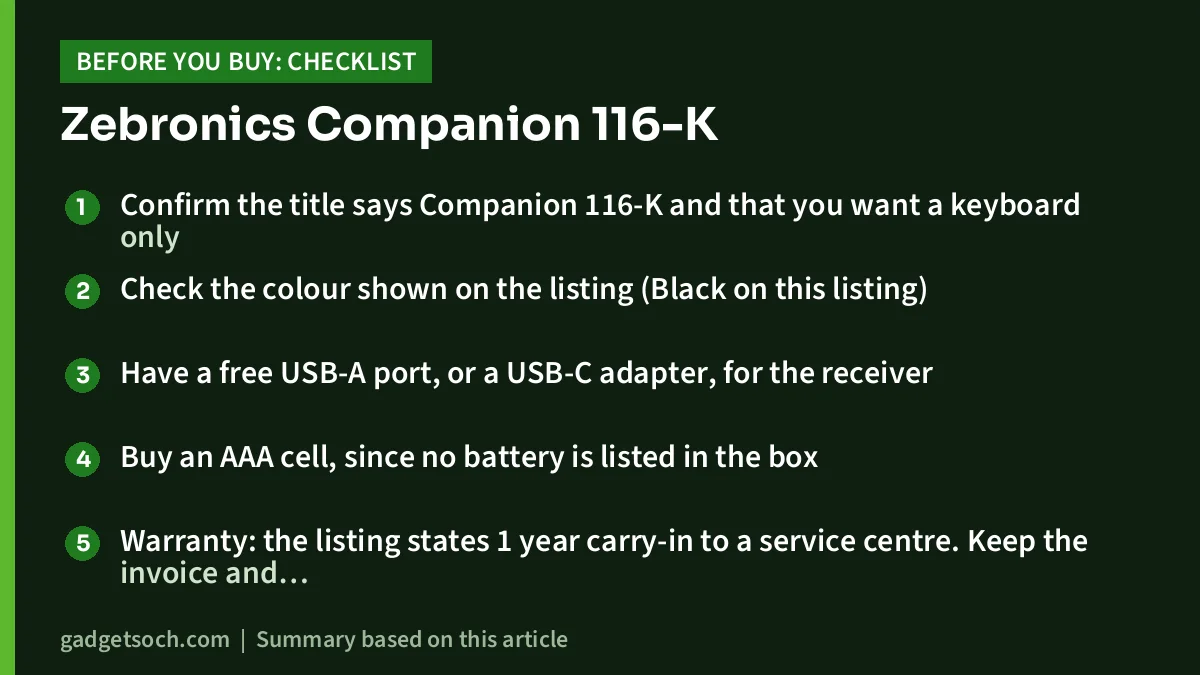
- Confirm the title says Companion 116-K and that you want a keyboard only
- Check the colour shown on the listing (Black on this listing)
- Have a free USB-A port, or a USB-C adapter, for the receiver
- Buy an AAA cell, since no battery is listed in the box
- Warranty: the listing states 1 year carry-in to a service centre. Keep the invoice and register the product on Zebronics’ warranty page
See the Zebronics Companion 116-K wireless keyboard on Amazon.in
Frequently asked questions
Does the Zebronics Companion 116-K come with a mouse?
No. Zebronics lists only the keyboard and the USB Nano receiver in the package.
What battery does the Companion 116-K use?
It uses one AAA battery, according to Zebronics. Neither Zebronics nor the listing says a battery is included, and no battery-life figure is published.
Does it have a Rupee key?
Yes. Zebronics and the Amazon.in listing both mention a dedicated ₹ key among the 104 keys.
Is the Companion 116-K backlit or Bluetooth?
Neither is listed. It connects only through the 2.4GHz Nano receiver, and the official page lists no backlighting.
What is the wireless range?
Zebronics rates it at up to 10 metres without obstacles. Walls and other wireless devices can reduce that.
Bottom line
The Zebronics Companion 116-K does the simple things a desk keyboard should: a full layout with a number pad and ₹ key, multimedia shortcuts, a stand, an on/off switch and a tiny receiver. What it lacks is equally clear: no mouse, no backlight, no Bluetooth and no published battery life. For a no-frills wireless keyboard, that trade-off is reasonable.
Check the current price of the Zebronics Companion 116-K on Amazon.in
Related reading on GadgetSoch: Canon PIXMA G3012 Review: Wi-Fi Ink Tank Printer for Windows and Phone Users and Dell WM118 Wireless Mouse Review: A Simple Office Mouse, and the Listing Errors to Know.
Sources
- Zebronics: Companion 116 K Wireless Keyboard, official product page (checked 17 October 2026)
- Amazon.in listing B0G2GLPQ16, title, feature bullets and technical details (captured 17 October 2026)
- Zebronics: K4000MW product page (checked 17 October 2026)
- Zebronics: Transformer Pro product page (checked 17 October 2026)
- Logitech MK270r figures as documented in gadgetsoch’s Logitech MK270r review, sourced from Logitech’s MK270 data sheet (checked 17 October 2026)




