
The Canon PIXMA G3012 is an A4 Wi-Fi ink tank printer that prints, scans and copies, and Canon rates its ink bottles at about 6,000 black pages and 7,000 colour pages. It is a sound choice for Indian homes, students and small offices that print regularly from Windows PCs or phones and care most about low running costs. Its main catches are that Canon’s India page says macOS is not supported, there is no automatic two-sided printing or document feeder, and colour printing is slow at 5 ipm.
The Amazon.in link in this article opens the listing titled “Canon Pixma G3012 All-in-One Wireless Ink Tank Colour Printer”, in black. Canon sells several similar G-series models, so confirm that the model name reads G3012 before you order.
How this article was put together: the specifications come from Canon India’s official PIXMA G3012 page and the Amazon.in listing data, both checked on 17 October 2026. Where they disagree, we say so. This is not a hands-on review, and we have not printed with this machine ourselves.
Quick verdict
- Best for: homes, students and small offices printing school work, forms and documents every week, from Windows or a phone
- Skip if: you use a Mac, need automatic duplex, scan multi-page documents often, or print only a few pages a year
- Key strengths: high rated ink yields, Wi-Fi with Wireless Direct, Canon PRINT and Mopria support, borderless printing up to A4, small LCD for status
- Key limitations: macOS not supported per Canon India, 8.8 ipm black and 5 ipm colour, no auto duplex, no ADF, 100-sheet rear tray
Canon PIXMA G3012 key specifications
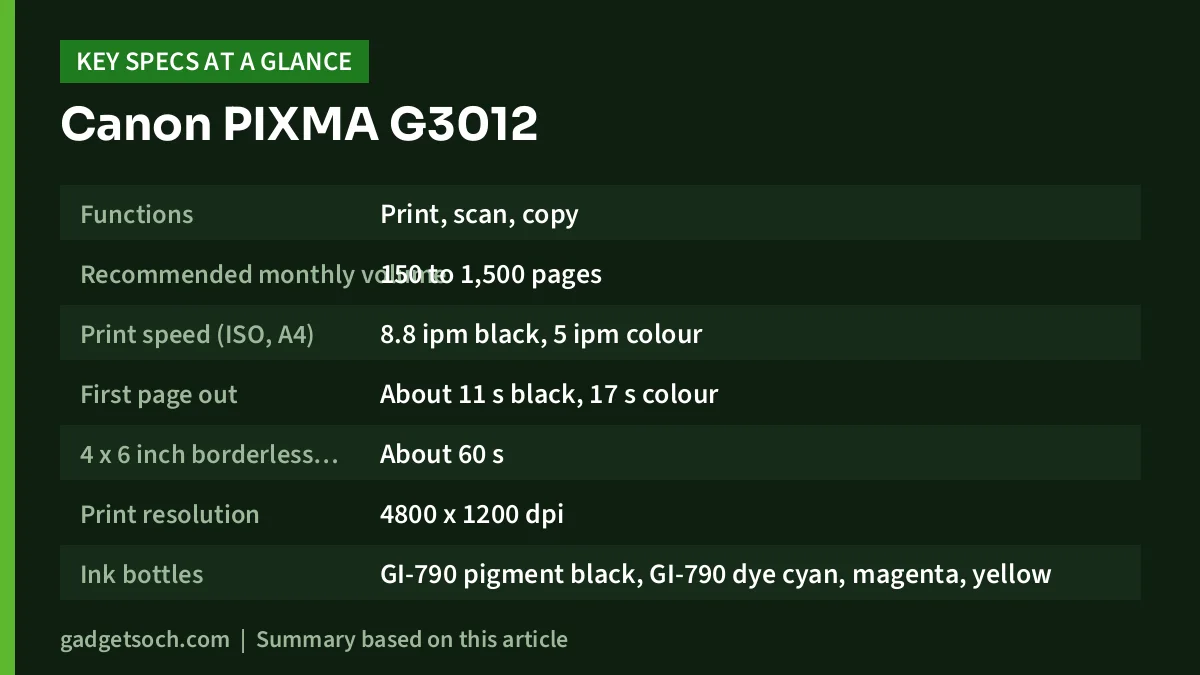
| Specification | Canon PIXMA G3012 (Canon India official page) |
|---|---|
| Functions | Print, scan, copy |
| Recommended monthly volume | 150 to 1,500 pages |
| Print speed (ISO, A4) | 8.8 ipm black, 5 ipm colour |
| First page out | About 11 s black, 17 s colour |
| 4 x 6 inch borderless photo | About 60 s |
| Print resolution | 4800 x 1200 dpi |
| Ink bottles | GI-790 pigment black, GI-790 dye cyan, magenta, yellow |
| Rated yield (A4 documents) | About 6,000 pages black, 7,000 pages per colour bottle |
| Rated yield (4 x 6 photos) | About 2,000 photos per colour bottle |
| Connectivity | Wi-Fi 802.11b/g/n (2.4 GHz), Wireless Direct, USB 2.0 |
| Mobile and cloud | Canon PRINT, Easy-PhotoPrint Editor, Mopria, PosterArtist, Cloud Integration Service |
| Operating systems | Windows 10, 8.1, 7 SP1, ChromeOS (macOS not supported) |
| Display | 1.2-inch monochrome segment LCD |
| Scanner | Flatbed CIS, 600 x 1200 dpi optical, up to A4 or Letter |
| Copy | About 3.5 ipm colour, up to 20 copies |
| Paper input | Rear tray, 100 sheets plain paper, 20 sheets 4 x 6 photo paper |
| Borderless printing | Up to A4 |
| Dimensions and weight | 445 x 330 x 163 mm, 6.3 kg |
| Power | AC 100 to 240 V, about 11 W printing, 1.2 W standby |
Check the current price of the Canon PIXMA G3012 on Amazon.in
Running costs: the reason to buy an ink tank
The G3012’s appeal is its running cost. Instead of small cartridges, it uses refillable tanks filled from GI-790 ink bottles. Canon India rates a black bottle at about 6,000 A4 pages and each colour bottle at about 7,000 pages. Those figures are measured on standard test documents, so pages heavy with images or dark backgrounds will use more ink.
The Amazon.in listing adds a cost-per-page claim of 9 paise for black-and-white and 32 paise for colour, “as per ISO standards”. That figure is the seller’s calculation, not something on Canon’s spec page, and it depends on the price you pay for refill bottles. The listing also says the box contains two extra GI-790 black bottles in addition to one set of cyan, magenta, yellow and black, which would be a meaningful bonus for heavy text printing. Check the “What’s in the box” section before ordering, because box contents can change.
Canon uses pigment black ink and dye-based colour inks. Pigment black tends to give sharper, more water-resistant text on plain paper, while dye colours suit photos on glossy paper. Canon’s rated photo yield is about 2,000 4 x 6 inch prints per colour bottle.
Speed and print quality expectations
Canon rates the G3012 at 8.8 images per minute for black and 5 ipm for colour under ISO testing, with the first black page out in about 11 seconds. That is fine for homework, forms and short documents, but slow for long colour reports. A borderless 4 x 6 inch photo takes about 60 seconds, according to Canon.
The 4800 x 1200 dpi print resolution is a maximum, not a measure of quality on its own. For text, the pigment black ink matters more. For photos, using Canon photo paper and the right paper setting in the driver or app makes a bigger difference than the dpi figure.
Wi-Fi, apps and the Mac problem
The G3012 connects over 2.4 GHz Wi-Fi, USB 2.0 and Wireless Direct, which lets a phone connect straight to the printer without a router. Canon lists the Canon PRINT app, Easy-PhotoPrint Editor and Mopria Print Service, which is built into many Android phones. The Amazon.in listing mentions a “Canon Selphy App”, but Canon’s own page names Canon PRINT, so use that.
The biggest compatibility warning is for Mac owners. Canon India’s spec page lists Windows 10, 8.1 and 7 SP1 plus ChromeOS, and states that macOS is not supported. The Amazon.in listing says the same. If your main computer is a MacBook, look at a printer that officially supports macOS instead of relying on workarounds.
Paper handling, scanning and copying
Paper loads into a rear tray that holds up to 100 sheets of plain paper, according to Canon. It accepts A4, A5, B5, Letter, Legal, envelopes, 4 x 6, 5 x 7 and other sizes, and can print borderless up to A4.
The flatbed scanner offers 600 x 1200 dpi optical resolution up to A4. That is enough for documents, ID cards and photos, but there is no automatic document feeder, so multi-page scanning means placing pages one at a time. Canon rates colour copying at about 3.5 ipm and up to 20 copies per job.
There is no automatic duplex either. The listing bullet says “Duplex Print – No”, although the same listing’s technical table shows “Auto-Duplex” as a special feature. Canon’s spec page does not list automatic two-sided printing, so assume you will flip pages by hand.
Where the listing and Canon’s page disagree
- Duplex: listing bullet says no duplex, listing table says auto-duplex, Canon’s page lists no automatic duplex
- Weight: listing says 6.5 kg, Canon says 6.3 kg
- Power: listing says 200 to 240 V, Canon says 100 to 240 V
- Copy speed: listing shows 1 ppm, Canon rates about 3.5 ipm for colour copies
- App: listing says Canon Selphy app, Canon names Canon PRINT
- Warranty: listing says 1 year onsite warranty, Canon’s page gives no period and says consumables like ink and paper are excluded
Who should buy the G3012, and who should not

Buy it if you print schoolwork, office documents and occasional photos every week from Windows, Android or iPhone, and want low cost per page more than speed. The listing describes regular or heavy use of more than 300 pages per month as ideal, and Canon’s recommended volume is 150 to 1,500 pages per month.
Skip it if you use a Mac, need automatic duplex or a document feeder, print long colour reports often, or print only a few pages a year. Ink can dry in the nozzles of rarely used inkjets, so very light users may be better off with a different printer type.
Alternatives worth comparing
Epson EcoTank L3250: Epson’s official page lists print, scan and copy, ISO speeds of 10.0 ipm black and 5.0 ipm colour, rated yields of 4,500 black and 7,500 colour pages, Wi-Fi Direct for up to eight devices, a 1200 x 2400 dpi scanner, no auto duplex and support for Mac OS X 10.6.8 or later. It is the obvious pick for Mac households. See our Epson EcoTank L3250 review.
HP Smart Tank 589: HP’s official sheet for the Smart Tank 580 family lists ISO speeds of 12 ppm black and 5 ppm colour, manual duplex with driver support, Wi-Fi Direct, Apple AirPrint, Mopria and the HP Smart app, and a 1200 dpi flatbed scanner. It suits buyers who want faster black printing and AirPrint.
For a broader comparison, see our guide to the best ink tank printers for home in India.
Before you order
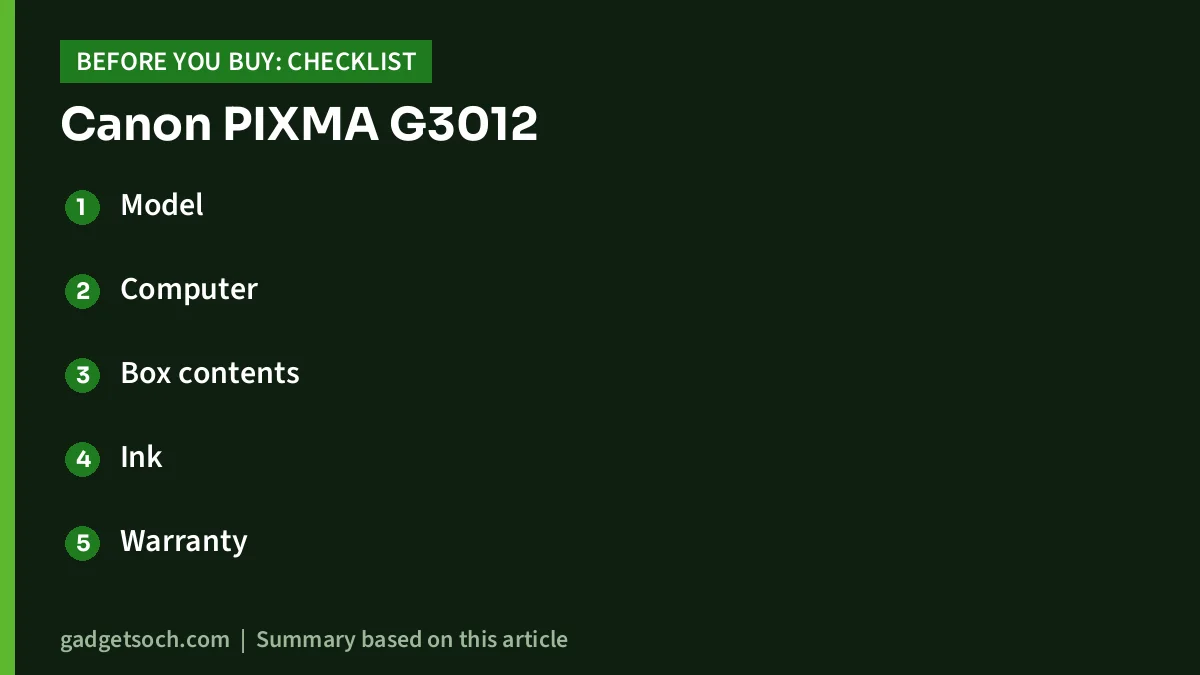
- Model: confirm the listing reads Canon PIXMA G3012 and the colour is black
- Computer: make sure you use Windows or ChromeOS, not macOS
- Box contents: check for the printer, the ink bottle set and the extra black bottles the listing mentions
- Ink: use genuine Canon GI-790 bottles, as the listing warns that counterfeit ink can damage the printer and void the warranty
- Warranty: keep the invoice and register with Canon India service, as the listing mentions a 1-year onsite warranty
- Placement: allow room behind and in front of the printer, since Canon lists a 533 mm depth with trays extended
If it matches your needs, see the Canon PIXMA G3012 (black) on Amazon.in.
Frequently asked questions
Does the Canon PIXMA G3012 work with a Mac?
No. Canon India’s official spec page states that macOS is not supported, and the Amazon.in listing says the same.
Can the G3012 print from a phone?
Yes. Canon lists the Canon PRINT app, Easy-PhotoPrint Editor and Mopria Print Service, and Wireless Direct lets a phone connect without a router.
Does the G3012 print on both sides automatically?
Canon’s spec page does not list automatic duplex, and the listing’s bullet says no duplex. Expect to print the second side manually.
Which ink does the G3012 use?
GI-790 bottles: pigment black plus dye cyan, magenta and yellow. Canon rates about 6,000 black and 7,000 colour A4 pages per bottle.
Is the G3012 good for photos?
It can print borderless photos up to A4, and Canon quotes about 60 seconds per 4 x 6 inch borderless print. It is a general-purpose printer rather than a dedicated photo printer.
Bottom line: the Canon PIXMA G3012 is a practical, low-running-cost printer for Windows and phone users who print often, as long as you accept slow colour printing and no duplex. Check the current price of the Canon PIXMA G3012 on Amazon.in.
Related reading on GadgetSoch: Logitech C270 HD Webcam Review: Is a 720p Webcam Still Enough for Video Calls? and Zebronics Companion 116-K Review: A Basic Full-Size Wireless Keyboard With a Rupee Key.
Sources
- Canon India: PIXMA G3012 product and specifications (checked 17 October 2026)
- Amazon.in listing for Canon Pixma G3012, ASIN B07B4FZ2KJ (captured 17 October 2026)
- Epson: EcoTank L3250 specifications (checked 17 October 2026)
- HP: Smart Tank 580 family specifications (checked 17 October 2026)




