
The Zebronics K5002MW (ZEB-K5002MW) is a slim, full-size wireless keyboard with 109 keys, a number pad, scissor switches and a built-in battery that charges over USB Type-C. It connects through a 2.4 GHz nano receiver or over Bluetooth to up to three devices, and adds an AI assistant key, which the Amazon.in listing calls a Copilot key.
In short, it is a good fit for anyone who wants a laptop-style typing feel, a number pad and multi-device switching in one rechargeable keyboard. It is less suited to people who need a small keyboard for travel, want backlit keys, or need a published battery life figure before buying.
This article is based on Zebronics’ official India product page and user manual, the Zebronics warranty policy and the Amazon.in listing data captured on 17 October 2026. It is not a hands-on review: we have not used this Zebronics K5002MW, and nothing here describes personal typing or battery tests.
Quick verdict
- Best for: office work, spreadsheets and billing, home desks shared between a work laptop, a personal PC and a tablet
- Skip if: you want a compact or travel keyboard, backlighting, or mechanical switches
- Strengths: 2.4 GHz plus three Bluetooth channels, full 109-key layout with number pad, scissor switches, USB Type-C charging, Mac and Windows toggle (per the listing)
- Limitations: battery capacity and battery life are not published, it is fairly heavy for a slim board at 557 g (official), and the AI key’s behaviour depends on your operating system
The Amazon link in this article is for the black ZEB-K5002MW listed on Amazon.in as a 109-key slim wireless keyboard with in-built battery, 3 Bluetooth + 2.4 GHz, 13 multimedia keys and Type-C charging. Check the model name and colour on the listing before ordering.
Zebronics K5002MW specifications
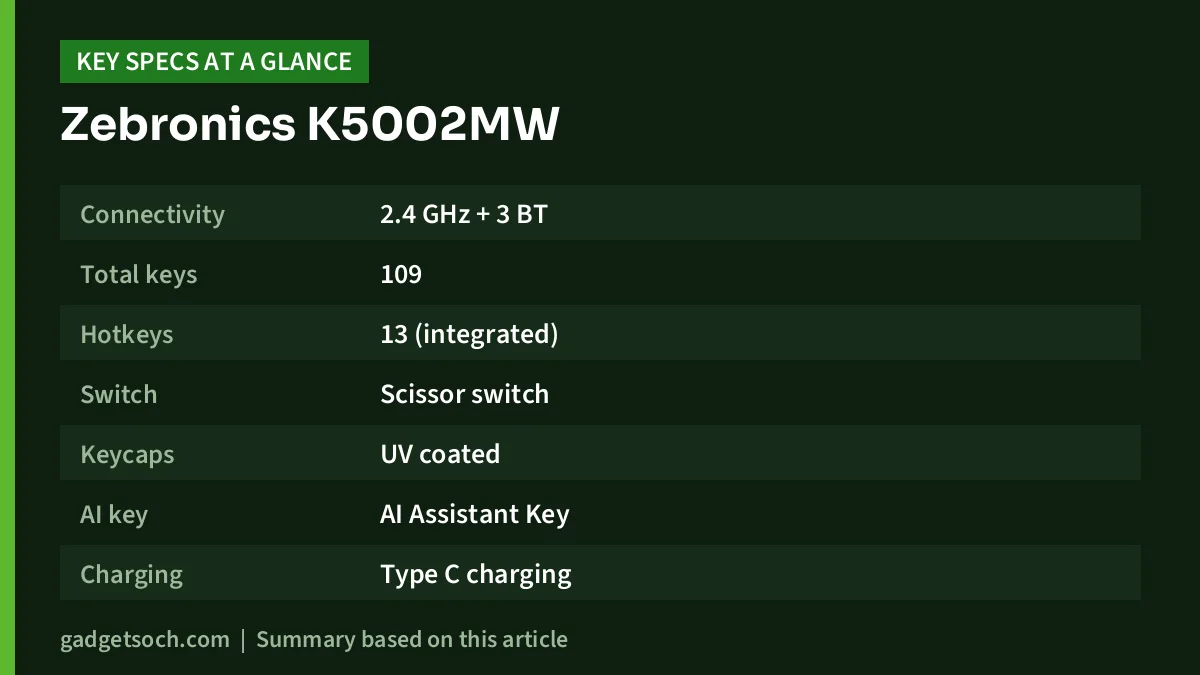
| Specification | Official Zebronics page (17 Oct 2026) | Amazon.in listing |
|---|---|---|
| Connectivity | 2.4 GHz + 3 BT | 2.4 GHz + up to 3 Bluetooth |
| Total keys | 109 | 109 |
| Hotkeys | 13 (integrated) | 13 multimedia keys |
| Switch | Scissor switch | Scissor switch (tech table also says linear) |
| Keycaps | UV coated | Not stated |
| AI key | AI Assistant Key | Copilot AI key |
| Charging | Type C charging | Type C charging, in-built battery |
| Keystroke life | 8 million cycles | Not stated |
| Operating range | 10 m (without obstacles) | Not stated |
| Dimensions | 43 x 13.1 x 1.6 cm | 42.7 x 12.2 x 1.2 cm |
| Weight | 557 g | 522 g |
| In the box | Keyboard, nano receiver, Type C cable, QR code guide | Same four items |
| Warranty | Not stated on product page | 1 year, carry-in to service centre |
Check the current price of the Zebronics K5002MW on Amazon.in
A full-size layout in a slim body
Many multi-device keyboards are compact boards without a number pad. The K5002MW takes the opposite approach: 109 keys, including a full number pad, in a body that Zebronics lists as 43 cm wide and 1.6 cm thick.
This matters if your day involves Excel, Tally, GST invoices or data entry. A dedicated number pad is far faster for entering figures than the number row, and a full-width layout means the arrow keys and navigation keys are not squeezed into odd positions. The trade-off is width: at 43 cm it occupies the same desk space as a standard desktop keyboard, and it is not something most people would carry in a laptop bag every day.
The weight of 557 g (official page; the listing says 522 g) partly reflects the built-in battery. A heavier keyboard tends to stay put on the desk, which is a small but real advantage when typing quickly.
Scissor switches: why they suit long typing sessions
Zebronics says the K5002MW uses scissor switches, the same general mechanism found under most laptop keyboards. A scissor mechanism holds each keycap level with a pair of interlocking supports, so the key travels evenly even if you press it near an edge. Keys on this type of keyboard usually have shorter travel than a traditional desktop membrane keyboard.
The practical benefit is familiarity. If you spend most of your day on a laptop, a scissor-switch desktop keyboard feels similar, so moving between the two is easy. The Amazon.in listing says the design reduces typing fatigue during long sessions. That is the seller’s claim; comfort is personal and depends on your desk height and wrist position.
The listing’s technical table also gives the switch type as “linear”. This is probably not a contradiction: “linear” usually describes a smooth press without a tactile bump, while “scissor” describes the mechanism. Neither the official page nor the listing claims that the keys are quiet or silent, so do not assume it.
Four connection slots: 2.4 GHz plus three Bluetooth channels
The main draw of the K5002MW is flexibility. Zebronics lists the interface as 2.4 GHz plus three Bluetooth connections, and the listing says the Zebronics K5002MW can hold the 2.4 GHz connection and up to three Bluetooth connections at the same time. On paper, that means one computer through the nano receiver and three more devices over Bluetooth.
A typical setup might be an office laptop on the Zebronics K5002MW, a personal laptop on BT1, a tablet on BT2 and a phone on BT3. Because the receiver uses its own wireless link, it is usually the better choice for a desktop PC, and it does not need Bluetooth on the computer at all.
The listing also describes two hardware toggle switches: one to choose between Bluetooth and 2.4 GHz, and one to switch between Mac and Windows modes. The official product page does not mention these toggles, so check the listing photos if they matter to you.
How to pair it: the steps from the user manual
The Zebronics user manual for the ZEB-K5002MW shows the basic pairing method for each Bluetooth channel. Here is a simplified version:
- 2.4 GHz mode: plug the nano receiver into a USB port on your computer and set the keyboard’s connection toggle to 2.4 GHz (per the listing).
- Bluetooth mode: set the toggle to Bluetooth, then press and hold Fn + BT1 together to enter pairing mode, as the manual describes.
- On your device: open the Bluetooth settings and select the keyboard from the list of available devices.
- Second and third devices: repeat with Fn + BT2 and Fn + BT3 for the other two channels.
- Choose the OS mode: move the Mac and Windows toggle to match the device you are typing on, so modifier and media keys behave correctly.
The manual lists LED indicators for the three Bluetooth channels, Caps Lock, 2.4G mode, RF mode, and charging or low battery. The text version of the manual we could read does not clearly show which LED colour or blink pattern means what, so keep the printed QR code guide handy during setup.
The AI key: Copilot or “AI Assistant”?
The Amazon.in title calls it a Copilot AI key. Zebronics’ own product page calls it an AI Assistant key, and the user manual labels it “Ai Assist” next to “Spotlight”. That pairing suggests the key opens a different feature in Mac mode, though the manual does not explain this in detail.
What the key actually opens depends on your operating system, its version and your settings. If one-press access to an AI assistant is a key reason for buying, make sure your computer supports it before ordering, and do not expect the key to do anything special on a phone or tablet.
Other function-row shortcuts listed in the manual include play and pause, next track, mute, volume down and up, screen lock and function lock.
Battery and charging
The K5002MW charges over USB Type-C, and a Type-C cable is in the box according to both Zebronics and the listing. The manual shows a charging and low-battery indicator.
What is missing is the battery capacity, charging time and expected battery life. Neither the official page, the readable part of the manual nor the listing data we checked gives these numbers, and we have not guessed them. A rechargeable keyboard removes the hassle of buying cells, but you will need to remember to top it up, and a USB-C phone charger or a laptop port can usually do that job.
Who should buy the K5002MW

Good fit: office users and accountants who need a number pad; anyone who works across a laptop, a desktop and a tablet; people who prefer a laptop-like key feel; and buyers who would rather charge a keyboard than replace batteries.
Poor fit: travellers and students who want something small for a backpack; anyone who types in the dark and wants backlighting (none is mentioned); mechanical-keyboard fans; and anyone who wants a confirmed battery life figure before buying.
Alternatives worth comparing
- Zebronics K4000MW: the brand’s compact 78-key option with 2.4 GHz and dual Bluetooth input, 12 integrated hotkeys and a 265 g weight, according to Zebronics. It drops the number pad and, per the Amazon.in listing, runs on batteries rather than an in-built rechargeable cell.
- Logitech K380 Multi-Device: a compact Bluetooth keyboard for up to three devices, with Windows, macOS, iPadOS, ChromeOS, Android, iOS and Apple TV listed by Logitech India. Logitech’s page does not mention a USB receiver or a number pad.
- A basic full-size wired keyboard: if you only use one desktop, a wired board avoids charging and pairing altogether.
If you are building a full desk setup, our work-from-home desk setup guide covers keyboard, mouse, monitor and cooling choices together.
What to check before you order
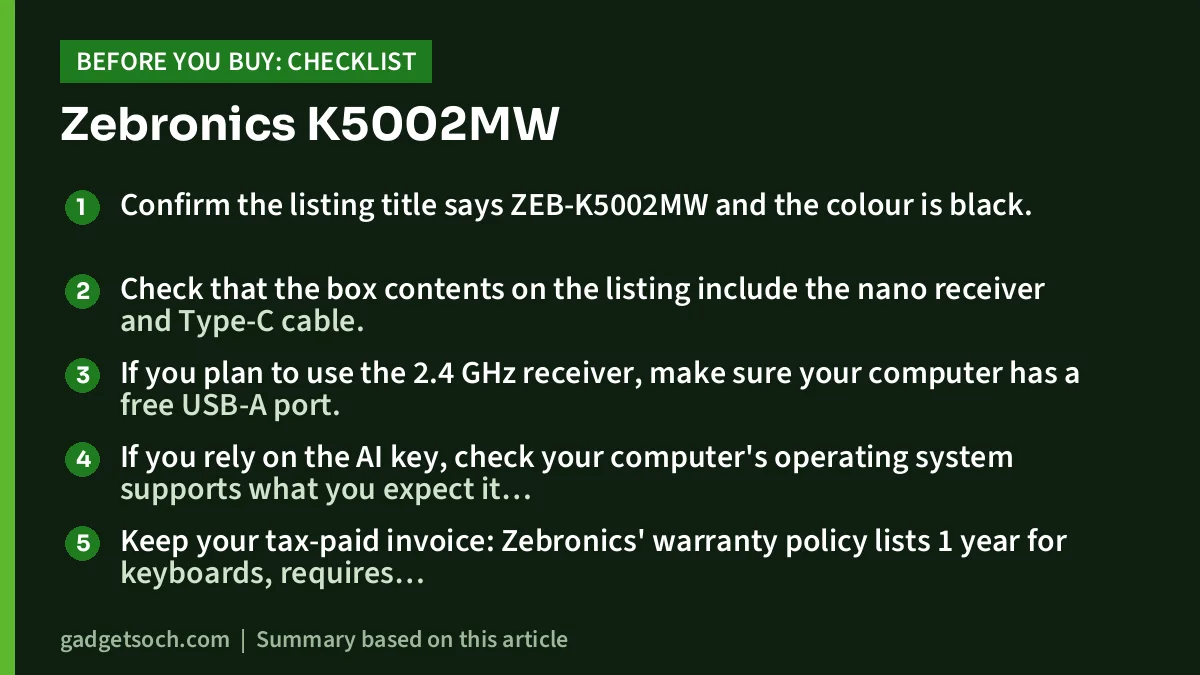
- Confirm the listing title says ZEB-K5002MW and the colour is black.
- Check that the box contents on the listing include the nano receiver and Type-C cable.
- If you plan to use the 2.4 GHz receiver, make sure your computer has a free USB-A port.
- If you rely on the AI key, check your computer’s operating system supports what you expect it to open.
- Keep your tax-paid invoice: Zebronics’ warranty policy lists 1 year for keyboards, requires purchase from Zebronics or an authorised seller, and limits commercially used products to 3 months of cover.
See the black Zebronics K5002MW on Amazon.in
Frequently asked questions
How many devices can the Zebronics K5002MW connect to?
Zebronics lists 2.4 GHz plus three Bluetooth connections, so on paper you can keep one computer on the nano receiver and three devices paired over Bluetooth.
Is the K5002MW rechargeable?
Yes. Zebronics lists USB Type-C charging and the listing describes an in-built battery. Battery capacity and battery life are not published.
Does it work with a Mac?
The Amazon.in listing names Windows, Mac, iOS and Android, and describes a Mac and Windows toggle switch. The official product page does not list supported systems.
Is the K5002MW backlit?
No backlighting is mentioned on the official page, in the manual we could read or on the listing, so assume it is not backlit.
What does the Copilot key do?
The listing calls it a Copilot AI key, while Zebronics calls it an AI Assistant key. What it opens depends on your operating system and settings.
Conclusion
The Zebronics K5002MW stands out by combining a full 109-key layout and number pad with three Bluetooth channels, a 2.4 GHz receiver and USB-C charging in a slim body. It is a practical upgrade for desks that juggle several devices. Its main gaps are the absence of published battery figures, no backlighting, and a size that makes it a desk keyboard rather than a travel one.
Check the current price of the Zebronics K5002MW on Amazon.in
Related reading on GadgetSoch: EvoFox Katana S Mini Review: Budget Tri-Mode Mechanical Keyboard, Strengths and Compromises and Zebronics Zeb-Sharp Pro Webcam Review: QXGA, Autofocus and Honest Limits.
Sources
- Zebronics India: ZEB-K5002MW product page (checked 17 October 2026)
- Zebronics ZEB-K5002MW user manual (PDF) (checked 17 October 2026)
- Zebronics warranty policy (checked 17 October 2026)
- Zebronics India: ZEB-K4000MW product page (for the alternative, checked 17 October 2026)
- Logitech India: K380 Multi-Device keyboard (for the alternative, checked 17 October 2026)
- Amazon.in listing for ASIN B0DGT6WT1Z, seller-provided data captured 17 October 2026




