
The EvoFox Katana S Mini is a compact 68-key wireless mechanical keyboard that connects over Bluetooth (up to three devices), a 2.4GHz receiver or a USB-C cable, and uses hot-swappable Jixian Red linear switches. It is a good first mechanical keyboard for students and casual gamers in India who want wireless on a budget. Digit.in, which used one for about a month, called it “one of the best entry-level wireless mechanical keyboards” it had tried, but also found thin keycaps, a hollow-sounding case and no adjustable feet.
The Amazon.in link here is for the black, wireless (tri-mode) version with Red switches. EvoFox sells other Katana S Mini colours as separate listings, so confirm the colour and the word “Wireless” in the title before you buy.
We have not used this EvoFox Katana S Mini. This article is built from the Amazon.in listing (captured 17 October 2026) and Digit.in’s published review. EvoFox’s own website did not allow automated access when we checked, so the listing’s claims are labelled as such.
Quick verdict
- Best for: first-time mechanical keyboard buyers, students with a laptop and a tablet, and casual PC gamers
- Skip if: you want a quiet, premium-sounding board, PBT keycaps, software for macros, or adjustable typing angle
- Strengths: three connection modes, 1000Hz polling in wired and 2.4GHz modes, hot-swap sockets, four spare switches, long battery life in Digit’s use
- Limitations: thin ABS keycaps, zoned rainbow lighting (not per-key RGB), unlit secondary legends, no software, no adjustable feet
Katana S Mini at a glance
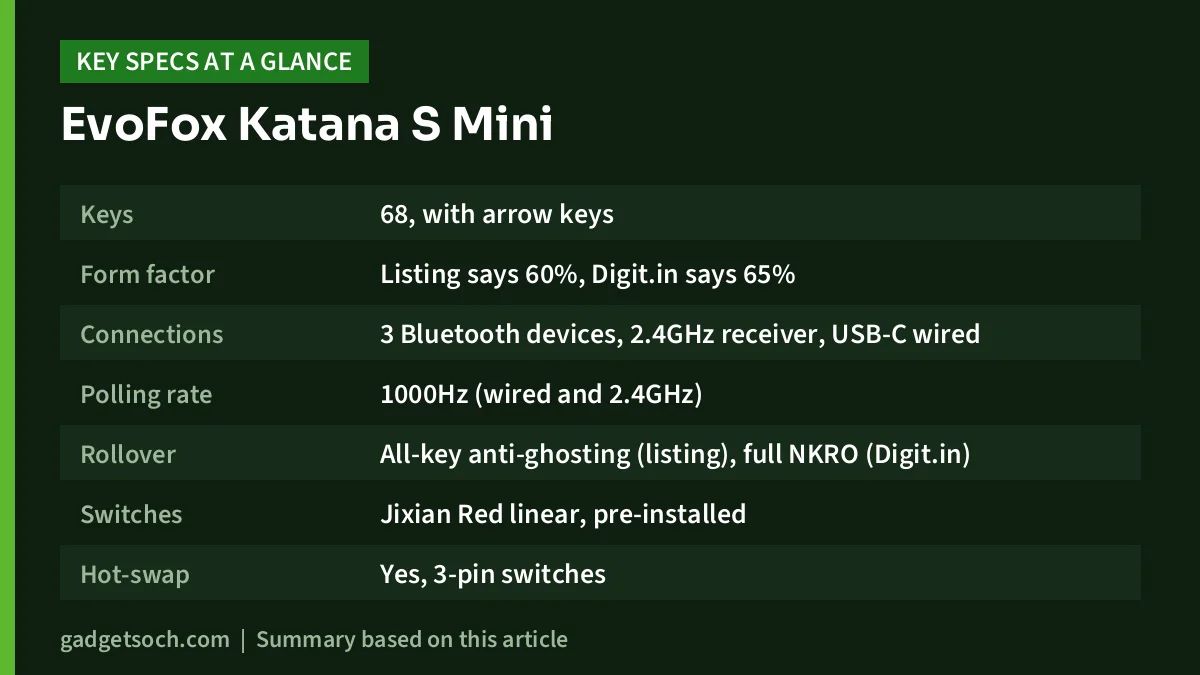
| Item | Detail | Where it comes from |
|---|---|---|
| Keys | 68, with arrow keys | Listing and Digit.in |
| Form factor | Listing says 60%, Digit.in says 65% | Both (see note below) |
| Connections | 3 Bluetooth devices, 2.4GHz receiver, USB-C wired | Listing and Digit.in |
| Polling rate | 1000Hz (wired and 2.4GHz) | Listing, confirmed by Digit.in |
| Rollover | All-key anti-ghosting (listing), full NKRO (Digit.in) | Both |
| Switches | Jixian Red linear, pre-installed | Listing and Digit.in |
| Hot-swap | Yes, 3-pin switches | Digit.in |
| Keycaps | ABS, thin | Digit.in |
| Case | ABS plastic | Listing and Digit.in |
| Lighting | Rainbow backlight, 18 effects, adjustable brightness and speed | Listing |
| Battery | Rechargeable, capacity not published | Listing |
| Weight | 484 g | Listing |
| Size | 30.5 x 10.2 x 4 cm | Listing |
| Spare switches | 4 Jixian Red | Listing and Digit.in |
| Country of origin | China | Listing |
About the layout: a 68-key board with a dedicated arrow cluster is what most people call a 65% layout, which matches Digit.in’s description. The listing’s “60%” label is best read as marketing shorthand. Either way, there is no function row and no number pad.
Check the current price of the EvoFox Katana S Mini (Wireless, Black) on Amazon.in
Connectivity: the main reason to buy it
Wireless mechanical keyboards used to be expensive, which is why tri-mode support at this level is the headline feature. According to the listing, you can switch between three Bluetooth devices, a 2.4GHz wireless link and a wired connection, with LED indicators to show the active mode. Digit.in notes that the Bluetooth slots are switched with Fn + Z, X and C.
For gaming, use the 2.4GHz receiver or the EvoFox Katana S Mini. Both run at 1000Hz according to the listing, and Digit.in measured roughly 5 to 10 ms of latency in those modes, while noting that Bluetooth had more lag. Bluetooth is better for a tablet, phone or office laptop, where a little delay does not matter and you would rather not use up a USB port.
A practical setup for a student might be: 2.4GHz to a gaming PC, Bluetooth slot one to a laptop, slot two to an Android tablet and slot three to a phone. The listing names Windows and macOS as compatible systems.
Typing feel: switches, keycaps and sound
The Katana S Mini ships with Jixian Red linear switches. Digit.in describes them as clones of Cherry MX Red switches, light enough for fast typing, and says the author “actually liked them more than” expected. The same review also calls them “scratchy” compared to genuine Cherry or Gateron switches.
There is a contradiction worth noting. The listing promises “smooth, silent keystrokes”, while Digit.in found the sound “on the louder side, especially on the thinner keycaps”, with a hollow sound when keys bottom out. Linear switches are not click switches, so this board will not have a sharp click, but it is not a silent keyboard either. If you share a room or take calls, keep that in mind.
The keycaps are thin ABS plastic, according to Digit.in, which said they “don’t feel as premium”. ABS keycaps also tend to go shiny with heavy use. The good news is that keycaps are cheap to replace, and a 68-key board accepts many standard aftermarket sets, as long as the set includes the right sizes for the right Shift and bottom row.
Hot-swap: how to use it safely
Hot-swap sockets let you pull a switch out and push a new one in, with no soldering. Digit.in says the Katana S Mini takes 3-pin switches, and the box includes a combined keycap and switch puller plus four spare Jixian Red switches. That alone fixes the most common mechanical keyboard problem: a single key that stops working or chatters.
- Turn the keyboard off or unplug it before swapping
- Remove the keycap first, then grip the switch’s top and bottom clips with the puller and pull straight up
- Check the two metal pins on the new switch are perfectly straight
- Line the pins up with the socket holes and press down evenly until the switch clicks into the plate
- Test the key before putting the keycap back on
If you buy new switches, choose 3-pin versions. Many switches are sold in a 5-pin form with two extra plastic legs, and Digit.in only confirms 3-pin support, so do not assume a 5-pin switch will fit without modification.
Battery and lighting
EvoFox’s listing does not give a battery capacity or a rated battery life. The best real-world indicator comes from Digit.in, whose author got “a little over 15 days” of daily use with the backlight always on and said it was endurance he “didn’t expect from a budget wireless keyboard”. Your figure will depend on how many hours a day you type and which mode you use.
The lighting is a rainbow backlight, not full per-key RGB. The listing claims 18 effects with adjustable brightness and speed. Digit.in explains that the colours are preset zones that you change with on-board shortcuts, and that the secondary legends (the symbols you reach with Fn) do not light up, which makes them hard to read in a dim room.
Software: there isn’t any
According to Digit.in, there is no EvoFox software for this EvoFox Katana S Mini. You cannot record macros, remap keys or build custom lighting through an app. Digit.in suggests Microsoft PowerToys on Windows as a workaround for key remapping. For most casual gamers this will not matter, but if you rely on macros for MMOs or editing, look elsewhere.
Pros and cons
- Pro: Bluetooth, 2.4GHz and wired in one board
- Pro: 1000Hz polling and NKRO in wired and 2.4GHz modes
- Pro: hot-swap sockets with four spare switches in the box
- Pro: light at 484 g according to the listing, so it travels well
- Pro: long battery life in Digit.in’s use
- Con: thin ABS keycaps and a hollow-sounding case
- Con: switches described as scratchy compared to big-brand switches
- Con: no adjustable feet, which Digit.in called “a strange omission”
- Con: no software and no per-key RGB
- Con: secondary legends are not backlit
Who should buy it, and who should not

Buy the Katana S Mini if you want to try a mechanical keyboard without a big spend, need to switch between a laptop, tablet and phone, or want a small board that leaves room for your mouse. It is also a sensible “learn to hot-swap” keyboard because spare switches are in the box.
Skip it if sound quality and feel are your priority, if you prefer a raised typing angle, or if you need the F1 to F12 keys often. Office users who want something genuinely quiet may prefer a membrane board. Our Portronics Bubble keyboard review covers a quiet multi-device option.
Alternatives worth comparing
AULA F75: A 75% board with 80 keys, so you get a function row. AULA lists tri-mode connectivity, a leaf-spring gasket structure, five layers of dampening, PBT keycaps and 3-pin and 5-pin hot-swap. It is larger and, according to Parkablogs, weighs about 1 kg.
Kreo Hive 65: A wired-only 65% board. Kreo lists a gasket mount, two layers of Poron foam, pre-lubed linear switches, 3-pin and 5-pin hot-swap, 1000Hz polling and a metal volume wheel. Choose it if you sit at one desk and care more about typing feel than wireless.
Kreo Swarm65: Kreo’s site lists this as a wireless 65% mechanical gaming keyboard. Compare its spec sheet if you want a wireless 65% board from an Indian brand.
Before you order

- Variant: confirm the listing title says Wireless and the colour is Black. Other colours and versions are separate products
- Box contents: Digit.in lists the keyboard, 2.4GHz dongle, braided Type-C cable, puller and four spare switches. Check for the dongle as soon as you unbox
- Warranty: the captured listing data does not state the warranty term, so read the warranty section on the listing and keep the invoice
- Seller details: the listing names Allied Electronics and Magnetics Pvt. Ltd., New Delhi, as the manufacturer contact
- Ports: keep a free USB port for the receiver, or plan to use Bluetooth
See the EvoFox Katana S Mini wireless (Black, Red switches) on Amazon.in
Frequently asked questions
Does the EvoFox Katana S Mini work over Bluetooth?
Yes. It pairs with up to three Bluetooth devices, plus a 2.4GHz receiver and a USB-C wired mode, according to the listing and Digit.in.
Is the EvoFox Katana S Mini good for gaming?
For casual gaming, yes. The listing claims 1000Hz polling in wired and 2.4GHz modes, and Digit.in measured about 5 to 10 ms latency in those modes. Use the dongle or cable rather than Bluetooth for games.
Is the Katana S Mini hot-swappable?
Yes. Digit.in confirms 3-pin hot-swap sockets, and four spare Jixian Red switches come in the box.
Does it have RGB per-key lighting?
No. It has a rainbow backlight with preset colour zones. The listing claims 18 effects with adjustable brightness and speed.
How long does the battery last?
EvoFox does not publish a figure on the listing. Digit.in’s author got a little over 15 days of daily use with the backlight on.
Final thoughts
The EvoFox Katana S Mini makes wireless mechanical typing affordable without hiding its compromises. You get three connection modes, fast wired and 2.4GHz performance, hot-swap sockets and long battery life, and you give up premium keycaps, a solid-sounding case, adjustable feet and software. For a first mechanical keyboard, that is a fair trade.
Check the current price of the EvoFox Katana S Mini on Amazon.in
Related reading on GadgetSoch: Zebronics K5002MW Review: Slim Full-Size Rechargeable Keyboard With 3 Bluetooth Channels and ZEBRONICS NS4000 PRO Review: Rotating Laptop Stand With a Detachable RGB Fan.
Sources
- Amazon.in listing for ASIN B0FBRXM2RG (title, feature bullets and technical details), captured 17 October 2026
- Digit.in: EvoFox Katana S Mini keyboard, wireless power on a budget? (Vyom Ramani, 1 November 2025), checked 17 October 2026
- AULA: F75 official page, checked 17 October 2026
- Parkablogs: AULA F75 review, checked 17 October 2026
- Kreo: Hive65 official page, checked 17 October 2026




