
The Zebronics CT101 is a 10-in-1 USB-C multiport hub that turns one USB-C port on a laptop into HDMI, Ethernet, four USB-A ports, two USB-C ports, SD and microSD card slots, with up to 100W Power Delivery pass-through for charging. It makes the most sense for someone with a thin laptop that has only one or two USB-C ports and who wants a single adapter that covers almost every common connection. The main compromises are a 4K at 30Hz HDMI output, only one fast USB 3.0 Type-A port, and a short six-month warranty listed on Amazon.in.
Short verdict: a practical “everything in one bar” hub for office and study desks, as long as you do not need smooth 60Hz 4K video or several fast USB-A ports at the same time.
This article is based on the official Zebronics product page and the Amazon.in listing data, both checked on 17 October 2026. It is not based on hands-on testing, and we have not found independent lab reviews of the CT101 to cite, so real-world performance claims are kept to what the specifications support.
Quick verdict
- Best for: laptop users with one or two USB-C ports who want HDMI, wired Ethernet, card readers and charging through a single cable
- Skip if: you want a 4K monitor at 60Hz, several 5Gbps USB-A ports, or a long warranty
- Key strengths: 10 ports in one metal body, SD plus microSD slots, RJ45 Ethernet, up to 100W PD input, LED status light
- Key limitations: HDMI 1.4 at 4K 30Hz maximum, only one USB 3.0 Type-A port (the other three are USB 2.0), Ethernet speed not stated by Zebronics, six-month warranty per the listing
Zebronics CT101 key specifications
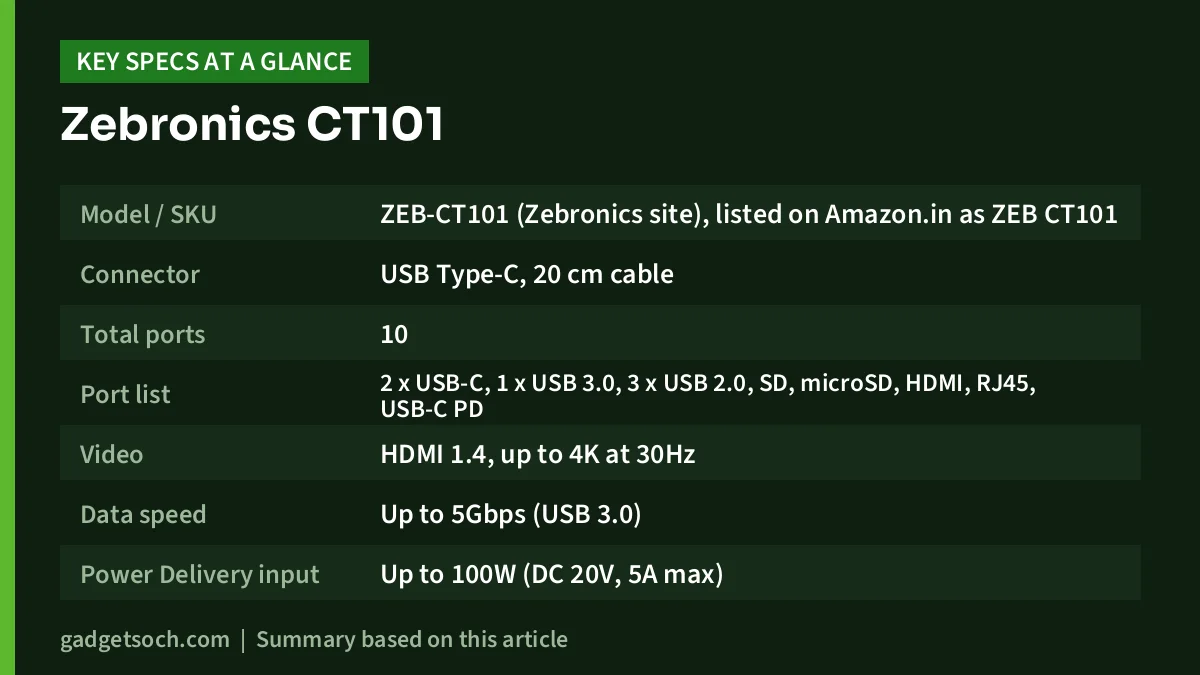
| Specification | Zebronics CT101 (as stated) |
|---|---|
| Model / SKU | ZEB-CT101 (Zebronics site), listed on Amazon.in as ZEB CT101 |
| Connector | USB Type-C, 20 cm cable |
| Total ports | 10 |
| Port list | 2 x USB-C, 1 x USB 3.0, 3 x USB 2.0, SD, microSD, HDMI, RJ45, USB-C PD |
| Video | HDMI 1.4, up to 4K at 30Hz |
| Data speed | Up to 5Gbps (USB 3.0) |
| Power Delivery input | Up to 100W (DC 20V, 5A max) |
| USB output | DC 5V, 1A max |
| Housing | Metal, with LED indicator |
| Size | 19 x 3.2 x 1.4 cm |
| Net weight | 76 g (official page). Amazon.in listing shows 100 g |
| In the box | Hub and a QR code guide |
| Colour (this listing) | Grey |
| OS listed on Amazon.in | Windows 11, macOS 14 Sonoma, Ubuntu 22.04 or later |
| Warranty (Amazon.in listing) | 6 months, carry-in to service centre |
| Country of origin | China |
One detail to note: the Zebronics product page is not fully consistent. Its main feature list and specification table say “1 x USB 3.0 / 3 x USB 2.0”, while one short bullet near the top says “1 x USB 2.0”. Only the three-USB-2.0 version adds up to the advertised 10 ports, and the Amazon.in title also says “4X USB”, so the table above follows that version.
Check the current price of the Zebronics CT101 on Amazon.in
Design and build: a long metal bar with a fixed cable
Zebronics lists the CT101 at 19 x 3.2 x 1.4 cm, so it is long and slim rather than square. That shape lets ten ports sit side by side without crowding each other, which matters when you plug in a thick pen drive next to a USB receiver. The trade-off is that it is less pocketable than a small dongle.
The housing is metal, which Zebronics and the Amazon.in listing both mention. A metal shell spreads heat better than plastic, and a hub doing HDMI, Ethernet and 100W charging at the same time can get warm. The connecting cable is 20 cm and is not detachable, so treat the cable gently when packing it, because a damaged fixed cable usually means replacing the whole hub.
Ports explained: what each one is useful for
HDMI 1.4 (4K at 30Hz maximum)
The HDMI port follows the HDMI 1.4 standard and Zebronics rates it at 4K 30Hz maximum. 30Hz is usually acceptable for films on a 4K TV or slides on a projector, but on a 4K desktop monitor it makes scrolling and mouse movement look less fluid than 60Hz. If you plan to run a 4K monitor all day, a hub with 4K 60Hz HDMI is the better buy. Zebronics does not publish a refresh rate for 1080p output, so do not assume a specific figure for lower resolutions.
Also remember that HDMI through any USB-C hub only works if your laptop’s USB-C port carries video (DisplayPort Alternate Mode, Thunderbolt or USB4). Many budget laptops have a USB-C port that only handles data or charging. Check your laptop manual or the icon next to the port before you buy.
USB-A ports: one fast, three standard
The CT101 has four USB-A ports, but only one is USB 3.0 (up to 5Gbps according to Zebronics). The other three are USB 2.0. That split is fine in practice if you plan for it: put a portable SSD, hard drive or fast pen drive on the USB 3.0 port, and use the USB 2.0 ports for a keyboard, mouse, wireless receiver, webcam or printer, none of which need more speed. Zebronics rates USB output at 5V, 1A maximum, which covers peripherals and pen drives but is not meant for fast-charging a phone.
Two USB-C ports and the PD charging input
Zebronics lists two USB-C ports plus a USB-C Power Delivery input rated at up to 100W (20V, 5A). Its page does not explain whether the PD input is one of the two USB-C ports or a separate port, and it does not give a data speed for the USB-C ports. Look at the port labels or the included QR guide before you plug in your laptop charger, and use the port marked PD for charging.
Pass-through charging means your laptop charger plugs into the hub and power flows through to the laptop. The hub itself uses some of that power, so the laptop typically receives a little less than the charger’s full rating. Zebronics does not state how much it reserves. If your laptop normally uses a 65W charger, a 65W or larger USB-C PD charger connected through the hub is the sensible starting point, and the charger is not included in the box.
SD and microSD card readers
Having both full-size SD and microSD slots is useful for photographers, drone users and anyone copying dashcam or action-camera footage. Zebronics does not publish a card-reader speed, so treat it as a convenience rather than a dedicated high-speed reader.
RJ45 Ethernet
A wired LAN port is handy for video calls and large downloads. However, Zebronics does not state the Ethernet speed on its CT101 page, and the Amazon.in listing does not mention it either. If you need gigabit speeds on a fast broadband plan, this is worth confirming with Zebronics support before ordering.
Compatibility: laptops, tablets and phones
The Amazon.in listing names Windows 11, macOS 14 Sonoma and Ubuntu 22.04 as the minimum operating system versions, and lists laptops, desktops, smartphones, tablets and digital cameras as compatible device types. Zebronics’ own page gives no OS list. In practice, the key question is the host’s USB-C port, not the operating system: data ports work almost anywhere, but HDMI output needs video support on the port, and charging needs the laptop to accept USB-C PD power.
Who should buy it
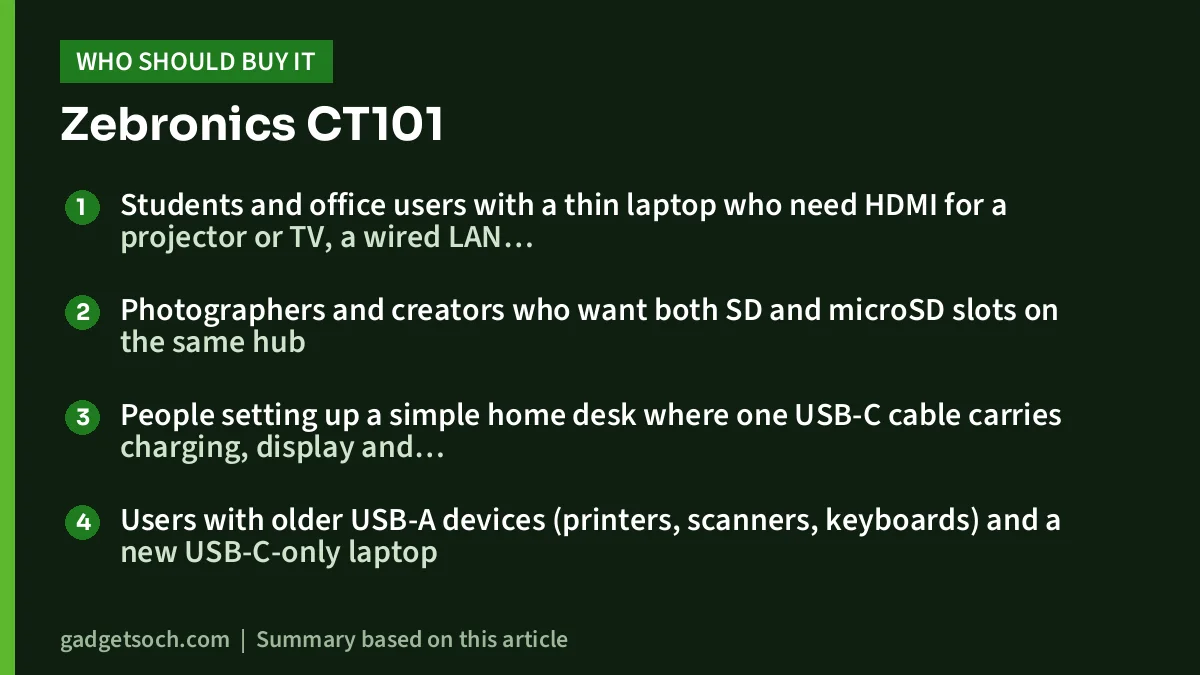
- Students and office users with a thin laptop who need HDMI for a projector or TV, a wired LAN port and a few USB-A peripherals
- Photographers and creators who want both SD and microSD slots on the same hub
- People setting up a simple home desk where one USB-C cable carries charging, display and accessories
- Users with older USB-A devices (printers, scanners, keyboards) and a new USB-C-only laptop
Who should skip it
- Anyone planning to run a 4K monitor as the main screen, because 30Hz feels sluggish for desktop work
- People who need two or more fast USB-A drives connected at once, since only one Type-A port is USB 3.0
- Buyers who want a long warranty, as the Amazon.in listing shows six months carry-in
- Users who need confirmed gigabit Ethernet, because Zebronics does not state the LAN speed
If you are building out a full work desk, our work-from-home desk setup guide covers the keyboard, mouse and monitor side of the setup.
Alternatives worth comparing
TP-Link UH6120C: a smaller 6-in-1 hub. TP-Link’s official page lists HDMI at 4K 60Hz, 1Gbps Ethernet, 100W PD, one USB-C and two USB-A data ports all at 5Gbps, an aluminium alloy case and a 180 mm braided cable. It drops the card readers and has fewer ports, but is the better match for a 60Hz 4K monitor and confirmed gigabit LAN.
UGREEN Revodok 105 (5-in-1): a compact aluminium hub with HDMI, a 100W USB-C PD port, one 5Gbps USB-A port and two USB 2.0 USB-A ports. UGREEN’s store listing describes 4K at 30Hz HDMI, similar to the CT101, but it has no Ethernet or card readers. It suits people who want something smaller for travel.
Buying tips before you order

- Confirm the variant: this link is for the grey Zebronics CT101 10-in-1 hub (ASIN B0F7LL2VPR). Check the title on the listing says CT101 and 10 in 1 before you add it to the cart
- Check your laptop’s USB-C port: look for a DisplayPort or Thunderbolt symbol, or check the manual, if you need HDMI output
- Plan your charger: no charger is included. Use a USB-C PD charger at least as powerful as your laptop’s own
- Know the warranty: the Amazon.in listing shows six months, carry-in to a service centre. Keep the invoice and register with Zebronics if required
- Test on arrival: try HDMI, LAN, each USB port and both card slots within the return window
- Match ports to devices: keep the single USB 3.0 port free for storage drives
For help choosing a USB-C PD charger with the right wattage for your laptop, see our charger and power bank wattage guide.
See the grey Zebronics CT101 10-in-1 hub on Amazon.in
Frequently asked questions
Does the Zebronics CT101 support 4K at 60Hz?
No. Zebronics lists the HDMI port as version 1.4 with a maximum of 4K at 30Hz. For 4K at 60Hz you need a hub that specifically advertises it, such as the TP-Link UH6120C.
Can I charge my laptop through the CT101?
Yes, if your laptop supports USB-C Power Delivery charging. The hub accepts up to 100W (20V, 5A) on its PD input. You must supply your own USB-C PD charger, and the laptop may receive slightly less than the charger’s rating because the hub uses some power itself.
Is the Ethernet port gigabit?
Zebronics does not state the Ethernet speed on its CT101 page, and the Amazon.in listing does not mention it. Treat gigabit speed as unconfirmed.
Will it work with a MacBook or an Android phone?
The Amazon.in listing lists macOS 14 Sonoma or later, Windows 11 and Ubuntu 22.04 as minimum OS versions, and names smartphones and tablets as compatible devices. Video output and Ethernet on phones depend on the phone’s own support.
Final thoughts
The Zebronics CT101 packs a lot of connections into one metal bar, and the combination of HDMI, Ethernet, both card readers and 100W PD pass-through covers most desk needs for a thin laptop. Its limits are clear too: 4K at only 30Hz, one fast USB-A port, an unconfirmed LAN speed and a short listed warranty. If those do not affect how you work, it is a sensible all-in-one choice. Check the current price of the Zebronics CT101 on Amazon.in.
Related reading on GadgetSoch: Portronics Mport One Review: 9-in-1 USB-C Hub With 4K 60Hz HDMI and 100W PD and Amazon Basics 4-in-1 USB C Hub Review: One USB 3.0 and Three USB 2.0 Ports Explained.
Sources
- Zebronics: Zeb CT101 Multiport hub product page (checked 17 October 2026)
- Amazon.in listing for ZEBRONICS CT101, ASIN B0F7LL2VPR (listing data captured 17 October 2026)
- TP-Link: UH6120C product specifications (checked 17 October 2026)
- UGREEN: Revodok 105 5-in-1 USB-C Hub product page (checked 17 October 2026)




