

The ZEBRONICS Companion 301 is a full-size wireless keyboard and mouse combo with retro-style round keys, a dedicated rupee key and a 1600 DPI optical mouse, both running off a single 2.4GHz nano USB receiver. It is aimed at home and office desktop users who want a colourful, plug-and-play combo rather than a gaming or multi-device setup. This review covers the Aqua Green variant sold on Amazon.in.
The short verdict: it makes sense if you like the typewriter-inspired look and need a basic wireless set for one Windows PC or laptop. It is less suitable if you type for long hours and prefer conventional flat keycaps, or if you want Bluetooth and multi-device switching, which Zebronics does not list for this model.
This article draws on Zebronics’ official product page and the Amazon.in listing (both checked on 17 October 2026). It is not based on hands-on testing, and where the two sources disagree, we point it out.
The short answer
- Good for: students, home offices and anyone who wants a retro-looking full-size combo for a single computer.
- Look elsewhere if: you need Bluetooth, multi-device switching, backlit keys or a rechargeable battery.
- Strengths: 104 keys plus 12 integrated multimedia functions, rupee key, 10 m rated range, 1600 DPI mouse, power saving mode, four colour options.
- Limitations: battery details differ between the official page and the listing, no OS list on the official page, and round keycaps are a matter of taste.
ZEBRONICS Companion 301 specifications
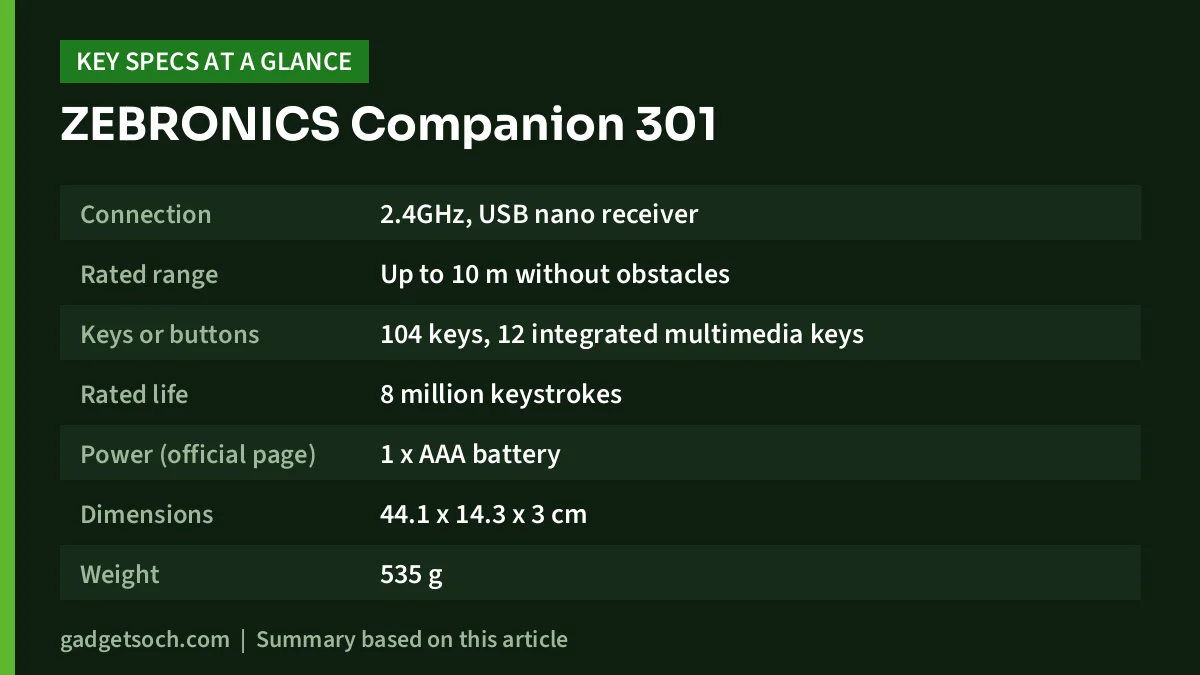
| Feature | Keyboard | Mouse |
|---|---|---|
| Connection | 2.4GHz, USB nano receiver | Shares the same nano receiver |
| Rated range | Up to 10 m without obstacles | Up to 10 m without obstacles |
| Keys or buttons | 104 keys, 12 integrated multimedia keys | 3 buttons |
| Rated life | 8 million keystrokes | 3 million clicks |
| Power (official page) | 1 x AAA battery | 1 x AA battery |
| Dimensions | 44.1 x 14.3 x 3 cm | 6.9 x 11.1 x 3.75 cm |
| Weight | 535 g | 60 g |
| Other | Rupee key, power saving mode, UV-coated keycaps | 1600 DPI optical sensor, plug and play |
The nano receiver measures 1.45 x 1.9 x 0.65 cm and weighs 2 g, according to Zebronics. Official colour options are Aqua Green, Black+Grey, Brown and Garden. The box contains the ZEBRONICS Companion 301, the mouse and the nano receiver.
Check the current price of the ZEBRONICS Companion 301 (Aqua Green) on Amazon.in
Design: the retro look and what it means for typing
The Companion 301’s defining feature is its look. The Amazon.in listing describes “retro style” rounded keys with UV printing, and Zebronics’ own page calls it a “retro-style keyboard” with UV-coated keycaps. A UV coating helps protect the printed legends from wearing off with use, which matters on keys you press thousands of times a day.
Round, typewriter-style keycaps look distinctive but feel different from the flat, square keys on most laptops and office keyboards. The gaps between round keys are larger at the corners, so your fingers have slightly less surface to land on. Many people adapt within a few days, but if you are a fast touch typist, keep this in mind.
The Amazon.in listing also mentions a retractable stand, which typically means fold-out feet that raise the back of the ZEBRONICS Companion 301, plus an “all keys lock” function. Zebronics’ official page does not mention either, so treat them as the listing’s claims and check the product images before ordering.
Layout, multimedia keys and the rupee key
Zebronics lists 104 keys in total, which is a full-size layout with a number pad. That matters if you enter figures in spreadsheets, accounting software or billing tools, because a number pad is much quicker than the number row.
The official page lists “12 integrated multimedia keys” separately from the 104-key count, while the listing title says “104 + 12”. Zebronics does not explain whether these are 12 separate buttons or functions shared with existing keys through an Fn key. The word “integrated” often means shared functions, so check the listing photos if dedicated media buttons are important to you.
The dedicated rupee key is a practical touch for Indian users who type invoices, quotations or messages that use the ₹ symbol. On standard keyboards, typing ₹ usually needs a key combination or a character map.
The mouse: 1600 DPI and three buttons
The ZEBRONICS Companion 301 uses what Zebronics calls “Advanced Optical Sensor Technology” with a resolution of 1600 DPI. DPI (dots per inch) describes how far the cursor moves for each inch of hand movement. At 1600 DPI, the pointer moves quickly, which is helpful on large or high-resolution monitors. If it feels too fast, lower the pointer speed in your operating system’s mouse settings.
Three buttons means left click, right click and a clickable scroll wheel. There are no side buttons for back and forward. The listing describes the ZEBRONICS Companion 301 as ambidextrous, and at 60 g (official figure) it is light, which suits quick office work more than long gaming sessions.
Batteries: official page vs Amazon.in listing
This is the main detail to check. Zebronics’ official page lists 1 x AAA battery for the ZEBRONICS Companion 301 and 1 x AA battery for the mouse. The Amazon.in technical details say “2 AAA batteries required” and, in a separate field, that batteries are not required. Neither source clearly states whether batteries are included in the box, and the official package list mentions only the keyboard, mouse and receiver.
To be safe, assume you may need to buy one AAA and one AA battery, and confirm on the listing or in the product images. Zebronics does not publish battery life figures for this ZEBRONICS Companion 301, so we cannot say how long a set will last. The power saving mode should help by putting the devices to sleep when idle.
How the 2.4GHz nano receiver works
Both devices connect to a single small USB receiver. Plug it into a free USB-A port, and the computer detects the ZEBRONICS Companion 301 and mouse as standard input devices, with no software needed (Zebronics describes the mouse as plug and play). A 2.4GHz receiver usually connects faster and more predictably than Bluetooth on desktop PCs, and it typically works in BIOS and setup screens, where Bluetooth keyboards often do not.
The trade-off is that the combo is tied to one computer at a time and needs a USB-A port. Many thin laptops now have only USB-C ports, in which case you will need a USB-C to USB-A adapter. Zebronics does not list Bluetooth support, so you cannot pair it directly with a phone or tablet.
The Amazon.in listing names Windows as the supported operating system and lists laptops and personal computers as compatible devices. The official page does not publish an OS list. Basic keyboard and mouse functions on a USB receiver generally work on other systems too, but multimedia keys and the rupee key may behave differently outside Windows.
Setup steps
- Insert the batteries into the keyboard and mouse, checking the polarity marks.
- Switch on both devices if they have power switches.
- Plug the nano receiver into a USB-A port. On a desktop, a rear port is fine, but if you notice lag, use a front port or a USB extension to bring the receiver closer.
- Wait a few seconds for Windows to install the generic drivers.
- Test the multimedia keys and the rupee key in a text editor.
- Adjust pointer speed and key repeat rate in Settings if needed.
Care and longevity tips
- Nano receivers are easy to lose. If you move a laptop around, store the receiver safely (some mice have a storage slot, so check yours) rather than leaving it to snap off in a bag.
- Remove batteries if you will not use the combo for several weeks to avoid leakage.
- Clean the keys with a slightly damp, lint-free cloth. Zebronics does not list any spill resistance, so keep drinks away.
- Metal desks, routers and USB 3.0 hubs placed very close to the receiver can cause interference, so give it some space.
Who should buy it, and who should not

The Companion 301 suits buyers who want a cheerful, full-size wireless desk setup with a number pad and a rupee key for a single Windows computer. It fits a home study table, a reception desk or a small office where looks matter as much as function. If you are building a full work-from-home desk, our work from home desk setup guide covers what else to consider.
Skip it if you type for many hours daily and prefer standard flat keycaps, if you need to switch between a laptop, tablet and phone, if you work in dim light and need backlighting, or if you want a mouse with side buttons.
Alternatives worth comparing
- Logitech MK270r: a conventional full-size 2.4GHz combo with a number pad, rated 10 m range, eight media keys and Logitech’s rated battery life of up to 36 months for the keyboard and 12 months for the mouse. Read our Logitech MK270r review.
- Logitech MK295 Silent: a full-size combo with a number pad and Logitech’s SilentTouch technology, which Logitech says cuts click noise by over 90 percent. A good fit for shared rooms.
- Logitech MK240: a more compact, minimalist combo with a pre-paired receiver and a rated 10 m range, for smaller desks.
Before you order: a quick checklist

- Colour: this link is for the Aqua Green variant (model Zeb-Companion 301 AQUA GREEN). Other colours are separate listings.
- Batteries: confirm the battery types and whether they are included.
- Ports: make sure your computer has a free USB-A port, or buy an adapter.
- Warranty: the Amazon.in listing states a one-year carry-in warranty at a service centre. Register the product on Zebronics’ website and keep the invoice.
- Layout: check the listing images to see whether the multimedia keys are dedicated or Fn-based.
See the ZEBRONICS Companion 301 Aqua Green combo on Amazon.in
Frequently asked questions
Does the ZEBRONICS Companion 301 support Bluetooth?
Zebronics lists only a 2.4GHz USB nano receiver for this combo. No Bluetooth support is mentioned on the official page or in the listing.
What batteries does the Companion 301 use?
Zebronics’ official page says 1 x AAA for the keyboard and 1 x AA for the mouse. The Amazon.in listing says 2 AAA batteries. Check the listing before ordering.
Does it have a number pad?
Yes. Zebronics lists 104 keys, which is a full-size layout including the number pad.
Will it work with a Mac?
The listing names Windows. Basic typing and pointing usually work over a USB receiver on other systems, but special keys may not. Zebronics does not publish a Mac compatibility statement.
What is the wireless range?
Zebronics rates both devices at up to 10 metres without obstacles. Walls and interference will reduce this.
Final word
The ZEBRONICS Companion 301 is a style-led wireless combo with practical extras such as a full number pad, a rupee key and a 1600 DPI mouse. It is a reasonable pick for single-PC home and office use, provided you like round keycaps and confirm the battery details. If you value proven battery life ratings and conventional keys more than looks, compare it with Logitech’s combos first.
Check the current price of the ZEBRONICS Companion 301 on Amazon.in
Related reading on GadgetSoch: EMEET PIXY Review: 4K PTZ Webcam With AI Tracking, Strengths and Caveats and Logitech B170 Review: A Simple AA-Powered Wireless Mouse With a 10-Metre Range.
Sources
- Zebronics official product page: Zeb-Companion 301, checked 17 October 2026
- Amazon.in listing for the ZEBRONICS Companion 301 Aqua Green (ASIN B0CKYXGFZN), listing data captured 17 October 2026
- Logitech India official MK270r, MK295 and MK240 product pages, as cited in our linked review, checked 17 October 2026




