

The OBSBOT Tiny 2 is a premium 4K webcam with a large 1/1.5-inch sensor sitting on a motorised two-axis gimbal, so it can physically pan and tilt to follow you, with AI tracking, gesture control and voice commands on top. It suits creators, teachers and presenters in India who move around while on camera and want a sharper image than typical desktop webcams. If you only sit still on office calls, most of what you pay for here will go unused.
The Amazon.in link in this article opens the OBSBOT Tiny 2 4K PTZ Webcam in black (model TINY 2), listed with a 2-year warranty. OBSBOT also sells the cheaper Tiny 2 Lite with a smaller sensor, which is a different product, so check that the listing title says “Tiny 2” with the 1/1.5-inch sensor before you order.
Note on method: this article is based on OBSBOT’s official product and specification pages plus the Amazon.in listing data, all checked on 17 October 2026. It is not a hands-on review, and no image-quality or tracking-accuracy claims are made beyond what those sources say.
Quick verdict
- Best for: streamers, online tutors, fitness and music teachers, and presenters who move around the frame
- Skip if: you only join seated meetings, use an older or low-power PC, or need voice commands in Hindi or other Indian languages
- Key strengths: 1/1.5-inch 50MP sensor, all-pixel PDAF autofocus, 4K at 30fps and 1080p at 60fps, two-axis gimbal with AI tracking and auto zoom, gesture and voice control, HDR, USB 3.0
- Key limitations: voice commands only in English and Chinese, demanding hardware needs for 4K with effects, desktop OS support limited to Windows 10+ and macOS 11+, some listing specs differ from OBSBOT’s own
OBSBOT Tiny 2 specifications
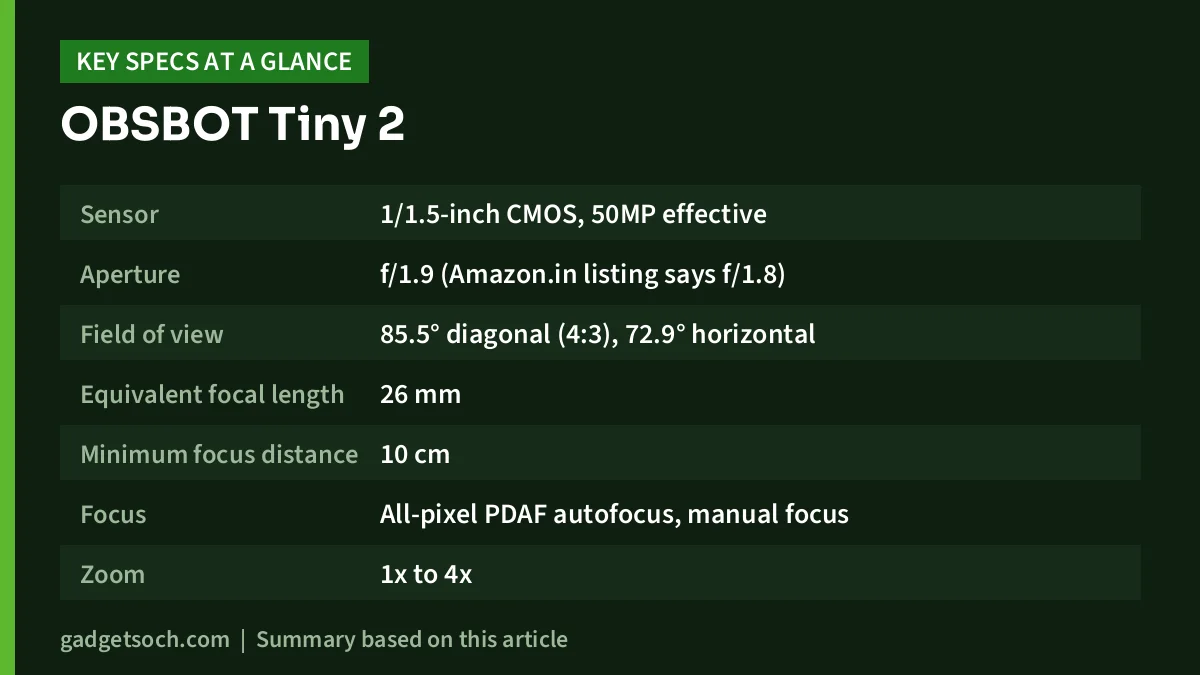
| Specification | OBSBOT Tiny 2 (official unless noted) |
|---|---|
| Sensor | 1/1.5-inch CMOS, 50MP effective |
| Aperture | f/1.9 (Amazon.in listing says f/1.8) |
| Field of view | 85.5° diagonal (4:3), 72.9° horizontal |
| Equivalent focal length | 26 mm |
| Minimum focus distance | 10 cm |
| Focus | All-pixel PDAF autofocus, manual focus |
| Zoom | 1x to 4x |
| Video (MJPEG and H.264) | 3840 x 2160 up to 30fps, 1920 x 1080 and 1280 x 720 up to 60fps |
| HDR | Supported (PixGain HDR) |
| Gimbal | 2-axis, controllable pan ±140°, mechanical tilt ±90°, up to 120°/s |
| Microphones | Dual omnidirectional, noise reduction and auto gain |
| Interface | USB 3.0 (feature page) |
| Power | 5V/0.8A |
| Weight | 95.6 g (143.3 g with mount) |
| Size | 47 x 44 x 62.02 mm |
| Supported OS | Windows 10 or later, macOS 11 or later |
| Operating temperature | 0°C to 40°C |
| Warranty | 2 years (Amazon.in listing) |
Two listing figures disagree with OBSBOT: the Amazon.in listing gives f/1.8 where OBSBOT’s specification page says f/1.9, and the listing’s 0.77 kg item weight is far above OBSBOT’s 95.6 g camera weight, so it most likely includes packaging. We have used OBSBOT’s figures in the table.
Check the current price of the OBSBOT Tiny 2 on Amazon.in
Why the 1/1.5-inch sensor is the headline
Sensor size is the single biggest factor in how a webcam copes with ordinary indoor light. OBSBOT’s 1/1.5-inch sensor is much larger than the sensors in most laptop and budget webcams, which typically gives cleaner images when the room is not brightly lit. OBSBOT also says the sensor uses dual native ISO to capture two exposures at once for its PixGain HDR, aimed at scenes such as a bright window behind you.
The 50MP sensor is far more than 4K needs, and that surplus helps when the camera zooms. OBSBOT lists 1x to 4x zoom, and starting with more pixels means a zoomed shot holds detail better than cropping into a lower-resolution sensor. The lens has a 26 mm equivalent focal length and an 85.5° diagonal view in 4:3, wide enough for a desk shot without showing the whole room.
Autofocus that keeps up with movement
OBSBOT describes the focus system as all-pixel phase detection autofocus and claims a 0.3-second focus time against 1.1 seconds for traditional autofocus. That is the brand’s own comparison, not an independent measurement. The practical benefit of PDAF is less “hunting” when you lean in, hold up a product or move back to a whiteboard. A 10 cm minimum focus distance also makes close-up product shots possible for online sellers and unboxing videos.
Gimbal and AI tracking: the reason to buy it
Unlike electronic-PTZ webcams that crop a still image, the Tiny 2 sits on a real two-axis gimbal. OBSBOT lists a controllable pan range of ±140° and a maximum controllable speed of 120° per second. Its AI tracking with auto zoom keeps you framed as you move, and OBSBOT says the camera can also track a hand, which helps when demonstrating something on a desk.
For a teacher pacing in front of a board, a yoga instructor or a guitar tutor switching between face and fretboard, this is what separates the Tiny 2 from a fixed webcam. OBSBOT also lists three preset positions you can jump between, and OBSBOT says its metal mount supports landscape, portrait, downward and upside-down shooting. Portrait mode is useful for vertical Reels and Shorts, and downward shooting suits handwriting or cooking demos.
Gesture and voice control, with a language catch
OBSBOT’s Gesture Control 2.0 lets you select or cancel a tracking target and zoom in or out (up to 4x) with hand signals, so you do not need to reach for the mouse mid-lesson. Voice control adds nine commands, including “Hi Tiny”, “Sleep Tiny”, “Track Me”, “Unlock Me”, “Zoom In Closer” and three position commands.
The catch for Indian buyers is language. OBSBOT lists voice control in English and Chinese only, and its page notes that a short silence of about one second is needed before a command. If you teach in Hindi, Tamil or another Indian language, plan to use gestures, the software or hotkeys instead of voice commands.
Video modes, and what your computer needs
According to OBSBOT’s specifications, MJPEG and H.264 both offer 4K at up to 30fps and 1080p or 720p at up to 60fps. Uncompressed YUV is limited to lower settings, with 4K at only 15fps. OBSBOT says the camera uses USB 3.0 and can send 1080p without compression and re-encoding, so connect it to a USB 3.0 port to get the full range of modes.
The hardware requirements deserve attention. For 1080p at 60fps and 4K, OBSBOT recommends at least a 7th-generation Intel Core i5 with 8 GB RAM on Windows, or on Mac a 2018 MacBook Pro or MacBook Air, or a 2019 Retina iMac, with an 8th-generation Core i5 or later. Using 4K together with beauty and background effects needs an NVIDIA RTX 2060 or better on Windows, or an Apple M1 or newer Mac. Virtual background is not available on Intel Macs. Many budget office laptops in India will handle 1080p but not 4K with effects.
OBSBOT lists an operating temperature range of 0°C to 40°C. In a non-air-conditioned room during an Indian summer, ambient temperatures can approach the top of that range, so keep the camera out of direct sun and away from hot laptop vents.
Audio and software
The Tiny 2 has dual omnidirectional microphones with noise reduction and automatic gain control, according to OBSBOT. They are a convenient fallback for meetings and classes, but a dedicated microphone closer to your mouth remains the better choice for recorded content.
Settings live in OBSBOT Center (formerly OBSBOT WebCam), which handles tracking, presets, beauty mode and image tuning. For streamers, OBSBOT lists global hotkeys, OSC and SDK support, Elgato Stream Deck integration and a separate Smart Remote 2 accessory. These make the camera easier to control live in OBS Studio without breaking the flow of a stream.
For a complete creator desk, our YouTube starter kit for India covers lights, mics and stands that work well alongside a webcam like this.
Who it suits, and who should look elsewhere

A good fit: live streamers, online coaches who move while teaching, product demonstrators, and anyone who wants vertical video and auto tracking from a desk-friendly camera with a modern Windows PC or Apple silicon Mac.
Look elsewhere if: you mostly attend seated Zoom or Teams calls, your laptop is older or entry-level, you need Linux or Chrome OS support (OBSBOT lists only Windows and macOS), or you want hands-free voice control in an Indian language. The Amazon.in listing also names smartphones as compatible devices, but OBSBOT’s specification page lists only Windows and macOS, so do not count on phone use.
Alternatives worth comparing
- OBSBOT Tiny 2 Lite: the same family with a smaller 1/2-inch sensor, 4K up to 30fps, 1080p up to 60fps, PDAF, HDR, a 2-axis gimbal and AI tracking, but OBSBOT’s page does not mention voice control
- Logitech Brio 4K: a fixed webcam with 4K at 30fps, 1080p at 60fps, three field-of-view presets (65°, 78°, 90°), HDR and an infrared sensor for Windows Hello face login, per Logitech India
- AIWaft 4K UHD Webcam: a budget fixed webcam with a 12.2MP sensor, autofocus, electronic PTZ and a privacy cover, though AIWaft does not publish frame rates
Before you order: a quick checklist

- Confirm the model: the link is for the OBSBOT Tiny 2 (black, model TINY 2) with the 1/1.5-inch sensor, not the Tiny 2 Lite
- Check your PC: match the recommended processor, RAM and GPU to the modes you plan to use
- Use a USB 3.0 port: the camera’s higher modes depend on it
- Box contents: the Amazon.in listing names a storage case and warranty card, so check the listing for the cable and mount before ordering
- Warranty: the listing states 2 years, so keep your invoice and confirm how service is handled in India
- Language: plan on gestures or software if you will not use English voice commands
See the OBSBOT Tiny 2 (black) on Amazon.in
Frequently asked questions
Can the OBSBOT Tiny 2 record 4K at 60fps?
No. OBSBOT’s specifications list 4K at up to 30fps. 60fps is available at 1080p and 720p in MJPEG and H.264.
Does the Tiny 2 physically move to track me?
Yes. It sits on a two-axis gimbal with a controllable pan range of ±140°, and its AI tracking with auto zoom keeps you in frame as you move.
Does voice control work in Hindi?
OBSBOT lists voice control in English and Chinese only, with nine commands. Gesture control and the OBSBOT Center software work regardless of language.
Does it work with Mac?
OBSBOT lists macOS 11 or later. Using 4K with beauty and background effects needs an M1 Mac or newer, and virtual background is not available on Intel Macs.
What is the difference between the Tiny 2 and Tiny 2 Lite?
The Tiny 2 uses a 1/1.5-inch 50MP sensor and adds voice control, while OBSBOT lists a 1/2-inch sensor for the Tiny 2 Lite and does not mention voice control on its page. Both offer 4K at 30fps, 1080p at 60fps and a two-axis gimbal.
Bottom line
The OBSBOT Tiny 2 combines a large sensor, fast autofocus and a real motorised gimbal, which is a different class of product from a fixed webcam. It makes the most sense if you move on camera and have a capable computer. If you just need a clear face on seated calls, a fixed webcam is the more sensible spend. If the Tiny 2 fits your setup, check the current price of the OBSBOT Tiny 2 4K PTZ Webcam on Amazon.in.
Related reading on GadgetSoch: Portronics Twister Laptop Stand Review: Rotating Base, 10 kg Rating and the Fine Print and HP 480 Comfort Bluetooth Mouse Review: Three-Device Switching for Right-Handed Office Work.
Sources
- OBSBOT Tiny 2 official specifications (checked 17 October 2026)
- OBSBOT Tiny 2 official product page (checked 17 October 2026)
- Amazon.in listing for ASIN B0FYQB4TD8: title, feature bullets and technical details (captured 17 October 2026)
- OBSBOT Tiny 2 Lite official page (checked 17 October 2026)
- Logitech India: Brio 4K webcam (checked 17 October 2026)
- AIWaft 4K VEOαCAM official page (checked 17 October 2026)




