The HP 450 Programmable Wireless Keyboard (HP part 4R184AA) is a full-size office keyboard that connects through a 2.4 GHz USB-A dongle, runs on two AAA batteries rated for up to 20 months, and lets you assign shortcuts to up to 20 keys using HP’s free Accessory Center app. It is a good fit for Indian office workers, accountants and students who want a quiet-looking, number-pad-equipped desk keyboard with a few productivity extras. It is not a Bluetooth keyboard, and it is not a mechanical keyboard, despite what parts of the Amazon.in listing say.
The variant on the Amazon.in link is the HP 450 Programmable Wireless, Full Size, 3-Zone Layout Keyboard in black, model number 4R184AA, described as compatible with PCs that have a free USB-A port.
About this article: it is based on HP’s official product specifications and the Amazon.in listing data, both checked on 17 October 2026. We have not used this HP 450 Programmable Wireless Keyboard ourselves, so there are no typing-feel impressions or battery measurements here, only what the sources state.
Quick verdict
- Best for: office desks, accounts and data-entry work, home-office setups with a desktop PC or a laptop on a stand
- Skip if: you need Bluetooth, multi-device switching, backlit keys, a mechanical switch feel or a rechargeable battery
- Key strengths: full-size 3-zone layout, up to 20 programmable keys, rated battery life up to 20 months, tilt legs up to 6 degrees, wipe-cleanable design, more than 60% recycled plastic
- Key limitations: USB-A dongle only, programming needs HP Accessory Center, no backlight mentioned, the Amazon.in technical details contain errors you need to ignore
HP 450 at a glance

| Feature | HP 450 Programmable Wireless Keyboard |
|---|---|
| HP product number | 4R184AA (listing), 4R184AA#ABL on HP’s US store |
| Connection | 2.4 GHz wireless via USB dongle |
| Wireless range | Up to about 10 m (32.81 ft) in open area |
| Layout | Full size, 3-zone |
| Programmable keys | Up to 20, via HP Accessory Center |
| Key travel | 2.0 mm, low-profile plunger keys |
| Typing angle | Tilt legs, adjustable up to 6 degrees |
| Batteries | 2 x AAA (included) |
| Rated battery life | Up to 20 months (LEDs off) |
| Compatibility | Windows 11, Windows 10, macOS (USB-A port needed) |
| Size | 42.8 x 11.5 x 1.8 cm |
| Weight | About 430 g |
| Recycled content | 60% post-consumer recycled plastic (HP footnote says 62%) |
| Cleaning | Rated for up to 1,000 wipes with select disinfecting wipes |
| In the box (HP) | Keyboard, USB dongle, 2 x AAA batteries, quick start guide, warranty card |
| Colour | Black |
All figures above come from HP’s official product page except size, weight and part number, which match between HP and the Amazon.in listing. The battery figure is HP’s estimate and will vary with use.
Check the current price of the HP 450 Programmable Wireless Keyboard on Amazon.in
First, a word about the Amazon.in listing
The listing title correctly names the HP 450 Programmable Wireless keyboard, but its technical details table has several entries that do not match HP’s specifications. It names the model as the “HP 350 Compact Multi-Device Bluetooth Keyboard”, calls the item type a Bluetooth keyboard, lists the switch type as mechanical, says the box contains a USB cable and gives an odd key count of 3.
According to HP, the 450 is a 2.4 GHz wireless keyboard that uses a USB dongle, with no Bluetooth listed, and it uses low-profile plunger keys rather than mechanical switches. HP’s box contents list a USB dongle and two AAA batteries, not a cable. The listing’s model number, 4R184AA, does match HP’s product number for the 450, so the product itself appears correct. Still, check the title, model number and photos when you order, and compare what arrives against HP’s box list.
Layout: why a 3-zone keyboard still matters
HP describes the 450 as a full-size keyboard with a 3-zone layout. In practice, a full-size board keeps the main typing keys, the arrow and navigation cluster and a dedicated number pad. For anyone entering invoice amounts, GST figures, Tally vouchers or Excel data, the number pad alone saves a lot of time compared with the number row on a laptop.
The trade-off is width. At 42.8 cm wide, it needs more desk space than a compact or tenkeyless keyboard, and your mouse will sit further to the right. If your desk is shallow or you work from a small table, measure the space before ordering.
Typing comfort: travel, keycaps and tilt
HP lists 2.0 mm key travel with low-profile plunger keys and contoured keycaps. Two millimetres is a comfortable middle ground: deeper than the shallow keys on most thin laptops, but lower and quieter in character than a mechanical keyboard. The tilt legs adjust the angle by up to 6 degrees, which helps you find a wrist position that suits your chair and desk height.
A comfortable angle also depends on your setup. If you work for long hours, keep the HP 450 Programmable Wireless Keyboard at or just below elbow height and avoid bending your wrists upward. A raised laptop with a separate keyboard, as described in our work-from-home desk setup guide, is usually easier on the neck than typing directly on a laptop.
Programmable keys and HP Accessory Center
The “programmable” in the name is the main reason to choose this HP 450 Programmable Wireless Keyboard over a basic one. HP says you can program up to 20 keys with shortcuts using HP Accessory Center, a free app that HP says is available from the Microsoft Store and Apple’s store. Without the app, the keyboard still types normally, but custom shortcuts need it.
Useful examples for office work include assigning one key to open a frequently used app or website, another to paste a standard reply, and others to common multi-key shortcuts in Excel or your accounting software. A typical setup looks like this, though the exact menus can change with app updates.
- Plug the USB dongle into a free USB-A port and confirm that the keyboard types
- Install HP Accessory Center from the Microsoft Store or Apple’s store
- Open the app, select the keyboard and choose the key you want to customise
- Assign a shortcut, app or action, then test it in the program you use most
- Note your assignments somewhere, because programmed keys are easy to forget
Office IT policies matter here. On company laptops where you cannot install apps, you may not be able to use the programming feature at all, so check with your IT team first.
Battery life and wireless range
HP rates battery life at up to 20 months on two AAA batteries, with the note that this applies with the LEDs off and that real life depends on usage. Even at a fraction of that figure, AAA cells are cheap and easy to find, and many users prefer that over remembering to charge a keyboard. If you use rechargeable AAA cells, keep a spare pair charged.
The 2.4 GHz dongle gives a rated range of up to about 10 metres in open space. At a desk you will use a fraction of that. If you get lag or missed keys, move the dongle to a port at the front of the PC or use a short USB extension so it is not blocked by a metal cabinet.
Cleaning and sustainability
HP says the keyboard can withstand up to 1,000 cleanings with select household disinfecting wipes, following the wipe maker’s instructions and HP’s cleaning guidance. That is useful for shared office desks, reception counters and clinics where several people use the same keyboard. Wipe rather than spray, and never pour liquid onto the keys.
HP also states that more than 60% of the plastic is post-consumer recycled material, with a footnote giving 62% based on the IEEE 1680.1-2018 EPEAT standard. That will not change how it types, but it matters to buyers and offices with sustainability goals.
Who should buy it, and who should skip it
Buy it if you work at one computer, use the number pad daily, like the idea of programming shortcuts, and want long battery life with a simple plug-in dongle.
Skip it if your laptop or Mac has only USB-C ports and you do not want an adapter, you want to switch between a laptop, tablet and phone, you need backlit keys for dim rooms, or you specifically want a mechanical keyboard.
Alternatives worth a look
- Logitech MK270r: a keyboard and mouse combo on one 2.4 GHz receiver, with a full-size keyboard, eight media keys, 60 ml spill resistance and a rated 36-month keyboard battery life, according to Logitech’s official specifications, but no programmable keys
- Portronics Bubble: a compact tenkeyless keyboard with Bluetooth 5.0 plus a 2.4 GHz receiver and support for up to three devices, according to Portronics, though it has no number pad
What to check before you order
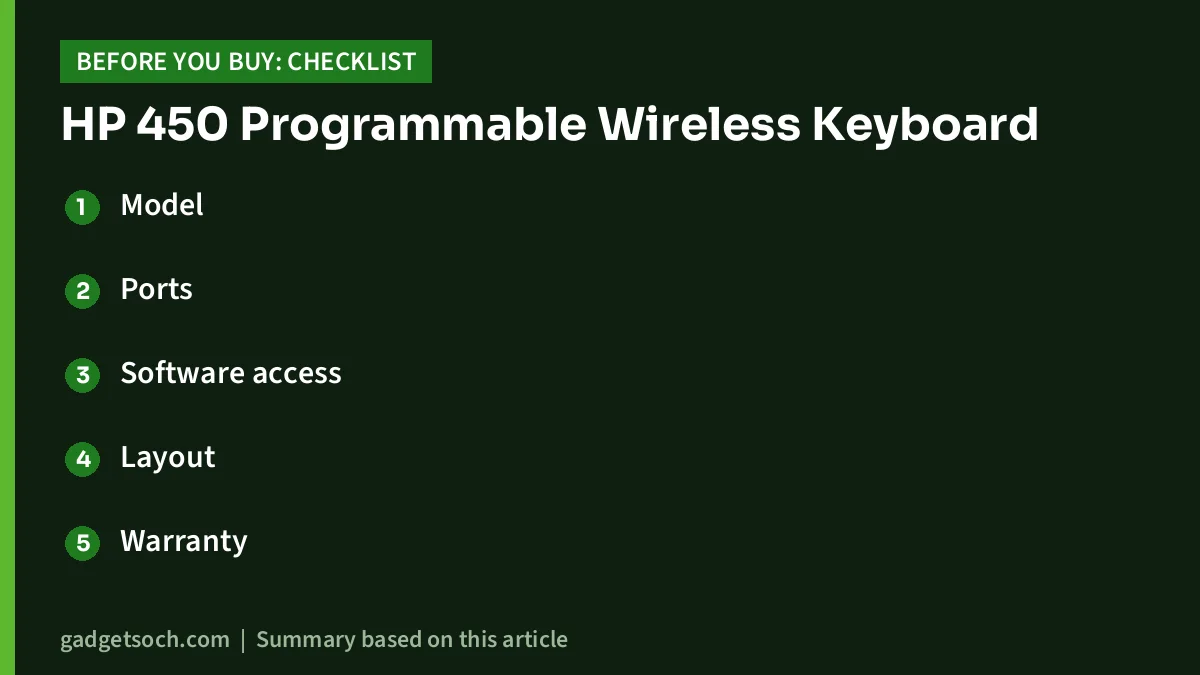
- Model: confirm the title says HP 450 Programmable Wireless and the model number reads 4R184AA
- Ports: make sure your computer has a free USB-A port, or plan for a USB-C adapter
- Software access: check that you can install HP Accessory Center if you want programmable keys
- Layout: look at the photos to confirm the key legends and layout you expect
- Warranty: HP’s US store lists a one-year limited warranty, so confirm the India warranty on the Amazon.in listing or with HP India and keep your invoice
- Box contents: HP lists the keyboard, USB dongle, two AAA batteries, quick start guide and warranty card
See the HP 450 Programmable Wireless Keyboard (4R184AA, black) on Amazon.in
Frequently asked questions
Is the HP 450 a Bluetooth keyboard?
No. HP lists a 2.4 GHz wireless connection through a USB dongle. The Amazon.in technical details mention a Bluetooth keyboard, but that conflicts with HP’s own specifications.
Does it have a number pad?
HP describes it as a full-size keyboard with a 3-zone layout, which includes a separate number pad alongside the main keys and the navigation keys.
Does the HP 450 work with a Mac?
HP lists macOS compatibility, and HP says Accessory Center is available from Apple’s store. You need a USB-A port for the dongle, so newer Macs will need a USB-C adapter.
Do I need software to use it?
No for normal typing. Yes for programming custom shortcuts, which requires HP Accessory Center.
How long do the batteries last?
HP rates battery life at up to 20 months on two AAA batteries with the LEDs off. Actual life depends on how much you type.
Is it a mechanical keyboard?
HP lists low-profile plunger keys with 2.0 mm travel and does not describe it as mechanical, even though the Amazon.in technical details list a mechanical switch type.
Conclusion
The HP 450 Programmable Wireless Keyboard is a practical, full-size office keyboard with a useful twist: programmable shortcut keys that can save time in repetitive work. Its long rated battery life, tilt adjustment and wipe-cleanable design suit shared and busy desks. Just go in knowing that it is a USB-dongle keyboard, not Bluetooth, and that the listing’s technical table has errors. If it fits your desk, check the current price of the HP 450 keyboard on Amazon.in.
Related reading on GadgetSoch: Lenovo 300 FHD Webcam Review: 1080p Calls, Wide 95-Degree View and the Fixed-Focus Catch and A-Tech 8GB DDR5-4800 SODIMM Review (AT8G1D5S4800NA0N11V): Will It Fit Your Laptop?.
Sources
- HP Store: HP 450 Programmable Wireless Keyboard specifications (checked 17 October 2026)
- Amazon.in listing for ASIN B0BR3XRNHV: title, feature bullets and technical details (captured 17 October 2026)
- Logitech MK270r and Portronics Bubble specifications from Logitech’s and Portronics’ official pages, as compiled in earlier gadgetsoch.com reviews (checked 17 October 2026)