
The Lenovo 300 FHD Webcam (part number GXC1B34793, Cloud Grey) is a plug-and-play USB webcam that records 1080p video at 30 frames per second through a wide 95-degree lens, with two built-in microphones and a physical privacy shutter. It is a sensible upgrade for anyone whose laptop camera is grainy or badly placed, or for a desktop PC with no camera at all. It is not the right pick if you need autofocus, 60 fps video or a USB-C connection.
Its strengths are on paper: Full HD video, stereo mics, a flexible mount that rotates and tilts, and a 1.8 m cable, according to the Amazon.in listing. Its limits are just as clear: fixed focus, a digital (not optical) zoom, and official operating system lists that stop at Windows 10.
Before you read on: this review is based on Lenovo’s official product pages and the Amazon.in listing, checked on 17 October 2026. gadgetsoch has not used this Lenovo 300 FHD Webcam, so there are no hands-on image or audio quality claims below.
Quick verdict
- Best for: work-from-home calls, online classes and interviews from a desktop or a laptop with a weak built-in camera
- Skip if: you need autofocus for showing documents up close, 60 fps for streaming, or a native USB-C cable
- Key strengths: 1080p at 30 fps, 95-degree wide view, two microphones, privacy shutter, tripod-ready clip with 360-degree rotation, 1.8 m cable, no drivers needed
- Key limitations: fixed focus, 4x zoom is digital, USB 2.0 Type-A only, Windows 11 not named in the official or listing OS lists
Specifications

| Spec | Lenovo 300 FHD Webcam (GXC1B34793) | Source |
|---|---|---|
| Sensor | CMOS, about 2 MP (Lenovo) or 2.1 MP (listing) | Lenovo, Amazon.in listing |
| Pixel size | 2.8 x 2.8 micrometres | Lenovo India store |
| Video | 1920 x 1080 (MJPG) at 30 fps default | Amazon.in listing |
| Field of view | 95 degrees diagonal | Lenovo India store, listing |
| Focus | Fixed focus | Amazon.in listing |
| Zoom | 4x digital | Amazon.in listing title |
| Microphones | Two built-in, stereo | Lenovo, listing |
| Privacy | Physical shutter over the lens | Lenovo India store |
| Movement | Pan and tilt, 360-degree rotation | Lenovo India store, listing |
| Mount | Tripod-ready universal clip for laptops and monitors | Amazon.in listing |
| Connection | Wired USB-A, USB 2.0 | Lenovo India store |
| Cable length | 1.8 m | Amazon.in listing |
| Power rating | 5 V, 150 mA | Lenovo India store, listing |
| Size (L x H x D) | 90 x 62 x 46 mm | Lenovo India store |
| Weight | 130 g | Lenovo India store |
| Colour | Cloud Grey | Lenovo India store, listing |
| Warranty (Lenovo store) | 3 years | Lenovo India store |
Check the current price of the Lenovo 300 FHD Webcam on Amazon.in.
A note on the listing: its technical details section also mentions items such as a 3.5-inch screen, SD flash memory and 5 GHz wireless. None of these appear on Lenovo’s pages, and they do not make sense for a wired USB webcam, so ignore them.
Video: what 1080p, fixed focus and 95 degrees mean on a call
Lenovo describes the Lenovo 300 FHD Webcam as Full HD 1080p with a roughly 2-megapixel CMOS sensor (the Amazon.in listing says 2.1 MP). How much of that detail reaches the other side depends on the meeting app and your internet connection, but a Full HD source is a clear step up from the 720p cameras on many older laptops, and it helps when you record a lecture or presentation locally.
The listing gives 1920 x 1080 at 30 frames per second in MJPG format as the default. Thirty fps is the norm for calls and classes. It is fine for talking heads but not as smooth as the 60 fps that some streamers prefer.
Focus is fixed. A fixed-focus lens is set to keep a typical seated distance sharp and never hunts or refocuses mid-call, which some people actually prefer. The trade-off is that holding a page, a product or a handwritten note close to the Lenovo 300 FHD Webcam is likely to look soft. Teachers and sellers who regularly show small objects on camera should consider an autofocus webcam instead.
The 95-degree diagonal field of view is wide. It fits two people side by side or a small whiteboard behind you, which is useful for family calls or a small meeting room. It also shows more of your room, so check the background before an interview. The listing’s 4x zoom is digital, which means it crops into the image instead of using lens optics, and cropped footage loses detail.
Lenovo’s India store lists a pixel size of 2.8 micrometres. Lenovo does not publish low-light test results, and the listing’s mention of a low-light mode is the seller’s claim, so plan for good lighting rather than relying on the Lenovo 300 FHD Webcam to fix a dark room.
Audio: two microphones
Lenovo’s description promises full stereo dual microphones, and its India store lists two built-in mics. For one person at a desk in a quiet room, built-in webcam mics are usually adequate for calls. In a noisy Indian household with fans, traffic or family in the background, a headset or a clip-on microphone will still pick up your voice more clearly, because it sits much closer to your mouth. The Lenovo 300 FHD Webcam’s stereo mics are a convenience, not a replacement for a dedicated mic if audio quality matters for your work.
Mounting, rotation and privacy
According to the Amazon.in listing, the Lenovo 300 FHD Webcam has a tripod-ready universal clip that fits laptops, desktop monitors and other LCD screens, with a 1.8 m cable, tilt adjustment and 360-degree rotation. Lenovo’s store lists pan and tilt movement. A tripod mount is useful if you want the camera at eye level beside a monitor, or pointed down at a desk for craft or cooking videos.
There is a physical privacy shutter that covers the Lenovo 300 FHD Webcam, which Lenovo’s store confirms. A shutter is more reassuring than a software switch because you can see at a glance that the camera is covered.
Compatibility and setup
Setup is designed to be plug-and-play. The listing says you unfold the camera, plug the USB 2.0 cable into a Windows or Mac computer, and it works with conferencing or streaming software without drivers. Lenovo’s store lists a USB-A port and a USB 2.0 hardware requirement.
Operating system support needs a careful look. Lenovo’s India store lists Windows 7, Windows 8 and Windows 10. The Amazon.in listing adds Mac OS X 10.14 or higher, Ubuntu 20.04 and Chromebook (Chrome version 85.0.4181.3). Neither source names Windows 11. Since Windows 11 is not on either list, treat it as unconfirmed and check the return policy before you order.
- Step 1: clip the webcam to the top of your monitor or laptop lid, or screw it onto a tripod.
- Step 2: plug it into a USB-A port. On a USB-C-only laptop, use a USB-C to USB-A adapter or hub.
- Step 3: in Zoom, Google Meet, Microsoft Teams or your recording app, open video and audio settings and select the Lenovo webcam and its microphone.
- Step 4: open the privacy shutter, tilt the camera to eye level and check your framing before the call.
Light it right
Because the lens is fixed-focus and Lenovo does not publish low-light data, lighting will make the biggest difference to how you look. Sit facing a window or a lamp rather than with a bright window behind you, which turns your face into a silhouette. A small ring light or desk lamp placed just behind the webcam is an inexpensive fix. Our creator starter kit guide covers budget ring lights and clip-on mics that pair well with a webcam like this.
Who should buy it, and who should not
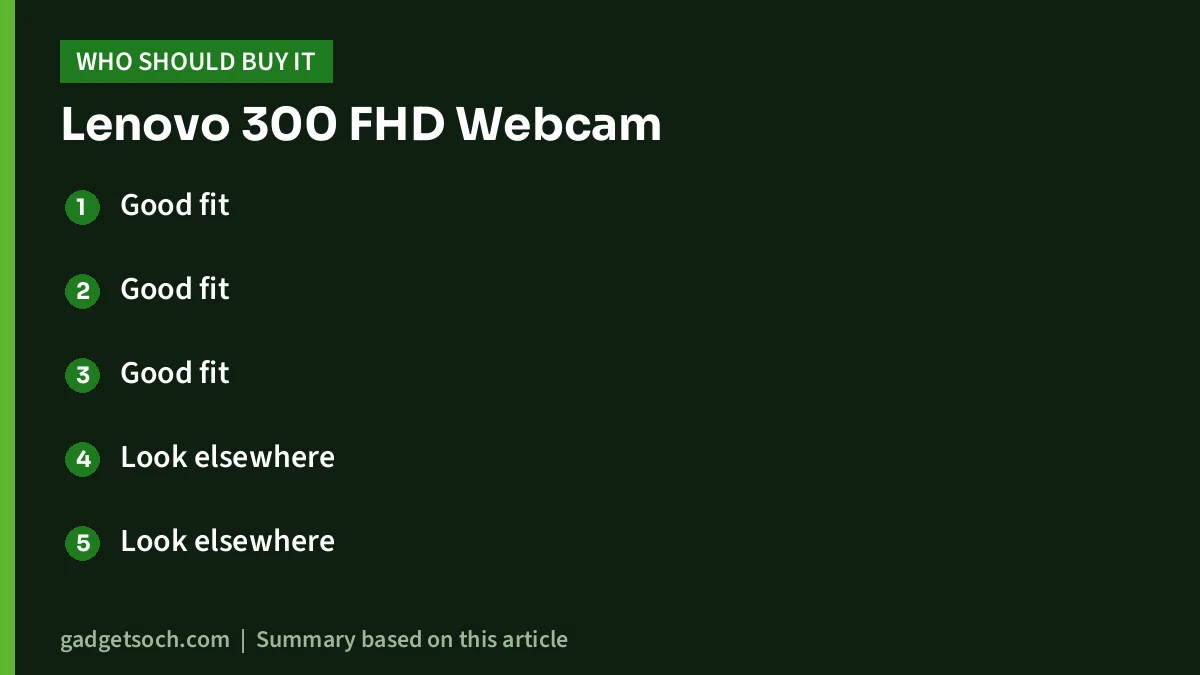
- Good fit: office workers on daily video calls from a desktop PC that has no camera
- Good fit: students attending online classes on an older laptop with a low-resolution or awkwardly placed camera
- Good fit: small teams that want a wide view of two or three people around one screen
- Look elsewhere: anyone who regularly shows documents or small products up close, because focus is fixed
- Look elsewhere: streamers who want 60 fps or a USB-C cable
- Look elsewhere: Windows 11 users who want guaranteed official support
Alternatives worth comparing
- Logitech C270: a simpler HD webcam. Logitech India lists 720p at 30 fps, a 55-degree diagonal field of view, a mono noise-reducing mic and an adjustable universal clip. A narrower, lower-resolution view, for people who only need basic one-person calls.
- Your laptop’s built-in camera plus better lighting: if your laptop already has a 1080p webcam, a lamp or ring light may improve your picture more than adding an external camera.
- Canon EOS R50: a 24.2 MP APS-C mirrorless camera that records 4K at 30p. A far bigger investment, only for creators who need real camera quality rather than a call webcam.
Buying checklist

- Variant: the linked listing is the Lenovo 300 FHD Webcam in Cloud Grey. Confirm the name and colour on the page before ordering.
- Port: make sure you have a free USB-A port, or an adapter if your laptop only has USB-C.
- Operating system: check your OS against the lists above, especially if you use Windows 11 or a Chromebook.
- Warranty: Lenovo’s India store lists a 3-year warranty for this part. Confirm the warranty that applies to an Amazon.in purchase with the seller or Lenovo support, and keep the invoice.
- Box contents: Lenovo’s store does not list extra accessories, so do not expect a tripod in the box.
Once those points are clear, see the Lenovo 300 FHD Webcam (Cloud Grey) on Amazon.in.
Frequently asked questions
Does the Lenovo 300 FHD Webcam need drivers?
No, according to the Amazon.in listing it works without drivers once plugged into a USB 2.0 port on a Windows or Mac computer.
Does it have autofocus?
No. The listing specifies fixed focus, which keeps a normal seated distance sharp but can blur objects held close to the lens.
Does it work with Windows 11?
Lenovo’s India store lists Windows 7, 8 and 10, and the listing adds macOS 10.14 or later, Ubuntu 20.04 and Chromebook. Windows 11 is not named in either list, so it is unconfirmed.
Does it have a privacy cover?
Yes. Lenovo lists a privacy shutter that physically covers the lens.
Can I mount it on a tripod?
Yes. The Amazon.in listing describes a tripod-ready universal clip, but a tripod is not listed in the box.
The bottom line
The Lenovo 300 FHD Webcam covers the basics of a modern call webcam on paper: 1080p at 30 fps, a wide 95-degree view, two mics, a privacy shutter and a flexible mount. Its fixed focus, digital zoom, USB-A cable and older official OS list are the compromises. For everyday calls and classes it is a practical upgrade, and good lighting will help it more than any spec. Check the current price of the Lenovo 300 FHD Webcam on Amazon.in.
Related reading on GadgetSoch: HP 450 Programmable Wireless Keyboard Review: 20 Shortcut Keys, Number Pad and a Listing Mix-up and Portronics Toad One Review: Dual-Mode Rechargeable Mouse for Three Devices, With Caveats.
Sources
- Lenovo India store: Lenovo 300 FHD WebCam (GXC1B34793), specifications, checked 17 October 2026
- Lenovo.com India: Lenovo 300 FHD WebCam product page, description, checked 17 October 2026
- Logitech India: C270 HD Webcam, alternative specifications, checked 17 October 2026
- Amazon.in listing for the Lenovo 300 FHD Webcam (ASIN B08KT89BWX), seller-provided details captured 17 October 2026
- gadgetsoch Canon EOS R50 review (alternative specifications)