
The FRONTECH Webcam 2255 is an entry-level USB webcam that records 720p HD video at 30 fps, with a built-in microphone, a CMOS sensor, 4x digital zoom and plug-and-play setup that needs no driver, according to its Amazon.in listing. It is meant for a desktop PC without a camera, or a laptop whose built-in camera has failed, where the job is simply Zoom, Google Meet, Teams or online classes.
Short verdict: it is a basic fix for “my computer has no camera”, not an upgrade for anyone who already has a decent 1080p laptop webcam. Detailed specifications are scarce. Frontech’s own website did not list a model 2255 when we checked, so almost every fact here comes from the seller-provided Amazon.in listing.
Please note: this article is based on the Amazon.in listing data and Frontech’s official website, checked on 17 October 2026, not on hands-on testing. We found no independent review of this model, so we do not comment on real-world image or microphone quality.
Quick verdict
- Good for: desktop PCs with no camera, basic video calls, online classes and interviews where a working camera matters more than sharpness
- Skip if: you record content, want 1080p clarity, need autofocus, or use a Mac and want confirmed compatibility
- Strengths on paper: driverless USB plug-and-play, built-in mic, auto white balance, automatic exposure, 16:9 frame, small 100 g body
- Limitations: 720p only, manual focus, digital (not optical) zoom, field of view not stated, warranty not stated on the listing, and no official product page for this model
What the listing says: FRONTECH Webcam 2255 specs
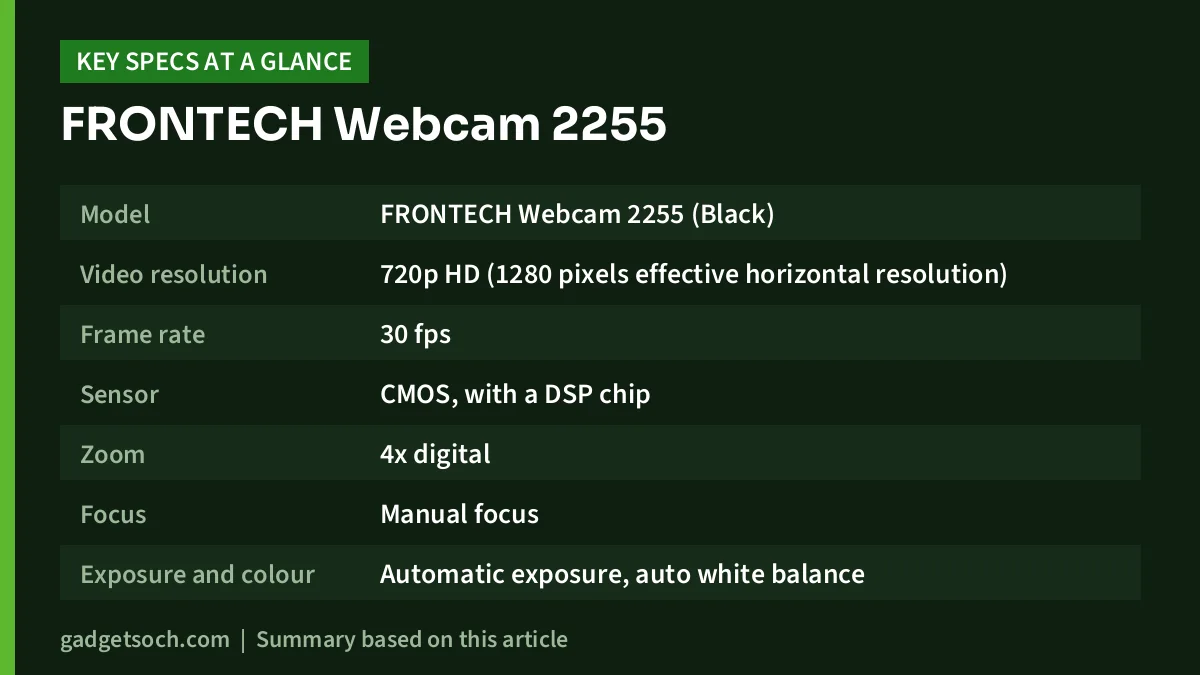
| Feature | As stated on the Amazon.in listing |
|---|---|
| Model | FRONTECH Webcam 2255 (Black) |
| Video resolution | 720p HD (1280 pixels effective horizontal resolution) |
| Frame rate | 30 fps |
| Sensor | CMOS, with a DSP chip |
| Zoom | 4x digital |
| Focus | Manual focus |
| Exposure and colour | Automatic exposure, auto white balance |
| Aspect ratio | 16:9 |
| Microphone | Built-in |
| Lights | “LED Lights” (type and purpose not explained) |
| Lens | Described as wide-angle (angle not stated) |
| Connection | USB, plug-and-play, driverless |
| Operating system listed | Windows |
| Size | 8 x 7.8 x 3.3 cm (D x W x H) |
| Weight | 100 g |
| Warranty | Not stated in the captured listing |
Check the current price of the FRONTECH Webcam 2255 on Amazon.in
A note on the listing data: a few technical fields on the Amazon.in page do not make sense for a webcam (for example a “screen size” of 3, an SDXC memory type and focal lengths of 304.8 to 609.6 mm). These look like template errors, so we have ignored them. The listing also says “Has Image Stabilization: No” while naming a digital stabilisation type. Treat stabilisation as not confirmed.
What 720p at 30 fps means for your video calls
A 720p webcam captures a 1280 x 720 picture. For most video calls this is less of a handicap than it sounds, because Zoom, Meet and Teams often send a compressed, lower-resolution stream anyway, especially on a slow broadband or mobile hotspot connection. Where 720p shows its limits is on a large monitor during one-to-one calls, in recorded presentations and in YouTube or Instagram content, where a 1080p camera gives visibly more detail in hair, text and backgrounds.
The 30 fps frame rate is the normal standard for video calls. It keeps lip movement and gestures smooth enough for conversations. You do not need 60 fps for meetings.
The 4x digital zoom crops into the image rather than moving a lens. On a 720p source, zooming in reduces detail quickly, so use it only to reframe slightly, not to get a close-up from across the room.
Focus, exposure and the “wide-angle” claim
The listing says the 2255 uses manual focus. In practice that usually means a ring around the FRONTECH Webcam 2255 that you turn until your face looks sharp at your normal sitting distance. Set it once and leave it, but expect to adjust it again if you move the camera from a desktop monitor to a laptop or sit much closer. Webcams with autofocus handle this automatically, which matters if you often hold documents or products up to the camera.
Automatic exposure and auto white balance are useful on a budget camera because they adjust brightness and colour as room lighting changes through the day. They cannot create detail in a dark room, though, which is why lighting matters more than any spec on this list.
The only feature bullet on the listing calls it a wide-angle webcam suited to group calls, but no field-of-view figure is given. Without a number, we cannot say how much of a room it will capture, so do not buy it specifically to fit a whole conference table into frame.
Built-in microphone and LED lights
The listing mentions a built-in mic, but gives no details on noise reduction, pickup pattern or whether it is a single or dual microphone. A webcam mic sits further from your mouth than a headset mic, so it picks up more room echo and fan noise. For important interviews or long classes, a wired headset or earphones with a mic will usually sound clearer to the people you are speaking to.
The title also mentions LED lights. The listing does not explain whether these are fill lights to brighten your face or a small indicator that shows the FRONTECH Webcam 2255 is active. Check the product photos before relying on them as a light source.
How to get a better picture from any 720p webcam
- Face a window or lamp: light in front of you, not behind you, is the single biggest quality improvement. A bright window behind your head turns your face into a silhouette.
- Add a simple light: a small desk lamp or ring light placed behind the monitor evens out shadows. Our Amazon Basics 10-inch ring light review covers one budget option.
- Set the camera at eye level: stack books under a laptop or mount the camera on top of the monitor so it does not look up at your chin.
- Clean the lens: a fingerprint on a small webcam lens softens the whole image. Use a dry microfibre cloth.
- Use a direct USB port: plug into a port on the PC itself rather than a passive hub if the picture freezes or the camera disconnects.
- Pick the camera in each app: in Zoom, Meet or Teams settings, select the USB camera and microphone, otherwise the app may keep using the laptop camera.
Setting it up on Windows, Mac and other devices
Frontech describes the 2255 as driverless and plug-and-play. On Windows 10 or 11, a USB Video Class camera like this normally appears in the Camera app and in meeting apps within a few seconds of plugging it in. If it does not appear, open Settings, then Privacy and security, then Camera, and make sure camera access is allowed for desktop apps.
The listing names Windows as the operating system. It does not mention macOS, Chrome OS, Linux or Android. Many driverless webcams do work on those platforms, but because Frontech has not confirmed it for this model, buy from a seller with an easy return policy if you plan to use it with a MacBook, Chromebook or TV.
The connector is USB, and the listing does not state the FRONTECH Webcam 2255 length or whether there is a monitor clip or tripod thread. Check the product images, and remember that laptops with only USB-C ports will need an adapter.
Who should buy it
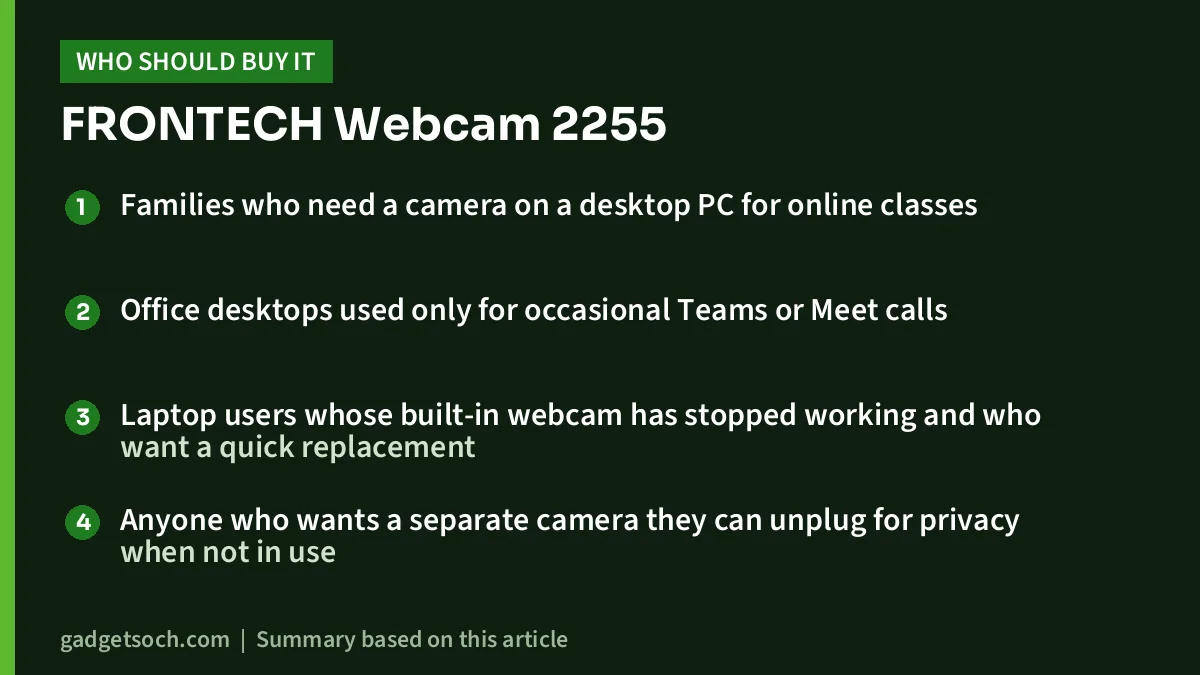
- Families who need a camera on a desktop PC for online classes
- Office desktops used only for occasional Teams or Meet calls
- Laptop users whose built-in webcam has stopped working and who want a quick replacement
- Anyone who wants a separate camera they can unplug for privacy when not in use
Who should skip it
- Content creators, streamers and teachers who record lessons, as 720p will look soft on modern screens
- People who already have a 1080p laptop camera, as this is unlikely to be an upgrade
- Mac and Chromebook users who need confirmed compatibility
- Buyers who want published warranty terms and an official spec sheet before purchasing
Alternatives to consider
Frontech E-CAM FT-2256: Frontech’s official website lists this model with Full HD 1080p at 30 fps from a 4MP sensor, dual noise-reduction microphones, a 60-degree wide-angle lens, autofocus with automatic light correction, a clip for laptops and monitors, support for Windows, Mac and Android, and a 1-year warranty. If your budget stretches, it fixes the biggest weaknesses of the 2255 on paper.
Zebronics Zeb Crisp Pro: Zebronics’ official page lists 1920 x 1080 video at 30 fps, a built-in microphone, a CMOS sensor, a fixed-focus 5P lens and a 1.58-metre USB cable. Fixed focus means nothing to adjust, which some users prefer over manual focus.
If you are building a full home office or creator setup, our work-from-home desk setup guide lists other accessories worth considering alongside a webcam.
Before you order: a quick checklist

- Confirm the model: the affiliate link here points to the FRONTECH Webcam 2255 HD 720p listing. Frontech sells other webcams, including the 1080p FT-2256, so check the model and resolution in the title before paying.
- Check warranty on the listing: the captured listing data does not state warranty terms. Look for them on the product page or ask the seller, and keep your invoice.
- Check your ports: you need a free USB port, or an adapter for USB-C-only laptops.
- Check the mount: look at the product images to see how it attaches to a monitor or laptop lid.
- Check your OS: only Windows is listed, so confirm the return policy if you use another system.
See the FRONTECH Webcam 2255 (720p) on Amazon.in
Frequently asked questions
Is the FRONTECH Webcam 2255 Full HD?
No. The Amazon.in listing states 720p HD at 30 fps. Frontech’s Full HD 1080p webcam is a different model, the FT-2256.
Does the Frontech 2255 need a driver?
The listing describes it as driverless and plug-and-play over USB. On Windows it should be recognised automatically as a standard webcam.
Does it have a microphone?
Yes, the listing mentions a built-in microphone. It gives no details on noise reduction, so a headset mic may still sound clearer on calls.
Does it have autofocus?
No. The listing lists manual focus, so you set the focus by hand for your usual sitting distance.
Will it work with a Mac or Android TV?
The listing names only Windows. Many plug-and-play webcams work on other systems, but Frontech has not confirmed this for the 2255.
Bottom line
The FRONTECH Webcam 2255 is a simple 720p USB camera for people who just need a working webcam for calls and classes. Its spec sheet is thin, it relies on manual focus, and Frontech does not publish an official page for it, so set expectations accordingly. If you need sharper video, autofocus or confirmed Mac support, a 1080p model is the better buy.
Check the current price of the FRONTECH Webcam 2255 on Amazon.in
Related reading on GadgetSoch: HP Laser MFP 1188w Review: Wi-Fi Mono Laser Printer for Home and Small Office and Canon PIXMA G2010 Review: Low-Cost Ink Tank All-in-One, but USB Only.
Sources
- Amazon.in listing for ASIN B0CQFXR5ZK (title, feature bullet, technical details), captured 17 October 2026
- Frontech official website search for “2255” (no matching product listed), checked 17 October 2026
- Frontech E-CAM FT-2256 official product page, checked 17 October 2026
- Zebronics Zeb Crisp Pro official product page, checked 17 October 2026




