The EvoFox Elite S Advanced is a wired PC controller that packs features usually found on pricier pads: according to its Amazon.in listing, it has Hall-effect joysticks, a 1000Hz polling rate, analogue triggers, programmable macro buttons, Sniper and Turbo modes, dual vibration and RGB stick lighting, on a 1.8m USB cable. For Windows players who want drift-resistant sticks and do not want to charge a controller, it looks like a strong spec sheet. The main caveats are that it is new, only Windows PC is named for compatibility, and none of its claims could be checked against an official spec page or an independent review.
The link here is for the Grey model, listed on Amazon.in as “EvoFox Elite S Advanced Wired Gaming Controller for PC, 1000Hz Polling Rate, Hall Effect Joysticks … 1.8m Cable, Grey” (item part number 160). Amazon.in shows a release date of 29 July 2026, so it is a recent addition to the EvoFox range from Amkette.
How we wrote this: the article is based on the Amazon.in listing, captured on 17 October 2026, plus general explanations of what each feature does. EvoFox’s own website blocks automated access, Amkette’s site did not show a page for this model, and we found no published review of it. Nothing here is from hands-on testing, so treat performance claims as the listing’s, not ours.
Quick verdict
- Best for: Windows PC players who want Hall-effect sticks, analogue triggers and macro buttons on a cable that never needs charging
- Skip if: you need console, phone or Android TV support, wireless play, or a controller with independent reviews and a published warranty
- Key strengths (listing claims): Hall-effect sticks, 1000Hz polling, analogue triggers, programmable macros, Sniper and Turbo modes, plug-and-play on Windows
- Key limitations: only Windows PC named, 1.8m cable is on the short side for TV setups, warranty not stated on the listing, no official spec page or review to confirm the claims
EvoFox Elite S Advanced specifications (as listed)
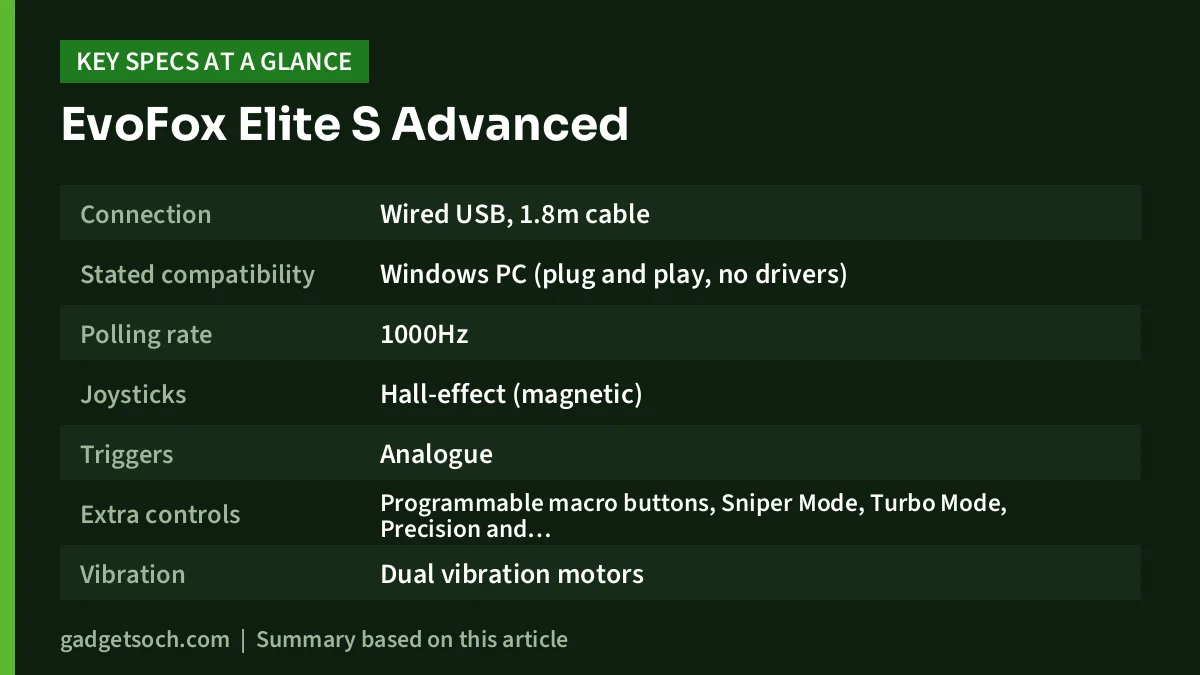
| Specification | Amazon.in listing |
|---|---|
| Connection | Wired USB, 1.8m cable |
| Stated compatibility | Windows PC (plug and play, no drivers) |
| Polling rate | 1000Hz |
| Joysticks | Hall-effect (magnetic) |
| Triggers | Analogue |
| Extra controls | Programmable macro buttons, Sniper Mode, Turbo Mode, Precision and Accuracy Modes |
| Vibration | Dual vibration motors |
| Lighting | RGB joystick lighting |
| Size | 15 x 11 x 5.5 cm |
| Weight | 210 g |
| Colour | Grey |
| Part number | 160 |
| Release date (Amazon.in) | 29 July 2026 |
| Warranty | Not stated on the listing |
| Country of origin | China |
Check the current price of the EvoFox Elite S Advanced (Grey) on Amazon.in
Hall-effect sticks: why they matter for a PC pad
Stick drift is the most common reason gamepads get replaced. Conventional joysticks use potentiometers, where a contact slides along a resistive strip. As that strip wears, the EvoFox Elite S Advanced starts reporting small movements when the stick is centred, and your aim or camera slowly creeps.
Hall-effect sticks track position with magnets and a sensor, with no rubbing contact in the measuring part. The listing describes the Elite S Advanced’s sticks as “drift-resistant”, which is a fair way to put it: Hall-effect sensing removes the main wear-related cause of drift, though no controller is guaranteed to be fault-free for life. If you have already lost a cheap pad to drift, this is the feature that makes the Elite S Advanced worth a look.
1000Hz polling: what it does, and what it does not
Polling rate is how often the EvoFox Elite S Advanced sends its state to the PC. At 1000Hz, that is once every millisecond. For comparison, 125Hz, a common USB default, means once every 8 milliseconds. A higher rate shaves a few milliseconds off the time between your input and the game receiving it.
That is a real, if small, advantage in fast shooters and fighting games. It will not make up for a low frame rate, a slow display or network lag, which usually add far more delay. Think of 1000Hz as a nice extra for competitive players rather than a reason on its own to buy. Also note that the 1000Hz figure is the listing’s claim, and there is no published test confirming it.
Analogue triggers and why racing fans should care
The listing states analogue triggers. Unlike digital triggers, which register only pressed or not pressed, analogue triggers report how far you press them. In racing games that means you can feather the throttle and brake smoothly. In some shooters, a partial press can aim before a full press fires. This is a clear step up from EvoFox’s cheaper Elite Ops Wired, which the listing says has digital triggers.
Macro buttons, Sniper Mode and the other modes
The Elite S Advanced lists programmable macro buttons, a Sniper Mode, a Turbo Mode and “Precision & Accuracy Modes”. Here is what these kinds of features generally do, with the caveat that the listing does not explain exactly how EvoFox implements them:
- Macro buttons: extra buttons you can assign to another input or a sequence of inputs, so you can, for example, jump or reload without moving your thumb off the stick. The listing does not say where these buttons sit on the controller, so check the product photos
- Turbo: repeats a button press rapidly while you hold it, useful in older shooters and arcade games
- Sniper Mode: on gamepads, a sniper or precision mode usually lowers stick sensitivity so small, fine aiming movements are easier. The listing does not describe EvoFox’s exact behaviour
- Precision and Accuracy Modes: named on the listing but not explained. Check the manual in the box to see what they change
The listing says these are configured without installing drivers, which suggests they are set up on the EvoFox Elite S Advanced itself rather than through PC software. That keeps things simple, but on-controller programming is usually done with button combinations, so keep the manual handy.
Design, lighting and the cable
The listing describes an ergonomic design built for long sessions, with a weight of 210 g and dimensions of 15 x 11 x 5.5 cm, which is typical for a full-size gamepad. RGB lighting is built into the joysticks. The listing does not say whether the lighting can be switched off.
The 1.8m cable is fine for a desk setup where the EvoFox Elite S Advanced sits beside or under your desk. If you play on a TV connected to a PC across the room, it may be too short, and a quality USB extension cable is the practical workaround.
One listing detail that does not add up
The Technical Details section on Amazon.in includes the line “9V batteries required”. That does not fit a controller the same listing describes as wired USB with plug-and-play setup, and no battery is mentioned anywhere else on the listing. It looks like a data-entry error rather than a real requirement, but if you want to be sure, ask the seller through the listing’s question section before you order.
Compatibility: Windows PC only, as far as the listing says
The title calls it a controller “for PC” and the feature list says it works on Windows PCs without additional drivers. No other platform is named: not Android, Android TV, PS3, PS4, PS5, Xbox or Switch. Some wired pads do work on other devices, but you should not count on it here. Buy it as a Windows controller.
On Windows, you can confirm detection by searching for “Set up USB game controllers” in the Start menu. In Steam, the controller settings page shows whether the pad is recognised and lets you remap buttons per game. If you are building or buying a gaming laptop to pair with it, our guide to RTX 3050 and RTX 4050 gaming laptops on Amazon India covers the main options.
Who should buy it, and who should skip it

Buy it if you play on a Windows PC or laptop, want Hall-effect sticks to avoid drift, prefer analogue triggers for racing or shooters, like the idea of macro buttons, and would rather never charge a controller.
Skip it if you need one pad for a console, phone or Android TV, want wireless freedom, play from a sofa far from the PC, or prefer to wait until independent reviews confirm how the sticks, triggers and 1000Hz polling perform in practice.
Alternatives worth comparing
EvoFox Elite Ops Wired
EvoFox’s simpler wired pad. Its listing names PC, Android TV and PS3, offers X-Input and D-Input modes, a longer 2.4m cable, dual rumble and turbo, but has digital triggers and makes no Hall-effect claim. Choose it if you need Android TV or PS3 support more than advanced features.
Ant Esports GP400
Ant Esports’ official spec table lists Hall-effect joysticks and Hall-effect triggers, tri-mode 2.4GHz, Bluetooth and wired connectivity, dual vibration and compatibility with Windows, PS3, PS4, Android, iOS and Nintendo Switch. Battery life is not published, and it does not have software support.
Xbox Wireless Controller
Microsoft’s pad is the reference for PC game support. Microsoft lists up to 40 hours of battery life on AA batteries, Bluetooth support for Windows, Android and iOS, a 3.5mm headset jack and a hybrid D-pad.
Buying tips before you order
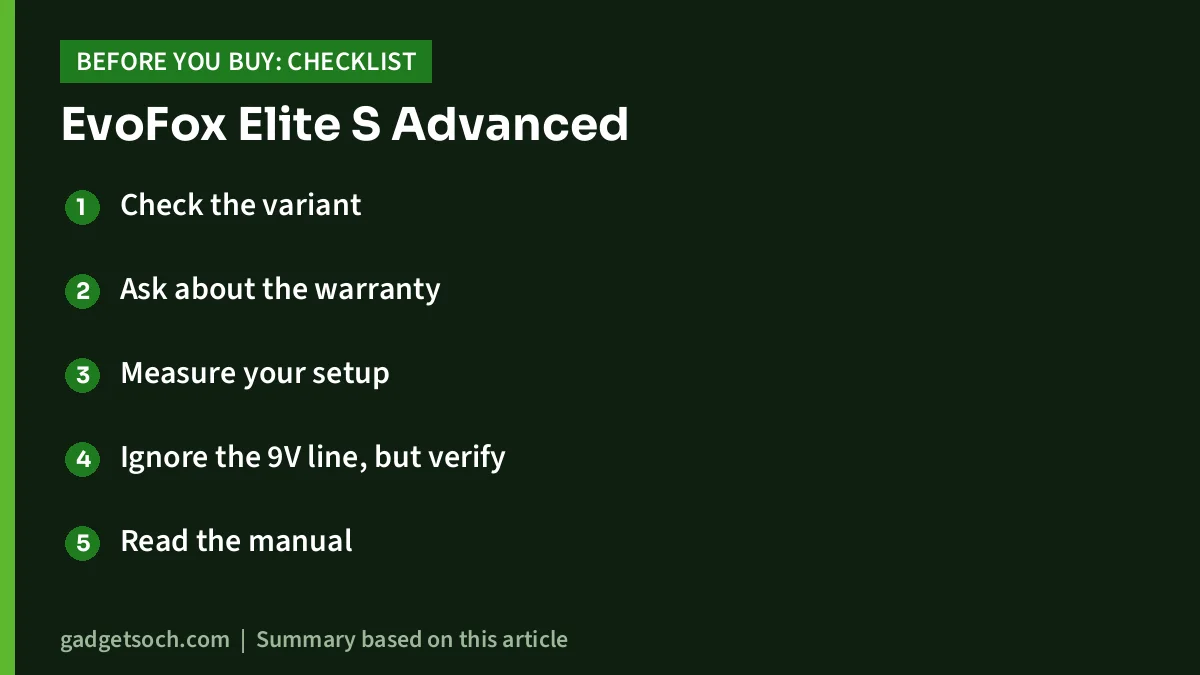
- Check the variant: this link is for the Grey Elite S Advanced. Make sure the title says Elite S Advanced, not Elite Ops or another EvoFox model
- Ask about the warranty: the listing does not state warranty terms. Ask the seller, and keep your invoice
- Measure your setup: confirm 1.8m reaches from your PC’s USB port to where you sit
- Ignore the 9V line, but verify: if the battery line in the technical details worries you, ask the seller to confirm it is purely USB-powered
- Read the manual: the macro, Sniper and Precision modes are configured on the controller, so the manual in the box is essential
See the Grey EvoFox Elite S Advanced on Amazon.in
Frequently asked questions
Does the EvoFox Elite S Advanced have Hall-effect joysticks?
Yes, according to the Amazon.in listing, which describes magnetic Hall-effect joysticks designed to resist drift. We could not confirm this on an official EvoFox page.
Does it work on PS4, PS5 or Android?
The listing names Windows PC only. No other platform is mentioned, so buy it as a PC controller.
Does it need batteries?
It is listed as a wired USB controller. The “9V batteries required” line in the technical details appears to be a listing error, since no battery is mentioned anywhere else, but you can ask the seller to confirm.
Are the triggers analogue?
Yes, the listing states analogue triggers, which allow gradual throttle and braking in racing games.
Do I need software to set up the macro buttons?
The listing says it works on Windows without installing drivers. It does not mention companion software, so expect to configure macros on the controller using the manual.
Final word
On paper, the EvoFox Elite S Advanced brings Hall-effect sticks, analogue triggers, 1000Hz polling and macro buttons to a wired PC controller, which is an attractive mix. The uncertainty comes from how new it is: no official spec page we could open, no independent reviews yet, no stated warranty and a confusing battery line on the listing. If you play only on Windows and want drift-resistant sticks without charging, it deserves a place on your shortlist.
Check the current price of the EvoFox Elite S Advanced on Amazon.in
Related reading on GadgetSoch: GameSir Tegenaria Lite Review: Wired Retro Controller With Hall Effect Sticks and Cosmic Byte Stellaris Controller Review: Tri-Mode, Magnetic Sticks and Triggers Explained.
Sources
- Amazon.in listing for ASIN B0H994SBQ6 (title, feature bullets and technical details), captured 17 October 2026
- Amazon.in listing for ASIN B0D633Q5MR, EvoFox Elite Ops Wired, captured 17 October 2026
- Ant Esports: GP400 Wireless Gamepad (official product page), checked 17 October 2026
- Amkette homepage (EvoFox range), checked 17 October 2026
- gadgetsoch: Sony DualSense review, for Xbox Wireless Controller facts sourced from Xbox India