

The Cosmic Byte Stellaris is a tri-mode wireless gamepad for PC, Android and iOS that connects over a 2.4GHz USB dongle, Bluetooth or a cable, with magnetic Hall effect triggers, programmable back buttons, gyro, RGB lighting and a 1000mAh rechargeable battery. On paper it is a feature-rich option for Indian PC and phone gamers who want drift-resistant sticks and macros, but it is not a PlayStation or Xbox console controller, and a few listing claims need checking before you order.
This article covers the Black Stellaris listed on Amazon.in as “Cosmic Byte Stellaris Controller, 3 Modes Wifi + Bluetooth + Wired for PC, iOS, Android, Hall Effect Trigger and Upgraded TMR Joystick, Macros, 1000mAh Battery, RGB LED, Software Support (Black)”, model number TCBP03441. Cosmic Byte also sells a Transparent version, which is a separate product.
How we built this guide: it draws on Cosmic Byte’s official product page, a listing from Indian retailer MD Computers and the Amazon.in listing data, all checked on 17 October 2026. We have not tested the Cosmic Byte Stellaris Controller hands-on and quote no prices. Where the Amazon.in listing makes a claim the official page does not, we say so.
Quick verdict
- Best for: PC and Android gamers who want a wireless pad with low-latency 2.4GHz, magnetic triggers, back buttons and Windows software for remapping
- Skip if: you need a controller for a PS5, PS4 or Xbox console, you mainly game on an iPhone, or you want independently tested battery life before buying
- Key strengths: three connection modes, Hall effect triggers with an analog/digital switch, two macro buttons, gyro, up to 1000Hz polling (per the listing), 1 year warranty
- Key limitations: stick technology is described differently by Cosmic Byte (Hall effect) and the Amazon.in listing (TMR), iOS support is described as limited, no published battery runtime, and the “Wifi” in the title actually means a 2.4GHz dongle
Cosmic Byte Stellaris specifications
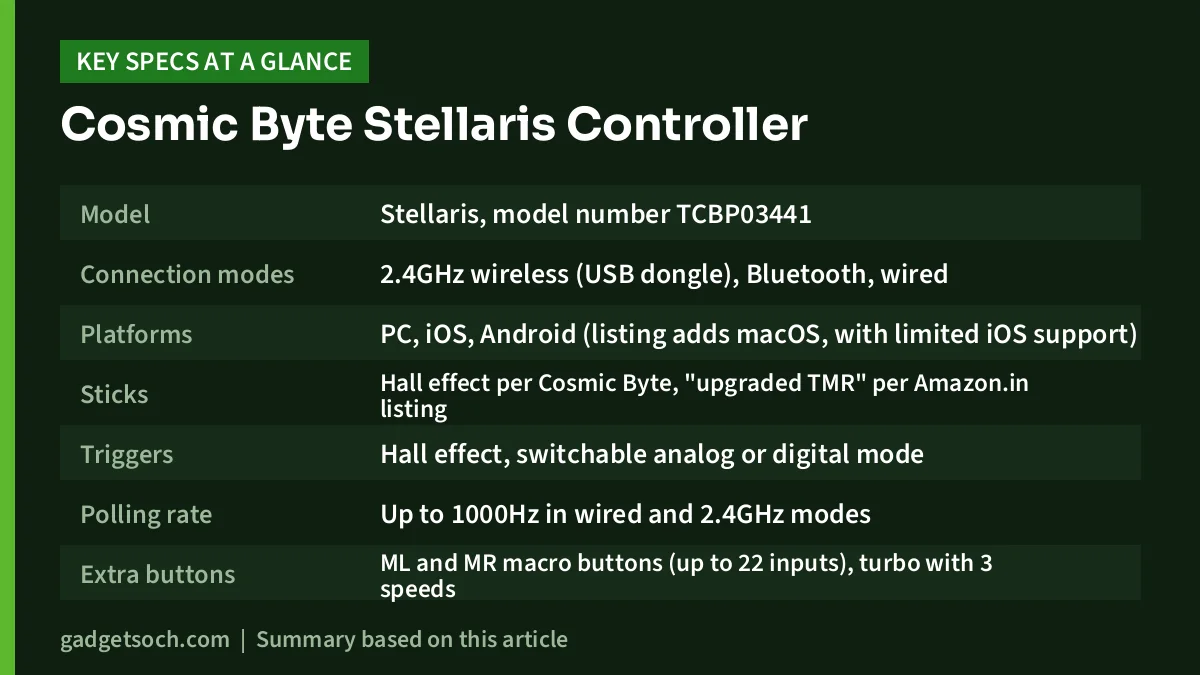
| Specification | Cosmic Byte Stellaris (Black) | Source |
|---|---|---|
| Model | Stellaris, model number TCBP03441 | Cosmic Byte, Amazon.in listing |
| Connection modes | 2.4GHz wireless (USB dongle), Bluetooth, wired | Cosmic Byte, Amazon.in listing |
| Platforms | PC, iOS, Android (listing adds macOS, with limited iOS support) | Cosmic Byte, Amazon.in listing |
| Sticks | Hall effect per Cosmic Byte, “upgraded TMR” per Amazon.in listing | Both (they differ) |
| Triggers | Hall effect, switchable analog or digital mode | Cosmic Byte, Amazon.in listing |
| Polling rate | Up to 1000Hz in wired and 2.4GHz modes | Amazon.in listing only |
| Extra buttons | ML and MR macro buttons (up to 22 inputs), turbo with 3 speeds | Amazon.in listing |
| Motion | Gyro motion control | Amazon.in listing |
| Lighting | RGB LED, multi-zone with effects per listing | Cosmic Byte, Amazon.in listing |
| Battery | 1000mAh rechargeable, auto sleep, LED battery indicators | Amazon.in listing, MD Computers |
| Software | Windows app for remapping, macros, RGB, calibration, turbo and vibration | Amazon.in listing |
| Weight | 0.3 kg | Cosmic Byte, Amazon.in listing |
| Dimensions | 19 x 16 x 7.1 cm (official), 7.1 x 18.4 x 19 cm (listing) | Both |
| In the box | Gamepad, wireless dongle, charging cable, user manual, “Joystick x 4” | Cosmic Byte |
| Warranty | 1 year against manufacturing defects | Amazon.in listing, MD Computers |
Check the current price of the Cosmic Byte Stellaris (Black) on Amazon.in
Three ways to connect, and which one to use
The Stellaris offers three modes. Despite the word “Wifi” in the Amazon.in title, the listing’s own feature bullets describe the wireless mode as 2.4GHz through a USB receiver, and Cosmic Byte’s page lists a wireless dongle in the box. It does not connect to your home Wi-Fi router.
- 2.4GHz dongle: the best choice for a PC or laptop. The listing claims up to 1000Hz polling in this mode, which is aimed at low input lag.
- Bluetooth: the convenient option for Android phones, tablets and devices without a spare USB port. Bluetooth is generally less suited to latency-sensitive games than a dedicated dongle.
- Wired: useful when the battery is low, and the listing says it also supports up to 1000Hz polling.
Polling rate is how often the Cosmic Byte Stellaris Controller reports its state to the computer. At 1000Hz that is once every millisecond, so in principle your inputs reach the game sooner. Casual players are unlikely to notice; competitive shooter players may care more. Note that this figure appears only on the Amazon.in listing, not on Cosmic Byte’s product page.
Sticks and triggers: Hall effect, TMR and why it matters
This is the headline feature, and also where the sources disagree. Cosmic Byte’s official product page and the MD Computers listing describe the Stellaris as having Hall effect triggers and joysticks. The Amazon.in listing, captured on 17 October 2026, instead describes Hall effect triggers with “upgraded TMR joysticks”. It is possible the product was revised, but we could not confirm that from an official source.
Why should you care? Many budget controllers use potentiometer sticks, which rely on physical contact between parts. As those parts wear, the stick can start reporting movement when you are not touching it, which gamers call stick drift. Hall effect and TMR (tunnel magnetoresistance) sensors both read the stick’s position magnetically, without that rubbing contact, which is why they are marketed as drift-resistant. The listing goes further and promises “zero drift”, but that is a seller claim, not an independent test result, so treat it as a goal rather than a guarantee.
The Hall effect triggers are agreed on by every source. The listing adds a switch between analog mode, where pressing further gives a stronger input (useful for throttle and brake in racing games), and digital mode, where the trigger acts like an instant on/off button (useful for firing in shooters).
Back buttons, turbo, gyro and software
According to the listing, the Stellaris has two programmable ML and MR macro buttons that can store sequences of up to 22 inputs, plus turbo with three speeds. Back buttons let you jump, reload or crouch without moving your thumbs off the sticks, which is the main reason competitive players look for them.
The listing also mentions gyro motion control, a D-pad and stick swap option, and Steam compatibility. Gyro aiming can feel more precise than a thumbstick for some players in games that support it, though support varies by game and platform.
For deeper changes, the listing says Cosmic Byte provides Windows software for button remapping, macro programming, RGB customisation, stick and trigger calibration, and turbo and vibration adjustment. Note that this is a Windows app; the listing does not mention equivalent software for macOS, Android or iOS.
Battery and charging
The Amazon.in listing and MD Computers both state a 1000mAh rechargeable battery, and the listing adds auto sleep and LED battery indicators. Neither Cosmic Byte nor the listing publishes an expected runtime in hours, and we found no independent test, so we cannot tell you how many sessions a charge will last. RGB lighting and vibration typically draw extra power, so turning them down is a sensible first step if battery life feels short. Cosmic Byte’s site also lists a separate Stellaris Controller Charging Dock (gamepad not included) if you prefer docking to plugging in a cable.
Compatibility: what the sources say
Cosmic Byte’s page names PC, iOS and Android. The listing’s bullets add macOS and say iOS support is limited, without explaining what is limited. The listing’s technical details also name Nintendo Switch, but Switch support is not mentioned in the listing title, its feature bullets or Cosmic Byte’s page, so do not buy it for a Switch on that basis alone. No source lists PS4, PS5 or Xbox console support.
How to set it up on a Windows PC
- Charge the controller fully with the included cable before first use
- Plug the 2.4GHz dongle into a USB port on your PC, preferably one directly on the laptop or motherboard rather than through a hub
- Switch the controller to 2.4GHz mode as shown in the user manual
- Open Steam or a game and check that the controller is detected, then test the sticks and triggers
- Install Cosmic Byte’s Windows software if you want to remap buttons, record macros, adjust RGB or calibrate the sticks and triggers
If you also want to use it with an Android phone, pair it over Bluetooth following the manual, and expect to switch modes when moving back to the PC.
Who should buy it, and who should skip it
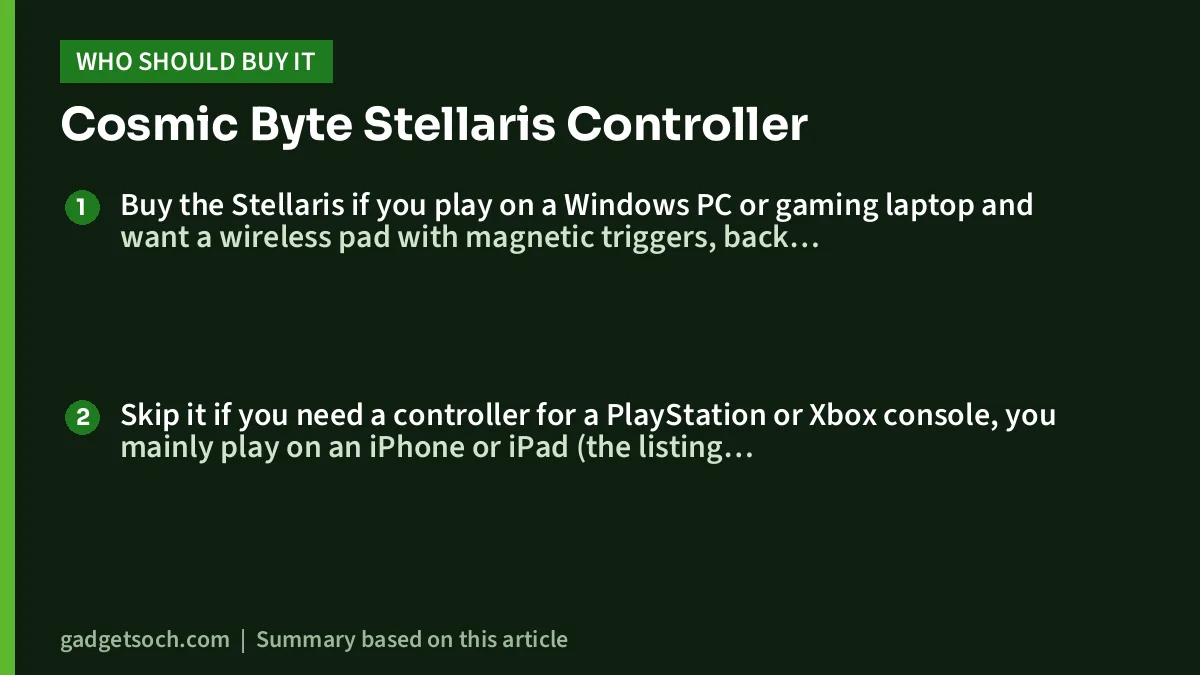
Buy the Stellaris if you play on a Windows PC or gaming laptop and want a wireless pad with magnetic triggers, back buttons and remapping software, or you want one controller that can also connect to an Android phone over Bluetooth.
Skip it if you need a controller for a PlayStation or Xbox console, you mainly play on an iPhone or iPad (the listing itself calls iOS support limited), or you want verified battery life and latency results before buying.
Alternatives worth comparing
Cosmic Byte Ares Pro
Cosmic Byte’s own range includes the Ares Pro, which its official store describes as a tri-mode wireless, Bluetooth and wired controller for PC with Hall joysticks and triggers and a wireless audio port. Compare it if headset audio through the controller matters to you.
Cosmic Byte Quantum
The Quantum is listed by Cosmic Byte as a dual-mode Bluetooth and wired controller for PS4, PC, iOS, Android and Switch, with Hall effect triggers and joystick. It lacks a 2.4GHz mode, but its official title explicitly names PS4 and Switch.
Sony DualSense
If you own a PS5, Sony’s own controller is the obvious choice. Our Sony DualSense review covers its haptics, adaptive triggers and PC support, along with its main weakness, battery life.
What to check before you order

- Colour and model: the linked listing is the Black Stellaris, model TCBP03441. The Transparent version is a separate product.
- Stick type: the listing says TMR sticks while Cosmic Byte’s page says Hall effect. Check the box or ask the seller if this matters to you.
- Dongle in the box: Cosmic Byte lists a wireless dongle. Confirm it is present on delivery, as 2.4GHz mode depends on it.
- Your platform: confirm your device is PC, Android or macOS, and be cautious with iOS, Switch and any PlayStation or Xbox console.
- Warranty: the listing states 1 year against manufacturing defects. Keep your invoice and check the seller.
See the Black Cosmic Byte Stellaris listing on Amazon.in
Frequently asked questions
Does the Cosmic Byte Stellaris work with PS5 or PS4?
None of the sources we checked lists PS4 or PS5 support. Cosmic Byte names PC, iOS and Android, so do not buy it as a PlayStation controller.
Does the Stellaris connect over Wi-Fi?
No. The “Wifi” in the Amazon.in title refers to 2.4GHz wireless through the included USB dongle, as the listing’s own bullets explain. It also supports Bluetooth and a wired connection.
Are the Stellaris sticks Hall effect or TMR?
Sources differ. Cosmic Byte’s page describes Hall effect joysticks, while the Amazon.in listing describes upgraded TMR joysticks. Both are magnetic designs intended to resist drift.
What is the Stellaris battery capacity?
1000mAh, according to the Amazon.in listing and MD Computers. No official runtime in hours is published.
Does it work with the Nintendo Switch?
The listing’s technical details mention Switch, but Cosmic Byte’s page, the listing title and its feature bullets do not. Treat Switch support as unconfirmed.
Final word
On paper, the Cosmic Byte Stellaris packs a lot into one PC-focused gamepad: three connection modes, magnetic triggers, back buttons, gyro and Windows software. It makes most sense for PC and Android players. Just be clear about what it is not (a console controller) and confirm the stick type and box contents when it arrives.
Check the current price of the Cosmic Byte Stellaris Controller on Amazon.in
Related reading on GadgetSoch: GameSir Tegenaria Lite Review: Wired Retro Controller With Hall Effect Sticks and ARcNet APS-4 PS4 Controller Review: A Budget Third-Party Pad, Not a DualShock 4.
Sources
- Cosmic Byte: Stellaris Tri-Mode Controller official product page (checked 17 October 2026)
- Cosmic Byte: Gaming Controllers range (Ares Pro, Quantum, Stellaris Charging Dock) (checked 17 October 2026)
- MD Computers: Cosmic Byte Stellaris Tri-Mode Controller (TCBP03441) (checked 17 October 2026)
- Amazon.in listing data for ASIN B0CXTJNJX2, including feature bullets and technical details (captured 17 October 2026)




