

The Ant Esports Dock5 RGB is an all-in-one stand for the PlayStation 5 that combines a vertical console stand, cooling fans, a charging dock for two DualSense controllers, six game-case slots, a headset holder and RGB lighting. Ant Esports lists it for the PS5 Disc Edition and Digital Edition. The version linked here is the White model.
Our short verdict: it makes sense if you own the original PS5 (Disc or Digital Edition), want your controllers, games and headset in one place, and like the idea of extra airflow. It is a poor fit if you own a PS5 Slim or PS5 Pro, because Ant Esports does not list those consoles for the Dock5, and if you want precise data on noise or temperatures, because the brand does not publish it.
This article is based on Ant Esports’ official product page and the Amazon.in listing, both checked on 17 October 2026. It is not a hands-on review, and we have not measured cooling, noise or charging ourselves.
Quick verdict
- Best for: original PS5 Disc or Digital Edition owners who want a single tidy station for the console, two controllers, games and a headset
- Skip if: you own a PS5 Slim or PS5 Pro, want a near-silent setup with no extra fans, or need DualSense Edge support confirmed
- Key strengths: stand, fans, dual controller charging and storage in one product, up to 5200 RPM fans with 3 speeds (brand claim), around 3-hour dual controller charging (brand claim), safety screw, charging protection chip, 1-year warranty
- Key limitations: compatibility listed only for PS5 Disc and Digital Edition, no published noise or temperature figures, number of fans and power source not stated, extra USB ports mentioned only on the Amazon listing
Specifications at a glance
The table below separates what Ant Esports states on its own product page from what appears only on the Amazon.in listing, which is written by the seller.
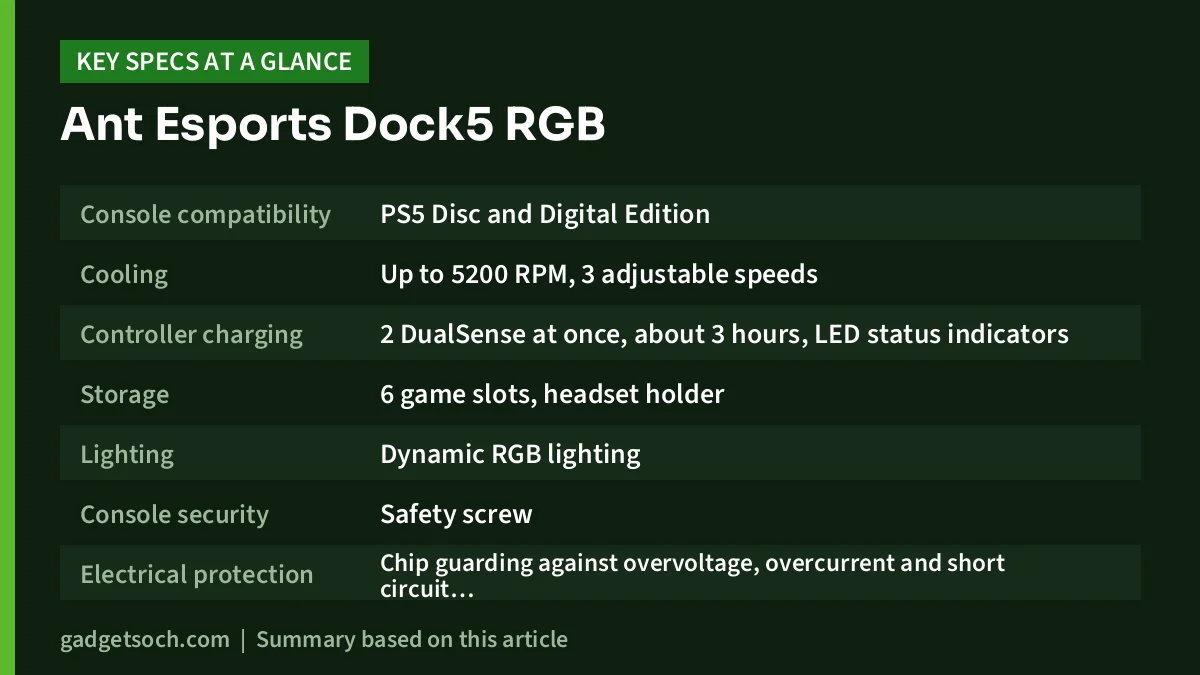
| Feature | Ant Esports official page | Amazon.in listing |
|---|---|---|
| Console compatibility | PS5 Disc and Digital Edition | PS5 Disc and Digital Edition |
| Cooling | Up to 5200 RPM, 3 adjustable speeds | Built-in high-efficiency cooling fans |
| Controller charging | 2 DualSense at once, about 3 hours, LED status indicators | 2 DualSense at once, LED charging indicators |
| Storage | 6 game slots, headset holder | 6 game case slots, headset holder |
| Lighting | Dynamic RGB lighting | Dynamic RGB lighting |
| Console security | Safety screw | Screw-lock design |
| Electrical protection | Chip guarding against overvoltage, overcurrent and short circuit while charging | Not mentioned |
| Extra USB ports | Not mentioned | Additional USB ports mentioned |
| Included components | Not stated | USB cable |
| Dimensions and weight | Not stated | 17 x 2.3 x 30 cm, 440 g |
| Colour | White | White |
| Warranty | 1 year | 1-year manufacturer warranty |
Check the current price of the Ant Esports Dock5 RGB (White) on Amazon.in
Check compatibility before anything else
The single most important thing to know about any PS5 stand is which console shape it was designed for. Sony has sold the PS5 in several physical designs, and the original model is a different size and shape from the later PS5 Slim and the PS5 Pro. A stand built around one shape will not necessarily hold the others securely.
Ant Esports’ product page and the Amazon.in listing both describe the Dock5 as designed for the PS5 Disc Edition and Digital Edition. Neither mentions the PS5 Slim or PS5 Pro. Ant Esports also sells a separate product named “PS5 Slim Vertical Docking Station Stand” on its official site, which suggests the Slim needs its own stand. If you own a Slim or Pro, do not assume the Dock5 will fit; contact Ant Esports or choose a stand that explicitly lists your console.
Cooling: what the fans are and are not promised to do
The headline feature is active cooling. According to Ant Esports, the Dock5’s fans run at up to 5200 RPM across three adjustable speeds and improve airflow around the console during long sessions. The Amazon.in listing makes similar claims about reducing heat build-up during extended play.
It is worth reading those claims carefully. Ant Esports does not publish how many fans the dock has, how loud they are at each speed, or any before-and-after console temperature measurements. A high RPM figure tells you the fans can spin fast, not how much they lower temperatures, and faster fans are generally louder. The PS5 already has its own internal cooling, so think of the Dock5’s fans as a possible extra, not a fix for a console that is overheating because it sits in a closed cabinet.
The most reliable way to keep any console cool is still placement: leave open space around the vents, avoid enclosed shelves, and keep dust down. If you choose the Dock5, the three speed settings let you pick the lowest setting you are comfortable with, which is the sensible place to start if fan noise bothers you.
Controller charging: two pads, about three hours
The Dock5 has a charging area for two DualSense controllers. Ant Esports says it charges both at the same time in around three hours and shows charging status with LED indicators. The brand also says a smart security chip protects against overvoltage, overcurrent and short circuits during charging, which is reassuring in homes with unstable power.
Two details are missing. First, the official page does not say how the controllers connect to the dock, so check the listing images to see whether you need to plug small adaptors into your controllers. Second, the dock is described as charging DualSense controllers; DualSense Edge support is not mentioned, so Edge owners should confirm before buying. For background on the standard pad, see our Sony DualSense review.
Storage, headset holder and RGB
Beyond cooling and charging, the Dock5 is about tidiness. It has slots for six game cases and a built-in headset holder, so a disc collection and a headset can live next to the console instead of across the room. A safety screw secures the console to the stand to prevent accidental knocks, which matters in homes with children or pets.
The RGB lighting is mostly about looks. Ant Esports describes “dynamic RGB lighting effects” but does not list the modes. If you prefer a minimal setup, check whether the lighting can be switched off; neither source confirms this.
Power and the USB question
Neither Ant Esports’ page nor the Amazon.in listing explains clearly how the Dock5 itself is powered. The listing names a USB cable as the only included component, and it mentions “additional USB ports” for accessories, but Ant Esports’ official page does not mention extra USB ports at all. Because the two sources differ, treat the extra ports as the listing’s claim and check the listing images and the manual on arrival. If the dock draws power from one of the console’s USB ports, that port will be occupied, and charging may depend on the PS5’s rest-mode power settings.
Who it suits, and who should look elsewhere

Buy it if you own the original PS5 Disc or Digital Edition, have two DualSense controllers, keep physical games or a headset near the console, and want one product that organises all of it. It is also a reasonable choice if you like the idea of extra airflow and accept that the benefit has not been quantified by the brand.
Skip it if you own a PS5 Slim or PS5 Pro, use a DualSense Edge and need confirmed support, want the quietest possible setup, or simply need a controller charger. In that last case, a dedicated charging dock is simpler.
Alternatives worth comparing
- Sony DualSense Charging Station (CFI-ZDS1): Sony’s official dock charges up to two DualSense or DualSense Edge controllers without the console connected and comes with its own AC adaptor. No stand, fans or storage, but Edge support is confirmed by Sony
- Ant Esports PS5 Slim Vertical Docking Station Stand: listed on Ant Esports’ official site as a separate stand for the PS5 Slim. Check its features and compatibility on the listing if you own a Slim
- Ant Esports PS5 Controller Charging Station: also listed on Ant Esports’ site, for buyers who only need controller charging. Confirm its specifications before ordering
Buying checklist

- Variant: the link on this page is for the White Dock5 RGB. Confirm the colour on the listing before ordering
- Console model: make sure you own a PS5 Disc or Digital Edition in the original design, the only consoles Ant Esports lists
- Controller type: the dock is described for DualSense controllers. DualSense Edge owners should confirm support with the seller
- Box contents: the listing names a USB cable. Check for any controller adaptors and the screw when you unbox
- Warranty: Ant Esports and the listing both state a 1-year warranty. Keep your invoice and contact Ant Esports support for claims
- Listing dimensions: the listing gives 17 x 2.3 x 30 cm and 440 g. The 2.3 cm figure looks like a packed or partial measurement, so do not rely on it for planning space
See the Ant Esports Dock5 RGB (White) on Amazon.in
Setup tips
Set the Dock5 on a firm, level surface with space on all sides for air to move. Fit the console as the manual shows and tighten the safety screw so the PS5 cannot tip. Start the fans on the lowest speed and only step up if you feel the console needs it. Route the power cable so it does not pull on the stand, and keep the game slots and headset holder within easy reach of where you sit. Dust the fan grilles regularly, since dust reduces airflow on any fan.
Frequently asked questions
Does the Ant Esports Dock5 RGB fit the PS5 Slim or PS5 Pro?
Ant Esports lists it only for the PS5 Disc and Digital Edition. It does not mention the Slim or Pro, and the brand sells a separate stand for the PS5 Slim, so do not assume it fits.
How long does it take to charge two controllers?
Ant Esports says around three hours for two DualSense controllers charging together. This is the brand’s claim; we have not measured it.
How fast are the cooling fans?
Up to 5200 RPM with three adjustable speeds, according to Ant Esports. The number of fans, noise level and temperature results are not published.
Does it charge the DualSense Edge?
Neither the official page nor the listing mentions the DualSense Edge, only DualSense controllers. Confirm with the seller before buying for an Edge.
What warranty does it have?
Ant Esports’ page and the Amazon.in listing both mention a 1-year warranty.
Final thoughts
The Ant Esports Dock5 RGB packs a lot into one stand: console support, fans, dual controller charging, game storage and a headset holder. For original PS5 owners who want a tidy, all-in-one setup, that is genuinely convenient. The caveats are real, though: compatibility is limited to the original Disc and Digital Edition, cooling and noise are not backed by published measurements, and the listing and official page disagree on extra USB ports. Check those points and it can be a sensible upgrade for a cluttered setup.
Check the current price of the Ant Esports Dock5 RGB on Amazon.in
Related reading on GadgetSoch: Sony PS5 Media Remote Review: What It Controls, What It Doesn't, and Who Needs It and Sony DualSense Charging Station Review (CFI-ZDS1): Is a Two-Controller Dock Worth It?.
Sources
- Ant Esports official page: Dock5 RGB PS5 Cooling and Charging Station (White) (compatibility, fan speed, charging time, protection, storage, warranty; checked 17 October 2026)
- Ant Esports gaming accessories (PS5 Slim stand and controller charging station listings; checked 17 October 2026)
- PlayStation: DualSense Charging Station (alternative facts; checked 17 October 2026)
- Amazon.in listing for ASIN B0BRZZCRPW (title, feature bullets, technical details; captured 17 October 2026)




