

The AMEXTRON ALS A1 (sold on Amazon.in as the “ALS A1Metal Laptop Stand”) is a foldable, height- and angle-adjustable tabletop stand that lifts your laptop screen closer to eye level. According to the Amazon.in listing, it is made of aluminium, weighs 250 g and suits laptops up to 17.3 inches. It is a reasonable low-cost pick for students and home workers who want a lighter, more portable riser, but the listing does not publish a load capacity or the number of adjustment levels, so owners of heavy 17-inch laptops should be cautious.
A note on how this article was put together: AMEXTRON’s own website could not be accessed for this article, so every product fact below comes from the Amazon.in listing (seller-provided, captured on 17 October 2026). There is no hands-on testing here. Where the listing is silent or unclear, we say so, and the rest of the article focuses on how to choose, set up and use a laptop stand properly.
The variant linked on this page is the Black ALS A1, sold as a single stand.
The short answer
- Good for: 13 to 15.6-inch laptops used at a desk or dining table, students, and people who carry a stand between home and office
- Strengths (per the listing): aluminium build, 250 g weight, foldable, adjustable height and angle, anti-slip grip, open design for airflow
- Gaps: no stated weight limit, no stated number of height or angle positions, no stated maximum height, no warranty term in the captured listing
- Look elsewhere if: you have a heavy 17-inch gaming laptop, need a rotating base, or want a published load rating
What the Amazon.in listing confirms
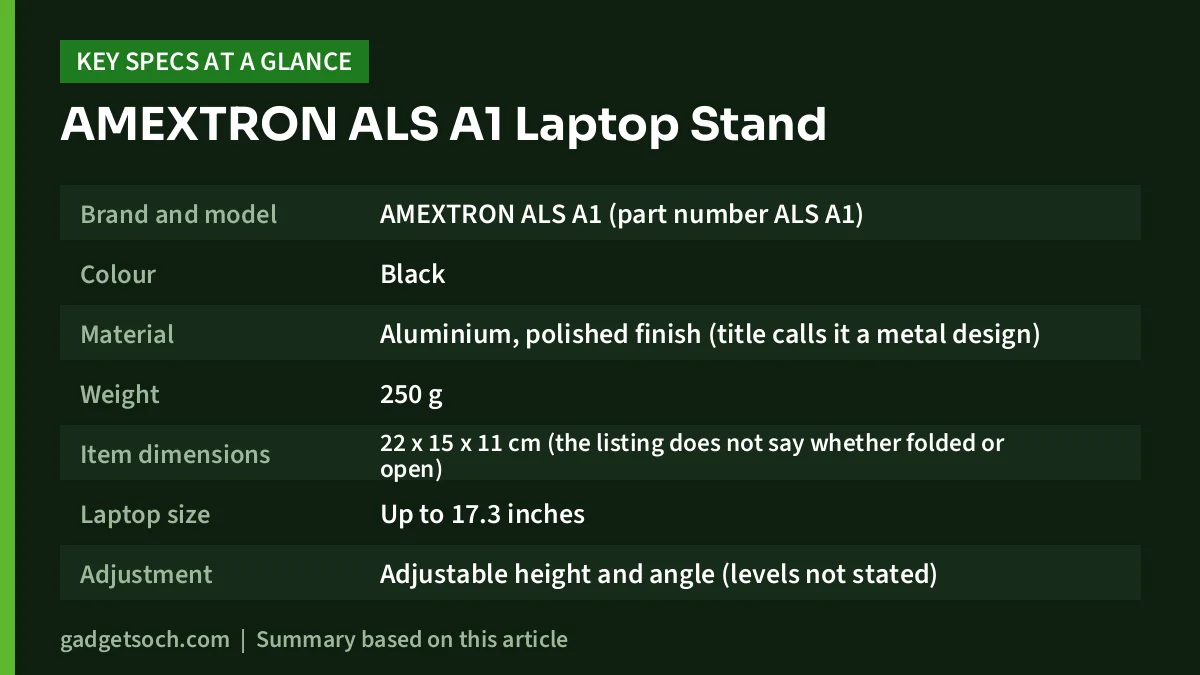
| Item | Listing detail |
|---|---|
| Brand and model | AMEXTRON ALS A1 (part number ALS A1) |
| Colour | Black |
| Material | Aluminium, polished finish (title calls it a metal design) |
| Weight | 250 g |
| Item dimensions | 22 x 15 x 11 cm (the listing does not say whether folded or open) |
| Laptop size | Up to 17.3 inches |
| Adjustment | Adjustable height and angle (levels not stated) |
| Mounting | Tabletop, foldable |
| Grip | Anti-slip grip (fastening type listed as “Clip Holder”) |
| Cooling | Open design for airflow (passive, no fan) |
| In the box | 1 ALS A1 metal laptop stand |
| Country of origin | India |
Check the current price of the AMEXTRON ALS A1 laptop stand on Amazon.in
Why raise your laptop at all?
A laptop forces a compromise: when the keyboard is at a comfortable height, the screen sits too low, so you tilt your head down for hours. A stand fixes the screen half of that problem. The ALS A1 listing pitches exactly this benefit, saying it lifts the laptop toward eye level to reduce strain on the neck, shoulders and back.
The catch most first-time buyers miss: once the laptop is raised, its own keyboard and touchpad are higher and steeper than is comfortable for long typing. For more than short sessions, pair the stand with an external keyboard and mouse. A simple wireless set is enough, and it turns your laptop into something closer to a desktop monitor. Our work-from-home desk setup guide covers how to put those pieces together.
Where should the screen end up?
Common ergonomic advice is to place the top of the screen at about eye level or slightly below, with the screen roughly an arm’s length away, so your gaze falls naturally on the middle of the display. Adjust the stand until your neck is upright when you look at the centre of the screen, not when you look at the top.
Build and portability
According to the listing, the ALS A1 is made of aluminium with a polished finish and weighs 250 g. That is light enough to slip into a laptop bag without noticing much difference. The listing’s feature list also describes it as pocket friendly and slim, and the stand folds down for carrying.
Light weight is a double-edged trait. A heavier steel stand usually sits more firmly on the desk, while a light aluminium stand relies on its geometry and rubber pads to stay put. The listing mentions an anti-slip grip, which helps stop both the stand and the laptop from sliding. Check that the pads are fixed firmly when your unit arrives, as these are the parts that keep your laptop from slipping.
The listing gives item dimensions of 22 x 15 x 11 cm but does not say whether that is the folded size or the open size. If carrying space matters, look at the listing images for folded-size photos.
Adjustment: height and angle
The title promises adjustable height and angle, but the captured listing does not state how many positions there are, the lowest and highest heights, or the tilt range. That matters, because a stand that cannot rise high enough will not bring a 14-inch screen to eye level for a tall user at a standard desk.
Before you buy, look for a size chart or diagram in the listing images. If there is none, compare it with stands that publish their adjustment levels, such as the alternatives listed below.
Laptop size and weight: read this before ordering
The listing says the ALS A1 suits laptops up to 17.3 inches and names MacBook, HP, Dell and Lenovo laptops as examples. Screen size, however, is only half the story. The other half is weight, and the captured listing does not give a maximum load.
A thin 13 or 14-inch ultrabook is very different from a thick 17-inch gaming laptop with a large battery and cooling system. Until AMEXTRON or the seller confirms a load rating, we would treat the ALS A1 as best suited to typical thin-and-light and mainstream 14 to 15.6-inch laptops. If you own a large gaming laptop, choose a stand that states its weight limit.
Also check the front lip or holders. A stand needs a lip deep enough to hold your laptop’s front edge securely, especially for thick laptops.
Does it really help with heat?
The listing says the open design improves airflow around the laptop and helps prevent overheating. The logic is sound in general: many laptops pull air in from vents on the underside, and lifting the rear of the machine gives those vents more space than a flat desk, and far more than a bed or a sofa cushion.
Keep expectations realistic, though. A passive stand has no fan, and the listing makes no measured temperature claims. If your laptop already throttles under long gaming or rendering sessions, a stand alone may not be enough, and a fan-based cooling pad is worth considering. Our Zebronics ZEB-NC3300 cooling pad review explains what a cooling pad can and cannot do.
Setting it up in four steps
- Unfold and place: open the stand on a flat, stable surface and make sure it sits firmly before adding any weight
- Set the height first: raise it until the centre of the screen is near eye level when you sit upright
- Then set the angle: tilt the screen to cut glare from windows or overhead lights
- Add the laptop gently: rest the front edge against the holders and check that it does not slide when you tap the keyboard
Care and daily use tips
- Do not lean on the laptop or push down hard on the keyboard while it is raised, as the stand is a light, folding design
- Fold the stand before moving it, rather than carrying it open with the laptop on top
- Wipe the anti-slip pads with a dry cloth occasionally, since dust reduces grip
- Keep cables loose enough that tugging a charger cannot pull the laptop off the stand
Who should buy it, and who should skip it

Consider the ALS A1 if you use a mainstream laptop, work from a desk or dining table, and want a light, foldable riser you can take with you. It suits students, home workers and anyone who already uses an external keyboard and mouse.
Skip it if you have a heavy 17-inch gaming laptop, need precise information about height positions before you buy, or want a rotating base for sharing your screen across a table.
Alternatives worth comparing
These facts come from each product’s Amazon.in listing, captured on 17 October 2026.
- Ant Esports ALS05: an aluminium foldable stand with 6 adjustable levels, a 4 mm thick aluminium alloy build, a weight of 220 g, and a carry case included. Choose it if you want stated adjustment levels and a case for travel
- Geonix Trek T3: an aluminium stand with 7 adjustable angles, a listed weight of 219 g, support for laptops up to 17 inches and a stated load of up to 5 kg, with a one-year manufacturer warranty. Choose it if a published load rating matters to you
- Portronics My Buddy K9: a carbon steel stand with a 360-degree rotating base and anti-slip silicone pads for 10 to 17-inch laptops, with a one-year warranty. It is much heavier (1,500 g per the listing), so it suits a fixed desk better than a laptop bag
Buying checklist
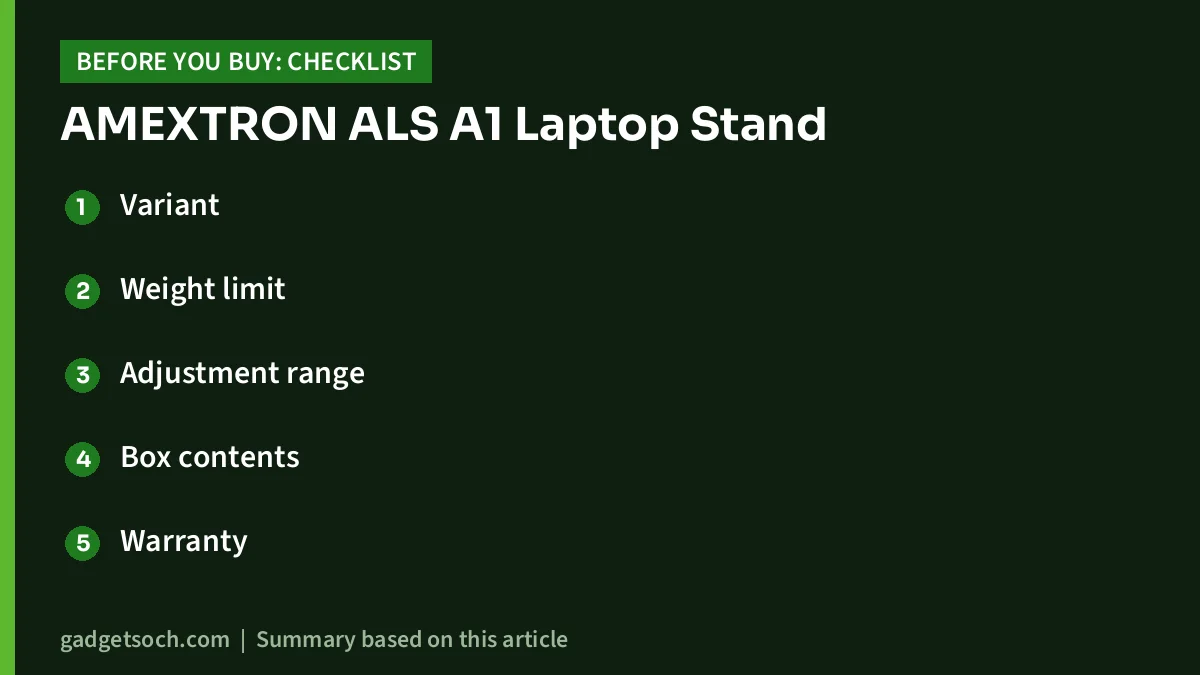
- Variant: the link on this page is the Black ALS A1. Confirm the colour and that the listing title still says ALS A1
- Weight limit: ask the seller via the listing’s questions section if you have a heavy laptop
- Adjustment range: look for a height chart in the listing images
- Box contents: the listing lists one stand only, with no carry pouch mentioned
- Warranty: the captured listing does not state a warranty term, so check the current listing and keep your invoice
- Returns: check the return window in case the height does not suit your desk
See the Black AMEXTRON ALS A1 laptop stand on Amazon.in
Frequently asked questions
Is the AMEXTRON ALS A1 made of metal?
Yes. The Amazon.in listing gives the material as aluminium with a polished finish.
Will it hold a 17-inch laptop?
The listing says it fits laptops up to 17.3 inches, but it does not state a maximum weight. Ask the seller before using it with a heavy 17-inch gaming laptop.
How much does it weigh?
The listing gives 250 g.
How many height levels does it have?
The captured listing does not state a number. It only says height and angle are adjustable.
Does it cool the laptop?
It is a passive stand with an open design, which the listing says improves airflow. It has no fan.
Can I use it on a bed or sofa?
It is a tabletop stand. On soft surfaces it can tilt or sink, so a flat, firm surface is safer for your laptop.
Bottom line
The AMEXTRON ALS A1 offers what most buyers want from a basic riser: aluminium construction, a light 250 g weight, foldability and adjustable height and angle, according to its Amazon.in listing. The missing details, mainly load capacity and adjustment range, are the reason we would match it with mainstream laptops rather than heavy gaming machines. Check the current price of the ALS A1 laptop stand on Amazon.in and confirm the variant before you order.
Related reading on GadgetSoch: Amazon Basics Wireless Keyboard and Mouse Combo (AB26KW1) Review: Full-Size Keys and a Rupee Key and Portronics Key2 Combo Review: A Compact Tenkeyless Wireless Keyboard and Mouse Set.
Sources
- Amazon.in listing for ASIN B0CRDZ7YD7, AMEXTRON ALS A1 laptop stand (title, feature bullets and technical details), checked 17 October 2026
- Amazon.in listing for ASIN B0CQXMY5RG, Ant Esports ALS05, checked 17 October 2026
- Amazon.in listing for ASIN B0F7B1W5MN, Geonix Trek T3, checked 17 October 2026
- Amazon.in listing for ASIN B0C49TKT6R, Portronics My Buddy K9, checked 17 October 2026




