

The Dell KB216 is a full-size wired USB keyboard with low-profile chiclet keys, a number pad and five multimedia hot keys, built for everyday office and home PC use. If you want a plain, plug-and-play keyboard with no batteries, no pairing and no software, it does exactly that. If you want wireless freedom, backlit keys or a compact layout, it is the wrong tool.
This article covers the Amazon.in listing for Dell part number 580-ADMT, titled “Dell KB216 Wired Multimedia Keyboard” in black. It is written from Dell’s official product page, the Amazon.in listing data and published retailer specifications, all checked on 17 October 2026. We have not used this keyboard ourselves, so there are no hands-on typing impressions here, only what the specifications say and what they mean for you.
Quick verdict
- Best for: office desktops, home PCs, students, and anyone who types a lot of numbers and wants a number pad
- Skip if: you need wireless, want to use one keyboard across several devices, or type in the dark and need backlighting
- Strengths: wired USB with no batteries to charge, full-size layout, chiclet keys, hot keys for volume, mute, play/pause, back and forward, spill resistance (per the Amazon.in listing and Indian retailer specs)
- Limitations: no backlight (Dell lists none), cable length not published, macOS not listed in the compatibility information, plunger-style keys rather than scissor or mechanical switches
Dell KB216 specifications at a glance
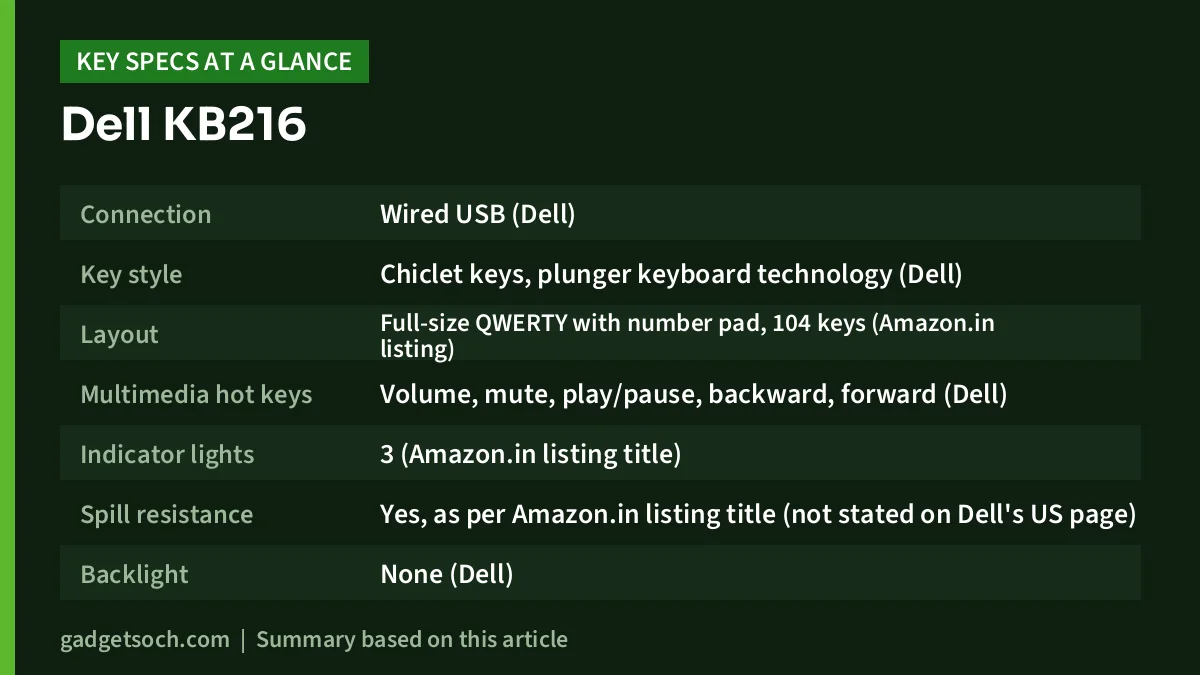
| Item | Dell KB216 (580-ADMT) |
|---|---|
| Connection | Wired USB (Dell) |
| Key style | Chiclet keys, plunger keyboard technology (Dell) |
| Layout | Full-size QWERTY with number pad, 104 keys (Amazon.in listing) |
| Multimedia hot keys | Volume, mute, play/pause, backward, forward (Dell) |
| Indicator lights | 3 (Amazon.in listing title) |
| Spill resistance | Yes, as per Amazon.in listing title (not stated on Dell’s US page) |
| Backlight | None (Dell) |
| Size | 17.4 x 5 x 1 inches (Dell), 44.17 x 12.73 x 2.44 cm (Amazon.in listing) |
| Weight | 17.74 oz, about 503 g (Dell and Amazon.in listing) |
| OS listed on Amazon.in | Windows, Linux, Chrome OS, Android |
| Colour | Black |
| Warranty | 1-year limited warranty on Dell’s US page; India terms to be confirmed on the listing |
Check the current price of the Dell KB216 wired keyboard on Amazon.in
What “plug and play” really means here
The KB216 connects with a single USB cable, and Dell lists no wireless receiver. In practice, you plug it into a free USB port on a Windows PC and start typing; the operating system’s built-in keyboard driver handles it. There is nothing to pair, nothing to charge and no receiver to lose, which is why wired keyboards are still the default in many Indian offices, schools and cyber cafes.
Wired also means no wireless lag or interference to think about, which the Amazon.in listing points out. For typing and office work, that mostly translates into reliability: a wired USB keyboard generally works from the moment the PC boots, including in BIOS or setup screens, where a Bluetooth keyboard may not be available yet.
One thing to ignore: the Amazon.in technical details include a field saying “2 AAA batteries required”. That appears to be a listing error. Dell describes the KB216 as a wired USB keyboard, and the same listing says batteries are not required and the power source is corded, so you will not need any cells.
Typing feel: chiclet keys on a plunger mechanism
Dell describes the KB216 as using plunger keyboard technology with chiclet-style keys. Chiclet keys are the flat, separated keycaps you see on most laptops. The “plunger” part refers to how each key moves: in typical plunger designs, the keycap sits on a stem that slides in a guide and presses a rubber dome underneath. This is the standard, affordable design used on most office keyboards.
Compared with a laptop’s scissor-switch keys, plunger keys usually have a little more travel. Compared with a mechanical keyboard, they are softer and quieter, and they do not have individual switches. If you are coming from a laptop or a typical office keyboard, the KB216 should feel familiar. If you want a crisp, clicky feel, a mechanical keyboard is a different category altogether.
Layout, hot keys and indicator lights
The Amazon.in listing describes a full-size layout with 104 keys, which means a complete function row, a navigation cluster (Insert, Home, Page Up and so on) and a separate number pad. For accounts, billing and spreadsheet work, the number pad alone is a big reason to choose a full-size keyboard over a compact one.
Dell lists dedicated hot keys for volume, mute, play/pause, backward and forward. These save a trip to the taskbar during video calls or when playing music. The listing title also mentions three indicator lights. It does not name them, but on full-size keyboards they normally show lock-key status, which helps you avoid typing a password with Caps Lock on.
Spill resistance: useful, but not waterproof
The Amazon.in listing title calls the KB216 spill resistant, and Indian retailer Croma’s specification page also lists it as spill resistant. Dell’s US product page that we checked does not mention it, and no source gives a test standard or a volume of liquid. Treat it as protection against a small accident, such as a few drops of tea, not as waterproofing. If you spill something, unplug the keyboard, turn it upside down to drain and let it dry fully before reconnecting.
Size and desk space
Dell lists the KB216 at 17.4 x 5 x 1 inches and 17.74 oz. The Amazon.in listing gives 44.17 x 12.73 x 2.44 cm and 503 g, which is effectively the same. A width of about 44 cm is typical for a full-size board with a number pad. On a narrow desk, that width pushes your mouse further out to the right, which some people find tiring for the shoulder. If desk space is tight, a compact or tenkeyless keyboard is worth considering.
Compatibility: Windows, Linux, Chrome OS and Android
The Amazon.in listing says the KB216 works with Windows, Linux, Chrome OS and Android, and lists Windows 10 and Ubuntu 20.04 as minimum versions. Croma’s page lists Windows 7, Windows 10, Windows XP and Linux. macOS is not listed by any of these sources, and retailer Scan UK marks it as not Mac compatible. A standard USB keyboard will usually type on a Mac, but the key labels and modifier keys follow the Windows layout, so Mac users are better served by a Mac-layout keyboard.
Using it with an Android phone or tablet requires a USB OTG adapter or a USB-C hub, since the keyboard’s plug is a standard USB connector. That works for occasional typing, but a Bluetooth keyboard is far more practical for tablets.
Who the Dell KB216 suits, and who should look elsewhere
- Good fit: office and home desktops where the keyboard stays in one place
- Good fit: data entry, accounts and spreadsheet users who need a number pad
- Good fit: schools, labs and shared PCs where batteries and receivers tend to go missing
- Look elsewhere: laptop users who want to carry a keyboard, since a full-size wired board is bulky
- Look elsewhere: anyone who needs backlit keys, Mac-specific keys or multi-device switching
Building a home office around a wired keyboard? Our work from home desk setup guide covers the mouse, monitor and cooling side of the setup.
Alternatives to consider
Logitech K120: another corded USB keyboard that Logitech says works by plugging into a USB port without drivers or software, and which Logitech describes as having a spill-resistant design. It is the most direct rival if you simply want a basic wired full-size keyboard from a different brand.
Rapoo E1050: a 2.4GHz wireless full-size keyboard with 104 keys and a number pad. Rapoo lists it as spill resistant, quotes battery life of up to 12 months and a weight of 409 g. Choose it if you want to get rid of the cable but keep a familiar full-size layout.
Rapoo E9550L: a rechargeable full-size keyboard with 110 keys, Bluetooth 4.0, Bluetooth 5.0 and 2.4GHz modes, and support for up to four devices according to Rapoo. It suits people who want one keyboard for a PC, a laptop and a tablet.
Before you order: a short checklist

- Part number: confirm the listing shows the Dell KB216 in black with part number 580-ADMT
- Port: make sure your PC has a free USB port of the right type; many slim laptops now have only USB-C and will need an adapter
- Cable reach: Dell does not publish the cable length, so if your PC is under the desk, check that a USB port on the front or top is within easy reach
- Warranty: Dell’s US page lists a 1-year limited warranty and Croma’s listing says 12 months carry-in; check the warranty section on the Amazon.in listing and keep the invoice for claims
- Box contents: Croma lists the keyboard and a warranty card; confirm on the Amazon.in listing
See the Dell KB216 (580-ADMT, black) on Amazon.in and confirm the details on the listing before you buy.
Caring for a wired office keyboard
A wired keyboard like the KB216 can last for years with basic care. Unplug it and turn it upside down every few weeks to shake out crumbs. Wipe the keycaps with a slightly damp, lint-free cloth, never a wet one, and avoid spraying cleaner directly on the keys. Do not wrap the cable tightly around the keyboard when storing it, since sharp bends near the plug are a common point of failure. If you share the keyboard, a mild disinfectant wipe that is safe for plastics is enough.
Frequently asked questions
Does the Dell KB216 need batteries or drivers?
No. It is a wired USB keyboard, so it draws power from the computer. The listing’s mention of AAA batteries appears to be an error. On Windows it works with the built-in keyboard driver.
Is the Dell KB216 backlit?
No. Dell’s product page lists backlighting as not available.
Does the Dell KB216 have a number pad?
Yes. The Amazon.in listing describes a full-size layout with 104 keys, which includes a separate number pad.
Will it work with a Mac?
macOS is not listed in the compatibility information we found. It will usually type on a Mac as a generic USB keyboard, but the keys follow a Windows layout.
Is the Dell KB216 waterproof?
No. It is described as spill resistant on the Amazon.in listing and by Croma, which means it should cope with a small spill, not immersion.
Bottom line
The Dell KB216 is a straightforward choice for a desktop that needs a full-size keyboard with a number pad and a few media keys, and nothing to charge or pair. Its limits are equally clear: no backlight, no wireless and no Mac layout. If that matches your needs, check the current price of the Dell KB216 on Amazon.in.
Related reading on GadgetSoch: ZEBRONICS Companion 107 Review: A Basic Full-Size Wireless Keyboard and Mouse Combo and Zebronics ZEB-KM2100 Review: 114-Key Wired USB Keyboard With Rupee Key, Explained.
Sources
- Dell KB216 (580-ADMT) official product page (connection, key technology, hot keys, size, weight, no backlight, warranty; checked 17 October 2026)
- Amazon.in listing for ASIN B00ZYLMQH0 (title, feature bullets, technical details; captured 17 October 2026)
- Croma Dell KB216 product page (spill resistance, OS list, India warranty, box contents; checked 17 October 2026)
- Scan UK Dell KB216 product page (spill-resistant design, Mac compatibility; checked 17 October 2026)
- Logitech K120 official page (alternative; checked 17 October 2026)
- Rapoo E1050 official page and Rapoo E9550L official page (alternatives; checked 17 October 2026)




