

The ASUS WT300 is a basic, ambidextrous 2.4GHz wireless mouse that plugs into your laptop through a small USB nano receiver, runs on one AA battery and lets you switch between 1000 and 1600 DPI. It is a sensible pick for students, office users and anyone who wants a light, no-software mouse for a laptop bag. It is not a gaming mouse, it has no Bluetooth according to ASUS’s own product page, it has no side buttons, and ASUS makes no silent-click claim for it.
The variant covered here is the black WT300 sold on Amazon.in (listing title: “ASUS WT300 Wireless Ergonomic USB Mouse… Black”). ASUS also makes the mouse in other finishes, but the Amazon link in this article points only to the black version.
A note on method: this article is based on ASUS’s official WT300 product page and the Amazon.in listing data captured on 17 October 2026. We have not tested the mouse ourselves, and we found no independent lab review to quote, so every claim below is either an official specification or a seller-provided listing detail, labelled as such.
Quick verdict
- Best for: laptop users who want a simple plug-and-play wireless mouse for documents, browsing and online classes
- Also good for: left-handed users, thanks to the symmetrical shape
- Key strengths: two-step DPI switch, rated up to 15 months on one battery, light build (56g without battery, per the listing)
- Key limitations: only one connection method (USB receiver), no extra buttons, no official macOS mention, no silent-click claim
- Skip it if: you need Bluetooth, multi-device switching, quiet clicks or a gaming sensor
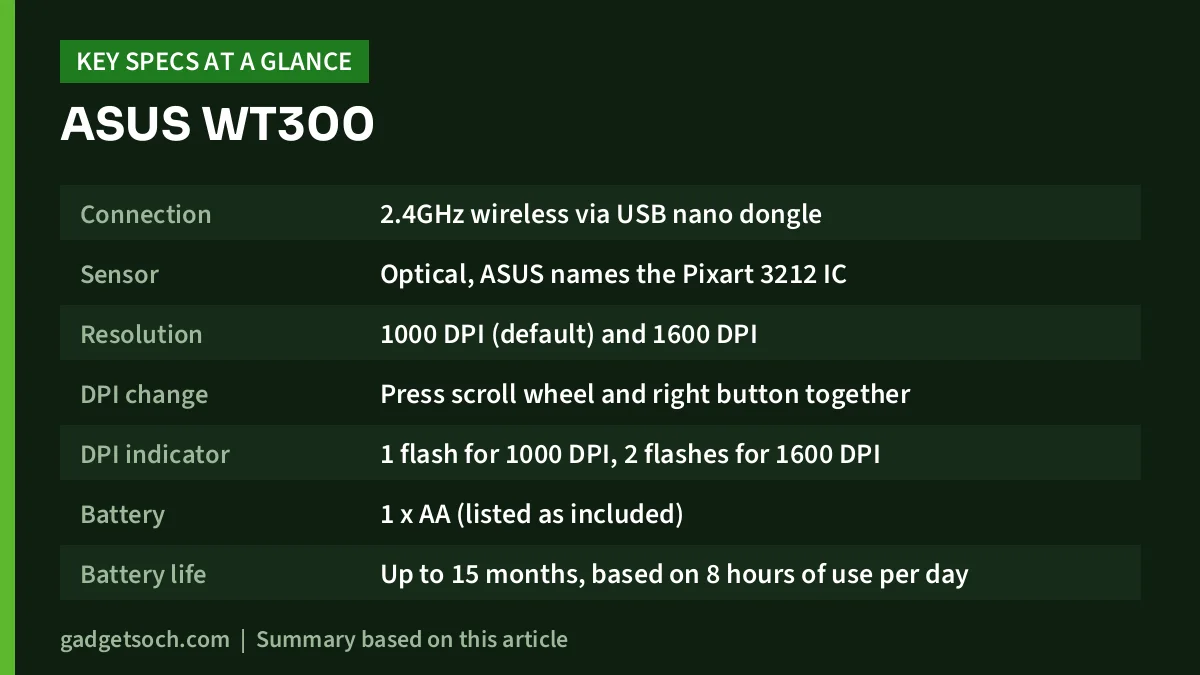
| Specification | ASUS WT300 (black variant) | Source |
|---|---|---|
| Connection | 2.4GHz wireless via USB nano dongle | ASUS official page |
| Sensor | Optical, ASUS names the Pixart 3212 IC | ASUS official page |
| Resolution | 1000 DPI (default) and 1600 DPI | ASUS official page |
| DPI change | Press scroll wheel and right button together | ASUS official page |
| DPI indicator | 1 flash for 1000 DPI, 2 flashes for 1600 DPI | ASUS official page |
| Battery | 1 x AA (listed as included) | Amazon.in listing |
| Battery life | Up to 15 months, based on 8 hours of use per day | ASUS official page |
| Wireless range | Up to 10 metres | Amazon.in listing |
| Weight | 56g excluding battery | Amazon.in listing |
| Size (L x W) | 10.4 x 5.9 cm | Amazon.in listing |
| Hand orientation | Ambidextrous (symmetrical shape) | ASUS official page |
| OS named | Windows 8/10 and above, ChromeOS | Amazon.in listing |
| Colour on this link | Black | Amazon.in listing |
Check the current price of the ASUS WT300 (Black) on Amazon.in
Design and comfort: what “ambidextrous” means in practice
ASUS describes the WT300 as a compact, ergonomic mouse with a symmetrical body that suits both left- and right-handed users. A symmetrical shape is the same on both sides, so a left-handed person can use it without the awkward thumb position that right-handed sculpted mice force on them. The trade-off is that there is no sculpted thumb rest.
According to the Amazon.in listing, the mouse measures about 10.4 x 5.9 cm and weighs 56g without its battery. That puts it in the compact class. A smaller mouse is easy to pack with a 14-inch or 15-inch laptop and works on a cramped desk, but people with large hands who rest their whole palm on the mouse may find it short. If you usually use a fingertip or claw grip, compact mice tend to feel fine.
The layout is simple: left button, right button and a clickable scroll wheel. There are no side (back/forward) buttons.
Connection: a USB dongle, not Bluetooth
ASUS’s product page lists a 2.4GHz Nano Dongle as the connection. You plug the tiny receiver into a USB-A port and the mouse works without installing software, which the listing also stresses.
There is one inconsistency to know about. The technical-details table on the Amazon.in listing mentions “Bluetooth, USB” as the connectivity, while ASUS’s own page and the listing’s feature bullets describe only the 2.4GHz nano dongle. We are going by the manufacturer: treat the WT300 as a receiver-only mouse. If you specifically need Bluetooth, for example for a tablet or a laptop with only USB-C ports, this is not the right mouse.
Many thin laptops now have few or no USB-A ports. Nothing on the ASUS page says the receiver is USB-C, so if your laptop only has USB-C ports, you will need a USB-C to USB-A adapter or hub that stays plugged in.
The listing quotes a range of up to 10 metres, which is far more than a desk setup needs, although walls and metal furniture reduce real-world range.
Sensor and DPI: what 1000 vs 1600 changes
DPI (dots per inch) controls how far the pointer moves when you move the mouse. ASUS says the WT300 starts at 1000 DPI and switches to 1600 DPI when you press the scroll wheel and the right button at the same time. An indicator flashes once for 1000 DPI and twice for 1600 DPI, so you can tell which mode you are in.
In practice, 1000 DPI is comfortable on a typical laptop screen where you want precise control, for example selecting cells in a spreadsheet. 1600 DPI moves the pointer further with less hand movement, which helps on a large external monitor or a dual-screen setup. Finer adjustment is done with the pointer speed setting in Windows or ChromeOS.
ASUS names the Pixart 3212 IC on its product page. It is an optical sensor intended for office use. Optical sensors track well on mouse pads, wooden desks and matte laminates, but they can struggle on glass or very glossy surfaces.
Battery life: what “up to 15 months” assumes
ASUS rates the WT300 at up to 15 months of battery life and explains that the figure is calculated on 8 hours of use per day, adding that actual battery life may vary. The listing says it runs on a single AA cell and that a battery is included.
Treat 15 months as a best case: real life depends on usage and battery quality. The upside of AA power is that replacements are easy to find anywhere in India, and rechargeable NiMH AA cells are an option.
Compatibility: Windows, ChromeOS and what is not stated
The Amazon.in listing’s bullets name Windows 8/10 and above and ChromeOS (its technical table also mentions Windows XP, an inconsistency). macOS and Linux are not mentioned on the listing or on the ASUS page we checked, so Mac users should not assume official support.
Who should buy the ASUS WT300

- Students and office workers who mostly type, browse and attend video calls on a laptop
- Left-handed users who want a mouse that is not shaped for the right hand
- People who want a light mouse to carry daily and do not want to install any software
- Anyone setting up a basic desk who wants AA power instead of remembering to charge a mouse
Who should skip it
- Users who need Bluetooth or want one mouse for a laptop, tablet and phone
- People working in shared or quiet spaces who want silent clicks, since ASUS does not claim silent switches for the WT300
- Gamers, or designers who want adjustable DPI steps and extra programmable buttons
- Owners of USB-C-only laptops who do not want to keep an adapter attached
- People with large hands who prefer a full-size, palm-filling mouse
Alternatives worth comparing
ASUS MW203 Multi-Device Wireless Silent Mouse: ASUS says the MW203 supports three wireless modes (Bluetooth 5.0, Bluetooth 3.0 and RF 2.4GHz) and can switch between three devices with one click. Its left, right and side buttons use what ASUS calls an almost-silent switch mechanism, and ASUS rates battery life at up to 13 months. Choose it over the WT300 if you need Bluetooth, multi-device use or quieter clicks.
Logitech M221 Silent: Logitech’s India page describes a USB-receiver mouse with SilentTouch technology that it says reduces over 90% of click noise compared with its M170, up to 18 months of battery life and up to 10 metres of range. Logitech lists Windows, macOS, ChromeOS and Linux support. It is the closer match if quiet clicks or official Mac support matter. You can read our Logitech M221 Silent review for more detail.
What to check before you order

- Variant and colour: this link is for the black WT300. ASUS’s page shows black and white finishes with different accent colours, so confirm the exact look in the listing photos before ordering
- Ports: make sure your laptop has a free USB-A port, or keep a USB-C to USB-A adapter ready
- Battery in the box: the listing says one AA battery is included. Check the box contents on delivery, and keep a spare AA cell at hand
- Receiver storage: the nano receiver is tiny and easy to lose. When you travel, leave it plugged in or check the mouse body for a storage slot on your unit
- Warranty and service: the listing we captured did not state warranty terms, so check the warranty line on the current Amazon.in page and keep your invoice for ASUS service in India
- Surface: plan for a mouse pad if your desk is glass or very glossy
See the ASUS WT300 Black variant on Amazon.in and confirm the colour, seller and warranty details on the page before you buy.
Frequently asked questions
Does the ASUS WT300 have Bluetooth?
According to ASUS’s official product page, the WT300 connects through a 2.4GHz nano dongle. The Amazon.in technical table mentions Bluetooth, but the manufacturer page and the listing’s own feature bullets describe only the USB receiver, so do not buy it expecting Bluetooth.
How do I change the DPI on the ASUS WT300?
Press the scroll wheel and the right button at the same time. ASUS says the indicator flashes once for 1000 DPI (the default) and twice for 1600 DPI.
What battery does the ASUS WT300 use and how long does it last?
The Amazon.in listing says it uses one AA battery, which is included. ASUS rates battery life at up to 15 months based on 8 hours of use per day, and notes that real-world life varies.
Is the ASUS WT300 good for left-handed users?
Yes, in terms of shape. ASUS describes it as symmetrical and suitable for both left- and right-handed users. Button functions can be swapped in your operating system’s mouse settings if you want the primary click under your left index finger.
Will the ASUS WT300 work with a Mac?
Neither the listing nor the ASUS page we checked names macOS. The listing names Windows 8/10 and above and ChromeOS. If official Mac support matters, consider a mouse that lists macOS, such as the Logitech M221 Silent.
Is the ASUS WT300 a silent mouse?
ASUS does not make a silent-click claim for the WT300 on its product page. If quiet clicks matter, look at ASUS’s MW203 or the Logitech M221 Silent, both of which are marketed for reduced click noise.
Final word
The ASUS WT300 does a small job sensibly: a compact, symmetrical, receiver-based mouse with a quick DPI switch and a long rated battery life on a single AA cell. Its limits are equally clear: no Bluetooth, no extra buttons, no silent-click claim and no official Mac mention. If those do not matter to you and your laptop has a USB-A port, it is an easy, low-fuss choice. Check the current price of the ASUS WT300 on Amazon.in.
Related reading on GadgetSoch: Logitech MK215 Review: Compact Wireless Combo, Battery Life and Limits, Amazon Basics Vertical Laptop Stand Review: Dual-Slot Aluminium Dock for Docked Desks and Portronics Vader Pro Review: 1600 DPI Wireless Mouse With a Thumb Rest, Explained.
Sources
- ASUS: WT300 Wireless Mouse official product page (checked 17 October 2026)
- ASUS: MW203 Multi-Device Wireless Silent Mouse official page (checked 17 October 2026)
- Logitech India: M221 Silent Wireless Mouse page (checked 17 October 2026)
- Amazon.in listing for ASIN B0CFF2K7C8, title, feature bullets and technical details (captured 17 October 2026)




