

The Zebronics Glassy 10 is a budget rechargeable wireless mouse that can connect either through a 2.4 GHz USB nano receiver or over Bluetooth, with three DPI steps up to 1600, five buttons and silent clicks. It suits students and office users who want one mouse for both a desktop PC and a Bluetooth laptop, and who would rather charge a mouse than buy AA batteries.
The catch is that Zebronics publishes very little about the battery itself, and the Amazon.in listing describes some features, such as RGB lighting and a transparent “glassy” look, that Zebronics’ own product page does not mention. The variant on our link is the Black model. Zebronics also lists a Blue version, which is a separate listing.
How this was researched: this article draws on Zebronics’ official Glassy 10 product page and the Amazon.in listing, both checked on 17 October 2026. It is not based on hands-on testing, so there are no personal claims about feel, click noise or battery life.
Quick verdict
- Best for: users who switch between a desktop and a laptop, and anyone who wants a rechargeable mouse with both a receiver and Bluetooth
- Skip if: you need a published battery-life figure, gaming-level DPI, or programmable buttons
- Key strengths: dual mode (2.4 GHz and Bluetooth), built-in rechargeable battery, 800, 1200 and 1600 DPI steps, 5 buttons, silent operation, light at 65 g (official)
- Key limitations: no battery capacity or runtime published, no stated Bluetooth version, and listing claims (RGB, Type-C) that the official page does not confirm
Zebronics Glassy 10 specifications
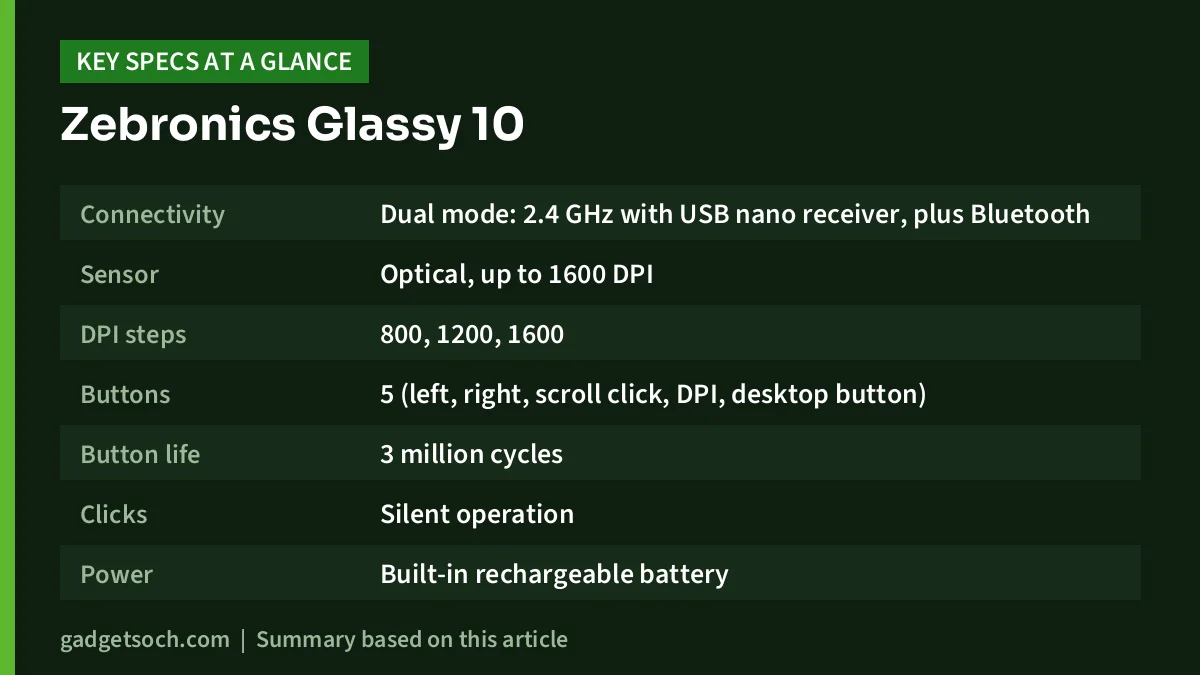
| Specification | Zebronics Glassy 10 (Black) | Source |
|---|---|---|
| Connectivity | Dual mode: 2.4 GHz with USB nano receiver, plus Bluetooth | Zebronics |
| Sensor | Optical, up to 1600 DPI | Zebronics, Amazon.in listing |
| DPI steps | 800, 1200, 1600 | Zebronics |
| Buttons | 5 (left, right, scroll click, DPI, desktop button) | Zebronics (count), Amazon.in listing (functions) |
| Button life | 3 million cycles | Zebronics |
| Clicks | Silent operation | Zebronics |
| Power | Built-in rechargeable battery | Zebronics |
| Charging port | Type-C (listing claim) | Amazon.in listing |
| Wireless range | 10 m without obstacles | Zebronics |
| Size (W x D x H) | 5.7 x 11.3 x 2.6 cm | Zebronics |
| Weight | 65 g (listing says 70 g) | Zebronics, Amazon.in listing |
| Lighting | LED indicator (listing also claims RGB) | Zebronics, Amazon.in listing |
| Controls | Mode and power switch | Zebronics |
| Hand orientation | Ambidextrous | Amazon.in listing |
| In the box | Mouse, nano receiver, charging cable, quick user guide | Zebronics |
| Warranty | 1 year, carry-in to service centre | Amazon.in listing |
Check the current price of the Zebronics Glassy 10 (Black) on Amazon.in
Where the official page and the listing disagree
Before getting into features, it is worth being clear about a few mismatches, because they affect what you should expect in the box.
- Lighting and look: the Amazon.in listing describes a transparent mouse with vibrant RGB lighting. Zebronics’ product page lists only an “LED Indicator” and does not mention RGB or a transparent shell. Check the listing photos if the look matters to you
- Charging port: the listing title and features say Type-C charging. Zebronics’ page lists a charging cable in the box but does not name the connector
- Weight: Zebronics gives a net weight of 65 g, while the listing says 70 g. The difference is small and may include packaging or rounding
- OS support: the listing’s operating system field says Mac OS, with a minimum of macOS 14 Sonoma, yet the title also mentions laptops and computers generally. Zebronics’ page does not list operating systems
None of these are deal-breakers, but they are a good reason to confirm details on the listing images and the box when the mouse arrives.
Dual mode: why it is the main reason to buy
Many budget wireless mice use either a USB receiver or Bluetooth, not both. The Glassy 10 supports both, according to Zebronics, with a USB nano receiver for plug-and-play use and Bluetooth for devices where you do not want to use a port.
In practice this solves a common Indian home-office problem: a family desktop without Bluetooth and a work laptop with only one or two USB ports. Plug the receiver into the desktop and pair the laptop over Bluetooth. Zebronics lists a mode and power switch, which is the control used to move between the two connections. Check the quick user guide for the exact steps, because neither the product page nor the listing explains the switching sequence.
The receiver option also matters if you sometimes need a mouse before Windows loads, such as in BIOS or a boot menu, since receiver mice generally work there while Bluetooth mice usually do not. Zebronics does not state a Bluetooth version, so do not assume features tied to newer Bluetooth standards.
Rechargeable battery: convenient, but under-documented
Zebronics lists a built-in rechargeable battery and includes a charging cable. That means no AA cells to buy, and you can top it up from a laptop port or phone charger. The downside is that neither Zebronics nor the listing gives a battery capacity or an estimated runtime, so we cannot tell you how often you will need to charge it.
A few practical habits help with any small rechargeable mouse:
- Turn it off with the power switch when you pack your laptop bag
- Charge it when convenient rather than waiting until it dies mid-work
- Watch the LED indicator, which Zebronics lists, for charging or status cues explained in the quick guide
- Avoid leaving it in a hot car or on a sunny windowsill, which is hard on rechargeable batteries
Also remember that a built-in battery cannot be easily replaced. After a few years of use, battery capacity will drop, and the mouse may need more frequent charging.
DPI, buttons and silent clicks
The optical sensor offers three DPI levels, 800, 1200 and 1600, selected with a dedicated DPI button. A lower setting gives finer control for photo editing or spreadsheets, while 1600 moves the pointer further with less hand movement, which helps on larger or higher-resolution monitors. It is enough for office work and casual use but not a gaming sensor.
There are five buttons. The listing describes them as left click, right click, middle scroll, the DPI button and a dedicated desktop button. On Windows, a “desktop” button typically minimises windows to show the desktop. The listing does not explain its behaviour on macOS, so do not count on it there. Zebronics does not mention software for remapping buttons.
Zebronics rates the buttons for 3 million cycles and lists silent operation. Quiet clicks are useful in shared rooms, libraries, offices and on calls. Zebronics does not publish a noise figure, so “silent” here means quieter than a standard click rather than a measured level.
Size and comfort
Zebronics gives the size as 5.7 cm wide, 11.3 cm deep and 2.6 cm tall. The listing calls the shape ambidextrous and describes it as comfortable and ergonomic. At 2.6 cm tall, it is a low-profile mouse, which suits travel and fingertip or claw grips. People who rest their whole palm on a mouse may find a taller, more sculpted mouse more supportive over long days.
Who should buy the Glassy 10

- Students and office users with both a desktop and a laptop
- Anyone with a USB-C-only laptop who can use Bluetooth, while keeping the receiver for a desktop
- People who prefer recharging over buying AA batteries
- Users who want adjustable DPI and quiet clicks without paying for a premium brand
Who should skip it
- Gamers who need high DPI, fast polling or programmable buttons
- Buyers who want a documented battery life before purchase
- Anyone who specifically wants RGB lighting and is not willing to verify it in the listing photos
- Heavy palm-grip users who prefer a tall ergonomic shape
Alternatives worth comparing
Logitech M196: a compact, Bluetooth-only mouse with no receiver, running on one AA battery that Logitech rates for up to 12 months. It has three buttons and an ambidextrous shape. It suits laptop-only users who prefer a long-lasting replaceable battery to recharging.
Logitech M221 Silent: a small three-button mouse that uses a 2.4 GHz USB receiver, with Logitech rating its clicks as over 90% quieter than its M170 and its AA battery for up to 18 months. It lacks Bluetooth and DPI steps but has well-documented battery claims. See our Logitech M221 Silent review.
For a full desk setup with a keyboard and monitor, our work from home desk setup guide has more ideas.
What to check before you order

- Colour: the link is for the Black Glassy 10. Zebronics lists Blue too, which is a different listing
- Look and lighting: confirm in the listing photos whether the shell is transparent and whether it has RGB, since the official page mentions only an LED indicator
- Charging cable: check the connector shown in the photos, and keep a spare cable handy
- Bluetooth on your device: to use Bluetooth mode, your laptop or tablet needs Bluetooth that supports mice. Otherwise, use the receiver
- Warranty: the listing states a 1-year carry-in warranty at a service centre. Keep the GST invoice and the receiver, and check where the nearest Zebronics service centre is
See the Zebronics Glassy 10 Black on Amazon.in
Frequently asked questions
Does the Zebronics Glassy 10 support both Bluetooth and a USB receiver?
Yes. Zebronics lists dual mode with 2.4 GHz and Bluetooth, and includes a USB nano receiver in the box.
Is the Zebronics Glassy 10 rechargeable?
Yes. Zebronics lists a built-in rechargeable battery and includes a charging cable. It does not publish the battery capacity or runtime.
Does the Glassy 10 have RGB lighting?
The Amazon.in listing says it has RGB lighting. Zebronics’ own product page only lists an LED indicator, so confirm in the listing photos before buying if lighting matters to you.
What DPI settings does it have?
Three: 800, 1200 and 1600 DPI, switched with a dedicated DPI button, according to Zebronics.
What warranty does the Zebronics Glassy 10 have?
The Amazon.in listing states a 1-year carry-in warranty at a service centre. Zebronics’ product page links to a general warranty policy but does not state the term on the page.
The bottom line
The Zebronics Glassy 10’s strongest point is flexibility: a receiver and Bluetooth in one rechargeable mouse, with three DPI steps and quiet clicks. Its weakest point is documentation, with no battery figures and a few listing claims that the official page does not back up. If dual mode is what you need, it is worth a look, as long as you verify the variant and features on the listing.
Check the current price of the Zebronics Glassy 10 on Amazon.in
Related reading on GadgetSoch: Logitech B170 Review: A Simple AA-Powered Wireless Mouse With a 10-Metre Range and EMEET PIXY Review: 4K PTZ Webcam With AI Tracking, Strengths and Caveats.
Sources
- Zebronics: Zeb Glassy 10 product page (checked 17 October 2026)
- Amazon.in listing for the Zebronics Glassy 10 Wireless Mouse, Black (ASIN B0F88GT83S), seller-provided details captured 17 October 2026
- Logitech India: M196 Bluetooth Mouse (alternative, checked 17 October 2026)




