
The Amazon Basics USB-C Hub Dock 9-in-1 is an aluminium USB-C adapter that adds HDMI, gigabit Ethernet, three USB 3.0 ports, USB-C Power Delivery, a 3.5mm audio jack and SD plus microSD (TF) card slots to a laptop with a USB-C port. Its standout feature is the 1000Mbps Ethernet port, which many hubs in this class skip. Its main limit is the HDMI output, which the listing rates at 4K 3840×2160 at 30Hz rather than 60Hz.
In short, it is a good fit for people who want wired internet and several fast USB ports through one cable, and who use a Full HD monitor or can live with 30Hz at 4K. It is a weaker fit for anyone buying a hub mainly to run a 4K monitor smoothly.
Amazon Basics is Amazon’s own brand, and the product does not have a separate spec page outside Amazon, so this article is based on the Amazon.in listing data checked on 17 October 2026. We have not tested the hub hands-on and found no independent review of this exact model, so treat every specification here as the listing’s claim, and the practical advice as an explanation of those claims.
Quick verdict
- Best for: work-from-home laptops that need stable wired internet, a monitor and several USB devices
- Skip if: you want smooth 4K at 60Hz, two external screens, or a published charging wattage
- Key strengths: 1000Mbps Ethernet, three USB 3.0 ports, aluminium body, 83g weight, plug and play, extend and mirror display modes
- Key limitations: HDMI limited to 4K at 30Hz, PD wattage not stated in the listing data, listing names Windows 11 and macOS 13 Ventura as minimum versions, audio jack described as “audio only”
Specifications (as listed on Amazon.in)
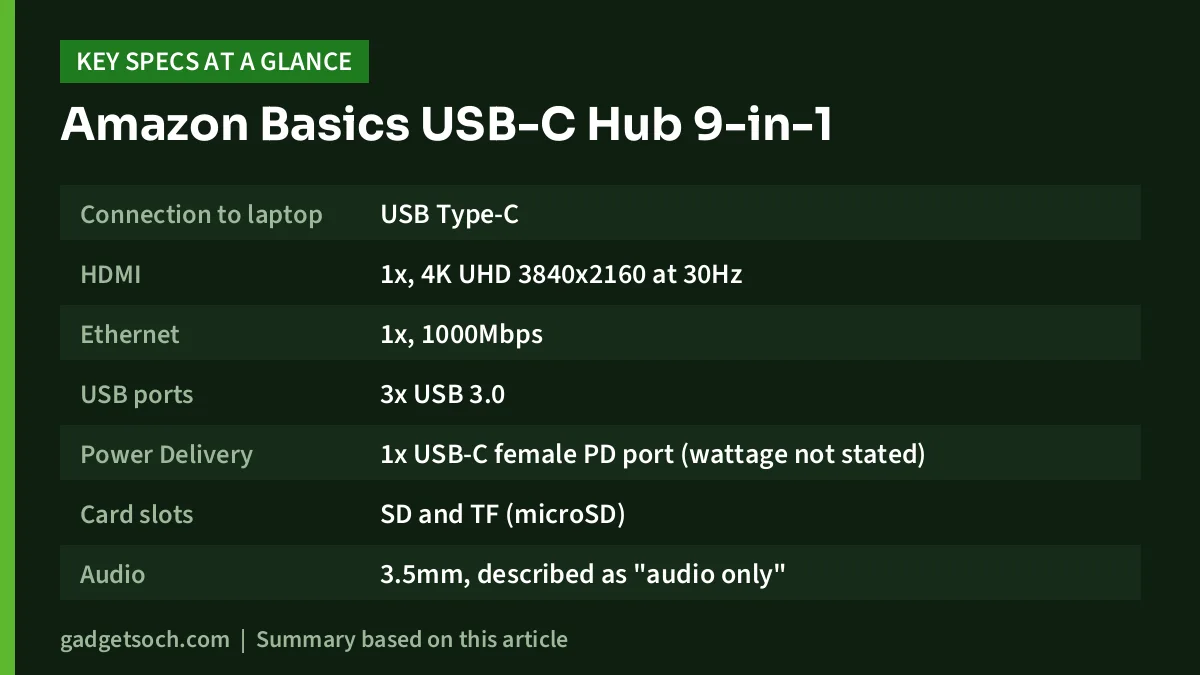
| Item | Amazon Basics USB-C Hub Dock 9-in-1 (Metallic Grey) |
|---|---|
| Connection to laptop | USB Type-C |
| HDMI | 1x, 4K UHD 3840×2160 at 30Hz |
| Ethernet | 1x, 1000Mbps |
| USB ports | 3x USB 3.0 |
| Power Delivery | 1x USB-C female PD port (wattage not stated) |
| Card slots | SD and TF (microSD) |
| Audio | 3.5mm, described as “audio only” |
| Display modes | Extend and mirror |
| Drivers | Not needed (plug and play) |
| Body | Aluminium |
| Weight | 83g |
| Minimum OS | macOS 13 Ventura, Windows 11 |
| Warranty | 1 year |
| Country of origin | China |
Check the current price of the Amazon Basics USB-C Hub Dock 9-in-1 on Amazon.in
Port by port: what each one is for
Nine ports sounds like a lot, so it helps to map them to real devices before you buy. Here is how each one fits a typical Indian home office or student desk.
- HDMI: one external monitor, TV or projector, in extend mode (a second desktop) or mirror mode (the same picture on both screens)
- Ethernet (1000Mbps): a LAN cable from your Wi-Fi router or office network switch
- Three USB 3.0 ports: pen drives, external hard drives, portable SSDs, a keyboard and mouse, or a webcam
- USB-C PD port: your laptop’s USB-C charger, so the laptop charges through the hub
- SD and TF slots: camera cards and microSD cards from phones, dashcams and action cameras
- 3.5mm jack: wired headphones or desktop speakers
USB 3.0 is a 5Gbps standard, so all three USB ports are suited to drives, not just to mice and keyboards. Keep in mind that every port shares the single USB-C link to your laptop, so running a large file copy, a 4K screen and Ethernet at full load at the same time will split the available bandwidth.
Gigabit Ethernet: the main reason to pick this hub
The listing rates the Ethernet port at 1000Mbps. That matters more than it may seem. Wi-Fi speed and stability can drop with distance, walls and neighbours’ networks, which is common in Indian apartment blocks. A wired connection avoids those problems, which helps with video calls, large cloud uploads and online exams where a dropped connection is costly.
A 1000Mbps port is also enough headroom for any home broadband plan up to 1Gbps. If your plan is slower, the port simply runs at your plan’s speed. Use a Cat 5e or better LAN cable, which supports gigabit speeds, and plug it into a LAN port on your router rather than the WAN or internet port.
The Amazon.in listing also shows a data transfer rate of 1000 megabits per second in its technical details. That figure matches the Ethernet rating, not the USB 3.0 ports, so do not read it as the USB speed.
The HDMI port and the 30Hz trade-off
According to the listing, the HDMI port supports 4K UHD 3840×2160 at 30Hz. At 30Hz, the screen refreshes half as often as a standard 60Hz display, so cursor movement and scrolling look less fluid. Movies and slides are fine at 30Hz, but long hours of spreadsheet or coding work on a 4K monitor can feel sluggish.
The practical answer depends on your monitor. If you use a Full HD or other lower-resolution monitor, the 4K limit does not affect you in the same way, though the listing does not state the refresh rate at lower resolutions. If you own a 4K monitor and care about smooth motion, a 4K at 60Hz hub such as the Portronics Mport One is the better fit.
Your laptop’s USB-C port also has to support video output (often called DisplayPort Alt Mode, usually marked with a display icon or a Thunderbolt or USB4 logo). If it is a data-only port, the HDMI port will not show a picture, even though the other ports will still work.
Power Delivery: what the listing says and what it leaves out
The listing says you can charge your Mac through the USB-C female port by using a PD charger, and the title mentions USB-C Power Delivery. It does not give a wattage for the pass-through in the data we checked, and that is the biggest gap on this listing.
Why it matters: a laptop that needs 65W or more can charge slowly, or only hold its charge, if the hub passes through less power than it needs. Hubs also keep some power for themselves. Before you rely on this hub as your only charging path, check the listing images or ask the seller for the maximum pass-through wattage, and compare it with your charger’s rating. Our charger and wattage guide explains how USB-C PD ratings work.
How to set it up
- Plug the hub into a USB-C port on your laptop that supports video output if you plan to use HDMI
- Connect your laptop’s USB-C charger to the hub’s PD port if you want charging through the hub
- Connect the monitor with an HDMI cable and choose extend or mirror mode in your display settings (Windows key + P on Windows, Displays in System Settings on a Mac)
- Plug in the LAN cable and turn off Wi-Fi briefly to confirm the wired connection works
- Add USB devices and memory cards, and check each appears in File Explorer or Finder
The listing says no drivers or software are needed, so Windows and macOS should recognise the ports on their own.
What the listing does not tell you
A few details are missing or unclear in the Amazon.in data, and they are worth checking on the product page or with the seller before you order:
- The maximum Power Delivery pass-through wattage
- Cable length and the hub’s dimensions
- Whether the 3.5mm jack supports a headset microphone, since the title says “3.5mm Audio only”
- Card reader speeds
- Whether Windows 10 and older macOS versions work, since the listing names Windows 11 and macOS 13 Ventura as minimums
- The “Total USB Ports” field reads 9, which appears to count all nine ports, while the title lists three USB 3.0 ports
Who should buy it, and who should not
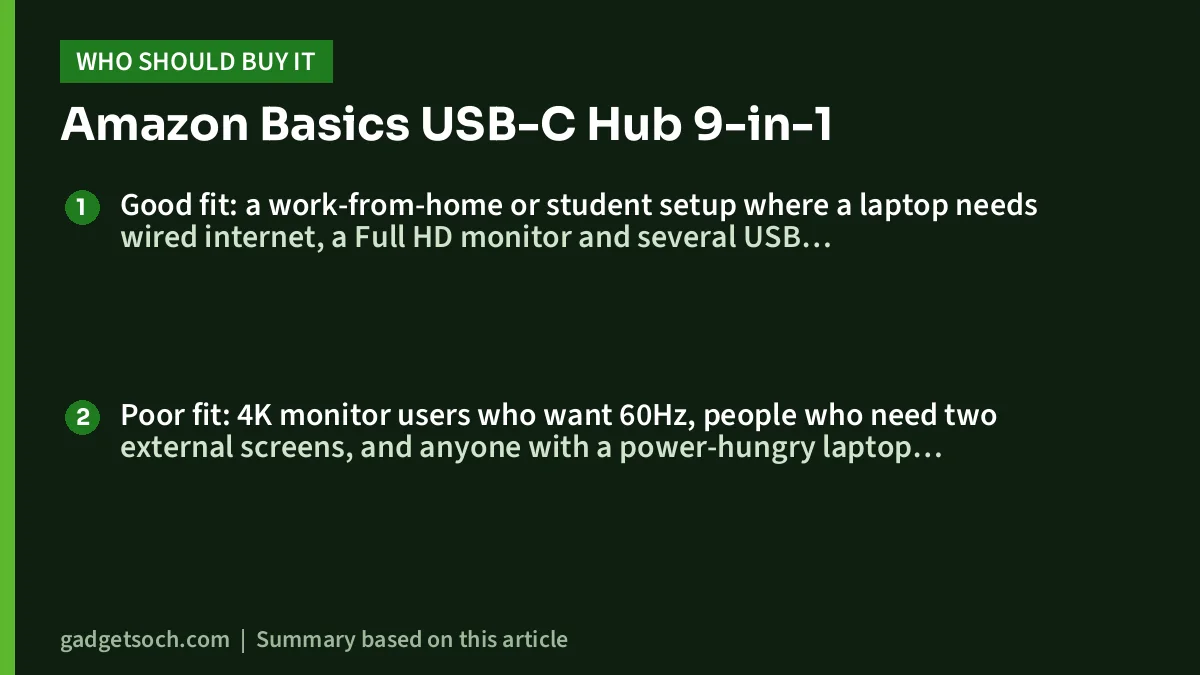
Good fit: a work-from-home or student setup where a laptop needs wired internet, a Full HD monitor and several USB devices, all through one connection. The aluminium body and 83g weight also make it reasonable to carry between home and office. For ideas on the rest of the desk, see our work from home desk setup guide.
Poor fit: 4K monitor users who want 60Hz, people who need two external screens, and anyone with a power-hungry laptop who cannot confirm the PD wattage. Also avoid it if your laptop only has USB-A ports, since this hub connects over USB-C.
Alternatives worth comparing
Portronics Mport One (POR 2349): Portronics lists 4K at 60Hz HDMI with an on/off button, 100W PD pass-through, SD and microSD slots and an AUX port. It has one USB 3.0 port and two USB 2.0 ports and no Ethernet in its port list, so it trades networking and fast USB for smoother 4K video.
Acer USB-C Hub 7-in-1 (ODK360): according to its Amazon.in listing, it offers HDMI at 4K 30Hz, two USB-A ports and one USB-C data port at 5Gbps, 100W PD charging and SD and microSD slots. It states a PD figure, but it has no Ethernet or audio jack.
Before you order
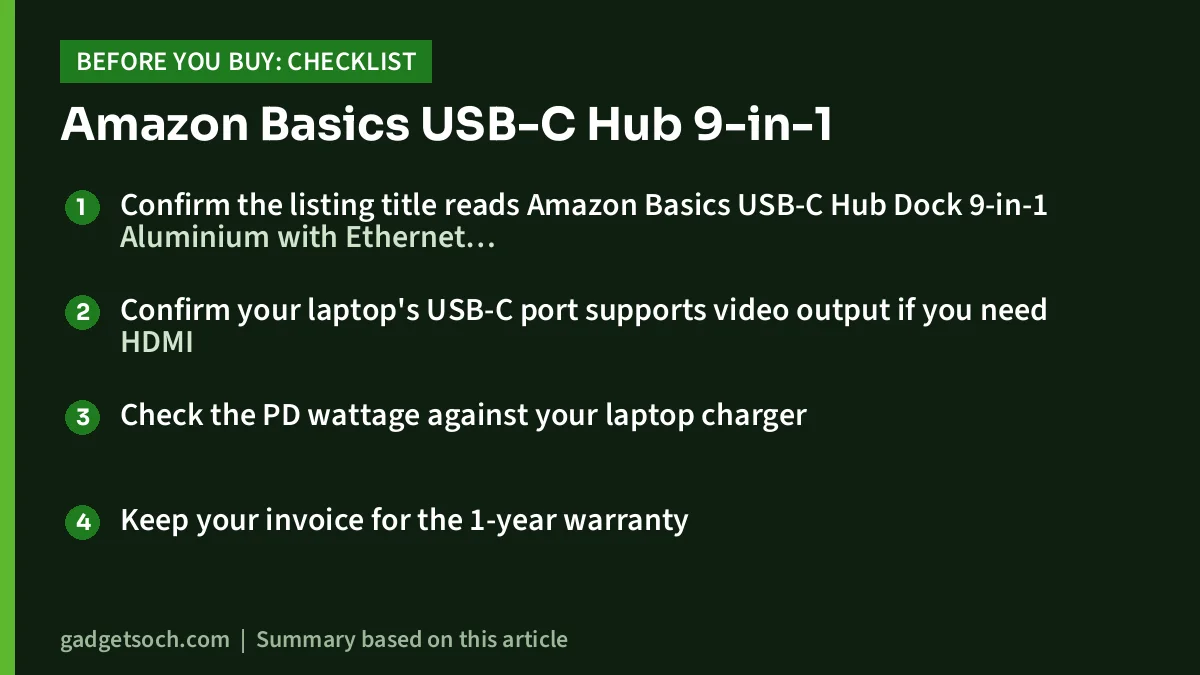
- Confirm the listing title reads Amazon Basics USB-C Hub Dock 9-in-1 Aluminium with Ethernet 1000mbps, and the colour shows Metallic Grey
- Confirm your laptop’s USB-C port supports video output if you need HDMI
- Check the PD wattage against your laptop charger
- Keep your invoice for the 1-year warranty
For warranty queries, the Amazon.in listing gives the number 1800-419-2373 and the email clicktech@blubirch.com, working 10am to 6pm, Monday to Saturday, except national holidays. The listing names Gifts Galore Limited in Hong Kong as the manufacturer and China as the country of origin.
See the Amazon Basics 9-in-1 USB-C hub (Metallic Grey) on Amazon.in
Final take
The Amazon Basics USB-C Hub Dock 9-in-1 earns its place through gigabit Ethernet and three USB 3.0 ports, which make it more practical for wired work setups than many hubs with more video features. Its 4K at 30Hz HDMI and the missing PD wattage in the listing are the reasons to pause. If those two points do not affect you, it covers most single-laptop desks well.
Check the current price of the Amazon Basics 9-in-1 USB-C hub on Amazon.in
Frequently asked questions
Does the Amazon Basics 9-in-1 hub support 4K at 60Hz?
No. The Amazon.in listing rates the HDMI port at 4K 3840×2160 at 30Hz. For 4K at 60Hz, choose a hub that lists it explicitly.
How fast is the Ethernet port?
The listing rates it at 1000Mbps (gigabit). Your actual speed will depend on your internet plan, router and LAN cable.
Can I charge my laptop through it?
Yes, the listing says you can charge through the USB-C PD port with a PD charger. The pass-through wattage is not stated in the listing data, so confirm it before relying on it for a high-wattage laptop.
Do I need to install drivers?
No. The listing describes it as plug and play with no driver or software needed.
Will it work with Windows 10?
The listing lists Windows 11 and macOS 13 Ventura as the minimum versions. It does not mention Windows 10, so check with the seller if you use an older system.
Related reading on GadgetSoch: UGREEN Revodok 7-in-1 USB-C Hub Review (15214): 4K HDMI, 100W PD and the Limits to Know and Portronics C-Konnect Review: 3-in-1 USB-C to HDMI Adapter With 100W PD, Explained.
Sources
- Amazon.in listing for the Amazon Basics USB-C Hub Dock 9-in-1, ASIN B0BSZY8W19 (title, feature bullets and technical details, checked 17 October 2026)
- Portronics Mport One official product page (alternative, checked 17 October 2026)
- Amazon.in listing for the Acer USB-C Hub 7-in-1, ASIN B0DB5TSG7T (alternative, checked 17 October 2026)