

The Resonate RouterUPS Pro is a small 12V battery backup that sits between your Wi-Fi router and its power adapter, so the internet keeps running when the electricity goes off. According to its Amazon.in listing, it packs a 10400mAh lithium-ion battery (four 2600mAh cells), supports 12V routers that draw up to 3A, and is rated for “up to 8 hours” of backup. If you have a fibre connection such as Jio Fiber or Airtel Xstream and face regular power cuts, it is one of the longer-running router UPS options to shortlist, but it does not work with Jio AirFiber or Airtel AirFiber.
Please note: this article is based on Resonate’s Amazon.in listing and a published retailer specification page, checked on 17 October 2026 (Resonate’s own websites could not be opened that day). We have not tested the RouterUPS Pro ourselves, and no runtime figure here is a measurement of ours.
Quick verdict
- Best for: fibre broadband users with a single 12V router or ONT that draws up to 3A and who face outages of several hours
- Skip if: you use Jio AirFiber or Airtel AirFiber, your router runs on 5V, 9V or USB-C power, or your outages rarely last more than an hour
- Key strengths: large 10400mAh battery (4x2600mAh), 3A output headroom for higher-power routers, multi-LED status lights with a power switch, BIS, CE and RoHS certification claimed, made in India with a paid battery-replacement programme
- Key limitations: the “up to 8 hours” figure is a best case, the listing’s technical table has some inconsistent entries, and it relies on your existing router adapter having enough spare current (at least 2A)
Check the current price of the Resonate RouterUPS Pro on Amazon.in
Key specifications
Resonate’s own product websites could not be opened for verification on the date we checked, so the figures below come from the Amazon.in listing (seller-provided) unless marked otherwise.
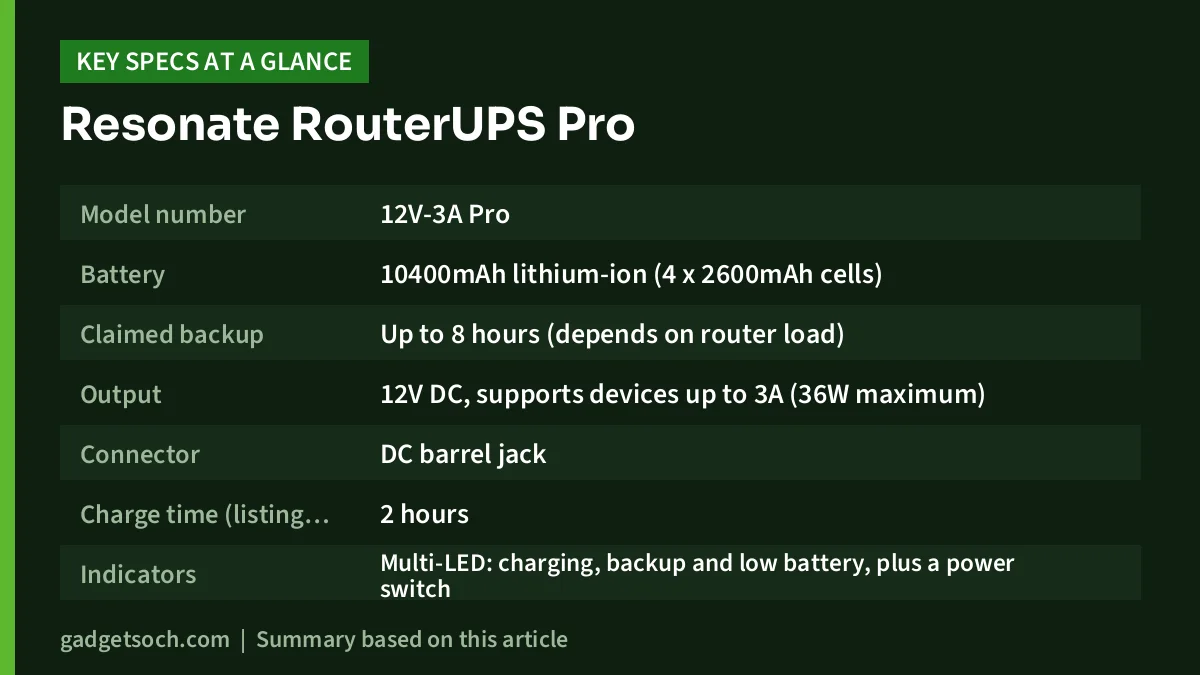
| Specification | Resonate RouterUPS Pro (listing details) |
|---|---|
| Model number | 12V-3A Pro |
| Battery | 10400mAh lithium-ion (4 x 2600mAh cells) |
| Claimed backup | Up to 8 hours (depends on router load) |
| Output | 12V DC, supports devices up to 3A (36W maximum) |
| Connector | DC barrel jack |
| Charge time (listing claim) | 2 hours |
| Indicators | Multi-LED: charging, backup and low battery, plus a power switch |
| Protection (listing claim) | 6-layer circuit protection, intelligent charging |
| Certifications (listing claim) | BIS, CE, RoHS |
| Dimensions | 11 x 6 x 2.6 cm |
| Weight | 350 g |
| Enclosure | ABS plastic, black |
| Mounting | Optional wall mount |
| Made in | India (Resonate Systems Pvt. Ltd., Bengaluru) |
Some entries in the listing’s technical table conflict with its feature text: it lists “4” outlets, a “Rack” form factor, a second set of dimensions (10 x 2 x 2.7 cm) and a 220V input, although the bullets describe charging through your router’s 12V adapter. We have used the figures consistent with the description. Confirm anything critical with Resonate before ordering.
How a router UPS like this works
A router UPS is essentially a power bank built for 12V networking gear. Instead of plugging your router’s adapter straight into the router, you plug the adapter into the RouterUPS Pro and connect the RouterUPS output to the router. While mains power is available, the adapter runs the router through the UPS and tops up its battery at the same time. When power fails, the internal battery takes over and the router stays on.
This is why Resonate asks buyers to use the 12V adapter that came with the router and to make sure it is rated for at least 2A. A 12V 0.5A or 1A adapter has little spare current for recharging the battery while also running the router, so read your adapter’s label before buying.
Unlike a desktop UPS, which converts battery power back to 230V AC, a 12V DC unit feeds the router at the voltage it already uses, so a battery the size of a power bank can run it for hours.
Battery capacity and the “up to 8 hours” claim
The listing promises up to 8 hours and “100% Extra Backup” without naming a baseline, and another bullet claims 30% longer backup than other brands. None of these comes with test conditions, so treat them as marketing, not guarantees. Robu.in, an electronics retailer that also sells the RouterUPS Pro, shows “up to 6 hours (depending on device power consumption)” in its specification list while repeating 8 hours elsewhere, which shows how much the figure depends on the router.
Runtime depends on what your router actually draws: a basic router may use well under its adapter rating, while a busy dual-band fibre router draws more. As a rough illustration only: the listing does not give a watt-hour rating, but if the cells are typical 3.6V to 3.7V lithium-ion cells, 10400mAh works out to roughly 37 to 38 watt-hours before conversion losses. A router that genuinely draws 6W would then run for somewhere around five to six hours after losses, and one drawing 4W would last longer. These are arithmetic, not test results.
Your router’s label (for example “12V 1A”) shows the maximum draw, not the typical one, so a simple timed test during your first outage is the best way to learn your real figure.
Compatibility: what it will and will not power
According to the listing, the RouterUPS Pro supports “all 12V up to 3A routers”, naming Jio Fiber and Airtel Xstream as examples. The 3A ceiling gives headroom if your router’s adapter is rated above 2A, which a 2A-limited router UPS could not support.
The listing is equally clear about what it does not support: Jio AirFiber and Airtel AirFiber. If you are on AirFiber, ask your provider what backup option suits its equipment.
Beyond routers, the listing says the Pro can run modems, set-top boxes, CCTV cameras and other 12V devices up to 3A. Devices powered over PoE, by USB-C, or at 5V or 9V are outside its stated support.
One caution: many fibre installations use two boxes, an ONT and a separate Wi-Fi router, each with its own adapter. The feature text describes a single input and output, so if both boxes need backup, ask Resonate whether one unit can serve your setup or plan for two.
Design, indicators and setup
At 11 x 6 x 2.6 cm and 350 g (listing figures), the RouterUPS Pro is about the size of a thick power bank, with a black ABS body and an optional wall mount for wall-fixed routers.
The multi-LED indicators show charging, backup mode and low battery, according to the listing, and there is a power switch. The low-battery light tells you when to save work or switch to mobile data before the router shuts down. Resonate claims setup takes under 30 seconds; give it a full charge before you rely on it.
Safety, certifications and battery replacement
The listing states BIS, CE and RoHS certification and “6-layer circuit protection” with intelligent charging. It does not list each protection layer, so we cannot say exactly which faults are covered. As with any lithium-ion device, keep it in a ventilated place, away from direct sunlight, kitchens and damp walls, and stop using it if the case swells or it gets unusually hot.
A practical plus is Resonate’s battery-replacement programme. The listing describes paid replacement batteries with a 24 to 72 hour service turnaround, so a worn battery does not mean throwing away the whole unit.
Who should buy it, and who should skip it

Buy the RouterUPS Pro if you work from home, attend online classes, or game online, live in an area with outages lasting a few hours, and your fibre router or ONT runs on 12V at up to 3A with an adapter rated 2A or higher. The larger battery gives more margin than smaller models, and the 3A support covers routers whose 12V adapters are rated up to 3A. For other gear that keeps a home office running, see our work from home desk setup guide.
Skip it if you are on Jio AirFiber or Airtel AirFiber, if your router is not 12V, if your outages are usually short (a smaller, lighter router UPS may be enough), or if you need to back up two separate boxes and cannot confirm the setup with Resonate.
Alternatives worth comparing
- Resonate RouterUPS NxT: the newer, lighter sibling with a 7800mAh lithium-ion battery, 12V output for routers up to 3A and a claimed backup of up to 6 hours, according to its Amazon.in listing. It weighs 190 g against the Pro’s 350 g, so it suits shorter outages.
- Portronics Power Plus II (POR-3159): Portronics’ official page lists 2 x 2000 mAh battery capacity, up to 4 hours of backup, support for 12V devices up to 3A, a dual DC pin (2.1mm and 5.5mm) and a 1-year warranty. It suits users with shorter cuts who want a clearly stated 1-year warranty.
Buying tips: what to check before you order

- Read your router label: it must say 12V DC output from the adapter, with a current of 3A or less.
- Check the adapter rating: Resonate asks for a 12V adapter of at least 2A, because it powers the router and charges the UPS together.
- Confirm the connector: the listing says DC barrel jack. Confirm your router’s plug fits.
- Check the exact variant: this link is for the RouterUPS Pro (10400mAh, up to 8 hours, black, model 12V-3A Pro). Resonate also sells the NxT and other models, so make sure the title on the page says “RouterUPS Pro” before ordering.
- Warranty and service: the Amazon.in listing data we captured does not state the warranty period, so confirm it on the listing or with Resonate (the listing gives customer-care phone and WhatsApp numbers). Robu.in states a 1-year supplier warranty for its own sales.
See the Resonate RouterUPS Pro (10400mAh) on Amazon.in and confirm the model, warranty and seller before you order.
Frequently asked questions
Does the Resonate RouterUPS Pro work with Jio Fiber and Airtel Xstream?
Yes, according to the Amazon.in listing, which names both Jio Fiber and Airtel Xstream as compatible, provided the router uses a 12V adapter rated up to 3A. It specifically excludes Jio AirFiber and Airtel AirFiber.
Will it really give 8 hours of backup?
Only with a light load. The 8-hour figure is the manufacturer’s best case. Runtime depends on how many watts your router and connected devices actually draw, and one retailer’s specification list quotes up to 6 hours depending on consumption. Do a timed test during your first outage to learn your real figure.
What happens when the battery wears out?
Resonate offers a paid battery-replacement programme with a stated 24 to 72 hour service time, according to the listing. Contact Resonate’s customer care for current charges and the process.
What is the difference between the RouterUPS Pro and the RouterUPS NxT?
Going by their Amazon.in listings, the Pro has a 10400mAh battery and claims up to 8 hours, while the NxT has a 7800mAh battery and claims up to 6 hours. Both support 12V routers up to 3A. The NxT is lighter at 190 g against 350 g for the Pro.
Final thoughts
The RouterUPS Pro suits 12V fibre routers and outages of several hours. Its appeal is the 10400mAh battery and 3A support; its weak points are optimistic backup claims and an untidy technical table. If your router and adapter labels match, check the current price of the RouterUPS Pro on Amazon.in.
Related reading on GadgetSoch: CRUST Smart Mini UPS (CS24-5200) Review: 9V/12V Router Backup With a Replaceable Battery, Amazon Basics 4-in-1 USB C Hub Review: One USB 3.0 and Three USB 2.0 Ports Explained and APC Back-UPS BX600C-IN Review: 600VA/360W UPS for Router and PC, Specs and Limits.
Sources
- Amazon.in product listing for the Resonate RouterUPS Pro, ASIN B07Y5D31DB (checked 17 October 2026)
- Robu.in: Resonate RouterUPS Pro CRU12V3A product page (checked 17 October 2026)
- Portronics: Power Plus II official product page (checked 17 October 2026)
- Amazon.in product listing for the Resonate RouterUPS NxT, ASIN B0G8FR2X85 (checked 17 October 2026)




