
The Logitech M221 Silent is a compact, ambidextrous wireless mouse whose main selling point is quiet clicking: Logitech says its SilentTouch technology cuts more than 90% of click noise compared with its own M170 mouse. If you want a simple, quiet plug-and-play mouse for a laptop or office desk, the M221 Silent is a sensible pick. If you need extra buttons, Bluetooth or a rechargeable battery, look elsewhere.
It connects through a small 2.4 GHz USB receiver, tracks at 1000 DPI with an optical sensor, and Logitech rates it for up to 18 months on one battery. That makes it a good fit for students, shared offices, libraries, late-night work next to someone sleeping, and anyone who finds loud mouse clicks annoying.
How this article was put together: it is based on Logitech’s official product pages, retailer specification listings and published product information, checked on 17 October 2026. It is not based on hands-on testing, and we do not make any claims about how it feels or performs in personal use.
Quick verdict
- Best for: students, office workers and laptop users who want quiet clicks and no setup
- Skip if: you need side buttons, adjustable DPI, Bluetooth or a rechargeable mouse
- Key strengths: SilentTouch clicks rated at over 90% less noise than the Logitech M170, up to 18 months of rated battery life, ambidextrous shape, works with Windows, macOS, ChromeOS and Linux
- Key limitations: only three buttons, a fixed 1000 DPI sensor, a USB receiver that needs a free USB port (an adapter on USB-C-only laptops), and a small body that may feel cramped in large hands
Logitech M221 Silent specifications
Logitech’s India page lists the headline features but no detailed spec sheet in its page text, and its body copy calls the mouse the “M220”, the name used in other regions. Physical measurements below therefore come from retailer listings of the M220 Silent and Reliance Digital’s M221 listing, as noted.
| Specification | Logitech M221 Silent |
|---|---|
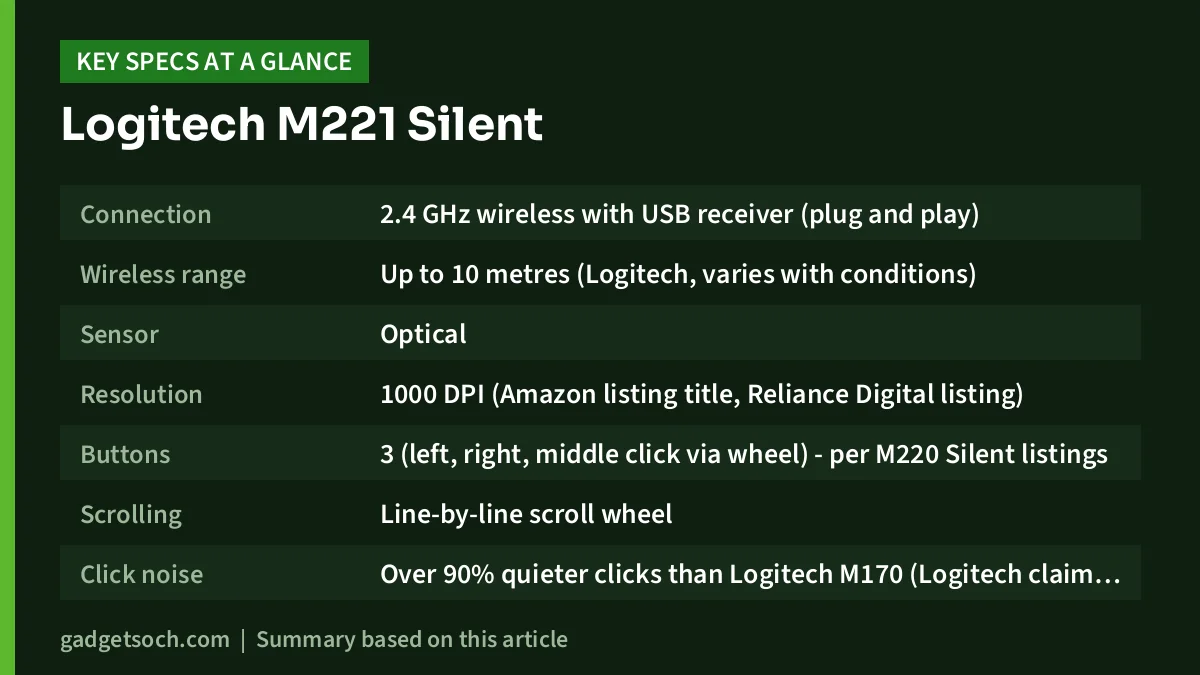
| Connection | 2.4 GHz wireless with USB receiver (plug and play) |
| Wireless range | Up to 10 metres (Logitech, varies with conditions) |
| Sensor | Optical |
| Resolution | 1000 DPI (Amazon listing title, Reliance Digital listing) |
| Buttons | 3 (left, right, middle click via wheel) – per M220 Silent listings |
| Scrolling | Line-by-line scroll wheel |
| Click noise | Over 90% quieter clicks than Logitech M170 (Logitech claim, independent lab at 1 m) |
| Battery life | Up to 18 months (Logitech, varies with use) |
| Battery | 1 x AA (per M220 Silent listings) |
| Power saving | On/off switch and auto-sleep mode |
| Size (H x W x D) | 99 x 60 x 39 mm (M220 Silent listings) |
| Weight | 75.2 g with battery (M220 Silent listings) |
| Receiver size | 23.1 x 18.7 x 6.1 mm, 1.8 g (M220 Silent listing) |
| Compatibility | Windows, macOS, ChromeOS, Linux |
| Shape | Ambidextrous |
| Variant on the linked listing | Charcoal Grey |
Check the current price of the Logitech M221 Silent (Charcoal Grey) on Amazon.in
What SilentTouch actually means
The reason most people shortlist the M221 Silent is the click sound. Logitech describes its SilentTouch technology as reducing more than 90% of clicking sounds, and the footnote on its official page explains the basis: the comparison is against the Logitech M170, and it was measured by an independent lab at a distance of one metre. That is a useful detail, because “silent” on a box can mean anything. Here it means quieter than one of Logitech’s own standard budget wireless mice under a specific test, not completely soundless.
Why does this matter in practice? Hundreds of sharp clicks an hour add up in a quiet room, on a video call, or in a hostel where a roommate is trying to sleep. Logitech also says the mouse keeps the same click feel while cutting the noise, so you still get a defined click under your finger. Treat the 90% figure as a lab comparison, not a promise of total silence.
Design and comfort
The M221 Silent is a small, symmetrical mouse. Retailer listings for the M220 Silent give its size as 99 mm long, 60 mm wide and 39 mm tall, with a weight of about 75 grams including the battery. Logitech describes the contoured shape as equally comfortable for left- and right-handed users.
This is a travel-friendly size, and the symmetrical shape means left-handed users are not forced into a right-hand design. The trade-off is that a mouse under 10 cm long tends to suit small and medium hands best. If you have large hands, or you spend eight or more hours a day on a mouse, a full-size ergonomic model (or a size-specific one such as the Logitech Signature M650 L) is worth considering instead.
There are three buttons: left click, right click and a middle click via the scroll wheel. There are no back and forward side buttons, which some people use heavily in browsers and file managers.
Sensor, tracking and scrolling
The M221 Silent uses an optical sensor, and the Amazon listing title and Reliance Digital’s listing both give the resolution as 1000 DPI. Logitech itself simply describes “advanced optical tracking” without naming a sensor.
For everyday office work, browsing, spreadsheets and documents on a laptop screen or a standard Full HD monitor, 1000 DPI is a comfortable middle ground: the pointer moves across the screen without needing big sweeps of the arm. Since there is no DPI button, you adjust pointer speed in your operating system’s mouse settings instead.
The scroll wheel is described by Logitech as giving controlled, line-by-line scrolling. That is good for precise scrolling in documents and spreadsheets. It does not have a free-spinning mode for flying through very long pages, which is a feature of pricier models.
Battery life and power
Logitech rates the M221 Silent for up to 18 months of use before you need to change the battery, while noting that actual battery life varies with use and computing conditions. To help with that, it has an on/off switch and an automatic sleep mode. Listings for the M220 Silent specify a single AA battery.
The practical upside of a long-life AA mouse is that you can almost forget about charging. When it runs out, a fresh AA cell from any local shop gets you going again. The downside is that it is not rechargeable, so if you prefer to avoid disposable batteries, use a rechargeable AA cell or consider a mouse with a built-in battery. Switching it off when you pack it in a bag helps save battery.
Connectivity and compatibility
The M221 Silent connects through a small USB receiver over 2.4 GHz wireless. Logitech calls it plug and play and states a range of up to 10 metres, which again varies with the environment. The receiver plugs into a standard USB-A port. Logitech does not list Bluetooth for this model, so the receiver is the only way to connect it.
Logitech lists compatibility with Windows, macOS, ChromeOS and Linux.
The receiver-only design means there is no pairing step, but it occupies a USB port, and many newer thin laptops have only USB-C ports, so you would need a USB-C to USB-A adapter or hub. If you use a budget laptop with USB-A ports, such as the HP 15 with Ryzen 3 7320U, the M221 Silent simply plugs straight in.
Who should buy the M221 Silent, and who should skip it

Good fit for
- Students and hostel residents who work late near others
- Office workers in open-plan spaces or shared rooms
- People who take frequent calls or record audio and want less click noise on the microphone
- Left-handed users who want a simple symmetrical mouse
Consider something else if
- You need back/forward side buttons or programmable buttons
- You want Bluetooth to use the mouse with a tablet or a USB-C-only laptop without an adapter
- You have large hands or need a full-size ergonomic mouse for long workdays
- You prefer a rechargeable built-in battery
Alternatives worth comparing
These alternatives are named for comparison only, based on their official Logitech India product pages. Check current specifications and prices yourself before deciding.
- Logitech M240 Silent: a Bluetooth mouse that needs no USB receiver, with SilentTouch clicks rated at 90% less noise, a pre-installed AA battery rated for about 18 months, an ambidextrous design, and compatibility with Windows, macOS, ChromeOS, Linux and Android. It suits USB-C-only laptops and tablets better than the M221 Silent.
- Logitech Signature M650: connects over Bluetooth Low Energy or the Logi Bolt USB receiver, comes in M650 and larger M650 L sizes (plus a left-handed L version), and has a SmartWheel that switches between line-by-line and fast scrolling. It is a step up for longer workdays.
- Logitech M170: the standard Logitech wireless mouse that Logitech uses as the baseline for the M221 Silent’s noise claim. Choose it only if click noise does not bother you.
What to check before you order

- Variant and colour: the affiliate link below opens the Charcoal Grey M221 Silent listing. The M221 Silent has also been sold in other colours, so confirm the exact colour shown on the listing before you order.
- Model name: make sure the title says M221 Silent (or Silent Buttons), so you get the SilentTouch version described here.
- Box contents: check the listing for the receiver and whether a battery is included.
- Ports: confirm your laptop or PC has a free USB-A port, or plan for a USB-C adapter.
- Warranty: Reliance Digital’s listing for the M221 Silent shows a 1-year warranty. Check the warranty mentioned on the Amazon listing and on Logitech’s India support site, and keep your invoice.
- Seller: buy from a reputable seller to make sure you receive a genuine Logitech product eligible for warranty service in India.
See the Logitech M221 Silent Charcoal Grey variant on Amazon.in
Frequently asked questions
Is the Logitech M221 Silent completely silent?
No. Logitech claims over 90% less click noise compared with the Logitech M170, measured by an independent lab at one metre. Clicks are much quieter, but not soundless, and the claim applies to clicking, not to the wheel or movement.
What is the difference between the Logitech M220 and M221 Silent?
Logitech’s own M221 Silent pages for India and other Asia-Pacific regions describe the product as the M220 in their body copy, and the published features (SilentTouch, 18-month battery life, 10 m range, ambidextrous shape) are the same. M221 is the name used in markets like India. Always check the exact model and colour on the listing you buy from.
Does the Logitech M221 Silent work with a MacBook or Chromebook?
Logitech lists macOS and ChromeOS compatibility along with Windows and Linux. It connects through a USB-A receiver, so on a MacBook or Chromebook with only USB-C ports you will need a USB-C to USB-A adapter or hub.
Does the M221 Silent have Bluetooth?
No. Logitech lists only the USB receiver as its connection method. If you need Bluetooth, look at a model such as the Logitech M240 Silent.
What battery does the M221 Silent use and how long does it last?
Listings for the M220 Silent specify one AA battery. Logitech rates battery life at up to 18 months, helped by an on/off switch and auto-sleep, while noting that real battery life depends on use.
Can I change the DPI on the M221 Silent?
There is no DPI button. The sensor resolution is listed as 1000 DPI, and you can change pointer speed in your operating system’s mouse settings.
Final thoughts
The Logitech M221 Silent does one thing particularly well: it makes clicking far quieter than a standard budget mouse, according to Logitech’s lab-backed claim, while keeping the basics simple. A long-rated battery life, a small ambidextrous shape and plug-and-play setup make it an easy recommendation for students and office users who share space with others. Its limits are equally clear: three buttons, a receiver-only connection, a fixed 1000 DPI sensor and a compact size that may not suit large hands.
Check the current price of the Logitech M221 Silent on Amazon.in and confirm the colour and box contents on the listing before you order.
Related reading on GadgetSoch: HP Smart Tank 589 Review: Wi-Fi Ink Tank Printer for Home and Small Office and Epson EcoTank L130 Review: Print-Only Ink Tank Printer, Specs and Who Should Buy.
Sources
- Logitech India: M221 Silent product page (checked 17 October 2026)
- Logitech Malaysia: M221 Silent product page (checked 17 October 2026)
- Logitech New Zealand: M221 Silent Wireless Mouse shop page (checked 17 October 2026)
- Adorama: Logitech M220 Silent specifications (checked 17 October 2026)
- LDLC: Logitech M220 Silent specifications (checked 17 October 2026)
- Reliance Digital: Logitech M221 Silent Charcoal listing (checked 17 October 2026)
- Logitech India: M240 Silent Bluetooth Mouse (checked 17 October 2026)
- Logitech India: Signature M650 Wireless Mouse (checked 17 October 2026)




