Is the ASUS Vivobook 15 X1504ZA with the Intel Core i3-1215U worth considering? For students, home users and office workers who mostly type, browse, attend video calls and stream, yes: this configuration (X1504ZA-NJ322WS) combines a 15.6-inch Full HD screen, 8GB RAM, a 512GB SSD, a backlit keyboard and Office 2021 in one listing. It is an entry-level machine, though, and the six-core i3 with basic Intel UHD graphics is not built for gaming, video editing or engineering software.
The Amazon.in listing covered here (ASIN B0CCKPTMYX, in stock when checked on 17 October 2026) is titled “ASUS VivoBook 15 (2022), Intel Core i3-1215U, 12th Gen, 8GB RAM, 512GB SSD, FHD, 15.6″/39.62cm, Windows 11, Office 2021, Cool Silver, 1.7KG, X1504ZA-NJ322WS, Backlit KB Laptop”. The X1504ZA chassis is also sold with other Intel chips and memory sizes, so make sure you are looking at this exact model code.
Please note: Gadget Soch has not used this laptop. This article is based on Intel’s official processor specifications, the Amazon.in listing, spec databases such as Notebookcheck, Smartprix and MySmartPrice, and published reviews, all checked on 17 October 2026. ASUS’s own product page for the X1504ZA could not be reached on that date, so a few details are marked for you to confirm.
At a glance: who it suits

- Best for: school and college students, home users and office staff working in Office, Google Workspace, browsers and video-call apps
- Skip if: you game, edit video, run CAD or 3D tools, or want a laptop that feels fast for heavy multitasking several years from now
- Strengths: Full HD 15.6-inch screen, backlit keyboard, 512GB NVMe SSD, Office Home and Student 2021, a useful mix of USB-A and USB-C ports
- Limitations: only 2 performance cores, Intel UHD graphics, 8GB RAM, a 42Wh battery, HDMI 1.4 and a 1.7kg weight
ASUS Vivobook 15 X1504ZA-NJ322WS specifications
| Specification | ASUS Vivobook 15 X1504ZA-NJ322WS |
|---|---|
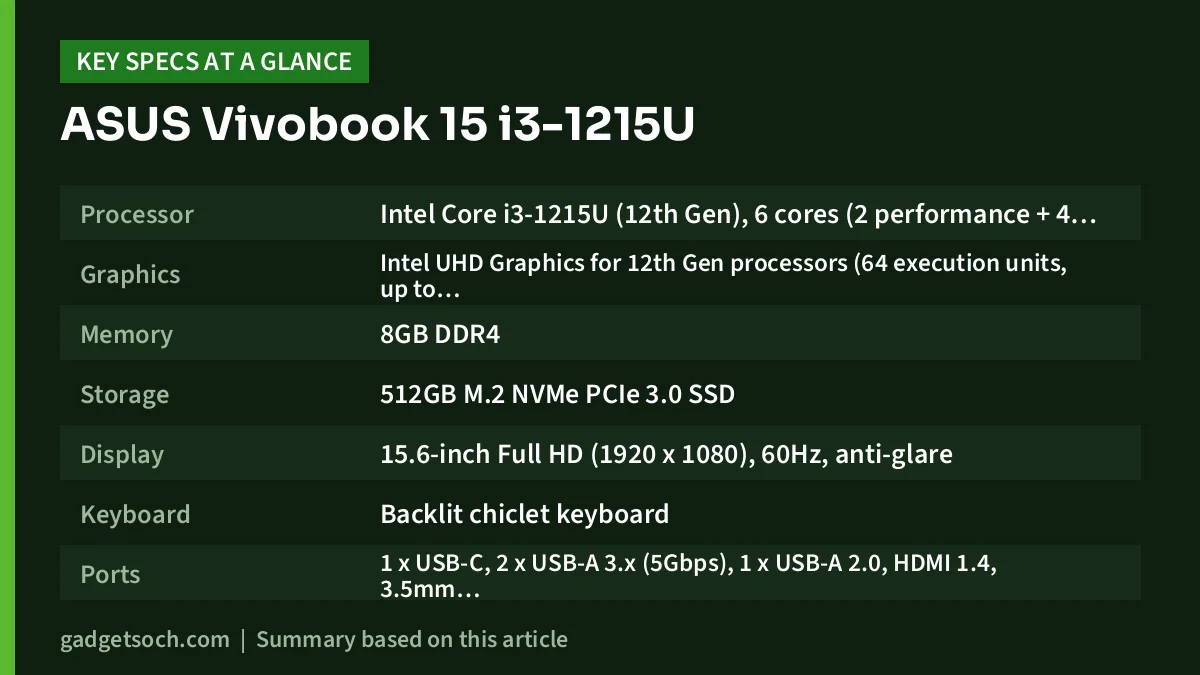
| Processor | Intel Core i3-1215U (12th Gen), 6 cores (2 performance + 4 efficient), 8 threads, up to 4.4GHz, 10MB cache, 15W base power |
| Graphics | Intel UHD Graphics for 12th Gen processors (64 execution units, up to 1.10GHz) |
| Memory | 8GB DDR4 |
| Storage | 512GB M.2 NVMe PCIe 3.0 SSD |
| Display | 15.6-inch Full HD (1920 x 1080), 60Hz, anti-glare |
| Keyboard | Backlit chiclet keyboard |
| Ports | 1 x USB-C, 2 x USB-A 3.x (5Gbps), 1 x USB-A 2.0, HDMI 1.4, 3.5mm audio jack |
| Wireless | Wi-Fi 6 (802.11ax), Bluetooth |
| Webcam | 720p HD |
| Battery and charger | 42Wh, 3-cell, 45W adapter |
| Weight | 1.7kg (per listing) |
| Software | Windows 11 Home, Office Home and Student 2021 |
| Colour | Cool Silver |
Check the current price of the ASUS Vivobook 15 X1504ZA (i3-1215U, 8GB, 512GB) on Amazon.in
Understanding the Core i3-1215U
Intel lists the Core i3-1215U as a 12th Gen chip launched in the first quarter of 2022, with 6 cores and 8 threads, 10MB of Smart Cache, a 15W base power and up to 55W maximum turbo power. That core count needs a little explaining, because not all six cores are equal.
Two performance cores, four efficient cores
The i3-1215U uses Intel’s hybrid design: 2 performance cores that boost up to 4.4GHz and handle demanding, foreground work, plus 4 efficient cores that reach up to 3.3GHz and take care of background tasks. Only the performance cores support Hyper-Threading, which is why the chip has 8 threads rather than 12.
In daily use this arrangement is well suited to light, bursty work: opening documents, loading web pages, joining a Teams or Google Meet call. Where it runs short is sustained heavy work across all cores, such as long video exports or compiling large projects. Stepping up to the Core i5-1235U adds four more efficient cores and four more threads, according to Intel.
Intel UHD graphics: what to expect
Graphics come from Intel UHD Graphics for 12th Gen processors, which Intel lists with 64 execution units and a 1.10GHz maximum frequency. That is enough for Full HD video streaming, presentations and basic photo edits. It is not meant for modern 3D games or GPU-accelerated editing, so treat this as a work and study laptop.
Screen, keyboard and everyday comfort
The Full HD (1920 x 1080) resolution is one of this listing’s real advantages, because some budget laptops at this level still ship with 1366 x 768 screens. Full HD on 15.6 inches gives crisper text and room for two documents side by side. The panel runs at 60Hz with an anti-glare finish, which helps under tube lights and near windows.
Panel quality is the part to keep realistic. MySmartPrice lists an IPS panel with 250 nits of brightness for the NJ322WS, and Notebookcheck’s X1504ZA entry also lists IPS. ASUS’s official page was not reachable to confirm this, and 250 nits is a modest figure: comfortable indoors, but not bright enough to fight direct sunlight. Tech Advisor’s review of the X1504ZA, as summarised by Notebookcheck, said the screen “isn’t particularly bright or colourful”.
The backlit keyboard, mentioned in the Amazon.in title and in Smartprix’s listing, is a practical bonus for typing late at night in a hostel room or on a train. It is a chiclet-style layout, and the 720p webcam (per Notebookcheck) is adequate for online classes rather than sharp video.
Connectivity and ports
According to Smartprix’s specification listing for this model, you get one USB-C port, two USB 3.x Type-A ports, one USB 2.0 Type-A port, HDMI 1.4 and a 3.5mm headphone and microphone jack. That covers a mouse, pen drive, external hard disk and projector without adapters, which matters in classrooms and offices.
Two caveats. First, HDMI 1.4 is fine for Full HD monitors and projectors but is limited for 4K at high refresh rates. Second, we could not confirm from an official ASUS source whether the USB-C port supports charging or display output, so do not buy this laptop assuming it does. Wireless is listed as Wi-Fi 6 (802.11ax). There is no Ethernet port in the listed specs.
Battery, charger and portability
The X1504ZA uses a 42Wh, 3-cell battery according to Notebookcheck and MySmartPrice, charged by a 45W adapter according to Smartprix and MySmartPrice. 42Wh is on the smaller side for a 15.6-inch laptop, and Tech Advisor’s verdict (as quoted by Notebookcheck) was that “the battery won’t last all day”. Plan to carry the charger on long college days.
At 1.7kg according to the listing, it is manageable to carry for a 15.6-inch machine, though not light. If you will carry it every day, budget for a padded backpack sleeve.
What published reviews say
Independent reviews of the exact NJ322WS configuration are scarce. Notebookcheck’s X1504ZA page lists four reviews, but its specification entry is for a Core i5-1235U configuration, so treat these as reviews of the chassis rather than this exact i3 model. Tech Advisor, which gave it 60% in September 2023, described it as “a decent laptop, but it doesn’t do anything out of the ordinary”, good for work, browsing, streaming and light photo editing, while noting it is “far from the most powerful machine out there” and that budget rivals make it harder to recommend.
Notebookcheck also lists a Vietnamese article from Thegioididong whose headline says a 12th Gen Intel Core i3 handles office tasks well. Only the headline is shown there, so we cannot add more detail.
Who should buy it, and who should look elsewhere
A good fit if you need a dependable laptop for assignments, spreadsheets, online classes, email and streaming, you value a Full HD screen and backlit keyboard, and you want Office Home and Student 2021 included rather than paying for it separately.
Look elsewhere if you plan to play games or run software such as AutoCAD, Premiere Pro or Blender, keep dozens of browser tabs open alongside heavy apps, or need long unplugged battery life. Gamers should look at a dedicated-graphics machine such as the one in our ASUS TUF A15 Ryzen 7 RTX 3050 review.
Rivals to consider
- Lenovo IdeaPad 1 Ryzen 5 5500U (82R4011MIN): Lenovo lists the Ryzen 5 5500U with 6 cores and 12 threads, and the platform has a SO-DIMM slot for memory up to 16GB. However, its Amazon.in listing says HD rather than Full HD, and Lenovo’s spec sheet shows no keyboard backlight
- ASUS Vivobook 15 X1504ZA with Core i5-1235U: the same chassis with a stronger chip. Intel lists the i5-1235U with 10 cores (2 performance + 8 efficient), 12 threads and Iris Xe Graphics with 80 execution units
- Lenovo IdeaPad Slim 3 with Ryzen 5 7520U: a slimmer Lenovo option with a Full HD screen in its listing, covered in our IdeaPad Slim 3 Ryzen 5 7520U article
Before you click buy
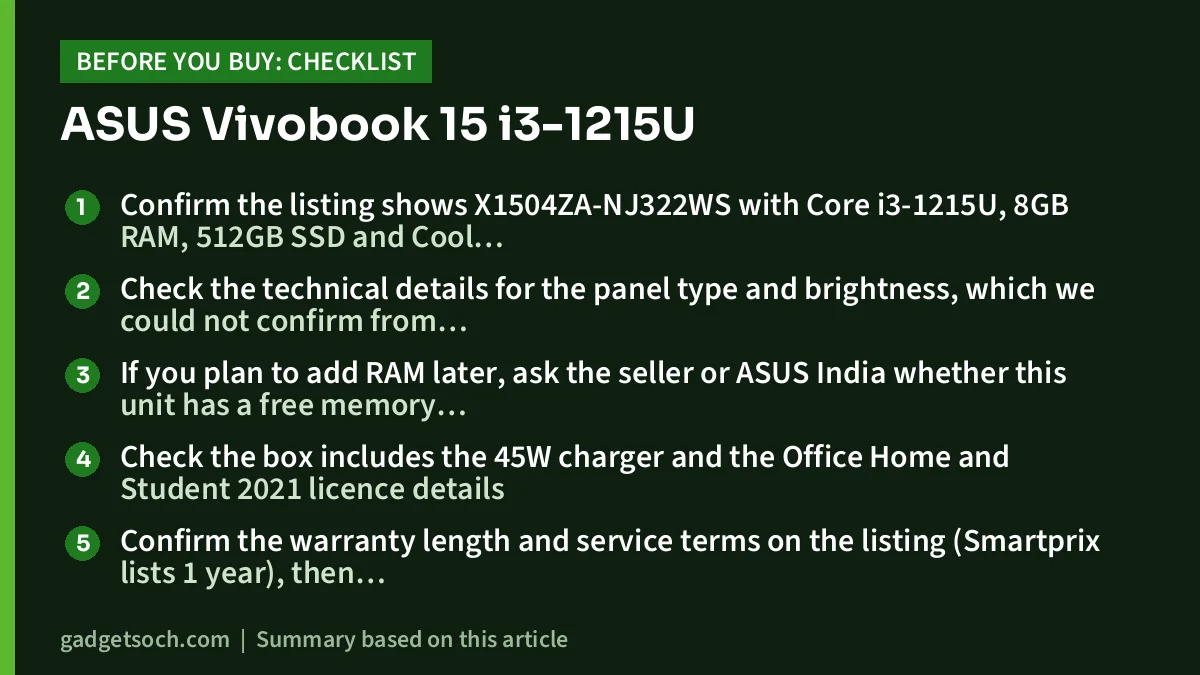
- Confirm the listing shows X1504ZA-NJ322WS with Core i3-1215U, 8GB RAM, 512GB SSD and Cool Silver, since other X1504ZA versions use different chips and memory
- Check the technical details for the panel type and brightness, which we could not confirm from ASUS directly
- If you plan to add RAM later, ask the seller or ASUS India whether this unit has a free memory slot, because the listings we checked do not state it clearly
- Check the box includes the 45W charger and the Office Home and Student 2021 licence details
- Confirm the warranty length and service terms on the listing (Smartprix lists 1 year), then register the laptop with ASUS India support after delivery
Once everything matches, see the Vivobook 15 X1504ZA-NJ322WS (Cool Silver) on Amazon.in.
Your questions answered
Is the Core i3-1215U good enough for college?
For most non-technical courses, yes. Intel lists it with 6 cores and 8 threads, which handles Office, browsing, video calls and streaming. For CAD, coding large projects, video editing or gaming, choose a stronger processor.
Does the ASUS Vivobook 15 X1504ZA-NJ322WS have a backlit keyboard?
Yes. The Amazon.in title mentions “Backlit KB”, and Smartprix’s specifications also list a backlit keyboard for this model.
Is the display Full HD?
Yes. The listing and multiple spec databases state 1920 x 1080 at 15.6 inches with an anti-glare finish. MySmartPrice lists it as an IPS panel at 250 nits.
Does it come with Microsoft Office?
The listing title says Office 2021, and Smartprix specifies Office Home and Student 2021. Check the licence activation instructions after setup.
How long does the battery last?
We have no battery test of our own. The battery is 42Wh, and Tech Advisor’s review of the X1504ZA (as quoted by Notebookcheck) said it “won’t last all day”, so keep the charger handy.
Verdict
The ASUS Vivobook 15 X1504ZA-NJ322WS is a straightforward everyday laptop. Its Full HD screen, backlit keyboard, bundled Office 2021 and practical ports make it easy to live with, while the two-performance-core i3, basic graphics and 42Wh battery set clear limits. If your work is documents, browsing and video calls, check the current price of the ASUS Vivobook 15 i3-1215U on Amazon.in.
Related reading on GadgetSoch: Acer Aspire 15 Ryzen 7 7730U Review: Eight Cores for Everyday Work and HP Victus 15 Review (i5-14450HX, RTX 3050 6GB, 24GB): Specs, Strengths and Trade-offs.
Sources
- Intel: Core i3-1215U specifications
- Intel: Core i5-1235U specifications
- Notebookcheck: Asus VivoBook 15 X1504ZA (specs and review summaries)
- Smartprix: Asus Vivobook 15 X1504ZA specifications (spec table lists X1504ZA-NJ322WS)
- MySmartPrice: Asus Vivobook 15 X1504ZA-NJ322WS specifications
- Lenovo PSREF: IdeaPad 1 15ALC7 specifications
- Amazon.in listing title for ASIN B0CCKPTMYX, observed 17 October 2026