The Primebook 2 Neo (2026) is a compact 11.6-inch Android laptop that runs PrimeOS 3.0 (based on Android 15) on a MediaTek Helio G99 processor, with 128GB of storage, microSD expansion and a weight of roughly 1 kg. It is aimed at school students, first-time users and anyone who wants a small, keyboard-equipped device for online classes, browsing, Android apps and simple documents. In short, it is a portable, low-complexity study machine, but its HD screen is basic and some key details, including battery life and RAM, are inconsistent between Primebook’s own page and the Amazon.in listing.
This article is based on Primebook’s official product page, the Amazon.in listing (captured 17 October 2026) and published specifications. It is not based on hands-on testing. Where the two main sources disagree, we point it out so you can confirm before you buy.
Quick verdict
- Best for: school students, online classes, browsing, YouTube and Android learning apps on a small, light laptop
- Skip if: you need Windows software, a Full HD screen, a backlit keyboard (not listed for this model) or confirmed all-day battery life
- Key strengths: compact 11.6-inch size, weight under about 1.1 kg, Android app support, USB-C charging plus two USB-A ports, microSD slot, dual-band Wi-Fi 5
- Key limitations: 1366 x 768 HD screen, entry-level phone-class processor, no official battery-life figure on the pages we checked, RAM listed differently by Primebook (6GB) and Amazon.in (8GB)
The RAM question: 6GB or 8GB?
The Amazon.in listing title for this product says 8GB RAM and 128GB storage, and the listing’s technical details describe 8GB LPDDR4X. However, Primebook’s own product page for the Primebook 2 Neo, when we checked it on 17 October 2026, showed only a 6GB RAM / 128GB UFS configuration. We cannot tell from these sources whether Amazon.in is selling a different configuration or whether one of the pages is out of date.
This matters because RAM cannot be upgraded later on this kind of laptop (the listing gives 8GB as the maximum). More memory helps when you keep a browser, a video class and a notes app open together. Before ordering, check the RAM figure shown on the listing page and on the product box description, and ask the seller if the two do not match.
Primebook 2 Neo specifications
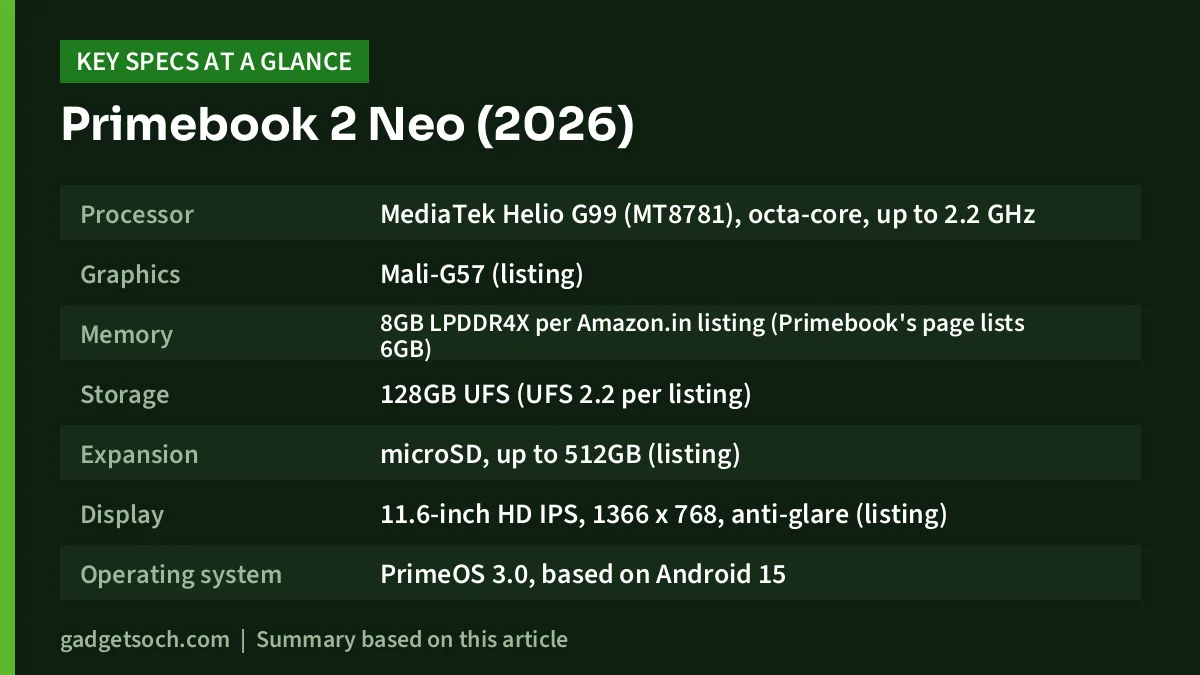
| Specification | Primebook 2 Neo (2026), as linked |
|---|---|
| Processor | MediaTek Helio G99 (MT8781), octa-core, up to 2.2 GHz |
| Graphics | Mali-G57 (listing) |
| Memory | 8GB LPDDR4X per Amazon.in listing (Primebook’s page lists 6GB) |
| Storage | 128GB UFS (UFS 2.2 per listing) |
| Expansion | microSD, up to 512GB (listing) |
| Display | 11.6-inch HD IPS, 1366 x 768, anti-glare (listing) |
| Operating system | PrimeOS 3.0, based on Android 15 |
| Ports | USB Type-C (charging), 2 x USB-A (USB 2.0 per listing), microSD slot, 3.5mm audio jack |
| Wireless | Dual-band Wi-Fi 5 (2.4GHz and 5GHz), Bluetooth 5.1 (listing) |
| Audio | 2 x 1W stereo speakers, dual microphones (listing) |
| Charger | 30W USB Type-C adapter (listing) |
| Weight | 1.1 kg in the feature bullets, 0.98 kg in the technical details |
| Size | 28.1 x 20.1 x 1.7 cm (listing) |
| Colour | Gray |
| Battery | Capacity and runtime not stated on the pages we checked |
Check the current price of the Primebook 2 Neo (2026) on Amazon.in
Who the Primebook 2 Neo is really for
An Android laptop makes most sense for someone whose daily work already happens in Android apps and a web browser. PrimeOS 3.0 adds a laptop-style interface on top of Android 15, so you get a keyboard, touchpad and windowed apps rather than a phone-style screen. For a school student attending classes on video apps, reading study material and writing short assignments, that can be simpler and safer than a full Windows laptop.
The trade-off is software compatibility. Windows programs do not install on PrimeOS. Primebook offers PrimeX Cloud PC access to Windows and Linux environments, and the Amazon.in listing says you can stream desktop apps such as VS Code, Figma, LibreOffice and GIMP from the cloud “with a nominal subscription”. That needs a steady internet connection and an ongoing plan, so it is a workaround rather than a replacement for a Windows laptop. Primebook also advertises PrimeOffice, which it describes as free for life, and its FAQ mentions a native Linux terminal.
Display: small and basic
The 11.6-inch screen is an IPS panel with a resolution of 1366 x 768, according to the Amazon.in listing. IPS gives decent viewing angles, which helps when two people watch the same video, and the listing mentions an anti-glare coating. The low resolution, however, means text and images look softer than on a Full HD screen, and you fit less on screen when working with documents side by side.
Brightness is not stated on the pages we checked. If you plan to use the laptop near windows or outdoors, this is a detail to confirm with the seller. If screen quality is a priority, the larger Primebook 2 Max uses a 15.6-inch Full HD IPS panel.
Performance and storage
The MediaTek Helio G99 is an octa-core chip clocked at up to 2.2 GHz, with Mali-G57 graphics. It is a smartphone-class processor intended for affordable devices, and it is suited to browsing, video streaming, video calls, Android apps and document work. It is not designed for heavy multitasking, photo or video editing, or demanding games.
Storage is 128GB of UFS flash (UFS 2.2 according to the listing), which is phone-style storage rather than an SSD. The listing advertises microSD expansion of up to 512GB, which is a cheap way to store offline lectures, PDFs and media. Keep in mind that apps installed on internal storage will run faster than files on a microSD card.
Ports, connectivity and portability
Ports are a strong point for a laptop this small. According to the listing, you get USB Type-C for charging, two USB-A ports, a microSD slot and a 3.5mm audio jack. That means a wired mouse, a pen drive and wired earphones can all be connected without a dongle. No HDMI port is listed, so connecting a projector or monitor may not be possible without confirming USB-C display support first.
For wireless, the listing gives dual-band Wi-Fi 5 and Bluetooth 5.1. The listing does not mention a SIM slot, and Primebook’s FAQ says SIM connectivity is available only on “select” models, so assume this one needs Wi-Fi or a phone hotspot.
Portability is where the Neo stands out. At about 28.1 x 20.1 cm and roughly 1 kg (the listing gives both 0.98 kg and 1.1 kg), it fits easily into a school bag and is comfortable on a small desk.
Battery: the missing detail
Neither Primebook’s 2 Neo page nor the Amazon.in listing we checked gives a battery capacity or a claimed runtime for this model. Primebook’s FAQ says “up to 14 hours of battery life on select models”, but it does not say that applies to the Neo. The listing does state that charging is via a 30W USB Type-C adapter. If you need the laptop to last a full school day away from a socket, ask the seller for the rated battery life before buying.
AI features and updates
The Amazon.in listing describes AI-powered global search, which lets you look for files, settings, apps and web content and ask AI questions from one search bar, and an AI Companion mode that reads what is on screen and gives context-aware answers. Primebook’s FAQ also mentions PrimeAGNT, which it describes as an “Operator AI” for multi-step tasks. These are software features that may change with updates. Primebook says it delivers regular over-the-air updates with security patches, but timelines vary by model and no fixed support period is published.
Who should skip it
- Students whose school, coaching centre or college requires Windows software
- Anyone who wants a sharp Full HD screen for long reading or spreadsheet sessions
- Buyers who need a confirmed battery-life figure or a backlit keyboard, which is not listed for the Neo
- Users who need HDMI for projectors or external monitors
Alternatives worth comparing
- Primebook 2 Max (2026): the same Helio G99 chip with 8GB LPDDR4X and 256GB UFS storage, a 15.6-inch Full HD IPS screen and a backlit keyboard, plus a claimed 12 hours of battery life. It is heavier at 1.61 kg according to its listing.
- Lenovo Idea Tab with Pen: an 11-inch Android 15 tablet with a 2560 x 1600 90Hz display, Dimensity 6300, 8GB RAM, 256GB storage, a 7040mAh battery and a bundled pen, but no keyboard in the Indian box.
- Acer Aspire 3 A325-45: a 15.6-inch Windows 11 Home laptop with an Intel Celeron N4500, 8GB RAM and a 256GB SSD, for students who need Windows programs. It weighs about 1.5 kg.
For Windows options at the budget end, see our guide to the best budget laptops in India for students and office work.
Before you order: a quick checklist
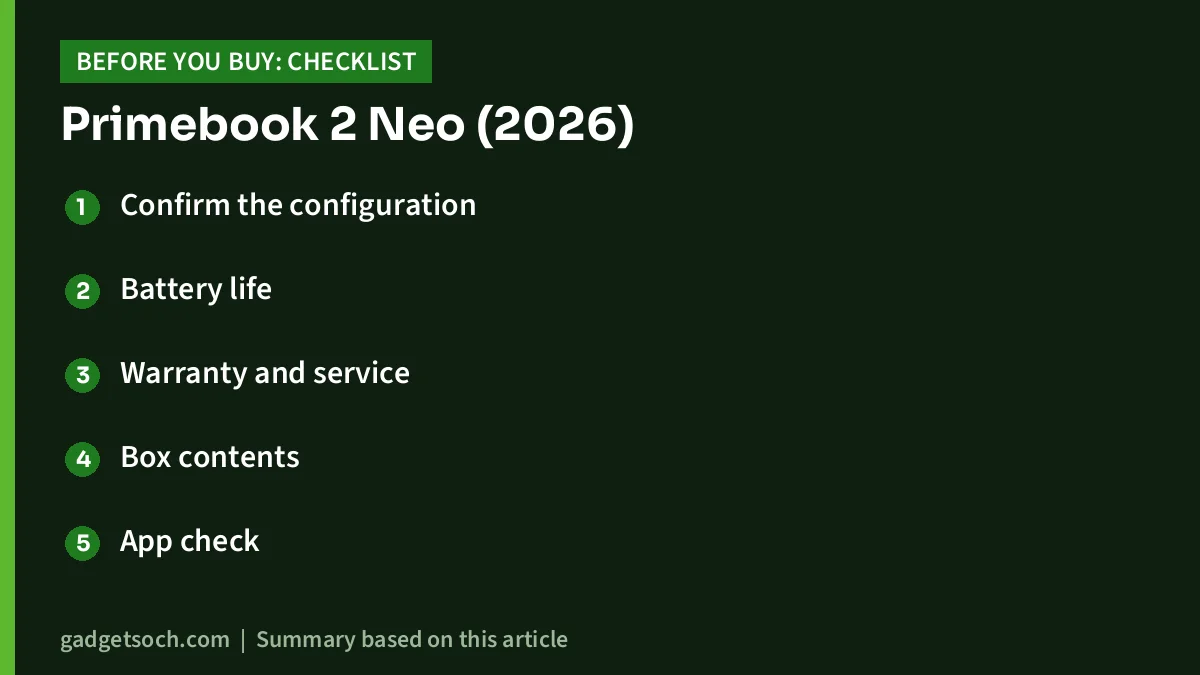
- Confirm the configuration: check the RAM (6GB or 8GB) and 128GB storage shown on the listing, and make sure the title says Primebook 2 Neo (2026) rather than an older Primebook.
- Battery life: ask the seller or Primebook for the rated runtime, since it is not stated on the pages we checked.
- Warranty and service: the listing mentions walk-in service centres in limited pincodes only. Check the warranty period and whether service is available near you.
- Box contents: the listing mentions the laptop, charger, user manual and a welcome card.
- App check: make sure the apps your school uses are available on Android or the web.
See the Primebook 2 Neo (2026) on Amazon.in
Frequently asked questions
Does the Primebook 2 Neo have 6GB or 8GB RAM?
The Amazon.in listing says 8GB LPDDR4X, while Primebook’s official page showed a 6GB/128GB configuration on 17 October 2026. Check the RAM on the listing and the seller’s details before ordering.
Can the Primebook 2 Neo run Windows apps?
Not natively. It runs Android 15-based PrimeOS 3.0. Windows and Linux desktops are available through PrimeX Cloud PC, which streams over the internet and, according to the listing, needs a subscription.
How much does the Primebook 2 Neo weigh?
The listing gives two figures: 1.1 kg in the feature bullets and 0.98 kg in the technical details. Either way, it is a light laptop.
Can I expand the storage?
Yes. The listing says the microSD slot supports cards of up to 512GB alongside the 128GB of internal storage.
Does the Primebook 2 Neo support a SIM card?
The listing does not mention a SIM slot, and Primebook says SIM support is limited to select models. Plan to use Wi-Fi or a phone hotspot.
Final word
The Primebook 2 Neo is a small, light Android laptop with useful ports and expandable storage, which suits school students who mainly study online and use Android apps. Its 1366 x 768 screen, phone-class chip, missing battery figure and conflicting RAM details mean you should confirm the configuration first and consider the Primebook 2 Max or a Windows laptop if your needs go beyond basics.
Check the current price and availability of the Primebook 2 Neo on Amazon.in
Related reading on GadgetSoch: Lenovo LOQ Ryzen 7 RTX 4050 vs ASUS TUF A15 RTX 3050: Which Gaming Laptop Should You Buy? and Lenovo V15 vs HP 15 (Ryzen 3 7320U): Windows and Full HD or a Lighter DOS Laptop?.
Sources
- Primebook official product page: Primebook 2 Neo, checked 17 October 2026
- Amazon.in listing for the Primebook 2 Neo (2026), ASIN B0FDLB7BQZ: title, feature bullets and technical details, checked 17 October 2026
- Primebook official product page: Primebook 2 Max, checked 17 October 2026
- Lenovo PSREF specification sheet for the Idea Tab (TB336FU) and Acer Aspire 3 A325-45 specifications published by Acer, checked 17 October 2026