
The LG UltraGear 24GS65F is a 23.8-inch Full HD IPS gaming monitor with a 180Hz refresh rate, a 1ms grey-to-grey response time (in its Faster overdrive mode), NVIDIA G-SYNC Compatible and AMD FreeSync support, and a stand that adjusts for height, tilt and pivot. For Indian buyers who want smooth, tear-free 1080p esports gaming without moving to a bigger or pricier screen, it is one of the more complete packages in this class.
The short verdict: the 24GS65F suits competitive and casual PC gamers whose graphics card can push high frame rates at 1080p, and it doubles as a decent work monitor thanks to 99% sRGB coverage and an adjustable stand. It is less suited to people who want built-in speakers, USB-C, or a sharper 1440p image for productivity.
Note on method: this article is based on LG India’s official product page and the Amazon.in listing data, both checked on 17 October 2026, not on hands-on testing. We have not used this LG UltraGear 24GS65F ourselves.
Quick verdict
- Best for: 1080p PC gaming at high frame rates, esports titles, students who game and study on one screen
- Skip if: you need speakers, USB-C or a USB hub, you mainly do spreadsheets and coding (a 1440p or 27-inch screen gives more space), or you want real HDR impact
- Key strengths: 180Hz IPS, 1ms GtG (Faster mode), G-SYNC Compatible and FreeSync, HDMI 2.0 plus DisplayPort 1.4, 99% sRGB (typical), height, tilt and pivot stand
- Key limitations: 300-nit typical brightness limits HDR, 1000:1 IPS contrast, no speakers, no swivel listed by LG, external power adapter
LG 24GS65F specifications at a glance

| Feature | LG 24GS65F-B | Notes |
|---|---|---|
| Size | 23.8-inch (60.47 cm per listing) | LG’s page heading says 24-inch (60.96 cm) but its description says 23.8-inch |
| Panel and resolution | IPS, 1920 x 1080, 16:9 | Pixel pitch 0.2745 mm (LG) |
| Refresh rate | 180Hz maximum | LG |
| Response time | 1ms GtG at Faster mode | LG says Faster must be selected in Game Adjust |
| Brightness | 300 nits typical, 240 nits minimum | LG |
| Contrast | 1000:1 typical | LG |
| Colour | sRGB 99% (typical), 16.7 million colours | Listing also says 8-bit colour |
| HDR | HDR10, HDR Effect mode | LG |
| Adaptive sync | NVIDIA G-SYNC Compatible, AMD FreeSync | LG |
| Inputs | 1 x HDMI 2.0, 1 x DisplayPort 1.4 | Listing: HDMI VRR 48 to 180Hz, HDCP 2.2 |
| Audio | 3-pole headphone out, no speakers | LG |
| Stand | Tilt -5 to 15 degrees, height 110 mm, pivot | Swivel not listed by LG |
| Wall mount | VESA 100 x 100 mm | LG |
| Power | External adapter, 18W typical (ErP), under 0.5W sleep | LG |
| Weight | 5.4 kg with stand, 3.3 kg without | LG |
| Warranty | 3 years parts and labour (per listing) | LG page links to warranty info without stating a period |
Check the current price of the LG UltraGear 24GS65F on Amazon.in
Which model is this, exactly?
The Amazon.in listing (ASIN B0DPQWPQN2) is for the black LG 24GS65F, model number 24GS65F-B.ATR, sold under LG’s “Smartchoice” label. The listing describes Smartchoice as a curated range “best for competitive gamers” offered at a sensible price. It is a sales label, not a different panel: the specifications on the listing match LG India’s 24GS65F-B page. LG sells several UltraGear monitors with similar names, so check that the model number on the listing and the box both read 24GS65F.
180Hz and 1ms: what you actually gain
Refresh rate is how many times per second the screen redraws. Moving from 60Hz to 180Hz triples the number of frames the LG UltraGear 24GS65F can show, which makes fast camera turns, tracking enemies and even desktop scrolling look noticeably smoother, provided your PC can produce that many frames. In lighter esports games at 1080p, many mid-range graphics cards can reach high frame rates. In heavy single-player games, you may see well under 180 fps, and that is where adaptive sync helps.
LG quotes 1ms GtG response time, but only in the “Faster” setting of the Game Adjust menu. Response time affects how quickly pixels change colour, and faster transitions reduce smearing behind moving objects. Aggressive overdrive settings on many monitors can introduce overshoot (bright or dark halos), so it is worth trying each overdrive level in your own games rather than leaving the fastest one on by default. We cannot tell you which setting looks best on this panel because we have not tested it, and we did not find a published lab review to cite.
G-SYNC Compatible (for NVIDIA cards) and FreeSync (for AMD cards) let the LG UltraGear 24GS65F match its refresh rate to the frame rate your graphics card delivers. The listing gives the HDMI VRR range as 48 to 180Hz. Inside that range, you avoid screen tearing without the input lag of traditional V-Sync. To use it, connect over DisplayPort or HDMI, then enable adaptive sync in the monitor menu and in your graphics driver.
Picture quality: colour, brightness and the HDR10 caveat
The IPS panel gives wide 178-degree viewing angles, and LG lists 99% sRGB coverage (typical) and factory colour calibration. sRGB is the colour space used by most websites, games and YouTube content, so near-full coverage means colours should look natural rather than dull. That also makes the 24GS65F a reasonable monitor for casual photo edits and design homework, though it is not a professional colour-grading display.
HDR is where expectations need managing. The LG UltraGear 24GS65F accepts HDR10 signals and has an “HDR Effect” picture mode, but its typical brightness is 300 nits and contrast is 1000:1. Proper HDR depends on much higher peak brightness and deep blacks, which this kind of IPS monitor cannot deliver. In practice, treat HDR10 support as a compatibility feature, and expect SDR gaming to be the main use. LG’s spec sheet also lists a VESA DisplayHDR entry, but no certification tier is named, so we have not treated it as a confirmed certification.
Brightness of 300 nits is comfortable for most indoor rooms. The matte, anti-glare surface helps with overhead lights and windows.
Gaming and comfort features
- Black Stabilizer: lifts dark areas so enemies in shadows are easier to spot.
- Crosshair and FPS Counter: on-screen overlays generated by the monitor itself.
- Dynamic Action Sync: listed by LG among its gaming enhancements for responsiveness.
- Reader Mode and Flicker Safe: eye-comfort features LG says are designed to reduce strain during long sessions.
- Color Weakness mode: a picture mode aimed at users with colour vision deficiency.
- Auto Input Switch and OnScreen Control: switch to a newly connected source automatically, and change settings from LG’s desktop software.
Ports, consoles and connections
According to LG and the listing, the 24GS65F has one HDMI 2.0 port, one DisplayPort 1.4 port and a 3-pole headphone output. That is enough for a gaming PC on DisplayPort and a second device, such as a console or laptop, on HDMI. There are no USB ports, no USB-C input and no built-in speakers, so you will need headphones or desktop speakers. Plug headphones into the monitor’s jack if you want audio from whatever source is on screen.
If you plan to connect a games console, check what resolution and refresh rate that console outputs at 1080p. The monitor itself is 1080p, so it will not show a 4K image even if a console sends one.
Stand and ergonomics
The stand is a strong point for this class. LG lists tilt from -5 to 15 degrees, 110 mm of height adjustment and pivot (clockwise rotation into portrait). Portrait mode is handy for reading long documents, code or chat windows on a second screen. LG does not list swivel, so you will turn the whole base to angle it sideways. If you would rather use a monitor arm, the 100 x 100 mm VESA mount and detachable base make that simple.
Power comes from an external adapter. LG lists 18W typical consumption under the ErP standard, under 0.5W in sleep mode and under 0.3W when switched off.
Who should buy it, and who should skip it

Good fit: gamers with a mid-range or better graphics card who play shooters, MOBAs or racing games at 1080p; anyone upgrading from a 60Hz or 75Hz office monitor; students who want one screen for gaming and study; and people who value a height-adjustable stand and portrait mode.
Poor fit: buyers who need speakers or USB-C on the monitor, those who mainly work in spreadsheets and IDEs and would benefit more from 1440p, owners of entry-level graphics cards that cannot get near 180 fps, and anyone expecting impressive HDR.
Alternatives worth comparing
- Dell 24 Plus S2425HSM: 23.8-inch IPS at up to 144Hz with 99% sRGB, built-in 2 x 3W speakers and a stand with height, tilt, swivel and pivot, per Dell’s user guide. It has two HDMI 1.4 ports and no DisplayPort.
- BenQ GW2486TC: a 100Hz productivity monitor with USB-C (65W power delivery), daisy chain, speakers and a noise-cancelling microphone, per BenQ India. Better for laptop users than gamers.
- HP Series 3 Pro 324pf: a simpler 100Hz IPS office monitor with VGA, HDMI and DisplayPort and a tilt-only stand.
- LG UltraGear 34GS95QE: a 240Hz ultrawide OLED from a much higher class, if your budget stretches.
For a look at LG’s high-end option, read our LG UltraGear 34GS95QE review. If you only need a basic 100Hz screen, our Acer EK220Q E3 review explains what a budget panel offers.
Before you order: a quick checklist
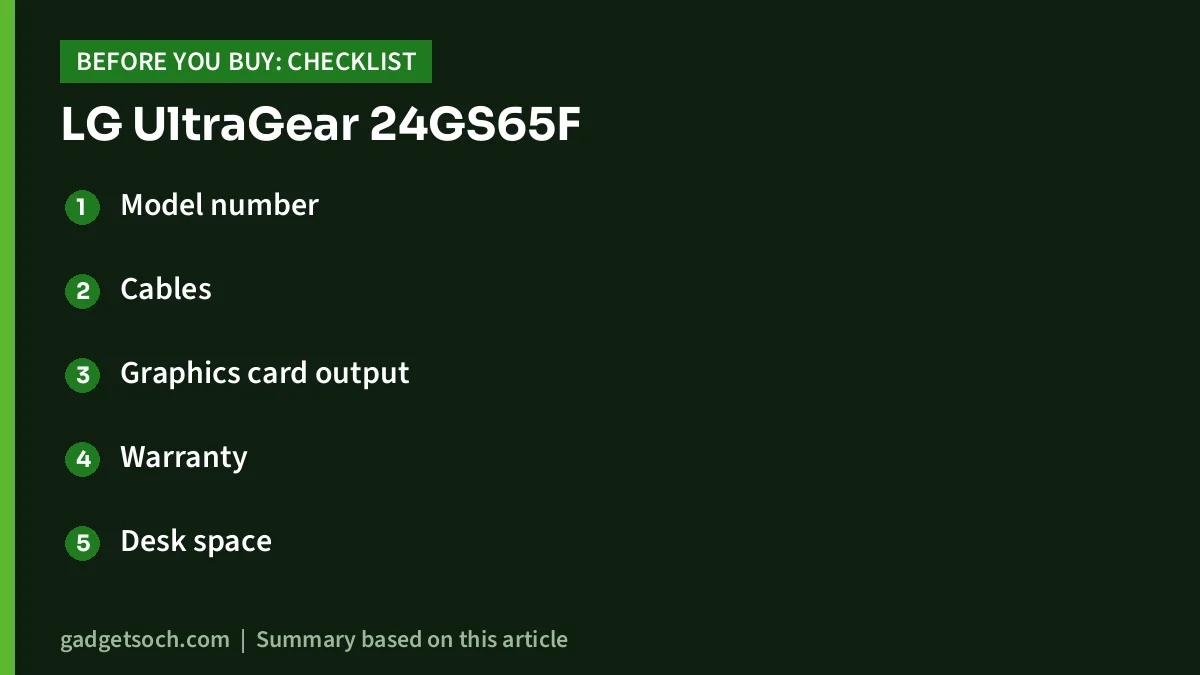
- Model number: confirm 24GS65F-B on the listing and on the box.
- Cables: LG’s page lists an HDMI cable and a DisplayPort cable as accessories, while the Amazon listing’s box contents say adapter, HDMI cable and monitor. If you need DisplayPort, confirm the current listing or keep a cable ready.
- Graphics card output: check that your graphics card and driver support adaptive sync on the port you plan to use.
- Warranty: the listing states 3 years parts and labour. Keep your invoice for LG service in India.
- Desk space: LG lists 540.8 mm width and 291.2 mm depth with the stand.
See the LG 24GS65F (Black) on Amazon.in
Frequently asked questions
Is the LG 24GS65F 23.8 inches or 24 inches?
The viewable diagonal is 23.8 inches. LG’s page heading rounds it to 24 inches (60.96 cm), but its description and the Amazon listing give 23.8 inches. Most “24-inch” monitors are 23.8 inches.
Does the LG 24GS65F have speakers?
No. LG lists only a 3-pole headphone output for sound.
How do I get 180Hz?
Connect over DisplayPort 1.4 or HDMI 2.0, set 1920 x 1080 at 180Hz in your operating system’s display settings, and turn on adaptive sync in both the monitor menu and your graphics driver.
Is it good for office work as well as gaming?
Yes for general work. The IPS panel, 99% sRGB coverage, Reader Mode and height plus pivot adjustment help. For heavy multitasking, a 27-inch 1440p monitor shows more content.
Can I wall-mount it?
Yes. LG lists a 100 x 100 mm VESA mount and a detachable base.
Final word
The LG UltraGear 24GS65F combines a 180Hz IPS panel, G-SYNC Compatible and FreeSync support, DisplayPort 1.4 and a properly adjustable stand in a standard 23.8-inch size. Its weaknesses are typical for the class: modest HDR, no speakers and no USB-C. If 1080p high-refresh gaming is your priority, it deserves a place on your shortlist.
Check the LG UltraGear 24GS65F price and availability on Amazon.in
Related reading on GadgetSoch: Zebronics A24FHD (100Hz) Monitor Review: Specs, Strengths and Limits and HP Series 3 Pro 324pf Review: 23.8-inch 100Hz IPS Office Monitor With VGA, HDMI and DP.
Sources
- LG India: 24GS65F-B UltraGear Full HD IPS gaming monitor product page and specifications, checked 17 October 2026
- Amazon.in listing for ASIN B0DPQWPQN2 (title, feature bullets and technical details captured 17 October 2026)
- Alternatives facts: Dell S2425HSM User’s Guide (Rev. A03), BenQ India GW2486TC specifications, B&H Photo HP 324pf specifications




